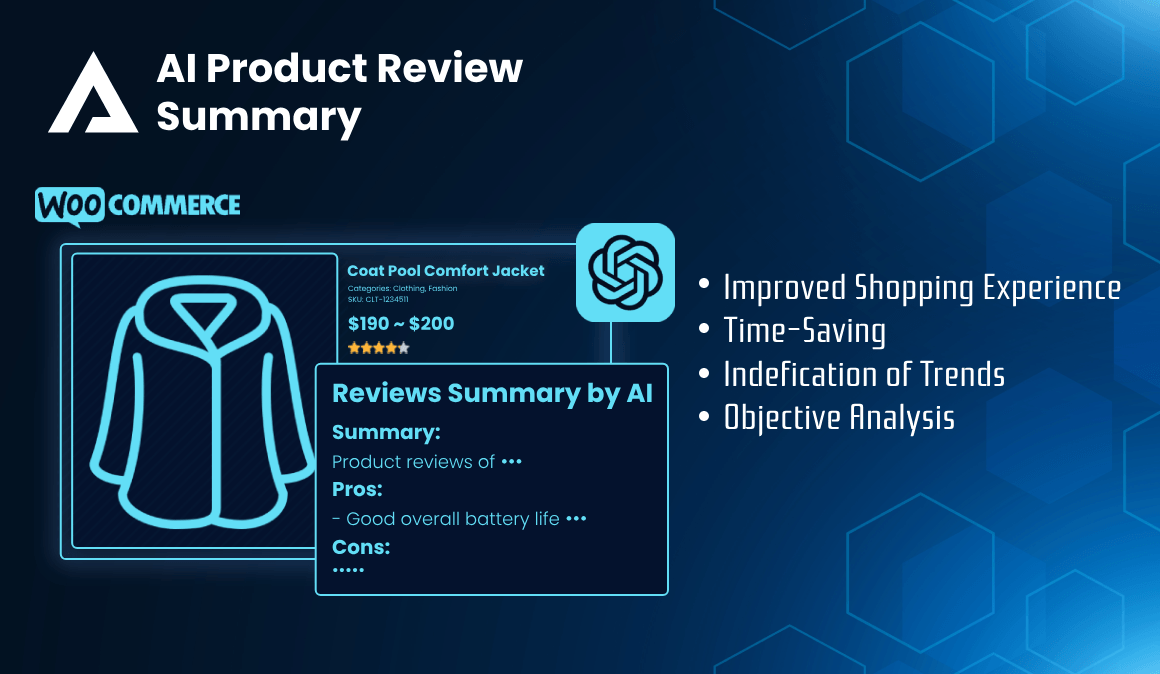
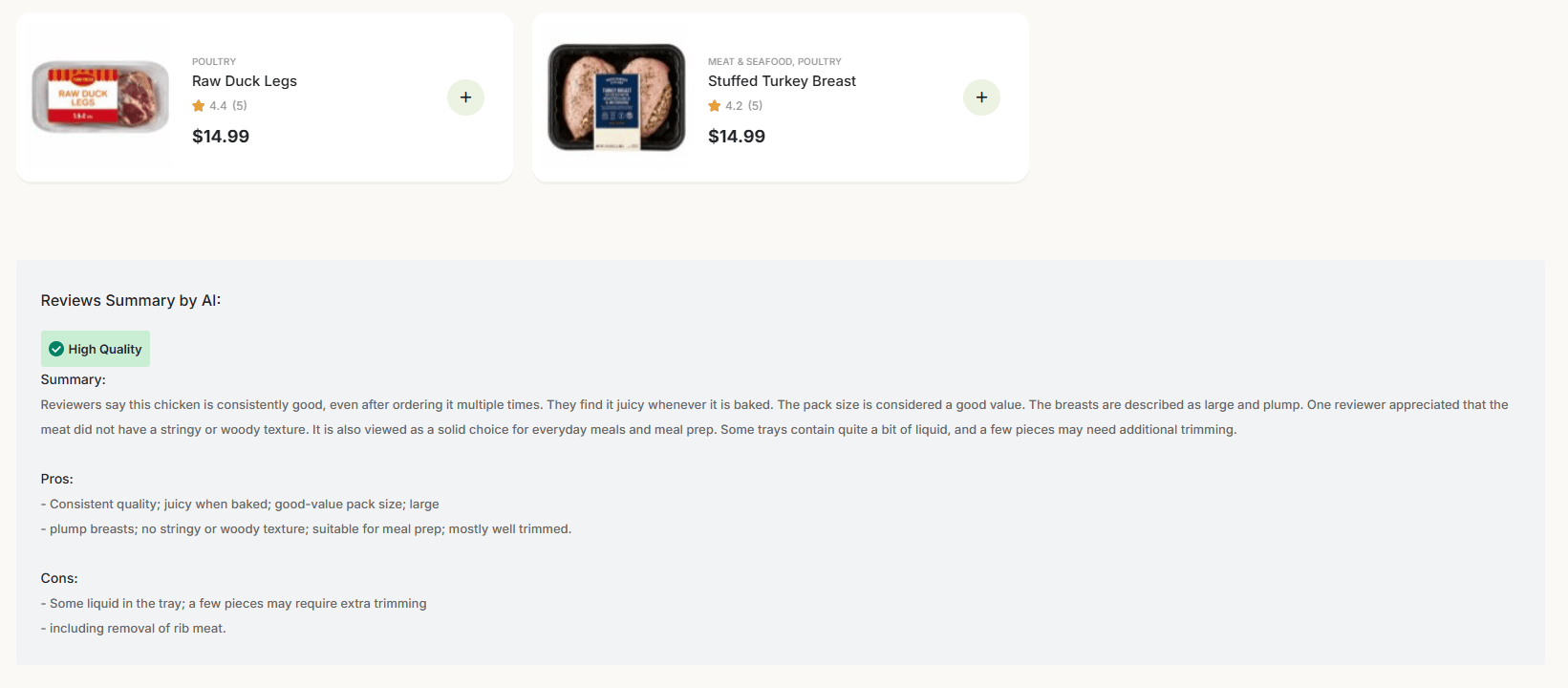
AI Product Review Summary reads the approved reviews on a WooCommerce product and writes a short, balanced summary of them: what buyers praised, what disappointed them, and the themes that come up again and again. A shopper gets the sense of a hundred reviews in a few seconds, without scrolling through a single one.
The plugin works with any theme that supports WooCommerce. A summary can appear automatically on the product page, be placed exactly where you want it with a shortcode, or be tucked into a tooltip beside the star rating in your shop listings.
Requirements
Before you install, check that your site meets the following:
- WordPress 7.0 or later
- PHP 7.4 or later
- WooCommerce — required. The plugin summarises WooCommerce product reviews.
- Meta Box — required. It provides the panel that appears in the product editor.
- An OpenAI account with an API key and available credit. See Step 2 below.
If WooCommerce or Meta Box is missing, the plugin says so in a notice at the top of the WordPress admin screens rather than failing quietly.
Getting Started
Step 1 — Install and activate the plugin
- In the WordPress admin, go to Plugins → Add New → Upload Plugin.
- Choose the plugin ZIP file and click Install Now.
- Click Activate.
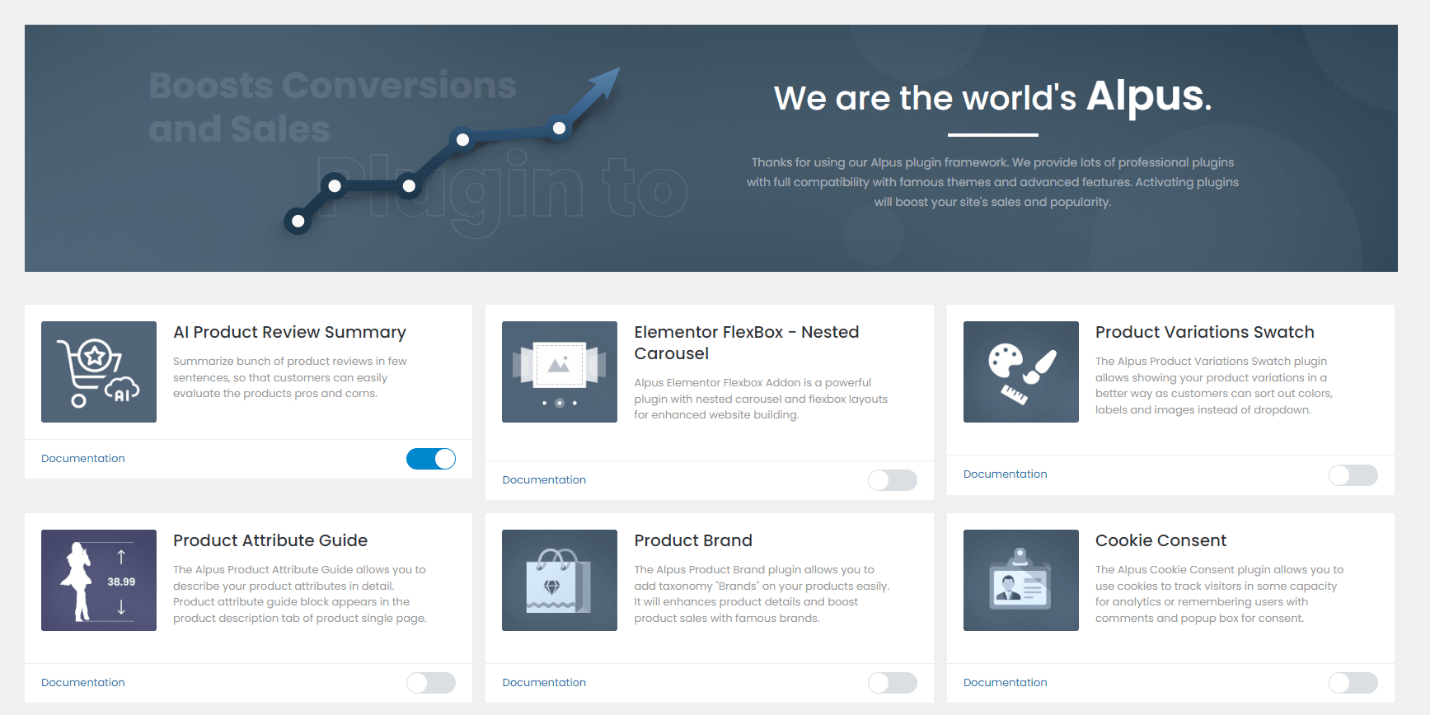
The plugin's settings then live at Alpus Addons → AI Product Review Summary.
Step 2 — Create your OpenAI API key
The plugin sends review text to OpenAI and needs a key of your own to do it. Note that a ChatGPT Plus subscription does not include API access — the two are separate products with separate billing. Having one does not give you the other.
- Go to platform.openai.com and sign in, or create an account if you do not have one.
- Add a payment method and buy credit, under Settings → Billing. A new account starts with no credit, and every request fails until some is added. Current rates are on the API pricing page.
- Open the API keys page and click Create new secret key. Give it a name you will still recognise in a year, such as WooCommerce review summaries.
- Copy the key immediately. OpenAI shows it once and never again; if you lose it you must create a new one. A key begins with sk-.
- Recommended: under Settings → Limits, set a monthly budget. Spending then stops at a figure you choose, whatever happens.
Keep the key private. It is stored in your WordPress database, and anyone who obtains it can spend from your OpenAI balance. Never paste it into a public forum or a support ticket. If you think a key has been exposed, delete it on the API keys page and create another.
Step 3 — Connect the key to the plugin
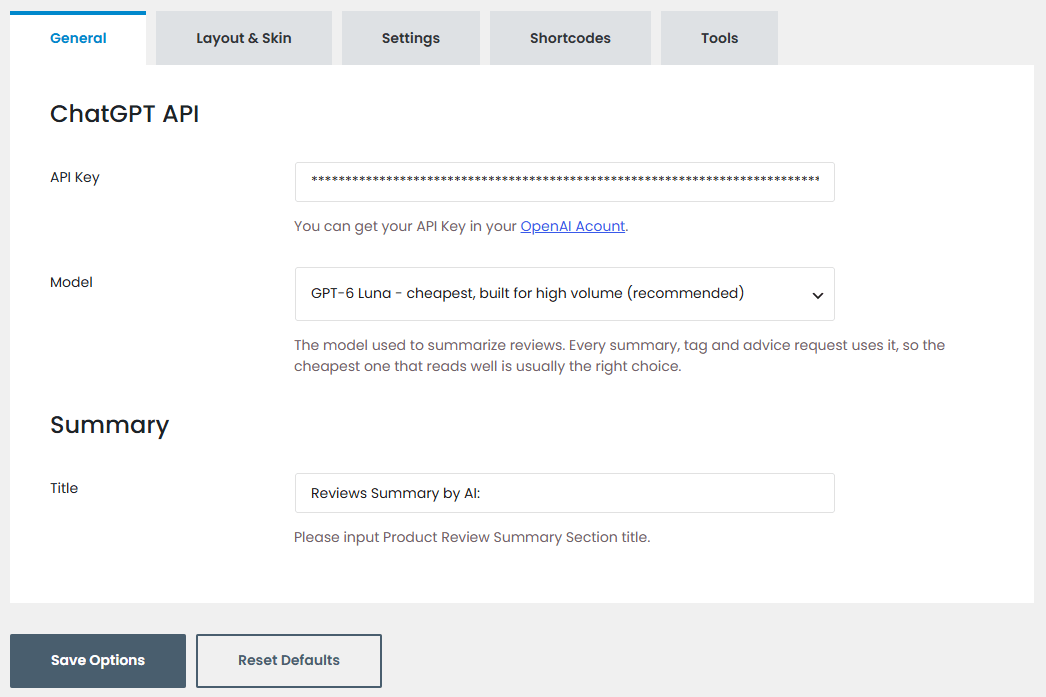
- Go to Alpus Addons → AI Product Review Summary → General.
- Paste your key into the API Key field.
- Click Update beside the Model list. The plugin asks OpenAI which models your account may use and fills the list with them.
- Choose a Model. The default is a low-cost model, which is ample for summarising reviews; the larger models write marginally better prose at several times the price. Start with the default and change it only if you are unhappy with the results.
- Click Save Options.
Step 4 — Generate your first summary
Open any product that already has approved reviews. In the AI Product Review Summary panel on the right of the product editor, click Generate Review Summary. The panel reports what happened when it finishes — and if something goes wrong, it names the reason rather than leaving you guessing.
Only approved reviews are summarised. A product with no reviews has nothing to summarise, and the panel will say so.
Layout & Skin
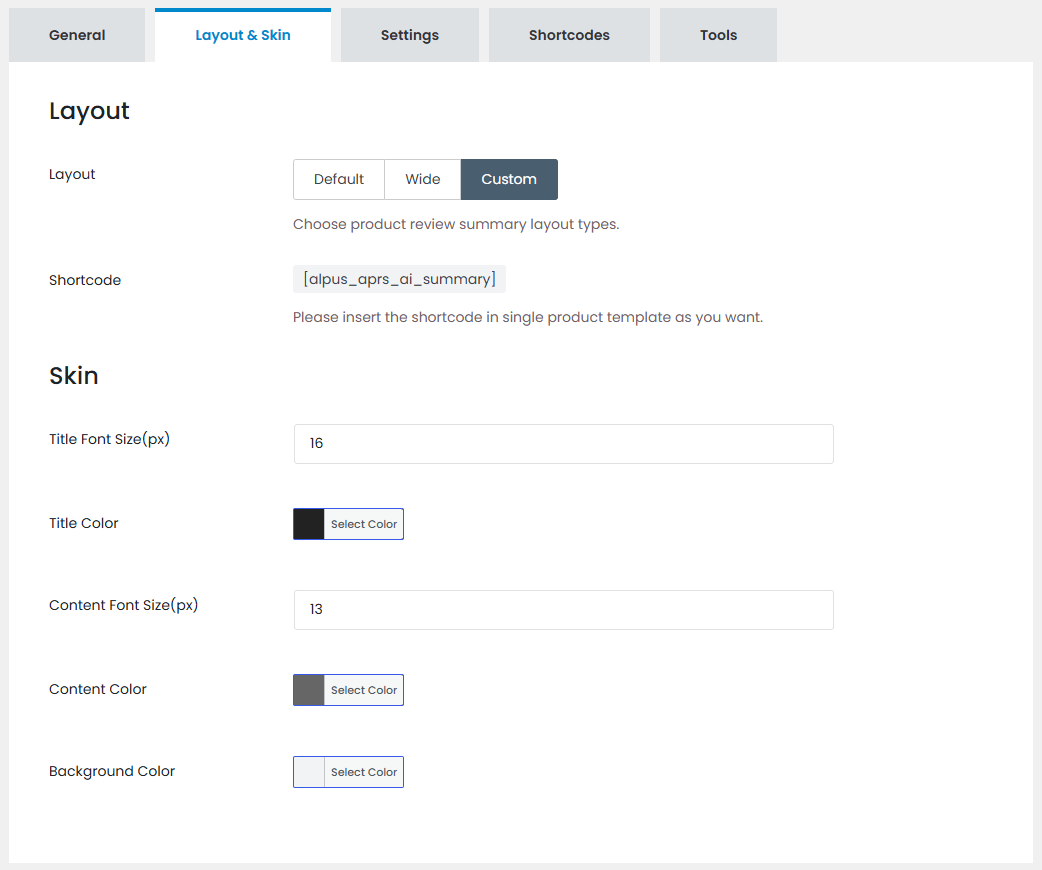
The Layout & Skin tab controls where the summary appears on the single product page and how it looks. Choose Default or Wide for automatic placement, or Custom to position it yourself with a shortcode.
You can also set the summary title, font sizes, text colours and background colour.
Shortcodes
The Shortcodes tab lists everything the plugin provides, with guidance for each. Click a shortcode there to select and copy it. If shortcodes are new to you, they are short tags you place in page content, a widget or a page builder, and WordPress replaces them with the real output.
Review summary block
[alpus_aprs_ai_summary]
The full block for the single product page: the title, the AI generated tags, and the Summary, Pros and Cons. It is registered only when Layout & Skin → Layout is set to Custom, so set the layout first and then place it.
Rating with summary tooltip
[alpus_aprs_rating_summary] or [alpus_aprs_rating_summary id="123"]
Prints the star rating with the review summary attached to it, as one block. Use it wherever you build your own product listings — in a page builder template, for instance, where the automatic placement has nothing to attach itself to.
Inside a product loop it uses the product being rendered, so the id attribute is only needed outside a loop.
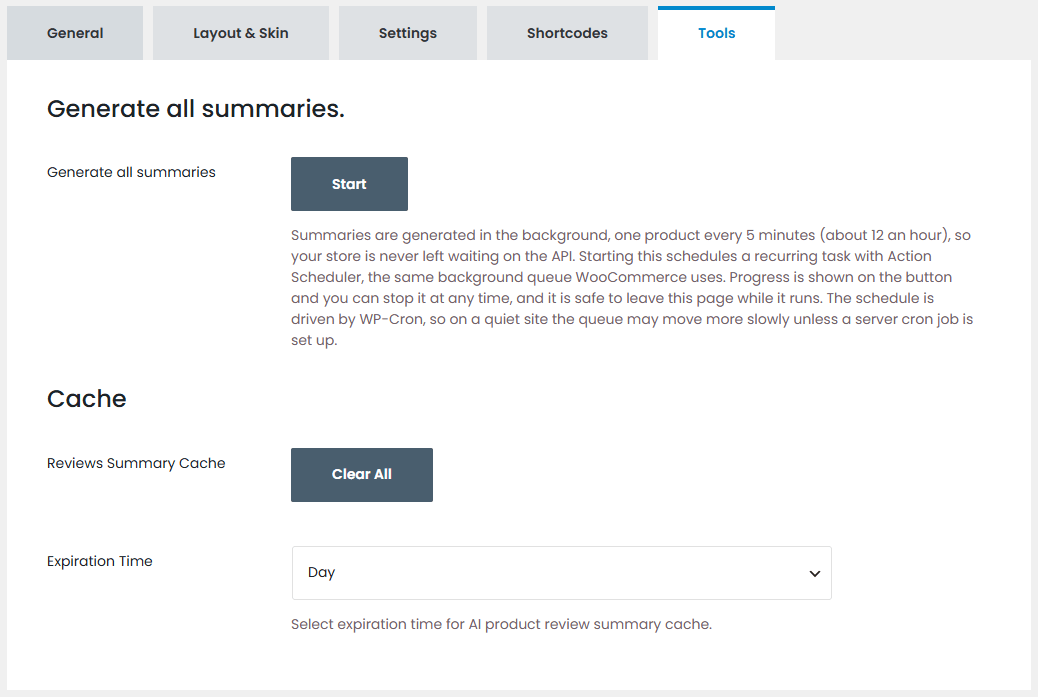
Tools
The Tools tab handles your catalogue as a whole.
- Generate all summaries — queues every product. The work runs in the background through Action Scheduler, the same queue WooCommerce itself uses, one product at a time so your site stays responsive. Progress is shown on the button, and you can stop it at any point.
- Clear cache — removes stored summaries so they are generated afresh.
- Expiration Time — how long a summary is kept before the plugin regenerates it. Products gather new reviews over time, and this decides how quickly the summary catches up.
The queue is driven by WP-Cron, which WordPress triggers on site visits. On a quiet site the queue moves slowly; a real server cron job keeps it steady.
AI Generated Tags
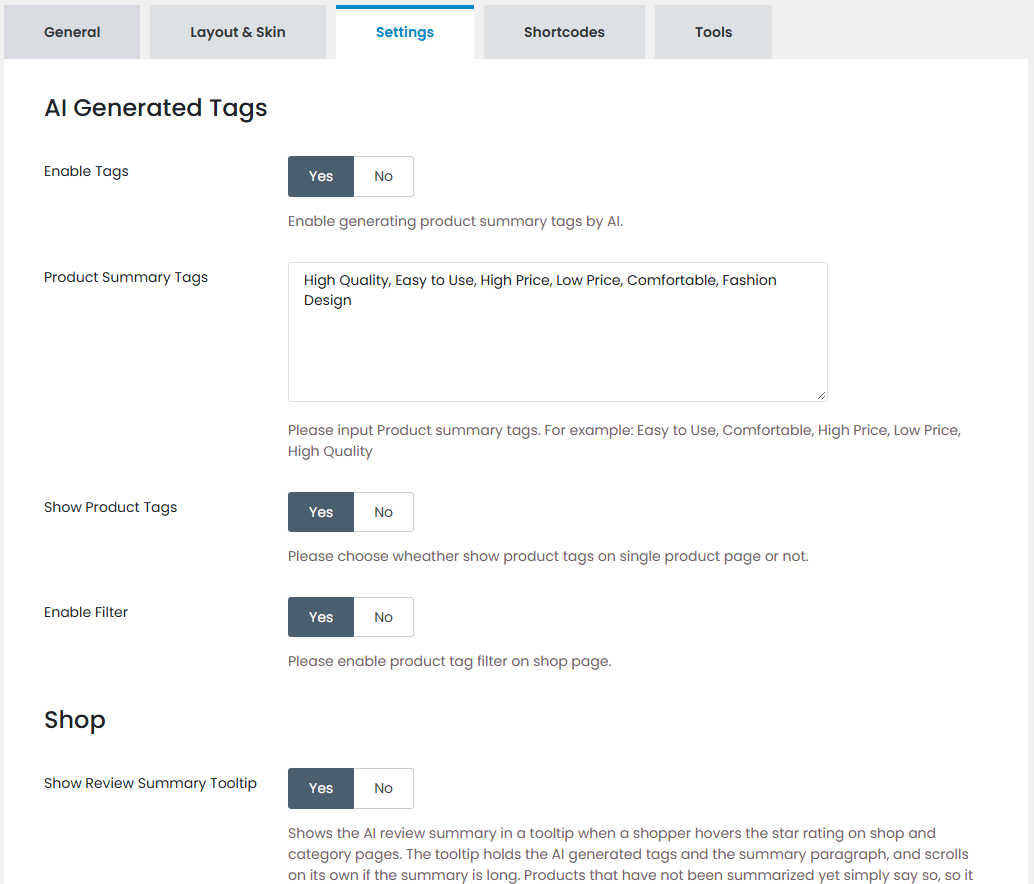
As well as the summary, the plugin can pick out the themes that recur across a product's reviews and show them as tags. These are configured on the Settings tab.
- Enable Tags — generate summary tags alongside each summary.
- Product Summary Tags — the list of candidate tags the AI may choose from. Tailor it to what you sell: a clothing shop and a tool shop care about very different things.
- Show Product Tags — show the tags on the single product page.
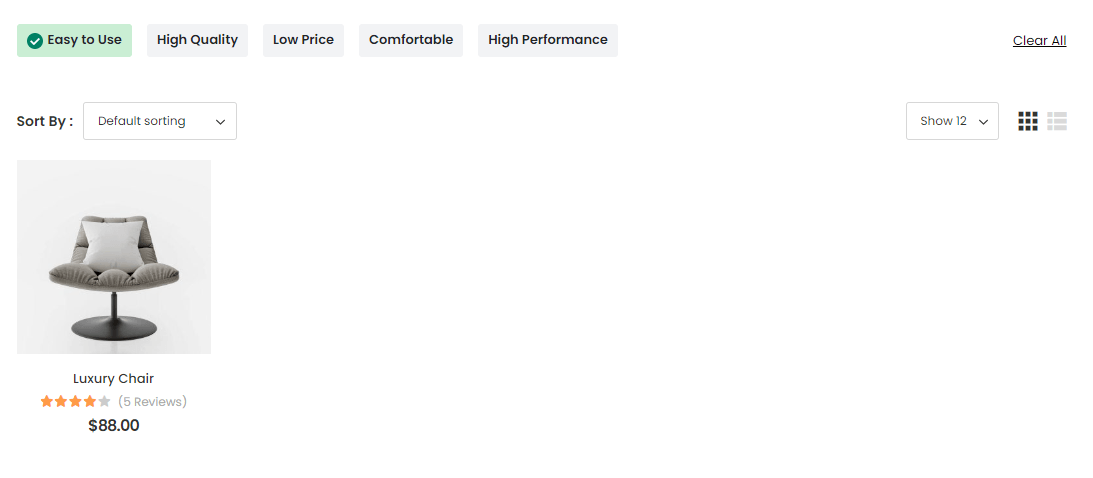
- Enable Filter — let shoppers filter the shop page by tag.
Once this is set up, each product carries a few tags naming its real strengths, drawn from what buyers actually wrote rather than from your own product copy.
On the single product page
As a shop filter
Review Summary Tooltip
On the Settings tab, Show Review Summary Tooltip adds the summary to the star rating in shop and archive listings, revealed when a shopper hovers over it. Customers get a sense of a product without opening it, which is often the difference between a browse and a click.
AI Sales Manager
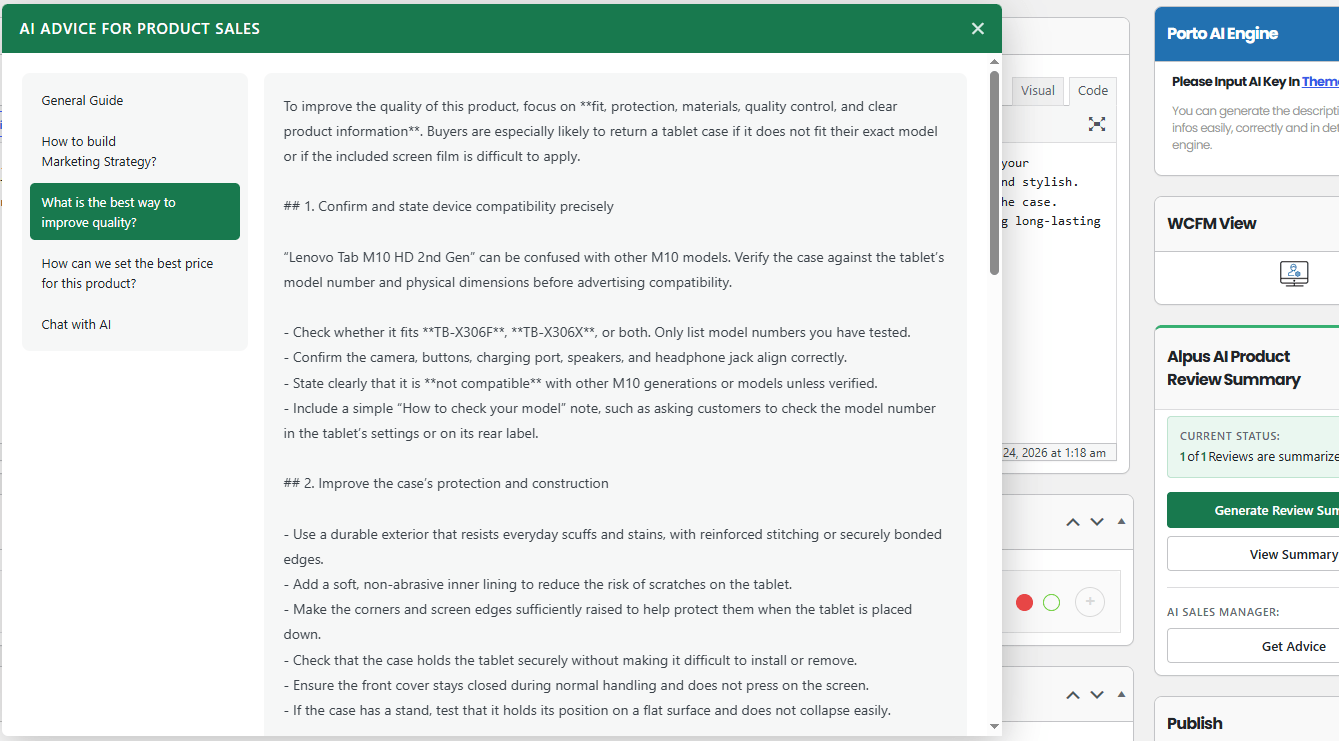
The same reviews that help your customers can tell you something too. Open any product and the AI panel offers advice drawn from what buyers have written about it.
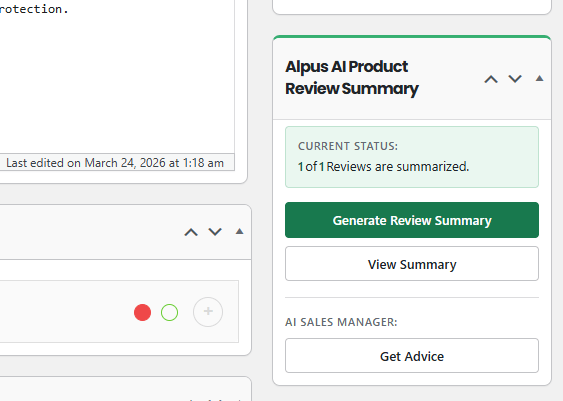
Ask for guidance on marketing strategy, product quality or pricing, and get an answer grounded in your own reviews rather than in generalities.
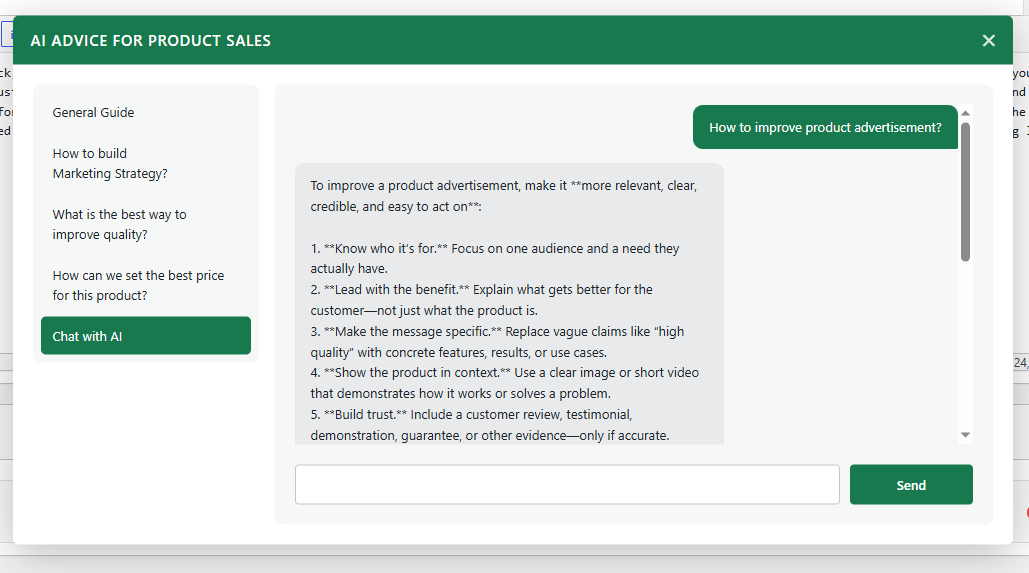
If you want to go further, you can put your own questions to the AI directly.
Key Features
- Faster decisions. Shoppers weigh a product's strengths and weaknesses at a glance instead of reading review after review.
- Balanced by design. Every summary presents both pros and cons, so customers see the trade-offs and buy with their eyes open. Fewer surprises after the sale means fewer returns.
- Built from your own reviews. Summaries are drawn from the approved WooCommerce reviews on that product — your customers' words, not a generic description.
- Works with any WooCommerce theme. Automatic placement, a shortcode or a tooltip, whichever suits how your site is built.
- Yours to style. Layout, title, font sizes and colours are all configurable, so the summary looks like part of your shop rather than a bolted-on panel.
- Runs in the background. Whole-catalogue generation is queued and processed a product at a time, so your store stays fast while it works.
- Kept current. Summaries expire on a schedule you set and are rebuilt from the latest reviews, so they keep pace as opinion shifts.
- Insight for you as well. The AI Sales Manager turns the same review data into marketing, quality and pricing advice for your own use.
Thank you for choosing AI Product Review Summary.

Version 2.3.0 (4 November 2026)
- Initial release
Turn hundreds of product reviews into a few lines your customers will actually read.
More Details
2.3.0
4 November 2026 (changelog)
IE9, IE10, IE11, Firefox, Safari, Opera, Chrome, Edge
WordPress 6.9, WordPress 7.0, WordPress 7.1
PHP Files, CSS Files, JS Files
WooCommerce 11.x, WooCommerce 10.x, WooCommerce 9.x, Meta Box 5.15
3 years ago

30-day Money-Back Guarantee

Professional Support Teams