

5 Affordable Alternatives to Overpriced Enterprise Tools
Why Are So Many Service Businesses Ditching Enterprise Software in 2025?
Once, enterprise tools were the standard. Big brands. Bigger features. Even bigger invoices.
But things changed in 2025. Field service businesses are resigning themselves to bloated platforms and are looking for tools that will accomplish the task without taking up a lot of budget.
So, what has changed?
Business owners are fed up with having to pay for software that can take months to put into place and requires a specialist to produce a report. There’s also the expense, subscriptions often charge per user, so your costs rise faster every time your team grows..
Field teams also need flexibility. They’re not sitting behind desks all day. They’re out in homes, buildings, and job sites. What they need is:
- Mobile access
- Clean dashboards. They shouldn’t need a user guide.
- Tools that can work offline if Wi-Fi is not working
In short, they’re looking for software that is able to support the demands of their day-to-day, not something designed for a CEO who doesn’t leave the office.
This guide will help you find five low-cost options that provide the necessities without having to pay a cost shock. The tools were selected for their simplicity of usage, cost-effectiveness, and the real-world features field experts actually require.
1. What Makes Field Promax a Smarter Choice Than Costly FSM Giants?
Imagine that you’re in the process of growing your HVAC or plumbing company. It’s time to get software that can handle the scheduling, estimates, invoices, and tracking for technicians. However, you don’t have the time to go through six demonstrations or pay someone to get it set up.
This is the reason why Field Promax can stand out from the more expensive crowd. While many platforms for enterprises cost a lot for features you won’t utilize, Field Promax gives you the most essential features you’ll ever need:
- Drag-and-drop scheduling takes only minutes instead of hours
- QuickBooks integration that is cleanly synced
- Real-time tracking of technicians to avoid the possibility of missing work
- Digital work orders ensure everything is organized
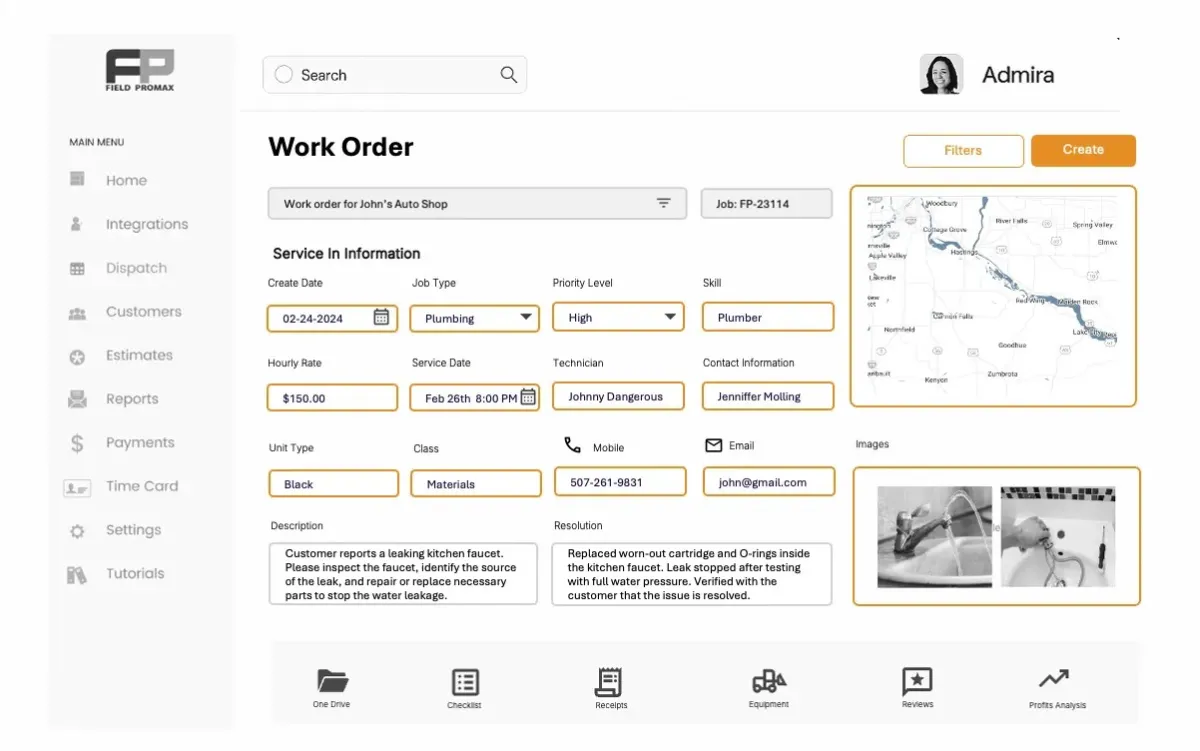
It’s mobile-friendly and designed to be used by busy field teams, and doesn’t require manuals to comprehend. Pricing is also easy, which means that the cost of your software will not increase every time you add technicians.
If you’ve been using spreadsheets, paper, or an application that continually crashes, it’s time to upgrade. Don’t waste time. It’s all about what works.
2. Can Zoho CRM Deliver Enterprise-Level Sales Power Without the Price Tag?
There is no need to spend a lot to monitor leads, manage customer relationships, or close deals. Zoho CRM is now a preferred choice for mid-sized and small enterprises due to its robust sales features at a fraction of enterprise costs.
For field service firms, having a solid CRM is vital. With Zoho CRM, you will be able to:
- Capture leads directly via emails, forms, or even calls
- Keep all quotes, jobs, and customer records in one location
- Automate follow-ups so no client slips away
- Access visual pipelines and quick reports without any effort
What differentiates Zoho CRM is its ability to scale. You can begin with the basics and then expand your options with features like automation, integrations, or even email marketing as your business grows. For businesses that are comparing Zoho CRM alternatives, these scalability features often become one of the most critical factors in selecting a CRM tool.
For those who are tired of chaotic spreadsheets and group chats, Zoho provides a simpler and more organized way to maintain a clear view of customer relationships without breaking the bank.
3. Can Xero Keep Your Accounting Simple Without the Enterprise Price?
Managing invoices, expenses, and cash flow should not feel like running a second business. Xero makes accounting accessible for small service teams that need clarity without the weight of an enterprise finance suite.
With Xero, you can:
- Create professional invoices that carry your branding
- Automate payment reminders so clients pay on time
- Track expenses and mileage from the field
- Generate clear, easy-to-understand financial reports
Its biggest advantage is simplicity. Instead of drowning in spreadsheets or overpaying for advanced finance software you will never use, Xero keeps the essentials straightforward and affordable.
For field service companies, this means faster billing, fewer missed payments, and real insight into where the money is going. It is accounting made practical, not painful.
4. Can Slack Really Keep Field Teams on the Same Page?
Coordinating technicians with texts and calls often ends in missed details and wasted trips. Slack offers a cleaner way to keep communication flowing, especially for teams that are always on the move.
With Slack, you can:
- Send instant updates to technicians in the field
- Share notes, photos, and job details in one thread
- Organize conversations by project or crew
- Cut down on repeat calls and scattered messages
Instead of struggling with long email chains or trying to find instructions buried in text history, crews see what they need in one channel. Managers also get better visibility without constant check-ins.
For service businesses, Slack is not just a chat tool. It is a practical hub that helps everyone know where they need to be, what needs to be done, and how to stay aligned throughout the day.
5. Can JobNimbus Make Estimating Faster Without Sacrificing Accuracy?
First impressions matter, and for most clients, your estimate is the first serious one they see. If it looks sloppy or takes too long, they start calling your competitors. JobNimbus helps avoid that by giving you the tools to build clean, accurate quotes on the fly.
With JobNimbus, you can:
- Create estimates using customizable templates
- Adjust for labor, materials, taxes, and markups
- Send quotes instantly by email or text
- Track client approvals without constant follow-ups
It’s built for speed. Instead of going back to the office to write up pricing or losing hours to back-and-forth emails, your team can send a professional estimate before leaving the job site.
For service pros who want to win more jobs without drowning in paperwork, right estimating software makes quote management fast, flexible, and far less frustrating.
Over to You
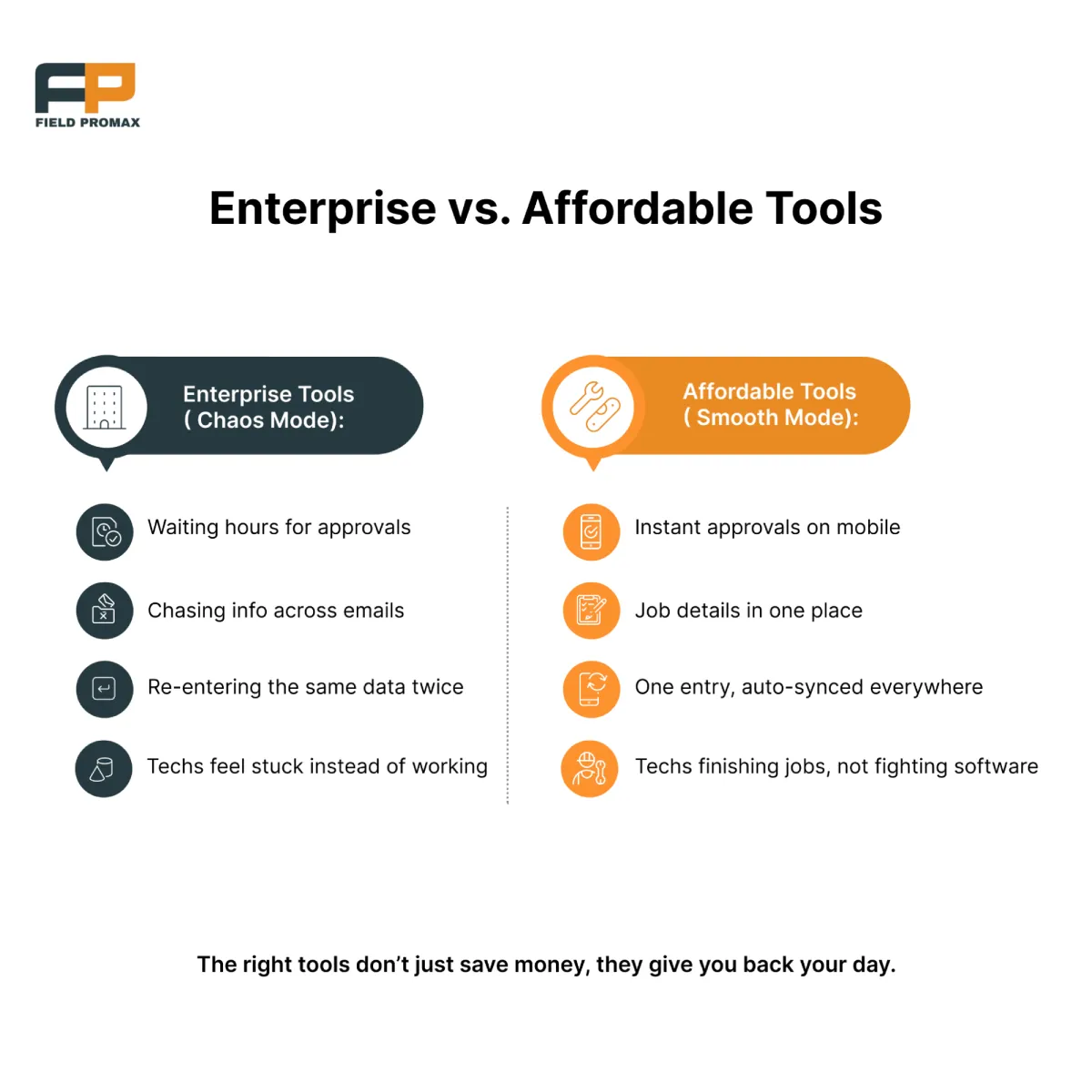
You’ve just seen how affordable, no-nonsense tools can replace bloated enterprise software without missing a beat. But what if you didn’t need to stitch together five different platforms just to run your business?
That is where Field Promax comes in.
Instead of flipping between apps for scheduling, sales tracking, invoicing, communication, and estimates, Field Promax brings everything into one clean, intuitive workspace. It removes the fluff, keeps the tools you actually need, and helps your entire team stay in sync.
Here’s how it works in real life:
- Schedule jobs with drag-and-drop ease
- Dispatch instantly to mobile devices
- Generate estimates and invoices on the spot
- Track job status and technician location in real time
- Sync with QuickBooks for smooth accounting
It is all designed for field service teams, not corporate IT departments.
What Do Real Users Say?
“We have been using Field Promax for a few years now. We are very happy with this program. The features are easy to use and to understand. Customer service is great.”
(Verified reviewer, QuickBooks)
“Overall, I think this is a very solid product, and we have been more than happy with our experience with this as a whole.”
(Verified reviewer, Software Advice)
If you have been bouncing between tools, losing time, or dealing with clunky software, this might be the switch that actually makes your workflow easier.
Choosing the right software should feel like progress, not another puzzle to solve.


Leave a Reply