
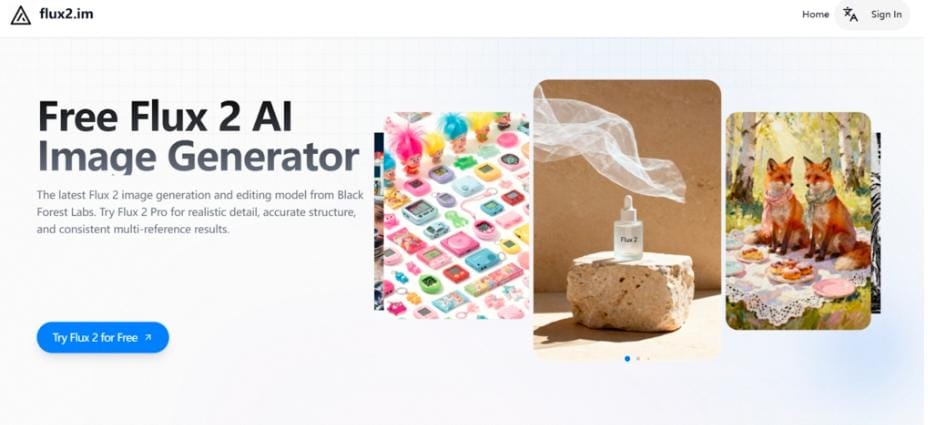
Free Flux 2: A Pro-Level AI Asset Tool Used by Theme Creators on Flux2.im
In today’s fast-paced web design landscape, theme creators face an increasing demand for high-quality visuals, complex layouts, and precise typographic elements. Traditional stock images and manual design workflows often fall short, slowing down development and limiting creative possibilities. This is where Flux 2, the advanced AI image generator from Black Forest Labs, comes into play.
Flux 2 leverages cutting-edge technology to deliver stunningly realistic images and meticulously crafted visual assets. With Flux 2 free online, designers can generate banners, hero images, and infographics with remarkable detail and accuracy. Whether you’re creating landing pages, demo templates, or full-fledged WordPress themes, Flux 2 Image Generator streamlines the workflow, enabling consistent and professional results.
What is FLUX.2?
FLUX.2 is a versatile AI image generation technology developed by Black Forest Labs, designed to meet the diverse needs of designers, theme creators, and developers. Its core strength lies in producing high-resolution, realistic visuals, complex layouts, and precise typographic elements, making it ideal for website templates, landing pages, and UI design. To cater to different creative and technical requirements, Flux 2 offers multiple specialized models:
FLUX.2 [Pro] – Delivers high-quality images with fast generation, strong prompt adherence, and realistic visuals, perfect for production-ready content and professional template demos.
FLUX.2 [Flex] – Provides full control over rendering, particularly for typography and intricate details, with adjustable “steps” to balance layout precision and generation speed.
FLUX.2 [Dev] – A 32-billion-parameter open-weight model tailored for developers, researchers, and teams building custom AI pipelines or integrating AI into applications.
FLUX.2 [Klein] – An Apache 2.0 open-source model optimized for efficiency, lightweight and developer-friendly, suitable for experimentation and integration in resource-constrained environments.
Feature Highlights of Flux 2 Image Generator
Advanced Text and Infographic Rendering
Flux 2 supports intricate typography, UI elements, infographics, and even meme-style graphics. Using the Flux 2 AI model, designers can create images with detailed, readable text, making it ideal for dashboards, landing pages, and content-rich templates.
Ultra-High Resolution Image Generation
FLUX.2 excels at creating highly detailed, realistic visuals with complex layouts and infographics. With support for resolutions up to 4MP, the Flux 2 image generator enables designers to produce crisp hero banners, product visuals, and landing page graphics suitable for professional templates. Flux 2 offers flexible options for different project needs.
Realistic Details and Adaptive Lighting
Images generated by Flux 2 AI feature rich textures, lifelike details, and stable lighting that adapts naturally to the scene. Physics-based rendering ensures shadows, reflections, and light behavior are consistent, providing professional-grade visuals that enhance template demos and user interfaces.
Enhanced Prompt Compliance for Complex Instructions
With Flux 2 AI, multi-part prompts and compositional constraints are followed accurately. The AI interprets structured instructions, ensuring the output aligns with your creative ideas. This makes Flux 2 AI especially effective for designers requiring precise control over layout and scene composition.
World Knowledge for Cohesive and Realistic Scenes
FLUX.2 incorporates real-world understanding of lighting, perspective, and spatial logic. Scenes appear coherent and behave predictably, making it easier to generate images that feel natural and contextually accurate for website templates or visual storytelling.
Flexible Input-Output Ratios for Design Versatility
Flux 2 Image Generator allows high-resolution image editing with adaptable input-output ratios. Whether refining an existing asset or generating a new graphic, Flux 2 ensures consistency and scalability, supporting diverse design requirements without compromising quality.
How to Use Flux 2 Image Generator Free Online?
Step 1: Enter Your Prompt
Type a clear and detailed description of the image you want to generate, including subject, style, lighting, or mood. The Flux 2 AI model interprets your instructions with advanced semantic understanding, transforming them into realistic and coherent visuals. The more precise your prompt, the more accurate the results from FLUX.2.
Step 2: Upload an Image to Edit or Refine
For editing existing visuals, upload a photo to enhance or modify. Flux 2 can adjust composition, refine lighting, or tweak specific elements while preserving realism and structural integrity. This makes the Flux 2 Image Generator a powerful tool not only for creation but also for image refinement and professional design workflows.
Step 3: Generate and Iterate
Click Generate to produce results instantly. You can refine your prompt or tweak creative directions to explore variations. Flux 2 ensures consistent characters, style, and visual identity across iterations, ideal for storytelling, template previews, and design exploration.
How Theme Creators Can Use Flux 2 Image Generator in Their Workflow?
Creating Consistent Demo Pages for Templates
Theme creators often need multiple demo pages to showcase different layouts, colors, or product categories. With Flux 2 AI model, designers can generate cohesive visuals that maintain consistent lighting, textures, and style across all pages. Whether producing lifestyle images, product displays, or template previews, Flux 2 Image Generator ensures each asset aligns with the overall visual identity, saving time while enhancing professionalism.
Rapid Hero Image and Banner Production
Landing pages and homepage sections require striking hero images and banners to capture attention. With Flux 2 free online, theme creators can produce high-resolution visuals up to 4MP. Flux 2 AI interprets detailed prompts, allowing designers to specify mood, lighting, and composition, resulting in polished, production-ready graphics without relying on stock photography or manual editing.
Generating Infographics and Complex UI Components
Modern templates often include dashboards, data visualizations, or text-rich sections that require precise layout and clarity. FLUX.2 enables designers to create infographics, UI components, and typography-heavy visuals accurately. This capability supports complex designs with structured instructions, making it an ideal tool for theme developers aiming to enhance the usability and aesthetic of their templates.
How Flux 2 AI Streamlines Modern Theme Design
Throughout modern theme development, creating high-quality, consistent visuals is a persistent challenge. Flux 2 AI enables designers to produce detailed, realistic graphics and complex layouts efficiently. By integrating Flux 2 AI into template creation, theme creators can maintain visual consistency across demo pages, generate high-resolution hero images and banners, and develop infographics or typography-heavy UI elements with precision. Overall, FLUX.2 demonstrates how AI-assisted design tools can streamline workflows, enhance asset quality, and provide practical solutions for modern website and template design.


Leave a Reply