
AIVector: The Most Practical AI Vector Solution for Modern Design Workflows
In today’s fast-paced design environment, creators need tools that offer speed, precision, and scalability. AI-driven vector generation is becoming essential, and this article examines how AIVector’s AI Vector capabilities streamline professional workflows.
Understanding the Rise of AI-Driven Vector Design
Why Vector Graphics Matter More Than Ever
Vector graphics offer infinite scalability without losing clarity, making them ideal for branding, UI assets, icons, and web-ready illustrations. As multi-platform design demand grows, teams require a reliable way to generate vectors quickly and adjust them across formats with consistent quality.
The Shift Toward Intelligent Automation
Manual vector tracing or hand-drawing scalable graphics can be time-consuming. AI-powered tools now automate the process while preserving design-ready structure, enabling creators to focus on aesthetics rather than repetitive execution.
How AIVector Enhances Vector Creation
Generating High-Quality Vectors from Text
When creators need to turn ideas into visual assets instantly, AI Vector provides a direct workflow that transforms simple written descriptions into clean, scalable SVG files. By interpreting intent rather than just shapes, the system delivers structured vectors that are suitable for branding, marketing visuals, and UI components without additional refinement.
Turning Text Prompts into SVGs with Precision
AIVector’s language-to-vector engine analyzes semantics rather than keywords, ensuring that icons, symbols, and conceptual illustrations match the user’s intent. Under this workflow, creators significantly reduce the iteration cycle compared to manually sketching or tracing designs in traditional software.
Converting Written Concepts Using Dedicated Tools
Within its feature set, the platform also includes a streamlined generation module for those who want a direct conversion experience. This is where AIVector integrates its specialized text-to-vector functionality, allowing users to convert descriptions into clean, layered vector compositions that remain editable in all major design tools.
Expanding Beyond Text: Multi-Format Vector Conversion
Transforming Raster Images into Scalable Artwork
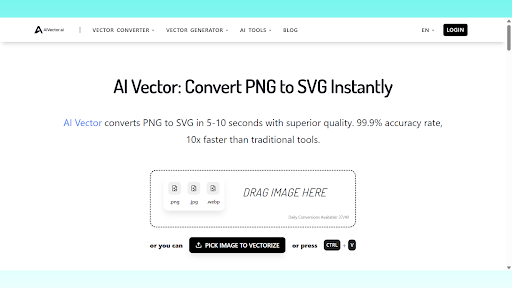
AIVector also supports automated conversion from bitmap images to vectors. This is particularly useful when designers need to reuse an old logo, recreate low-resolution graphics, or extract clean contours from scanned sketches. The engine identifies edges, simplifies curves, and produces a resolution-independent SVG that preserves the visual intent of the source.
Converting HTML and UI Elements to Vector Assets
For digital teams working with web interfaces, AIVector offers the capability to convert HTML elements into vector shapes. This allows designers to turn UI modules, buttons, and layout components into reusable design assets without manually redrawing them. By keeping structural layers intact, the workflow reduces errors and ensures alignment across development and design stages.
If your workflow also involves rewriting or refining interface copy, microtext, or system prompts, a tool like Sentence Rewriter can support text polishing alongside vector generation pipelines, ensuring both visual and linguistic assets are production-ready.
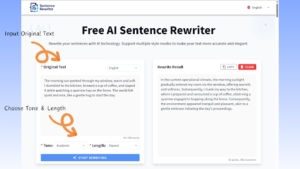
(Sentence Rewriter tool interface)
Practical Use Cases for Professional Creators
Scalable Branding and Logo Development
Brand identities often require the same logo to appear across dozens of touchpoints—from product packaging to mobile screens. AIVector ensures that every variant remains crisp by producing vectors with clean anchoring points, consistent curvature, and balanced proportions. This improves visual integrity and speeds up brand rollout.
Efficient Icon and UI Asset Production
Modern digital products rely on large icon sets that must align stylistically. AIVector’s automated vector creation helps teams maintain consistency across interface states, densities, and resolutions. The predictable structure of the generated SVG files makes it easier to edit shapes, adjust thicknesses, and export assets in multiple formats.
Why AIVector Fits Into a Modern Design Workflow
Stability, Control, and Scalability in One Platform
AIVector focuses on delivering vectors that are not only visually clean but also technically structured for downstream use. Designers can modify anchor points, adjust paths, and recolor elements without encountering unnecessary artifacts. Compared with traditional tracing tools, the platform preserves accuracy even when scaling outputs to exceptionally large formats.
Supporting Rapid Iteration and Collaboration
Fast-moving teams often need to test multiple visual directions before finalizing a design. AIVector accelerates ideation by producing ready-to-edit vectors in seconds. This supports cross-team collaboration, enabling design, marketing, and development groups to work from a unified asset base with minimal revision overhead.
Conclusion: AIVector’s Role in the Future of Vector Design
The need for high-quality, scalable graphics continues to grow across digital platforms, branding activities, and UI development. AIVector stands out as a practical, AI-enhanced solution that bridges text-based ideation, multi-format conversion, and design-ready output. For creators seeking a reliable way to produce vectors without sacrificing control or quality, AIVector offers a streamlined and future-proof workflow built around speed, clarity, and precision.


Leave a Reply