
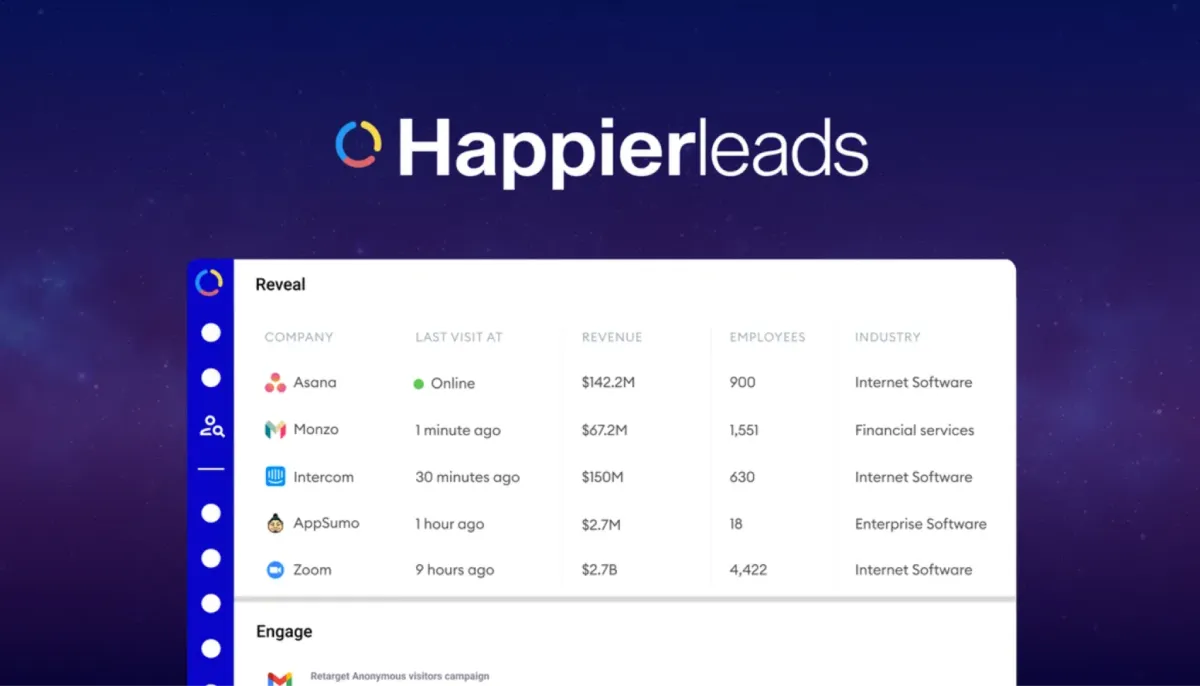
Happierleads Review | Identify Anonymous Visitors
Happierleads helps businesses spot anonymous visitors on their websites. It reveals who they are at a personal level by leveraging advanced algorithms. Then it qualifies those leads and starts email outreach right away. You install a simple tracking pixel to begin. Next, you see company details and often personal contact info. The tool turns passive traffic into active sales opportunities. No need for extra software in most cases, as it serves as a unified platform. It works great for B2B teams who want to use their existing website visitors better.
Happierleads Pros & Cons:
Pros
- Easy pixel setup gets you started fast.
- Data accuracy helps spot real prospects.
- All-in-one tool reduces the need for many apps.
- Good deliverability with mailbox rotation.
- Strong CRM push saves manual work.
Cons
- Credit limits may feel tight for high-traffic sites.
Happierleads monthly pricing:

Happierleads monthly pricing starts simple. The Free plan offers 150 credits to test things on a single website. The Business plan costs $99 per month. It gives 300 credits and access to core tools like AI summaries, CRM integrations, and email campaigns. Higher tiers exist for bigger needs, such as the Agencies plan at $949 per month, which offers 10,000 credits, unlimited websites, and full white-label access.
01: Anonymous Traffic Identification
Anonymous traffic identification shows hidden visitors on your site. Happierleads uses its own fully-permissioned publisher network to reveal details. You see company names even when people are working from home. Sometimes it finds personal names and emails too. The pixel tracks visits quietly in the background. You check the dashboard anytime. Filters remove unwanted leads and bad traffic automatically. Only real prospects appear. This step turns unknown traffic into known opportunities. Marketing teams spot trends in visitor sources. Sales reps contact warm leads sooner. The process feels simple from day one. Many teams say they catch leads they missed before.
02: Cold Email Outreach
Cold email outreach sends messages to identified visitors. You build campaigns inside Happierleads. The tool handles sending on autopilot. Personal details make emails feel custom. You reach decision-makers who already showed interest. Sequences run without daily effort. Track opens and replies in the same place. This feature connects identification directly to action. Sales cycles shorten when you contact fresh visitors. Teams test different messages easily. Results appear in clear reports. Users appreciate the all-in-one flow from visitor to email.
03: Mailbox Rotation
Mailbox rotation spreads your emails across many accounts. This step keeps your sender reputation safe. You avoid landing in spam folders too often. Happierleads lets you connect several mailboxes. The system rotates them automatically during campaigns. As a result, your emails reach more inboxes. Teams send higher volumes without getting blocked. Setup takes little time. You add mailboxes once. Then the tool handles the rest smoothly. This feature saves hours of manual work. Sales reps focus on closing deals instead. Many users notice better deliverability after they start rotation. Overall, it makes cold outreach more reliable day after day.
04: AI Session Summary
AI session summary creates quick reports on visitor activity. It reads the pages people viewed. Then it highlights what interested them most. You get a short text summary in seconds. This helps you understand buyer intent fast. Sales teams use these notes before they call or email. The summary points out hot leads clearly. You skip guessing what the visitor wanted. Instead, you reply with relevant offers. The AI works on every session automatically. No extra clicks needed. Teams review summaries in one dashboard. This speeds up follow-up and improves response rates. Users like how it turns raw data into useful insights quickly.
05: Visitor Identity Reveal
Visitor identity reveals the exact people behind the visits. It goes beyond company names when possible. You learn job titles and contact info for many entries. Data comes from a proprietary, permissioned network. Privacy rules stay in place for restricted areas. You review identities in an easy list. Then you decide the next steps quickly. This reveal helps prioritize high-value prospects. Teams book more meetings this way. The accuracy feels strong for most users. Setup stays light with one pixel.
06: CSV Email Verification
CSV email verification cleans your contact lists fast. You upload a file with emails. The tool checks which ones are valid. Bad addresses get marked or removed. This step protects your sender score. Clean lists improve delivery rates. You run verification anytime you need. Results download as a new CSV. Sales teams keep their databases healthy. No extra tools required here. The process takes minutes for large files. Users report fewer bounces after they verify.
07: Lead Segmentation
Lead segmentation groups your visitors by behavior or details. You create rules based on pages viewed or company size. The dashboard shows segments clearly. Then you target each group with the right messages. This makes campaigns more effective. You avoid sending everything to everyone. Teams save time and boost replies. Segmentation updates live as new visits come. Simple clicks build new groups. Many users say this feature lifts conversion numbers noticeably.
08: AI Email Personalization
AI email personalization writes better subject lines and body text. It uses visitor data to add relevant details. You approve or tweak the suggestions. Emails sound natural and specific. Open rates often rise after personalization. The AI learns from your past campaigns too. Setup needs only basic inputs at first. Sales reps send more emails with less effort. Teams keep their voice consistent across messages. This tool helps cold emails feel warmer.
09: Decision-Maker Database
Decision-maker database gives extra contacts for target companies. You search or pull from identified visitors. Names and titles appear for key people. This expands your reach beyond one visitor. Outreach hits the right person faster. The database refreshes with new data, drawing from a pool of over 180 million contacts and 60 million companies. Teams combine it with website leads easily. No separate purchase needed in most plans. Users like having more options without extra research.
10: Automated Email Campaigns
Automated email campaigns run full sequences on autopilot. You set triggers based on visits or actions. Emails go out at the best times. Follow-ups continue until replies come. The dashboard tracks every step. You pause or adjust anytime. This feature keeps momentum with hot leads. Sales teams close more deals with less daily work. Reports show what works best. Many users run multiple campaigns at once without stress.
11: CRM Data Enrichment
CRM data enrichment adds fresh details to your existing contacts. You push or pull data between tools. Missing fields fill automatically. Your CRM stays up to date with visitor info. Teams avoid duplicate manual entry. Enrichment happens in the background. Reports confirm added value. This keeps your sales records accurate and complete.
12: Native CRM Integrations
Native CRM integrations push leads straight into tools like HubSpot and Salesforce. One click sends the data. No copy-paste needed. Your team sees new leads inside their usual workspace. Workflows stay smooth. Updates flow both ways when set. This saves hours every week. Agencies and sales teams love the clean connection.
Happierleads brings together identification and outreach in one place. You save time and talk to warmer leads. The monthly subscription model makes it easy to test and adapt as your traffic grows. Teams that already have website traffic will like the quick setup and real results. If your business needs more qualified leads without extra ad spend, this tool deserves a close look. Go check the details and decide if it fits your flow.


Leave a Reply