
Best AI Image Generator Tools (Free & Paid)
AI-powered tools are transforming the way visuals are created, making design faster and more accessible than ever before. With the help of an image generator, users can convert simple text prompts into stunning images in just a few clicks. These tools cater to a wide audience, from content creators to business owners, offering both free and premium features.
Choosing the right platform can enhance creativity and save valuable time. In this guide, we’ll highlight the best AI image generator tools, helping you compare their features and select the right one for your projects.
Part 1. AI Picture Generator Features: What Makes a Good Tool
When evaluating an AI photo generator, it is important to focus on features that ensure efficiency, quality, and creative control. A well-designed tool enables users to generate visually appealing content with minimal effort. The following features are essential in identifying a high-performing solution:
- Text-to-Image Accuracy: A reliable tool accurately interprets user prompts and converts them into detailed visuals. This ensures the final output closely matches the intended idea.
- High-Resolution Output: Quality tools produce sharp, clear images suitable for professional use. High resolution also improves usability across different platforms.
- Customization Capabilities: Advanced options allow users to adjust styles, colors, and visual elements. This helps in creating unique and personalized content.
- Editing and Enhancement Features: Built-in editing tools allow users to refine and improve images after generation. These features enhance the final output quality.
- Flexible Pricing Structure: Good tools offer both free and premium plans for different budgets. This makes them accessible to a wider audience.
Part 2. Paid & Free AI Image Generator Tools: Best Free Options Available
A reliable AI photo generator should not only offer powerful capabilities but also provide accessible free options for users with limited budgets. In this section, the focus shifts to the best free AI image generator tools available:
1. Filmora
One of the most accessible tools to begin with is Filmora, widely known for its user-friendly design and growing set of AI-powered features. While primarily recognized as a video editing platform, it now includes an integrated AI image generation tool. It allows users to create visuals directly from text prompts. This feature is especially useful for content creators who want quick, customized graphics without switching between multiple platforms.
Filmora’s AI image generation focuses on simplicity and speed, making it ideal for beginners and casual users. This video editing software for Mac and Windows offers a variety of styles and allows easy integration of generated images into video projects, improving workflow efficiency.
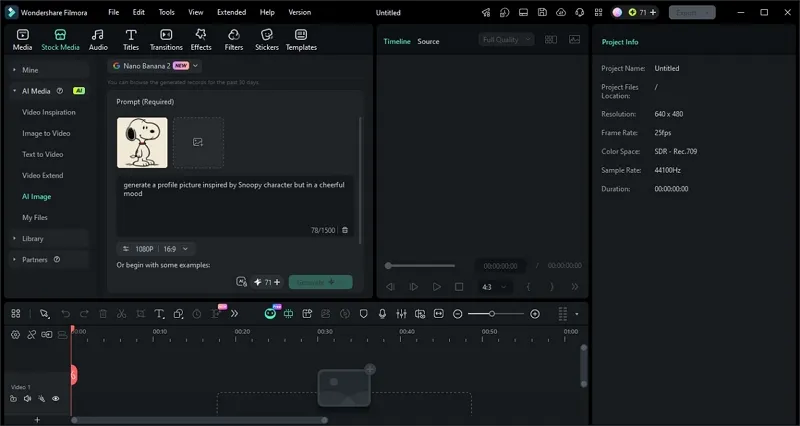
Key Features
- Reference Image Support: Users can upload sample images to guide the AI in producing similar styles or compositions.
- Flexible Aspect Ratio Selection: The AI picture generator offers multiple framing options such as 1:1, 16:9, and 9:16.
- Adjustable Output Resolution: Different resolution settings allow users to control the clarity and file size of generated images.
- Built-in Prompt Suggestions: Pre-made prompt examples are available to help users create effective text inputs.
Pros
- Users can convert the generated images into compelling videos using Filmora Image to Video.
- It allows users to edit videos and images using advanced AI features.
- The Auto Enhance feature upscales the images and videos in no time.
2. Midjourney
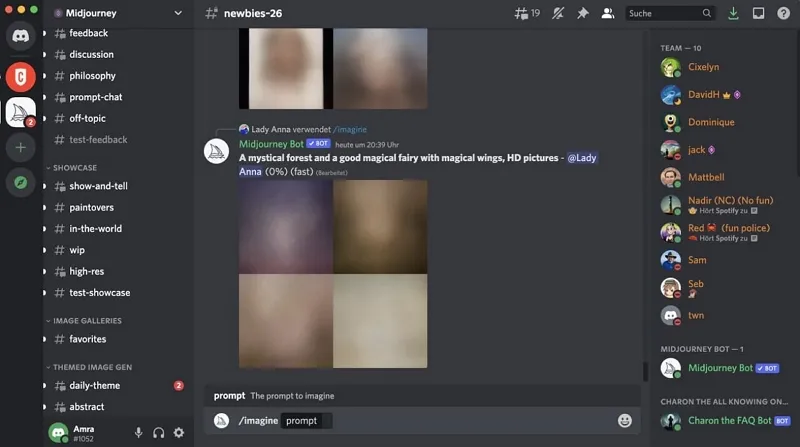
Midjourney is a powerful AI image generator known for producing highly artistic and detailed visuals through Discord-based prompts. It is widely used by designers and creators for cinematic, surreal, and realistic outputs. This AI photo generator stands out for its strong style control and consistent high-quality image rendering.
Pros
- Excellent community-driven prompt sharing improves learning and inspiration for users.
- Consistently generates visually striking images suitable for concept development work.
Cons
- No free plan is available, making continuous use costly for beginners overall.
- Limited direct editing tools compared to fully integrated design platforms.
3. Adobe Firefly 5
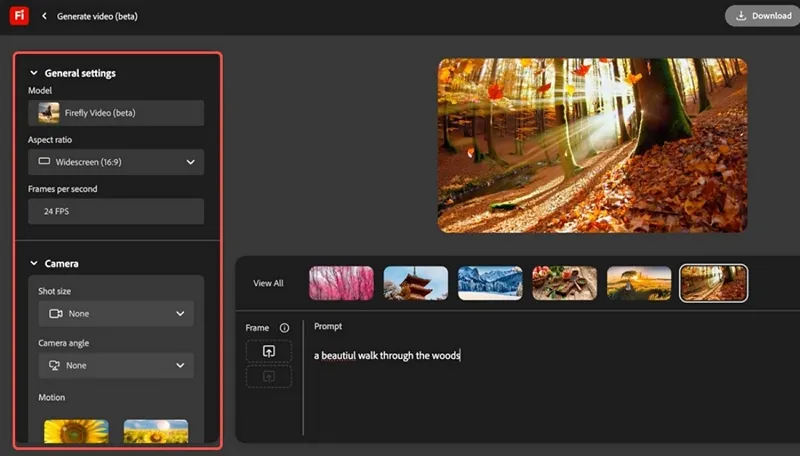
This is an AI-powered creative tool integrated into Adobe’s ecosystem, designed for generating and editing images using text prompts. It focuses on commercially safe outputs and seamless workflow with Photoshop and Illustrator. This free AI image generator is widely preferred by professionals for its reliability, precision, and editing capabilities.
Pros
- Integrates smoothly with Adobe apps for uninterrupted professional design workflows.
- Generates content with a strong focus on commercially safe licensing compliance.
Cons
- Some advanced features are restricted to Adobe subscription plans only.
- Image styles can feel less artistic compared to experimental AI tools.
4. Recraft V4 Pro
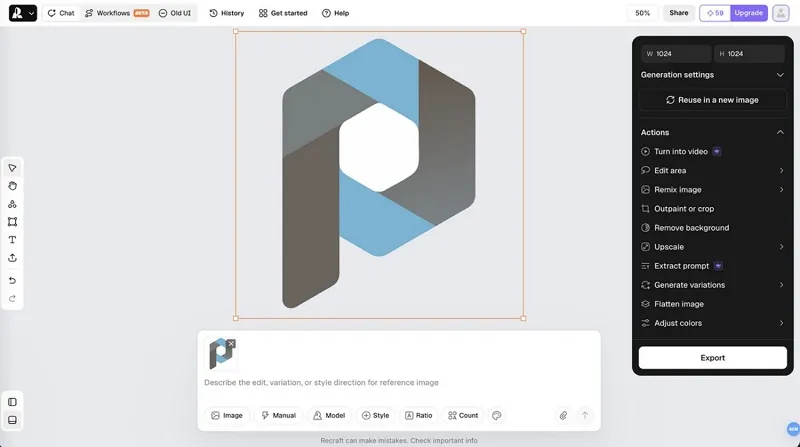
The tool is a design-focused platform that specializes in creating vector graphics, illustrations, and high-quality visual assets. It offers advanced prompt control and supports brand-consistent design outputs for professionals and marketers. This AI image generator is especially useful for scalable, high-resolution creative projects.
Pros
- Strong vector output support is ideal for scalable design and branding projects.
- Maintains consistent style across multiple generated assets for unified visuals.
Cons
- The learning curve can be challenging for users new to vector design tools.
- Free tier has limitations on exports and advanced feature access.
5. Leonardo.ai
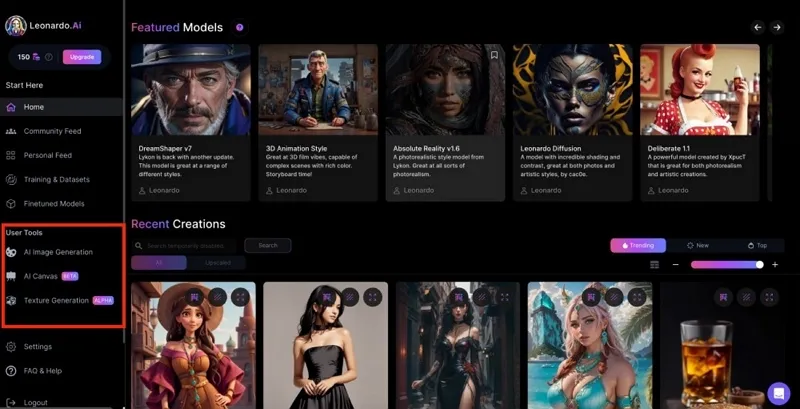
Leonardo.ai is a powerful creative platform that enables users to generate high-quality visuals with strong customization and model training features. It is widely used for game design, characters, and marketing content. This AI picture generator stands out for its flexibility, speed, and consistent professional-grade image output.
Pros
- Offers customizable AI models for highly specific creative requirements and styles.
- Fast generation speeds help streamline creative production and experimentation processes.
Cons
- Free credits are limited, restricting heavy daily usage for creators.
- Some generated outputs require multiple attempts for desired precision results.
Tabular Comparison Between Top AI Image Generators
After exploring the leading tools, a clear comparison of the top AI image generator platforms is provided below:
| Tool | Ease of Use | Image Quality | Customization | Overall Strength |
| Filmora | Very Easy | Very High | High | All-in-one multimedia creation workflow |
| Midjourney | Moderate | High | Moderate | Artistic output strength |
| Adobe Firefly 5 | Easy | High | Moderate | Professional ecosystem integration |
| Recraft V4 Pro | Moderate | High | High | Vector-focused design precision |
| Leonardo.ai | Moderate | High | Moderate | Game & asset generation focus |
Part 3. Filmora AI Picture Generator Workflow: How AI Creates Images
A modern AI photo generator like Filmora simplifies complex image creation by turning text prompts into structured visual outputs. The step-by-step process of how Filmora’s AI picture generator system works will be explained in detail:
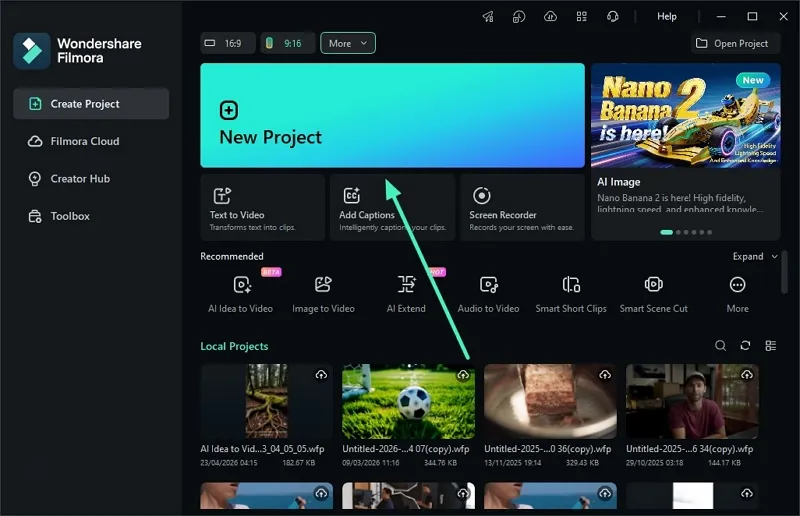
Step 1. Create New Filmora Project
To begin, launch Filmora on your device and locate the “New Project” option on the homepage to click on it.
Step 2. Upload Image Enter Prompt
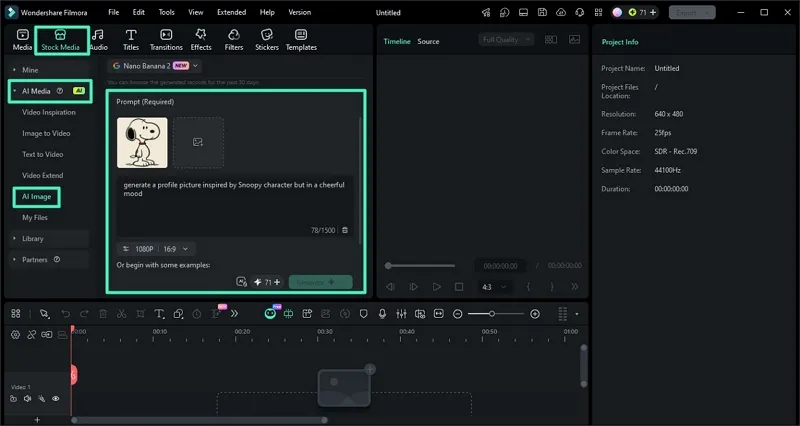
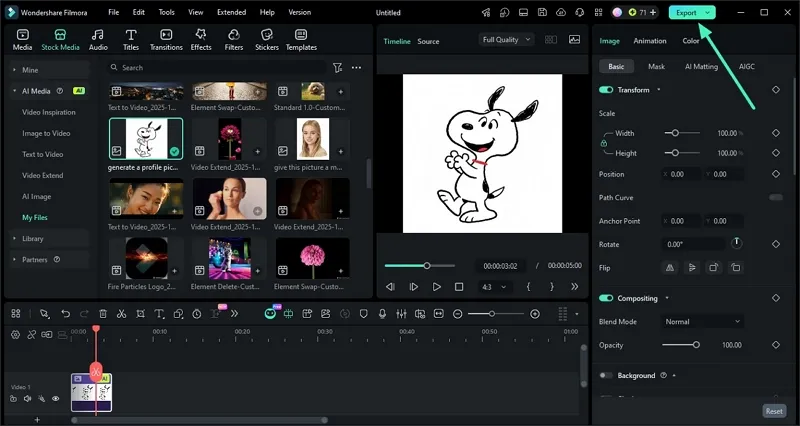
In the main interface of the tool, access the “AI Image” option from the “AI Media” section on the left under the “Stock Media” menu. Now, upload the reference image and input the text prompt in the designated field. Configure settings such as resolution and aspect ratio, and hit the “Generate” button.
Step 3. Preview Image and Export
Once the image is generated, preview the results under the “My Files” section. Press the “Export” button to save the image when you are satisfied with the results.
Conclusion
To sum it up, this article provided a detailed guide on the best AI image generators that you can try. From generating unique visuals to refining them with advanced tools, the process is now more efficient than ever. For creators seeking an all-in-one solution, Filmora stands out with its powerful AI features. This makes content creation faster, smarter, and more accessible.


Leave a Reply