

How to Release a Single With a Release Page That Connects Music Videos and Social Clips
Anyone working out how to release a single runs into the same problem: the artist’s website, the music video, and the social posts often look like three separate projects. One release landing page with one visual direction ties them together. For the visuals, one practical option is Echonos, an AI music video generator that builds the video around a song’s audio.

One page carries the title, the video and the release action.
How to Release a Single Around One Clear Page
Building a release page for a single track is an important step in music marketing. Here’s how you can structure it for maximum impact:
- Release Title and Artist Name: Start with the track name and the artist’s name prominently displayed at the top of the page.
- Cover Art: Place the cover art just below the title and artist name. This should be a high-resolution image that represents the track.
- Featured Music Video: Embed the music video prominently on the page. For a desktop-friendly experience, use a 16:9 wide format. On mobile, a 9:16 vertical format is ideal.
- Streaming Links: Provide links to popular streaming platforms like Spotify, Apple Music, and YouTube. Ensure these links are easy to click and open in a new tab.
- Primary Action: Include a primary call-to-action, such as a pre-save button or a direct link to listen to the track.
- Short Credits Line: Add a brief credits section at the bottom of the page, mentioning key contributors like the producer, mixer, and any featured artists.
Before launching, manually check every link and verify the release date to ensure everything is accurate.
Where the Music Video Sits on the Page
The placement of the music video is important for user engagement. Here are some tips:
- Near the Top: Position the video close to the top of the page, near the primary action. This ensures it’s one of the first things visitors see.
- Aspect Ratios: Use a 16:9 wide video for the desktop hero and a YouTube embed. On phones, a 9:16 vertical video fills the screen better. This allows your page to look great on both desktop and mobile.
- Embedded Player vs Linked Thumbnail: An embedded player is more engaging but can increase page load time. A linked thumbnail that opens the video in a new tab is a lighter alternative. Avoid autoplay with sound on mobile to enhance user experience.
- Test Page Weight and Playback: Ensure the page loads quickly and the video plays smoothly on a real phone before launch.
Plan Every Asset From One Visual Direction
Consistency in visual elements is key to a cohesive release. Start by writing a clear visual direction:
- Palette: Define the color palette in plain words, such as “deep blue, neon green, and black.”
- Wardrobe: Specify the style and colors of the artist’s wardrobe.
- Recurring Object: Choose one recurring object that appears in all assets, like a specific piece of jewelry or a unique prop.
List the release assets that must share this visual direction:
- Cover Art: The main image for the release.
- Spotify Canvas: A short looping vertical 9:16 visual of 3 to 8 seconds that replaces the cover art in the Now Playing view. Spotify’s Canvas guidelines provide detailed instructions.
- Animated Cover for Apple Music: A 4 to 8 second loop for the Apple Music platform.
- Platform Images: The image sizes required for Spotify, YouTube, and Apple Music.
- Music Video: Generate the video in each aspect ratio: 16:9 wide, 9:16 vertical, and 1:1 square.
Echonos has a Release Package flow that starts from one cover. It renders cover art takes, turns the cover into a 4 to 8 second Canvas loop and a square animated cover for Apple Music, and outpaints the cover into the image sizes Spotify, YouTube, and Apple Music use.
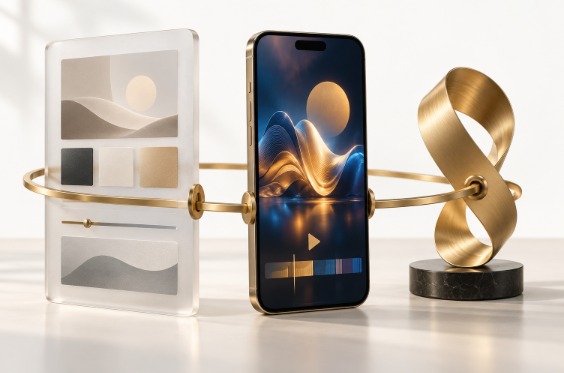
A single palette runs across the page, the phone screen and the loop.
A Worked Example: From Finished Track to Wide and Vertical Videos
Here’s a step-by-step guide to creating your music video and social clips:
- Start with the Audio: Begin with the licensed, mastered audio and approved reference images. Echonos accepts MP3, M4A, WAV, AAC, OGG, and FLAC files up to 40 MB, and the track must be at least 60 seconds long.
- Choose the Model: Select the model for your video. Proteon generates a one-shot music video from the song, while Orpheon creates a storyboard-driven cinematic cut.
- Pick the Aspect Ratio: Choose the aspect ratio for the job. Use 16:9 wide for the page hero and YouTube, 9:16 vertical for Reels, TikTok, and Shorts, and 1:1 square for feed posts. Each one is a separate generation.
- Generate the Video: Upload the track to Echonos and generate the first cut, then check it against the visual direction.
- Refine and Place: If a cut misses, adjust the prompt or references and generate again. Place the wide version on the page and the vertical version in the social posts. Treat your first render as a demonstration for the team to review, not as a finished client result.
Publish, Then Measure the Right Things
Before launch, ensure the page is ready:
- Mobile Preview: Test the page on a mobile device to ensure it looks good.
- Check Links: Verify that every link works and opens correctly.
- Readable Captions: Ensure all text is easy to read.
- One Clear Action: Highlight the primary call-to-action clearly.
After launch:
- Tracking Links: Use one tracking link per platform to distinguish referral visits.
- Measure Referral Visits: Track how many visitors come from each platform.
- Engaged Visits: Look at engaged visits to the page, not just views. Views are not proof of streams or sales.

Check the page on a real phone before the release goes live.
Frequently Asked Questions
How do you release a single as an independent artist?
Distribute the track, set a release date, build the page, prepare the video, artwork, and clips before release day.
What should an artist release page include?
The page should include the release title, artist name, cover art, featured music video, streaming links, a primary action (pre-save or listen), and a short credits line.
Should the music video be wide or vertical on the page?
Use a wide 16:9 format for desktop and YouTube, and a vertical 9:16 format for phones and short-form content. Many teams keep both versions.
Is a release page the same as an electronic press kit?
An EPK is for press, bookers, and curators, while a release page is for fans and focuses on one track. They can share assets, but serve different purposes.
Can an AI music video generator make the social clips too?
Generate the 9:16 version for Reels, TikTok, and Shorts, and the 16:9 version for YouTube and the page. Shorter cuts can be trimmed from these in any video editor.
Final Thought
Learning how to release a single well is mostly about creating a cohesive visual and audio experience that engages fans and drives them to stream and share the track. A well-planned release page helps achieve this.
About the Author
I build release pages for independent artists and direct the visuals that go with them, from the featured music video to the short clips. Most of my work is helping small teams keep one look across the page, the video, and every social post.
Disclosure: this is an independent guest article that contains links to an AI music video generator. The worked example is a demonstration, not a client result, and no integration with any website platform is implied.


Leave a Reply