
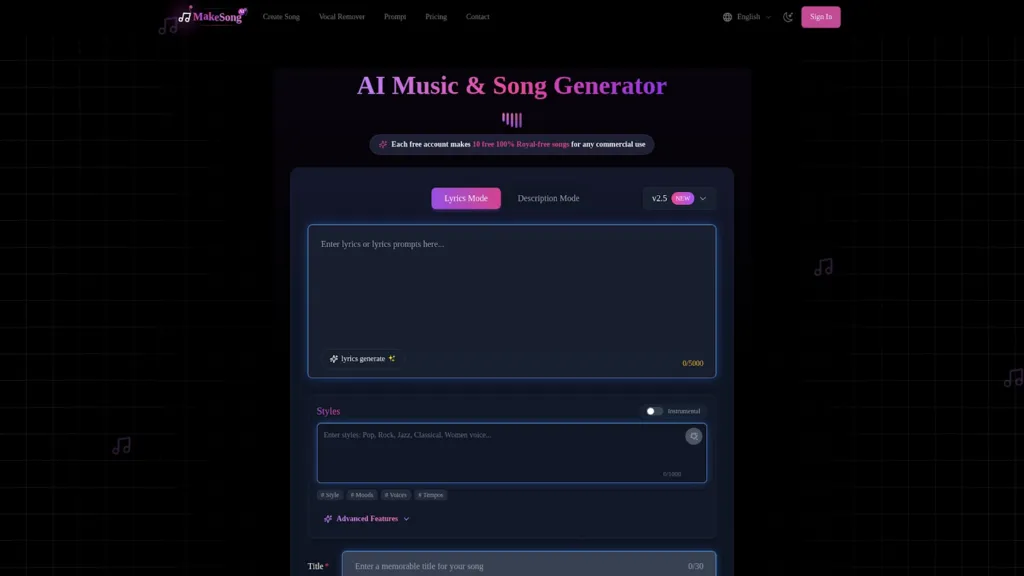
Discover Make Song: The Best AI Music Generator Review 2025
Make Song is a smart AI song generator website that lets anyone create music quickly and easily. If you’ve ever dreamed of making your own songs but didn’t know how, Make Song makes it possible. With just a few clicks, you can turn your ideas, lyrics, or descriptions into professional-quality songs. It’s perfect for beginners and pros alike because you don’t need any music skills — all you need is your creativity!
The AI song Generator at Make Song is designed for people who want to make music for anything. Whether you want tunes for social media, games, videos, podcasts, or even ads, Make Song has you covered. You start by entering your music idea, select a style or genre (like Pop, Rock, Hip-Hop, Classical, and more), and let the AI do the rest. It generates 100% royalty-free music, which means you can use it for your projects, even if you earn money from them.
-
Easy to use: No special skills required. Just type your idea!
-
Fast music creation: Songs are made in seconds.
-
AI Song Generator supports different genres and moods.
-
Download your music in MP3 or WAV format, perfect for sharing.
-
All songs are royalty-free, so you can use them commercially.
-
Go to the website and sign up for a free account.
-
Type in your lyrics or description.
-
Pick your favorite music style.
-
Hit the ‘Generate’ button and listen to your new song.
-
Download and share your creation anywhere you like!
Features of Make Song
Make Song is packed with powerful tools that make creating music simple and fun for everyone. Whether you’re a beginner or an experienced musician, Make Song gives you everything you need to make your own unique songs easily.
AI Music Generation from Text
With the AI Music Generator, you can turn simple text into cool music in just seconds. All you have to do is type in what you want, pick your favorite genre like K-Pop, Hip-Hop, or even create your own style, and Make Song will do the magic. This feature makes it super easy for anyone to get started with songwriting, no music skills needed.
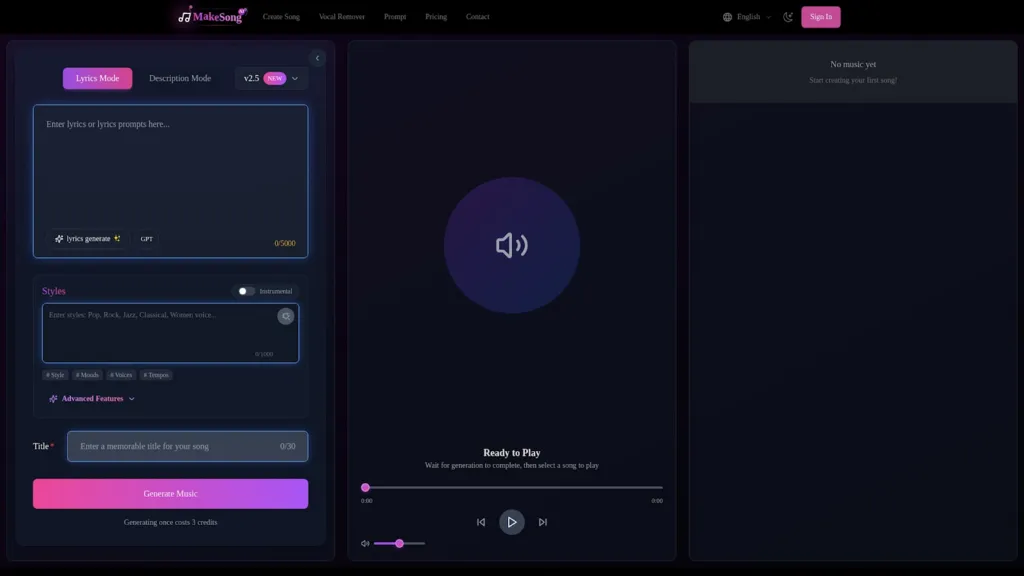
Lyrics to Music Conversion
Would you like to hear your own lyrics as a real song? With Make Song, you just write your lyrics, and the AI turns them into music that sounds like it was made by a real artist. This is perfect for songwriters who want to hear their words come to life, and you can use special tags to organize your song the way you want.
Versatile Music Styles
Make Song lets you create music in lots of different styles. You can make pop, classical, hip-hop, indie, and even country songs. Whether you want something upbeat for a party or something calm for studying, it’s all possible. There are options for instrumentals, vocal tracks, karaoke, and more.
Commercial Use and Royalty-Free Music
Every song you make with Make Song is 100% royalty-free. This means you can use your music in your videos, social media, podcasts, games, and even commercials without worrying about copyright problems. You get to keep all your rights!
User-Friendly Interface
The Make Song platform is super easy to use. With clear buttons and helpful tips, anyone can create music by following a few simple steps. You just type, choose, click, and your new song is ready to download and share with the world.
Pros and Cons of Make Song
When it comes to creating music fast and easily, Make Song has a lot to offer. But is it the perfect choice for everyone? Let’s take a closer look at the main pros and cons of using Make Song as your go-to AI song generator.
Pros of Using Make Song
-
Create songs in just seconds: Make Song uses powerful AI tools to help you make songs super quickly, even if you don’t have any music experience.
-
Wide variety of music styles: Whether you love pop, rap, rock, classical, or even want something customized, Make Song has many options for you.
-
Supports many languages: You can make songs in English, Brazilian, Japanese, Russian, and more.
-
Perfect for different needs: This tool is great if you want background music for videos, custom game tracks, jingles for ads, or even cool intros for podcasts.
-
Royalty-free and commercial use: Every song you make can be used for business, so you don’t need to worry about copyright.
-
Easy download and sharing: Songs can be downloaded in MP3 or WAV formats so you can post or share them however you like.
-
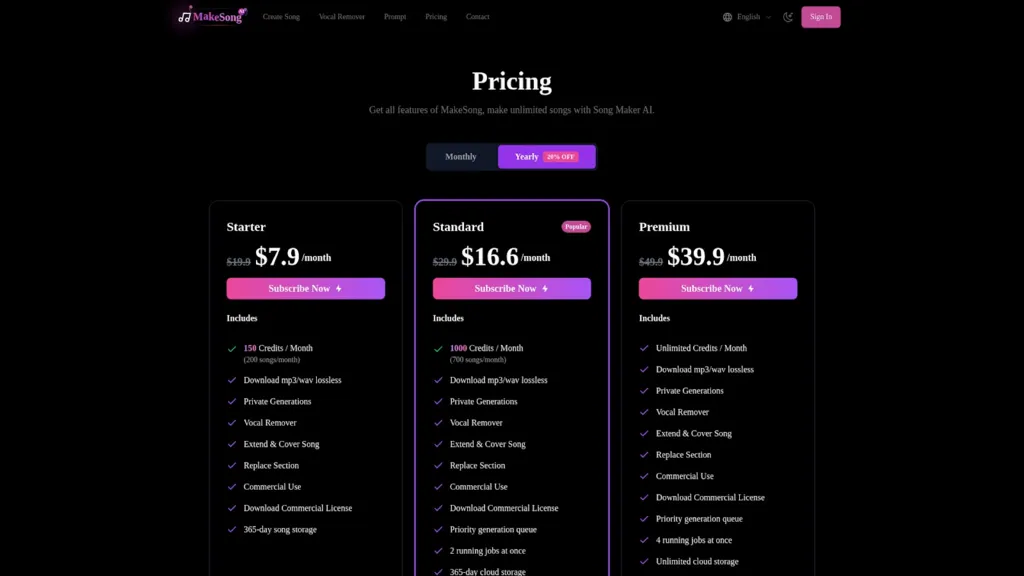
Flexible pricing: With several plans and even a free credit option, you can start small and upgrade as needed.
Cons to Consider
-
Credit-based system: Free accounts have a limit on the number of songs you can generate before needing to buy more credits.
-
Subscription required for unlimited features: If you want to make unlimited songs, you’ll need a paid plan.
-
Not a replacement for human artists: Although Make Song is great for fast creation, it may not match the unique creativity of real musicians.
-
Internet connection needed: Since it’s an online service, you must have internet access to use Make Song.
-
Customization can take some trial and error: Finding the perfect sound or song structure sometimes means trying a few different prompts.
How to Use Make Song
Make Song is a simple and fun way to create music using AI. You don’t need any special skills to get started. Below, you’ll see step-by-step instructions on how to use the Make Song AI song generator and give life to your musical ideas.
Step 1: Enter Your Song Description
Begin by sharing what you want your song to be about! Type in your music idea, description, or lyrics in the text box on the song prompt page. You can also select your favorite music genre like pop, classical, hip-hop, indie, or country. Pick the style that matches your idea best. This helps the AI understand your vision for the song you want to make.
Step 2: Experiment with Different Prompts
Don’t be afraid to experiment! Try different text prompts and see how Make Song’s AI changes your music. You can add lyrics, use tags like [chorus] for song structures, or change the mood and style. Mix and match until the song matches what you imagined. Make Song lets you create songs with vocals, instrumentals, or even karaoke versions, so you can let your creativity flow.
Step 3: Download Your AI-Generated Music
Once your song sounds just right, you’re ready to download it! Choose MP3 or WAV format to save your AI-generated music directly to your device. You can use your new song for videos, social media, games, podcasts, or any project you like. Plus, since Make Song creates royalty-free music, you’re free to use your songs for commercial purposes.
Conclusion
Make Song, as an AI song generator, makes music creation simple and accessible for everyone. Whether you want to generate lyrics, compose music in various styles, or even make background tracks for your game, video, or podcast, this platform gives you incredible power right at your fingertips. It’s perfect for independent musicians, content creators, and brands looking for catchy jingles or custom soundtracks. Plus, with the range of pricing options and the assurance of royalty-free tracks for commercial use, there’s no barrier to getting started. Make Song really opens up endless possibilities for everyone, from beginners to professionals. If you’re ready to explore new music ideas or need an instant solution for your project, this AI song generator is the tool to try today.


Leave a Reply