

ReverseImageSearch.org: The Easiest Way To Find Your Copied Photos On The Internet
Have you found your image somewhere online where you didn’t expect it? If so, there are chances that it might have been used on many other sources, too. That means if you want to stop it from spreading further, you must be aware of everyone who copied and posted it without your permission.
However, the problem is that manually searching the internet for every instance of your photo is nearly impossible. So, you need an advanced visual search tool that scans the entire web quickly and reveals all possible appearances of your photographs.
Fortunately, there is such a tool, ReverseImageSearch.org. It’s the easiest way to track who stole your designs, graphics, or illustrations and used them illegally.
Let’s find out how it makes this process easier and how to use it for this purpose.
What Makes It The Easiest Option To Track Photos?
There are many similar tools online, but to be considered the easiest option, a tool must have some key qualities. The good thing is that this reverse image search tool has all the necessary traits that make it the simplest choice when it comes to tracking copied photos.
Let’s have a brief overview of those characteristics one by one.
No Installation Required
Since the tool is web-based, you don’t have to be involved in any kind of installation before using it. You directly access it on your browser.
Cross-Device Compatibility
Another feature that hints at the convenience of ReverseImageSearch.org is its cross-device compatibility. Whether you have a mobile, laptop, PC, tablet, or workstation, you can access it from all devices. And guess what? There are no restrictions based on the operating system.
Free Access Without Sign-up
The best part is that this web utility is available freely. On top of that, it doesn’t even require you to sign up to get started. That’s the highest level of ease any tool can provide. With this facility, you can run instant visual searches for your pictures without worrying about running out of credits, limits, or time.
Categorized Result Preview
Unlike other tools that offer mixed matches, you get categorized results with this web-based solution. It sorts the matching images into three categories: Similar, People, and Duplicates. This allows you to see both exact and partial matches separately, allowing you to easily determine how your pictures have been copied.
No Ads Around Results
One more thing that gives you a comfortable search experience is that this tool doesn’t show any ads around the results. Instead, it organizes the result preview in a highly intuitive way so you don’t have any difficulty finding the matches you want when tracking your photos.
Smart Filtering Options
Its smart search filters also make it easier to analyze where your photographs appear, beyond where you expected. ReverseImageSearch.org allows you to sort matching pictures based on domain name and text prompts. That means you don’t waste time and effort seeing irrelevant images.
Incredibly Easy To Navigate
The tool comes with a well-designed layout that has everything in the right place. Even if you are using it for the first time, you’ll feel like nothing is complicated or out of reach. From initiating the search to scrolling through results, everything is straightforward. We will guide you through the entire process of using this tool in the next section, so you can see just how simple it is.
Multi-Format Support
You don’t even have to deal with any type of file conversion when searching by images on this picture search resource. This is because it supports nearly all the popular formats, such as PNG, JPEG, WebP, and HEIC. In most cases, your photos are already in these formats, so you can start your search immediately.
Additional Features That Make This Tool Worth Considering
By now, we hope that you have understood how this reverse image search tool proves to be the easiest option to trace copied pictures.
Now, let’s walk through its additional features that further highlight its suitability for this purpose.
AI-Powered Image Recognition
ReverseImageSearch.org capitalizes on AI to ensure that it provides the best possible matches. From scanning your picture to matching it with the ones in its database, the tool utilizes AI at every step. That’s what enables it to spot both exact and partially matching versions of your photographs on the internet.
Available In Different Languages
One of its biggest advantages is that it’s available in more than 15 widely used languages. That means you can further streamline your search experience by switching the interface to your preferred language. The good thing is that the tool provides a dedicated drop-down button to do so easily.
Performs Real-Time Web Analysis
Another surprising thing about this visual recognition tool is that it is capable of performing cross-engine searches in real time. As you provide it with a reference photo, it compares the extracted visual features across Google, Bing, and Yandex to find every matching version available on the internet.
Commitment To User Data Privacy
Its commitment to data security is also a strong reason that makes it an option that you can rely on. Every image you upload to this tool remains safe and secure. In fact, it erases your previous search data right after you leave its web page or start a new search. That means you can use it without fearing anything.
Tracking Copied Images With ReverseImageSearch.org

When it comes to practically using ReverseImageSearch.org for photo tracking, you have to perform the following simple steps:
Take A Suspected Image
Before accessing the tool, you must choose a reference picture so that you can start the search right away once you land on its web page. You can use any image that you suspect has been copied widely.
However, make sure that you don’t edit the reference picture before searching.
Open This Tool On Any Device
Once you are clear which photo to use as a sample, the next step is to use an advanced reverse image search tool. For that, you can use any device you have on the spot. The only thing you need to make sure of is that the device has a stable internet connection and a web browser installed.
Input The Picture You Selected
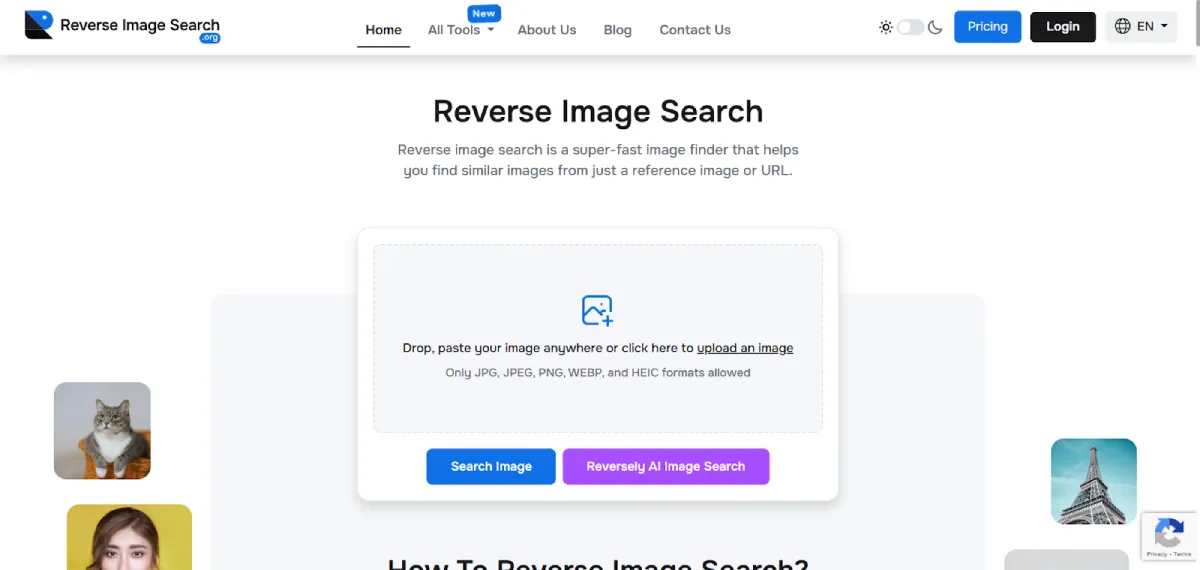
After you have opened the official web page of ReverseImageSearch.org, you are just required to input the reference photo. The good thing is that the tool provides you with two options in this regard. You can either upload the photograph directly from your device or use the drag-and-drop function. As you enter the image, the search starts automatically.
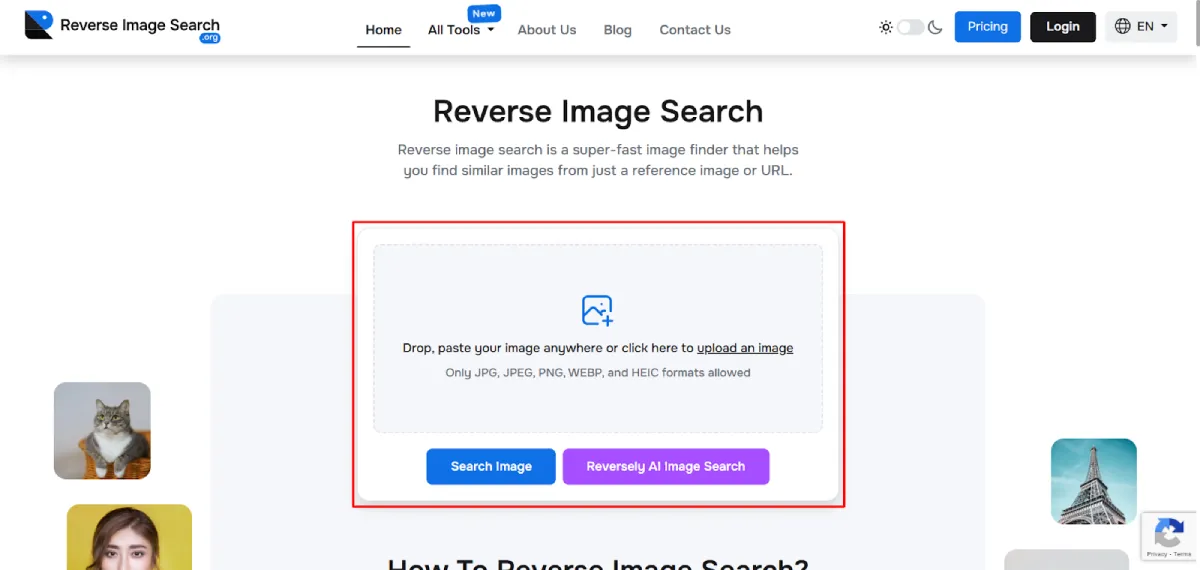
Check Results For Image Copying
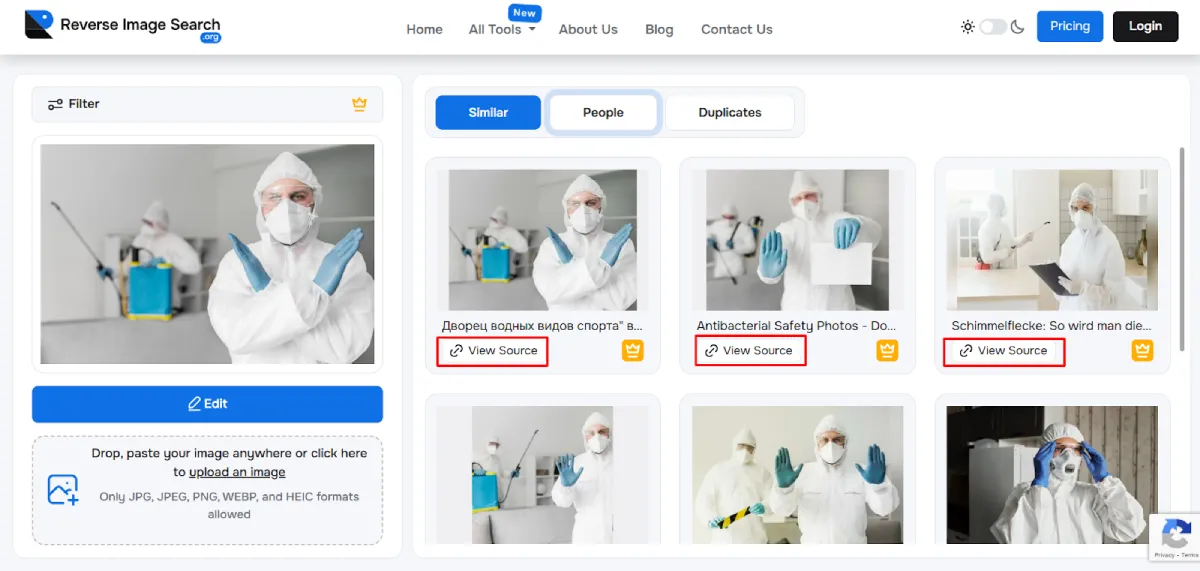
Since you don’t have to press any button after inputting the picture, it’ll take just a few seconds for the results to show up on your screen. Once appeared, pay close attention to each matching version and analyze where your photo has been featured without your permission. Check both similar matches and duplicates to have better insights into image copying instances.

View Sources To Know The Context
Instead of just seeing the listed matches, navigate to their sources, as the tool shows a separate button for this purpose under each version. As you click it, a new page opens where you can analyze in which context your image appears. This helps you make the right decision about what type of action you should take against the infringer.
The Final Words
In a nutshell, ReverseImageSearch.org is not another ordinary tool to search by pictures. Instead, it’s the easiest and most powerful visual search resource that could be greatly helpful in locating the sources copying your photographs on the internet. So, whenever you think that one of your images is being used online without your permission, don’t hesitate to capitalize on this tool.


Leave a Reply