
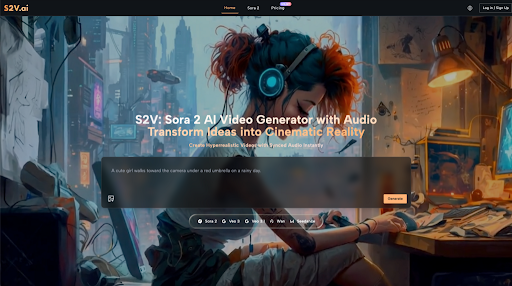
How the S2V Finally Solved My Biggest Creative Bottleneck
I’ve spent the better part of the last year trying to make AI video look—and more importantly, feel—real. If you’ve been in the trenches of content creation, you know the drill: you generate a beautiful clip, but the physics are wonky, or worse, it’s eerily silent. You then spend hours hunting for a Foley track that matches the footsteps or the sound of a splashing wave.
When I first got my hands on the Sora 2 AI Video Generator via S2V, the “aha moment” didn’t come from the visual clarity (which is stunning), but from the sound. I prompted a scene of a rainy Tokyo street, and for the first time, I didn’t have to add the sound of tires on wet pavement in post-production. It was just there.
For SaaS founders, marketers, and creators, this isn’t just a cool update; it’s the bridge between “AI experiments” and “professional deliverables.”
What Actually Makes Sora 2 Video Different?
Most of us have played with early video models that felt like watching a moving oil painting. They were dreamy but useless for serious brand work. The Sora 2 AI Video Generator moves past that by acting more like a world simulator than a simple frame predictor.
The Physics of Reality
One thing I noticed immediately was how objects interact. In older models, if a character sat on a chair, they might clip through it. In Sora AI Video Generator, the “weight” is felt. The cushion compresses. The lighting shifts naturally. This level of physical accuracy is what allows a brand to use these videos for product demos without looking like a low-budget CGI project.
Frame-Accurate Audio Sync
We’ve all seen “lip-sync” tools that look like an old dubbed movie. S2V’s integration of Sora 2 handles audio differently. The audio is generated with the video, meaning the “clink” of a coffee cup hits exactly when the ceramic touches the table. It’s a massive time-saver that cuts my editing workflow by about 70%.
From Concept to Viral: 4 Real-World Applications
1. Dominating the Social Feed
If you’re managing a brand’s TikTok or Instagram, you’re on a treadmill that never stops. I’ve found that the Sora 2 AI Video Generator is the ultimate “cheat code” for daily posting.
Instead of setting up a lighting rig and a backdrop, I can describe a “cinematic lifestyle shot of a remote worker in a sun-drenched loft.” Within minutes, I have a high-fidelity 9:16 clip that looks like it cost $5,000 to shoot. It’s about maintaining that “premium” feel while keeping up with the relentless pace of social algorithms.
2. Marketing Campaigns That Don’t Break the Bank
I recently worked on a campaign for a startup that needed a product story set in four different global cities. Traditionally, that’s a logistical nightmare involving stock footage (which everyone recognizes) or a massive travel budget.
Using the Sora 2 AI Video Generator, we “shot” the entire campaign from a laptop. We were able to iterate on the creative direction in real-time. If the client wanted “more neon” in the Shanghai scene, we didn’t have to reshoot—we just tweaked the prompt. This kind of agility is how small teams are starting to out-compete established agencies.
3. Professional Storyboarding and YouTube Production
For my fellow YouTubers, the struggle is usually the B-roll. You can only use so many generic clips of “person typing on a laptop” before your audience tunes out.
The Sora AI Video engine allows you to create specific B-roll that actually matches your script. If I’m talking about the history of the Roman Empire, I can generate a 1080p shot of a bustling Roman market. It keeps the viewer immersed and significantly raises the production value of the entire channel.
4. E-Commerce: Putting Products in Motion
High-quality video is the closest thing a customer has to touching a product before they buy it. I’ve seen a dramatic shift in conversion rates when brands move from static photos to dynamic visualizations. The Sora 2 AI Video Generator excels at showing textures—the way light bounces off a glass bottle or how fabric moves in the wind. It’s the difference between a “flat” listing and a premium shopping experience.
How Sora 2 Stacks Up: A Quick Look
In my daily workflow, I’ve used almost every tool on the market. Here is how S2V’s implementation of Sora 2 compares to the other “big names” in the space.
| Feature | S2V (Sora 2) | Entry-Level AI Tools |
| Customization | Total control via text | Basic styles only |
| Turnaround Time | 15 Seconds | 6 Seconds |
| Audio Quality | Native, synced sound | Usually silent |
| Physical Logic | High (World Simulator) | Low (Morphing issues) |
| Cost | Free to start | Low to medium |
The “Director’s Mindset”: Nailing the Sora 2 Video Prompt
The biggest mistake I see people make with the Sora 2 AI Video Generator is being too vague. If you ask for “a dog in a park,” you’re leaving too much to chance. To get that cinematic look, you have to talk to the AI like you’re a cinematographer.
My Personal Formula for a Winning Prompt:
- The Lens: Start with the camera feel (e.g., “Shot on 35mm film” or “Wide-angle GoPro mount”).
- The Light: Lighting dictates the mood. I love using “Blue hour,” “Soft rim lighting,” or “Harsh midday sun.”
- The Sound: Explicitly mention the audio. “The muffled sound of a crowd” or “The crisp snap of a twig.”
- The Movement: Describe the camera’s path. Is it a “slow dolly zoom” or a “shaky handheld shot”?
Pro Tip: I’ve found that Sora 2 Video Generator responds incredibly well to “sensory” adjectives. Instead of “a car,” try “a dusty, midnight-blue sedan with chrome accents.”
Solving the “Uncanny Valley” in AI Video
The “Uncanny Valley” is that feeling when something looks almost human but is just slightly “off” enough to be creepy. Early AI video lived in this valley.
What I’ve experienced with the Sora 2 AI Video Generator is a massive leap across that gap. Because the model understands how muscles move under skin and how light reflects off eyes, the characters feel alive. This is crucial for brands that want to build trust. If your video looks “glitchy,” your brand looks “glitchy.” Sora 2 Video Generator provides the polish that makes AI-generated content indistinguishable from reality to the average viewer.
Frequently Asked Questions (Based on my experience)
Is the video actually “broadcast ready”?
For social media, YouTube, and web ads? Absolutely. For a 100-foot IMAX screen? Not quite yet. But at 1080p with the current level of detail, 95% of commercial needs are fully covered.
How does S2V handle character consistency?
This was my biggest gripe with AI video last year. With the Sora AI Video engine, you can use reference images to ensure your “main character” looks the same across multiple clips. It’s not 100% perfect every single time, but it’s lightyears ahead of where we were six months ago.
What about copyright and safety?
S2V has built-in guardrails to prevent the generation of public figures or copyrighted characters. As a professional, this is actually a relief—it means the content I generate is safe for my clients to use commercially without legal headaches.
The Verdict: Is It Worth the Switch?
If you’re still piecing together silent clips and trying to hide AI glitches with heavy filters, it’s time to move on. Using the Sora 2 AI Video Generator has fundamentally changed how I approach my content strategy. It has moved video production from a “special project” that takes weeks to a daily task that takes minutes.
The most exciting part? We’re just scratching the surface. The ability to transform a thought into a cinematic, high-fidelity video with synced audio is the most powerful tool I’ve had in my kit in a decade.


Leave a Reply