

The Importance of Website Uptime: How to Monitor and Improve It
If your website is your storefront, website uptime is the open sign. When it’s on, customers browse, book, and buy. When it’s off, even for a few minutes, revenue streams pause, brand image takes a hit, and support fills up with complaints. For small and midsize teams, that kind of downtime incident doesn’t just sting in the moment. It ripples into lost trust and stalled business operations.
What Website Uptime Really Means
Website uptime is website availability that visitors can feel, not just a server that pings.
- If pages half-load, throw 5xx HTTP status codes, or time out, the site is effectively down.
- “Brownouts” (slow response time, higher error rates) hurt sales and search engines’ trust, even if basic checks are green.
- Service level agreements (SLAs) define allowed downtime and service credits. 99.9% SLA uptime means roughly 43 minutes/month of downtime, which is often not enough for checkouts or bookings.
The Business Impact Of Downtime
A short downtime incident affects more than lost orders. It hits brand image, clutters your support queue, and strains customer relationships. It fractures online business presence, too, because search engines don’t love seeing frequent 5xx errors or timeouts.
Customer frustration is even worse in industries where users are making time-sensitive financial decisions. For financial services websites, downtime can quietly drain high-intent leads. Tools such as application forms, rate checkers, and lead magnets like a personal loan calculator are often the first step in a customer’s decision journey.
If those tools fail to load or return errors, users rarely wait, they abandon the site and complete the process with a competitor, taking future revenue with them. That’s why uptime monitoring isn’t optional. It’s essential.
Downtime can also have massive compounding effects, as even losing two mid-value clients can cost six figures over time.
How To Monitor Website Uptime
Monitoring isn’t one tool, but a stack. Let’s look at how you can monitor website uptime from all angles as a layered approach.
Synthetic Uptime Checks (Active Monitoring)
Start with website uptime monitoring from multiple regions. Use uptime monitoring tools to run HTTP checks against your home page and API health endpoints. Add a simple keyword check so a blank theme or error page fails the monitor. Watch HTTP status codes and set alerts via email (or chat/SMS) for confirmed failures.
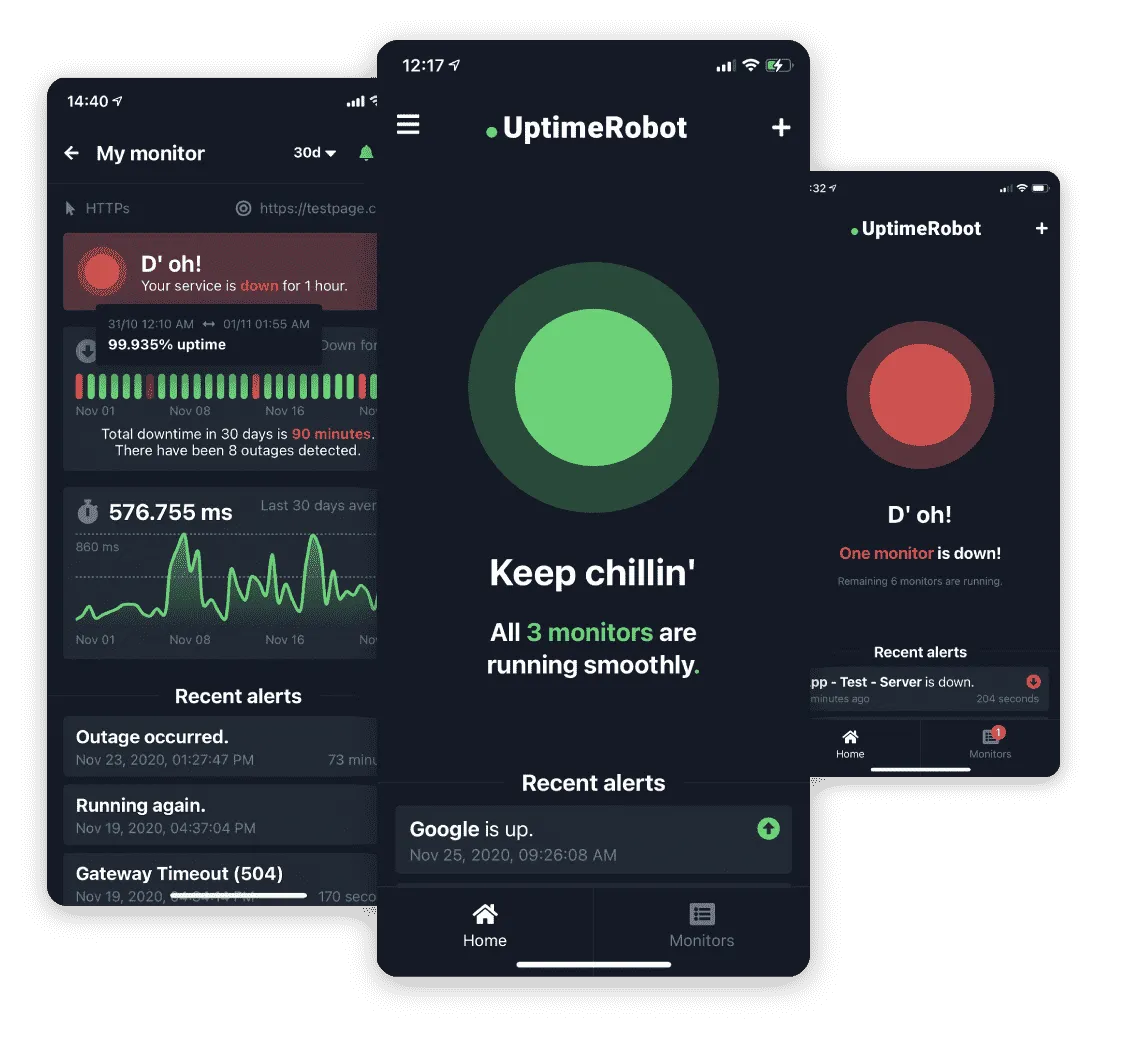
UptimeRobot is a well-known active monitoring tool for simple checks and public status pages. It’s not a web host and won’t compete with your hosting package.
Transaction Monitoring For Revenue Paths
Pings aren’t enough. Your website could be technically up, but with pages that don’t load or run as you expect.
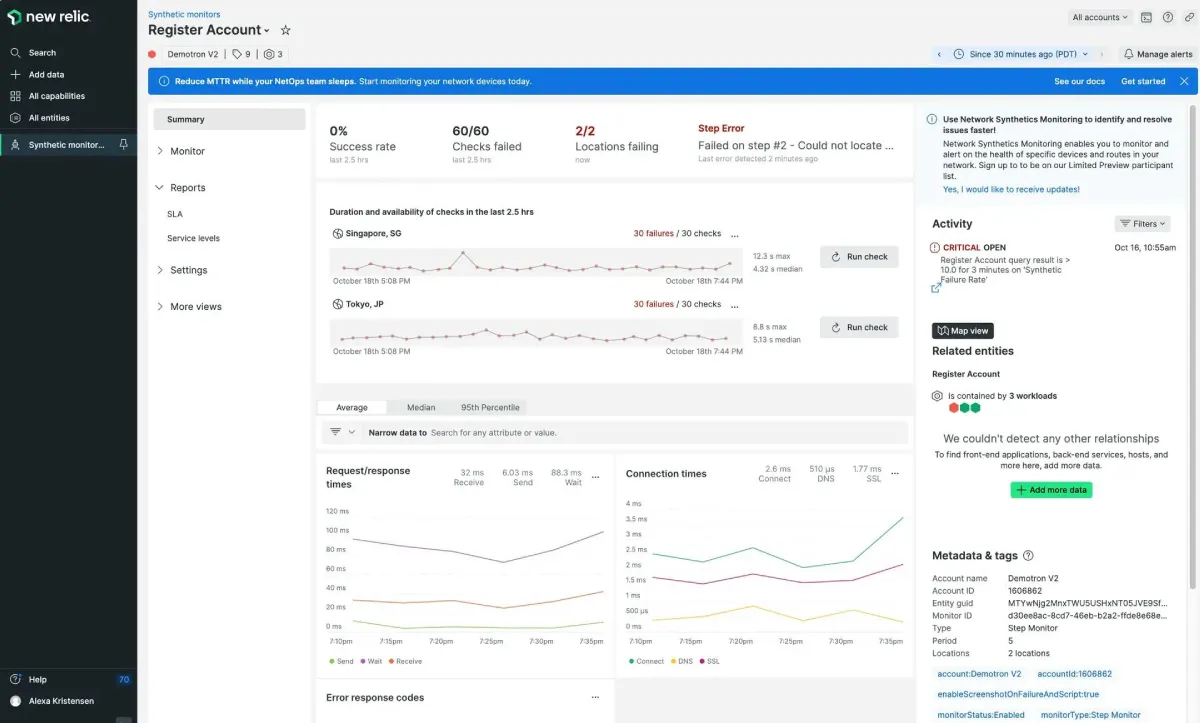
Transaction monitoring scripts the actual flows that make or save money. That’s sales funnel pages, login, search, add-to-cart, checkout, account portals, and support forms.
Include critical web services calls, coupon checks, and 3D Secure (3DS) or two-factor authentication steps. Validate expected HTTP status codes, redirects, and post-checkout confirmations.
This catches functional outages that a simple “200 OK” HTTP status code would miss.
Here’s a monitoring example from New Relic:
Real User Monitoring
Real user monitoring (RUM) looks at real sessions and devices. It shows network latency by region, mobile vs. desktop response time, and intermittent errors that only appear in production.
RUM answers, “Who is affected, and how badly?” That helps prioritize fixes and proves impact to stakeholders.
Also, watch server load, DNS monitoring, and SSL certificates, and keep an eye on third parties like payments, chat, analytics, and content delivery networks (CDNs). Many ‘site is up’ issues are actually these.
Root Causes Of Downtime: Diagnosis And Fast Fixes
Let’s look at the root causes of downtime and how to fix them. Use this to fix immediate downtime and improve your future uptime with hardening.
Resource Exhaustion
When capacity runs out, visitors feel it as slow response time, spinning loaders, and random 5xx. These are classic “brownouts” where website availability is technically “up,” but unusable. During traffic spikes, this quickly becomes a whole downtime incident.
Signals To Check
Look at the server load on the hosting server. In your logs, rising error rates and unusual HTTP status codes (500/502/504) are early warnings. RUM shows which devices or regions are slower, so you know who’s affected. Active monitoring confirms whether the issue is global or tied to one location’s internet connectivity.
Check your database loads too, as slow queries and low storage can lead to high latency and errors.
How To Confirm
Match the time of the slowdown with host metrics and performance metrics in your monitoring reports. Add multi-region HTTP monitoring checks to rule out a local carrier problem. If the homepage still loads but checkout fails, run transaction monitoring to trace where the flow stalls.
Fast Fix
Stop runaway jobs, restart unhealthy workers, and free disk space. If you’re at the limits of shared web hosting, scale up right now. Moving to Linux or Windows VPS hosting gives you dedicated resources. As your website grows larger, plan server clustering to spread the load.
Hardening
Choose instances or servers with higher capacity. Set autoscaling with health checks, and cap database connections so one noisy process can’t starve the rest of the IT system. For choosing tiers, see HostITSmart on how to choose VPS hosting. Track traffic growth against capacity each month.
Application Or Deployment Faults
A rushed release or plugin change can spike error rates, leak memory, or break key web services. Users see failed logins, carts that won’t submit, or redirects that loop.
Signals To Check
Errors often jump right after a release, and HTTP status codes tilt toward 4xx/5xx.
How To Confirm
Roll back and re-run your synthetic journeys. If failures vanish, the new release is the cause. RUM will show an immediate lift in response time once you undo the change.
Fast Fix
Roll back or hotfix. Disable the offending plugin or feature flag. Communicate status to avoid straining customer relationships.
Hardening
Adopt staging deploys. Keep up-to-date website troubleshooting notes, and schedule software updates outside peak hours. Tie monitoring to alerts via email or chat so the right person sees failures first.
DNS Misconfiguration Or Provider Outage
If DNS is wrong or slow to update, some visitors may be unable to reach you. From their perspective, your online business presence vanishes in certain regions, even though your server is healthy.
Signals To Check
You’ll hear things like “it works on my phone but not at the office,” or “the site loads at home but not for our clients.” Those mixed reports are classic DNS symptoms and directly hurt website availability.
How To Confirm
Open your domain registrar or DNS dashboard and confirm the records (A/AAAA, CNAME, MX) match what your web host expects. Then use a “DNS propagation checker” website to compare results across countries. If different places show different answers (or no answer at all), DNS is the likely culprit.
Fast Fix
Correct the record (point it to the right IP or hostname), save, and wait for updates to spread. If you just made a mistake, fix it and give it a short window to propagate.
Hardening
Keep a simple checklist: where your DNS is hosted, who has access, and how to reach the registrar in an emergency. Turn on DNS monitoring in your status tool so you get alerts before customers notice any issues. If uptime is critical, consider “secondary DNS”—a backup provider that holds the same records—so a single provider issue doesn’t lead to avoidable service outages.
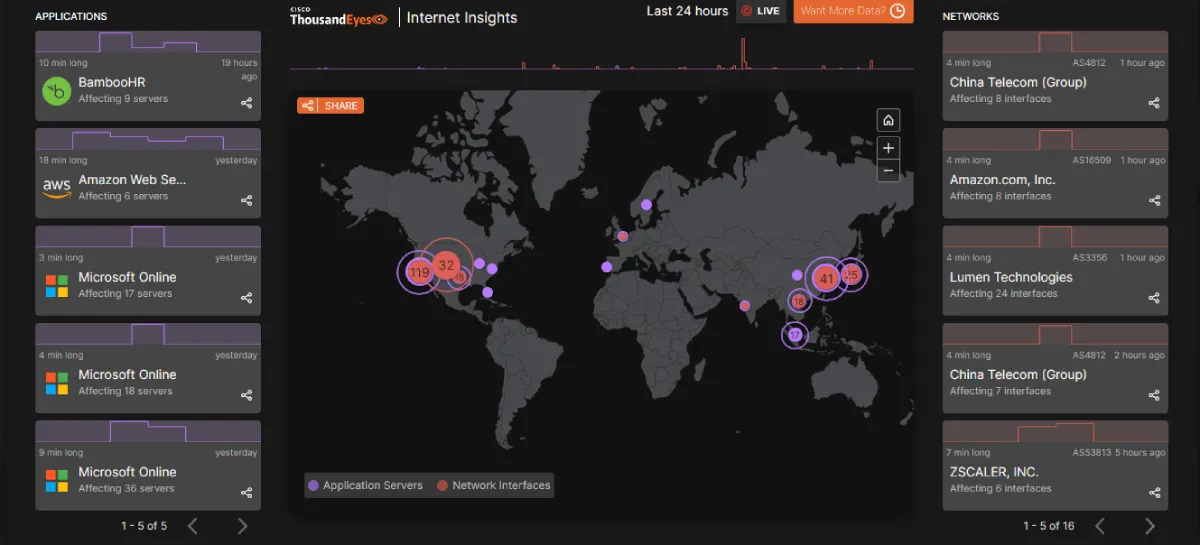
This also applies in case of global internet outages:
If you don’t want to manage DNS complexity, move your zone to a managed, globally-distributed provider (e.g., Cloudflare DNS or a similar service). These platforms make changes propagate faster and provide built-in health checks that protect website uptime.
SSL/TLS Breakage
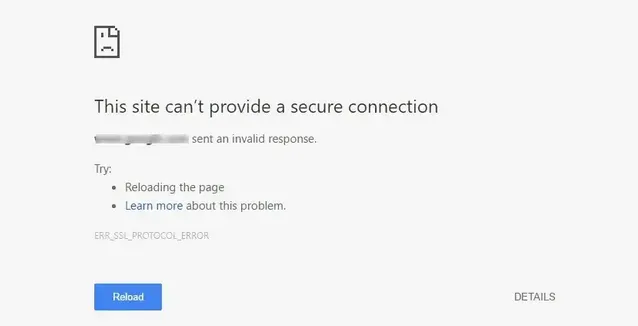
Expired or mis-issued SSL certificates produce browser warnings that stop sales cold and damage brand image.
Signals To Check
Traffic falls off a cliff. Browsers show padlock errors, and certificate checkers report chain problems.
How To Confirm
Test in staging and production using incognito mode on your browser. Check expiry dates and intermediates with your host or SSL provider.
Fast Fix
Renew the certificate, fix the chain, and only touch HSTS settings if absolutely necessary. Most hosts offer one-click renewal in the SSL settings.
Hardening
Automate renewals, alert before expiry, and validate chains in staging for every domain.
Third-Party Dependency Failures
When payments, identity, chat, or analytics stall, key pages hang. The site looks “up” but can’t convert. This is a common vulnerability even for major ecommerce platforms that rely heavily on external plugins.
Signals To Check
Synthetic flows fail at the payment step. Pages hang while waiting for payment or analytics to respond. RUM highlights long tasks tied to external domains.
How To Confirm
Disable non-essential scripts and re-test. If the page recovers, the dependency is the cause.
Fast Fix
Degrade gracefully: set timeouts and circuit breakers so content loads first and optional widgets wait their turn. If it’s a regional issue, route around the troubled region where possible and serve static assets through a CDN so fewer HTTP requests touch the origin.
Hardening For Next Time
Cache fallbacks, monitor each third-party endpoint directly, and make sure vendor SLAs include meaningful service credits for service outages. Keep CDN and enable HTTP/2 or HTTP/3 for faster load times.
Security Incidents
DDoS, ransomware, or an over-eager security suite can quarantine critical files, knocking the site offline and threatening operational continuity.
Downtime is not always caused by traffic spikes or hosting limits. Security incidents can quietly disrupt performance before you even notice. Cloud detection and response tools help you spot unusual activity early, so you can act fast and keep your site available when people need it most.
Signals To Check
Traffic floods without matching conversions, web application firewall (WAF) logs show rate limits, or file-integrity alerts fire. RUM shows many sessions failing at once.
How To Confirm
Check firewall/security logs and recent software updates.
Fast Fix
Activate DDoS protections, restore clean assets, and re-allow essential processes. Communicate clearly to protect customer relationships.
Hardening
Use role-based access, frequent security scans, and anti-malware products. Schedule preventive maintenance to keep patches current. And secure the infrastructure that powers the site with cloud workload protection so malware, unauthorized access, or misconfigured services in cloud environments don’t trigger outages that hurt website uptime.
Also read: 10 common reasons for a website crash.
Availability Playbook
Reliable website uptime is critical, especially in some niches.
For example, healthcare websites face particularly strict availability needs, especially when they manage medications with gradual dose increases. Medicines that require dose titration, such as online liraglutide, depend on patients accessing the portal at precise times to confirm the next dose level. If the site is down during that window, patients may miss their schedule, reduce treatment effectiveness, or even need to restart the escalation process.
That’s why platforms managing dose-escalation medications should use transaction monitoring on login, dashboard, and dosing pages, and treat uptime as mission-critical for treatment outcomes.
Quick Uptime Checklist
- Pick a hosting provider with clear SLAs, service credits, and upgrades from shared web hosting to Linux VPS hosting and server clustering.
- Add redundancy with a basic load balancer or warm standby. Use a secondary DNS and a CDN so routine HTTP requests don’t overwhelm the origin during traffic spikes or unstable network conditions.
- Turn on layered monitoring. That’s active monitoring, transaction monitoring, and RUM, with alerts via email or chat.
- Enable DNS monitoring and expiry alerts for SSL certificates and domains. Managed DNS (such as Cloudflare or similar) simplifies this.
- Do website maintenance the SEO-safe way. Return HTTP 503 with Retry-After, and verify recovery in Google Search Console.
- Keep a simple failover plan and rehearse it twice a year. Protect admin access with two-factor authentication.
For capacity and bandwidth basics that influence availability decisions, see this article on how to prevent a website crash from traffic.
Conclusion
Strong website uptime protects revenue, trust, and search engine visibility.
Layer active monitoring, transaction monitoring, and RUM. Keep DNS monitoring and SSL certificates tight, and handle website maintenance with 503 so customers (and crawlers) always see a site that works. That’s the practical importance of website uptime: reliable access, fewer surprises.
Author bio
Stefano Iavarone

Stefano is a content writer at uSERP, specializing in content and SEO, whose work has been featured in publications such as Medical News Today, Healthline, and Everyday Health. He also provides email list copywriting services for personal brands.


Leave a Reply