
The Invisible Credit Score: Why Your Domain Reputation is Crumbling in Silence
We live in an economy of attention. You spend hours refining your subject lines, designing responsive templates, and segmenting your audience. You treat your subscribers like gold. But there is a silent metric that cares nothing for your creativity or your empathy: your Sender Reputation.
Think of it as a credit score for your domain. Every time you send a campaign, Internet Service Providers (ISPs) like Gmail and Outlook are judging you. They are watching how many of your messages hit a dead end.
If you send too many emails to addresses that no longer exist, you aren’t just wasting bandwidth; you are signaling to these tech giants that you are sloppy. You look like a spammer. And just like a bad credit score, once your reputation tanks, it is incredibly difficult to rebuild.
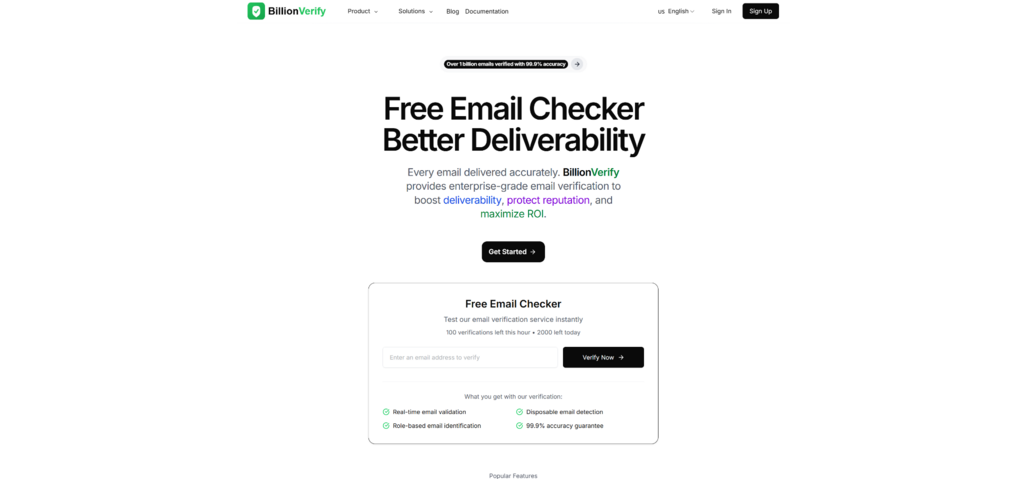
Before you launch your next major campaign, it is imperative to pause. Even a quick diagnostic with a Free Email Checker can reveal the invisible cracks in your database foundation, saving you from the disastrous consequences of a high bounce rate.
The Anatomy of a “Dead” List
Why do email lists decay? It isn’t because you bought bad data (though that happens). It is because life is volatile.
People change jobs. Startups fail. Domains expire. Users abandon their old Yahoo accounts for new Gmail ones. Industry statistics suggest that roughly 22% of an email list dies every single year.
If you haven’t cleaned your list in two years, nearly half of your audience might be ghosts. When you email these ghosts, you get a “Hard Bounce.”
The Domino Effect of Hard Bounces
- The Bounce: You email [email protected]. The server replies, “User unknown.”
- The Strike: The ISP notes this error. One or two is fine. Five hundred is a pattern.
- The Penalty: The ISP starts routing your valid emails—messages to real, waiting customers—into the Spam folder.
- The Silence: Your open rates drop, not because your content is bad, but because you have been invisibly muted.
This is why an email verifier is not just a tool for hygiene; it is an insurance policy for your brand’s voice.
Peeling Back the Layers: How Verification Actually Works
To the uninitiated, an email validator seems like a simple spell-checker. It looks for the “@” symbol, right?
Wrong. Modern verification is a complex, multi-stage interrogation of the internet’s infrastructure. It is closer to a digital detective investigation than a spell-check.
When you run a mail checker process, you are initiating a conversation between servers. Here is the narrative arc of that conversation:
Phase 1: The Syntax Gatekeeper
First, the system runs a basic syntax check. It eliminates the obvious clutter—spaces where they shouldn’t be, missing dots, or illegal characters. This is the “easy” part, but it clears the initial debris.
Phase 2: The Domain Detective
Next, the tool queries the Domain Name System (DNS). It asks, “Does example.com actually exist?” If the domain has expired or has no Mail Exchange (MX) records, the email is dead on arrival. There is no post office to receive the letter.
Phase 3: The SMTP Handshake (The “Ghost Call”)
This is the most fascinating part of the technology. To check if email exists without actually annoying the user, the verification engine initiates a Simple Mail Transfer Protocol (SMTP) session.
It connects to the target server and says, “Hello, I have a message for [email protected].”
The server replies, “Okay, Sarah is a valid user here.”
Crucially, the verifier then hangs up. It aborts the connection before sending any data.
This “digital handshake” confirms the existence of the inbox without ever landing a message in it. It is precise, silent, and invisible to the end-user.
A Personal Look at the Technology: Observations from the Field
In my recent exploration of deliverability tools, including platforms like BillionVerify, I’ve noticed a shift in how we approach data quality. It is no longer just about “Valid” or “Invalid.” The landscape is far more nuanced.
The “Unknown” Variable
One thing I appreciate about advanced tools is their honesty. In my testing, I noticed that about 2-5% of emails often return as “Unknown.”
Some users find this frustrating, but I see it as a sign of reliability. Some corporate servers are behind aggressive firewalls that simply refuse to answer the “knock” at the door. A cheap email checker might guess and give you a false positive. A professional engine admits, “I cannot verify this with 100% certainty right now.” This transparency allows you to make an informed decision—do you risk sending it, or do you purge it?
The Catch-All Dilemma
I also spent time analyzing how these tools handle “Catch-All” servers. These are configurations often used by small businesses where any email sent to their domain is accepted.
- The Risk: If you send to a Catch-All, it won’t bounce immediately. But if that specific user doesn’t exist, it might bounce days later, or worse, hit a spam trap.
- The Insight: Using a sophisticated email address validator allowed me to segregate these Catch-Alls. I didn’t delete them, but I treated them differently—sending them a plain-text re-engagement campaign instead of my heavy, image-rich newsletter.
Visualizing the Upgrade: Scripts vs. Engines
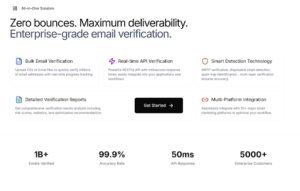
It is tempting to try and validate emails yourself or use free, lightweight scripts. However, the gap in capability is significant. Below is a breakdown of what you get when you move from basic checking to a professional infrastructure.
| Feature | Basic Script / Excel Formula | Professional Verification Engine | The Strategic Advantage |
| Syntax Validation | ✅ Yes | ✅ Yes | Removes formatting errors. |
| MX Record Check | ⚠️ Sometimes | ✅ Yes | Ensures the domain can receive mail. |
| SMTP Handshake | ❌ No | ✅ Yes | The only way to verify email existence accurately. |
| Greylisting Recovery | ❌ No | ✅ Yes | Retries automatically if a server is temporarily busy. |
| Role-Based Detection | ❌ No | ✅ Yes | Flags admin@ or support@ emails that lower engagement. |
| Disposable Email Detection | ❌ No | ✅ Yes | Filters out temporary “burner” accounts. |
| Data Encryption | ❌ No | ✅ Yes | Protects your customer list from theft during processing. |
The Threat of Disposable Emails
We need to talk about “Burner” accounts.
If you offer a free whitepaper or a discount code, you are likely attracting users who use services like Mailinator or 10 Minute Mail. They get your content, and you get a fake email that self-destructs in an hour.
When I ran a test on a client’s lead magnet funnel, we found that nearly 15% of their “new leads” were disposable addresses. By using an API to Email Verifier validity in real-time at the point of signup, we were able to block these addresses instantly. The user was forced to enter a real email to get the download.
The result? The raw number of leads dropped slightly, but the quality of leads skyrocketed. The sales team stopped wasting time chasing ghosts.
Conclusion: Protecting Your Digital Asset
Your email list is likely one of the most valuable assets your company owns. It is a direct line to your customers, independent of social media algorithms. But like any asset, it requires maintenance.
You wouldn’t drive a car for five years without changing the oil. You shouldn’t run an email program for five years without scrubbing the data.
Whether you are a solo entrepreneur or an enterprise marketing director, the shift in mindset must be the same: Quality over Quantity. A list of 10,000 engaged, verified subscribers is infinitely more powerful—and profitable—than a list of 50,000 strangers and ghosts.
The technology to verify email lists has matured into an accessible, essential utility. By integrating these checks into your workflow, you aren’t just cleaning data; you are protecting your reputation, ensuring your message is heard, and respecting the inbox of the customer.


Leave a Reply