
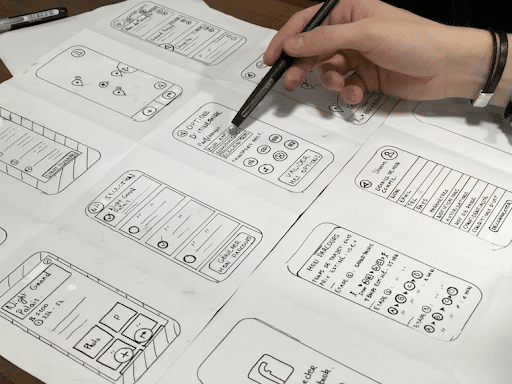
UI Design Guidelines
You must’ve heard the term good or bad UI design in the passing. UI design is about how people interact with digital products like websites and apps. It focuses on layout, buttons, text, colors, and overall structure. When UI design follows clear guidelines, users can understand and use a product without confusion or effort.
These guidelines exist to support usability, consistency, and accessibility. They help designers make decisions that reduce friction and improve everyday interactions. A good UI supports users in completing tasks quickly and comfortably, especially when guided by experienced website design professionals at My Company Site.
Focus on clear communication
Every element on the screen should communicate its purpose clearly. Users should know what an element does as soon as they see it. This applies to buttons, links, icons, menus, and form fields.
- Text labels should be straightforward.
- Icons should either be commonly understood or paired with text.
- Navigation items should reflect the content they lead to.
- Dont use ambiguous wording because it slows users down and creates frustration.
- Clear communication also means removing unnecessary elements. If an item does not help users move forward, it should be removed or simplified.
Use simple and predictable layouts
Layouts work best when they follow familiar patterns. Users rely on visual structure to understand where to look and what to do next.
Group related content together. Place important elements where users expect to find them. Keep spacing consistent across pages. This helps users scan information more efficiently and reduces mental effort.
Always avoid overcrowding screens. When you have too many elements they end up competing for attention which makes it harder to focus. Proper spacing improves readability and allows key actions to stand out naturally.
Create a clear visual hierarchy
Visual hierarchy shows users what matters most. It guides attention through size, placement, color, and spacing.
- Headings should stand out more than body text.
- Primary actions should be more visible than secondary ones.
- Supporting information should stay visually quieter.
When hierarchy is clear, users do not need instructions to understand where to start or what to do next. They are able to follow the structure naturally.
Choose typography carefully
Typography affects both readability and usability. Font choices should prioritize clarity across devices and screen sizes.
Limit the number of fonts used. Two typefaces are usually more than enough. Font sizes should follow a consistent scale so headings, subheadings, and body text are easy to distinguish.
Line spacing and text contrast matter as much as font style. Text should be readable in different lighting conditions and on smaller screens without strain.
Design for real user behavior
Design decisions should be based on how people actually use interfaces. Users scan, skim, and interact quickly. They often multitask and switch devices.
Designs should support fast decision making. Important actions should be easy to reach. Information should be easy to find without searching through multiple layers.
Avoid assuming that users will explore or experiment since most users want to complete their task and move on.
Use color with purpose
Color should support usability rather than decoration. Each color should have a clear role.
Use color to highlight actions, indicate status, and group related elements. Keep the palette limited to avoid visual noise. Strong contrast between text and background improves readability.
Color should never be the only way information is communicated. Icons, labels, and patterns should also support meaning so the interface remains usable for everyone.
Make buttons easy to identify
Buttons should be easy to recognize and easy to tap or click. Their shape, color, and placement should remain consistent across the interface.
Button text should describe the action clearly. Avoid vague labels that do not explain what will happen next. Clear labels reduce hesitation and errors.
Spacing around buttons is especially important on touch devices. Adequate spacing prevents accidental clicks and improves overall usability.
Provide clear feedback for actions
Users need confirmation when they interact with an interface. Every action should produce a visible response.
This includes button states, loading indicators, success messages, and error messages. Feedback helps users understand whether an action worked or needs correction.
Error messages should explain what went wrong and how to fix it. Avoid technical language. Clear guidance helps users recover quickly.
Design with accessibility in mind
Accessibility should be considered from the start. Interfaces must work for users with different abilities and needs.
This includes readable text sizes, sufficient contrast, keyboard navigation support, and descriptive labels for interactive elements. Forms should be easy to complete using assistive technologies.
Accessible design improves usability for all users, not only those with specific needs. Clear structure and readable content benefit everyone.
Maintain consistency across the interface
Consistency helps users learn how the interface works. When elements behave the same way across screens, users spend less time figuring things out.
This applies to colors, typography, spacing, icons, and interaction patterns. Repeating familiar elements improves efficiency and reduces errors.
At the same time, layouts can adapt to content needs as long as core patterns remain stable.
Test and refine continuously
UI design improves through observation and feedback. Watching users interact with a design reveals issues that may not be obvious during creation.
Testing can be simple. Even a few users can uncover common problems. Pay attention to where users pause, click incorrectly, or abandon tasks.
Use these insights to adjust layouts, wording, or interactions. UI design benefits from ongoing improvement rather than one-time decisions.
Final thoughts
UI design guidelines help create interfaces that are practical, readable, and easy to use. They support clear communication, structured layouts, and predictable interactions.
A well designed interface allows users to focus on their goals without confusion. By following clear guidelines and refining designs through real feedback, UI design becomes more effective and reliable over time.
Working with a credible website development agency helps you create an end product that takes all these elements into consideration. If you’re on the lookout for a reliable website design agency, My Company Site is your best bet. Take a look at their portfolio or contact them today to get your project started.


Leave a Reply