
How to Maintain Sales and Uptime During an Office Move
An average of $9,000 gets lost for every minute of downtime during a major corporate relocation. While that figure reflects the scale of a billion-dollar enterprise, the percentage of revenue lost remains just as staggering for mid-sized firms that fail to plan for continuity.
Keeping your sales team active and your digital presence online requires more than just a truck and some boxes. It demands a parallel infrastructure strategy that makes your new office tech-ready long before the first desk arrives.
Establishing A Zero Downtime Infrastructure
A successful office move starts with recognizing that your ISP is the primary bottleneck in the process. Most experts recommend a 30 to 60-day buffer for internet and phone line installations at the new location to account for provider delays.
This lead time is non-negotiable because it allows your IT team to pre-stage firewalls and switches in a live environment. You cannot troubleshoot a network without a dial tone, and waiting until move-in day to test your bandwidth is a recipe for a week of silence.
The principle of a known good state is what separates a smooth transition from a chaotic one. Implementing a strict code and change freeze at least seven days before the move ensures that no new software updates or server configurations introduce variables during the physical haul. You are essentially freezing your digital ecosystem in its most stable form so that any issues encountered at the new site can be attributed to the physical move rather than a coincidental software bug.
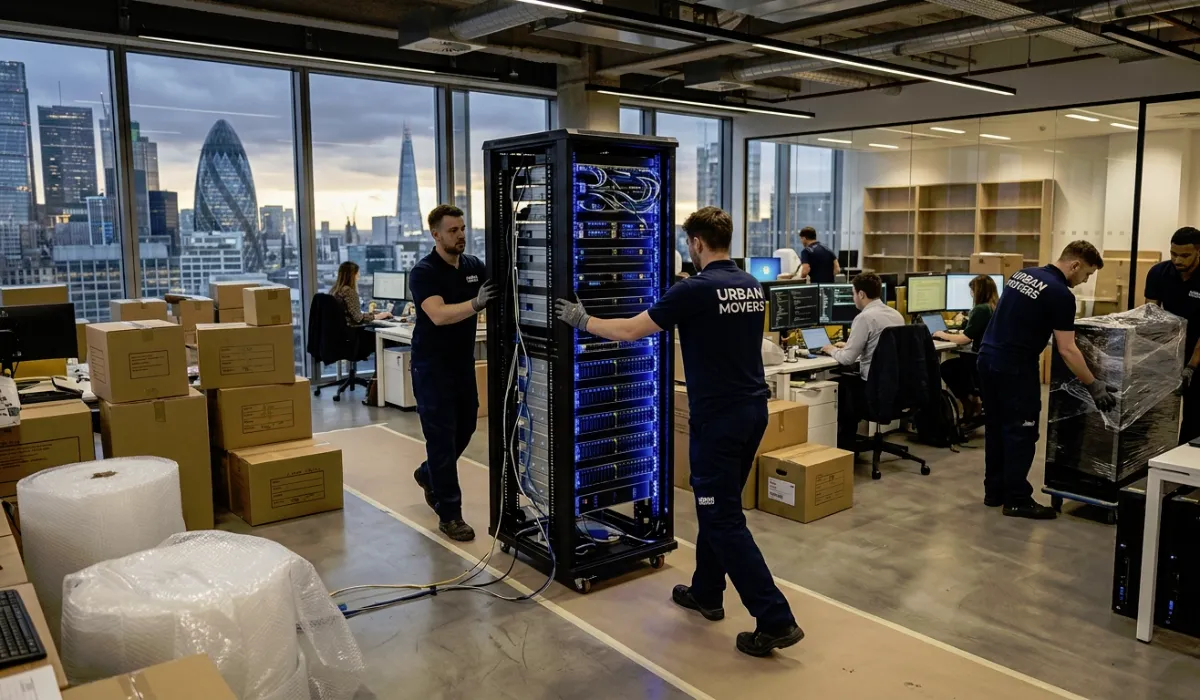
The physical logistics of high-value hardware require a level of precision that standard freight services rarely provide. To protect your service level agreements and ensure equipment returns to operational status within your maintenance window, you should coordinate with same day movers who offer specific arrival windows. This alignment prevents your IT staff from sitting idle at a new building while the servers are stuck in traffic miles away.
Communication Channels And Failover Strategies
Your customers should never experience a service disruption just because your physical walls are changing. Modern continuity planning for 2026 relies on leveraging cloud-based VoIP and remote work options to keep sales teams responsive on mobile devices while the main office is on the road. If a client calls your main line, the transition to a mobile app or a home-office handset should be seamless enough that the caller assumes you are still at your desk.
Transparency is your most effective tool for maintaining trust during a move. If you anticipate any shipping delays or slight lag in response times, you must adjust your automated messaging at least forty-eight hours in advance to manage expectations. This proactive approach turns a potential source of frustration into a demonstration of your company’s organizational competence.
To keep the momentum of the transition, assign specific roles to your leadership team:
- Designate move champions from each department to act as central coordination points
- Establish an incident comms template for immediate use if the migration hits a snag
- Create a rollback plan that allows you to revert to cloud backups if the new site’s power fails
These measures ensure that even if the physical site has a power failure on day one, your sales data and customer records remain accessible. High-stakes sectors like finance or healthcare can see costs exceeding $5 million per hour for total outages, making these redundancies a cheap insurance policy. In addition to minimizing website downtime, service provisions must be prioritized for preservation.
Executing The Phased Migration Strategy
One of the most effective ways to maintain sales volume is to avoid moving the entire company at once. A phased move strategy involves relocating non-essential departments first, allowing the core revenue-generating functions to remain operational at the original site until the new infrastructure is verified. This staggered approach provides a safety net, keeping your sales team on a proven network while the marketing or HR teams test the stability of the new office’s connectivity.
Once the sales floor finally makes the jump, the IT team must have a dedicated troubleshooting squad ready for the first 48 hours. This group is responsible for “static shock” issues, such as physical misalignments in the server racks or port mapping errors that didn’t appear during the pre-staging phase. Small cabling errors can cause intermittent brownouts that frustrate staff and drop sales calls.
Monitoring Performance After The Relocation
The work does not end when the last box is unpacked and the coffee machine is plugged in. You must conduct performance baselining to ensure your applications and databases run at the same speeds as they did at the previous location. If your CRM is lagging or your order processing software is timing out, the move was not a success, regardless of how nice the new lobby looks.
Automated alerting tools should be active the moment the first server pings the new network. These tools provide real-time visibility into the health of your infrastructure, allowing you to catch bottlenecks before they impact the customer experience. By treating the office move as a strategic IT migration rather than a simple change of scenery, you protect your revenue and your reputation simultaneously.
Optimizing Your Post-Move Operational Resilience
The final step in a successful relocation is a post-mortem analysis of the move itself. Documenting what went well and where the bottlenecks occurred helps refine your disaster recovery and business continuity plans for the future. An office move is essentially a controlled disaster recovery drill, and the lessons learned during this time are invaluable for long-term growth.
Read more about optimizing your operational resilience on our blog, then take the lessons you’ve absorbed and action them.


Leave a Reply