
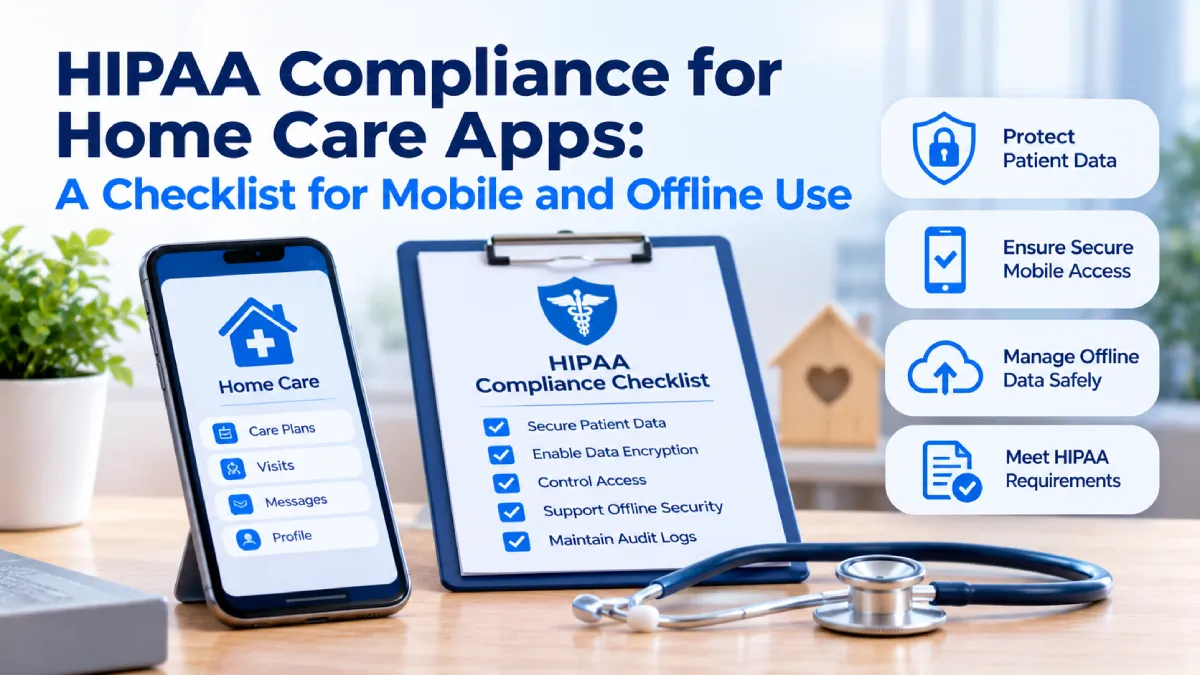
HIPAA Compliance for Home Care Apps: A Checklist for Mobile and Offline Use
HIPAA compliance for home care apps is difficult to define compared to a regular clinic EHR, as caregivers use their own cellphones for documentation when the signal can be weak and patient information is locally stored. This checklist covers the administrative, technical and physical protections that a mobile home care application requires and what happens when it is offline and reconnects to the Internet later.
Why Home Care Apps Break the Standard HIPAA Checklist
Most of the HIPAA guidance is geared toward a clinic or hospital environment: a locked network, badge-controlled rooms and a help desk down the hall. Home care turns all of those suppositions upside down. Carriers of ePHI bring ePHI with them within unlocked homes, unsecured WiFi and cellular dead zones, all of which can be used for personal messaging and social media.
When you throw offline-first mobile apps in the mix, the list becomes more difficult. A HIPAA compliance checklist for the complete picture of the Privacy and Security Rule for any covered entity, and presumes that the covered entity is connected to a secured server. Home care apps typically store the information of their visits, prescription lists and photos locally, in case the caregiver in the remote location or basement apartment doesn’t get a signal for hours.
There is a price to be paid for the difference in the financial stakes. The average cost of a healthcare data breach is currently $10.22 million per breach, the highest it’s been in 14 years across all industries, and there have been over 7,670 large healthcare data breaches reported to federal regulators since 2009. Home care agencies, which are generally smaller and less equipped than the hospital system, cannot take such a whack.
Where ePHI Actually Lives on a Caregiver’s Phone
Before working through a checklist, it helps to know exactly what you’re protecting. More than 61% of U.S. home healthcare providers rolled out caregiver management applications in 2025 alone, and the same growth curve showing up in remote patient monitoring statistics is pushing even more clinical data onto caregiver devices. A typical visit touches several categories of ePHI, each with different exposure risk depending on where it sits on the device.
On-Device Storage and Caches
Most teams developing a home healthcare software cache a caregiver’s assigned patient list, care plans, and recent visit notes locally so the app keeps working without signal. This local cache is the single biggest offline liability: unlike server-side ePHI, it isn’t protected by network firewalls or centralized monitoring, only by whatever encryption and access controls the app itself enforces.
Photos, Messaging, and Attachments
Wound photos, medication labels, and signed consent forms often get captured directly in the app, then sit in a local upload queue until connectivity returns. Caregiver-to-office messaging and plain SMS add another layer of risk, since a quick text about a patient’s condition can become an unencrypted, unmanaged copy of PHI living outside the app entirely.
The Core HIPAA Checklist, by Safeguard Type
HIPAA organizes its requirements into three safeguard categories, and a mobile home care app needs concrete controls in each one rather than a single “we encrypt everything” assurance bolted on afterward. Building HIPAA-ready application practices from the start is far cheaper than retrofitting them once a caregiver fleet is already in the field. Here’s what each category looks like in practice.
Administrative Safeguards
- Mobile and offline risk assessment: Add “mobile/s or offline” to the standard HIPAA risk assessment to identify where ePHI is being cached on the phones, the time that it remains, and what happens if a phone is lost or stolen.
- Access and minimum necessary data: Ensure each caregiver has only the patients and data he/she needs for that shift, and not an entire agency’s list of patients and data synced to every device.
- Signed BAAs with each mobile vendor: Have a Business Associate Agreement with the app vendor, the MDM vendor, and any mobile integration vendor of messaging or EHR that touches ePHI data at any time.
- Workforce training on field-specific scenarios: Educate caregivers about scenarios that could occur in the field, such as leaving a device unattended in a vehicle, texting a coworker about a patient or taking pictures of a wound with their personal camera app.
- Written incident response to lost devices: Have a written policy for reporting lost or stolen devices within a specific timeframe, which results in the remote wipe and access revocation of the device.
- Mobile compliance posture audits regularly: Not only audit server logs but regularly audit mobile compliance posture of the caregiver fleet, for example the status of encryption and OS patches and versions of devices.
Technical Safeguards
- Encrypt data on all devices: Encrypt local database and any cached files with AES-256 keys stored in the device’s hardware-backed keystore (not in application code).
- Encryption in transit for every sync: Require TLS for all data moving between the app and your servers, including background sync jobs that run without the caregiver actively using the app.
- Unique user IDs and strong authentication: Give every caregiver their own login rather than a shared device PIN, and require multi-factor authentication for any administrative or EHR-integrated account.
- Automatic session time out and app lock: Lock the app after an unproductive period of time, and require re-authentication again, so that a device left unlocked on a counter doesn’t expose a full patient record.
- Offline & online activity audit trail: Capture all records viewed, edited & synced offline, and send all of this data in one bundle when back online without losing it to a gap in the signal.
- Distribute remote wipe and deprovision: Implement remote wipe and deprovision capabilities for the loss of the phone, and/or deprovisioning of the caregiver’s account, without requiring physical access to the phone.
Physical Safeguards
- Device passcode and biometric locks: Have a device-level passcode or biometric unlock, apart from the authentication of the app.
- Screen privacy at patient’s home: Educate caregivers to make sure the screen is out of view of the family, visitors or anyone else in the home when visiting, as incidental disclosure is a HIPAA event.
- Secure storage of agency issued devices: If devices are not being used in the field, have them stored in a secure place when not in use instead of left in a vehicle overnight.
- Ensure BYOD boundaries are established: Divide work data into a separate, managed container on caregiver’s personal devices, as opposed to using the device to take photos of ePHI and have apps on it.
- Disposal and decommissioning of devices: Wipe and confirm that all devices have been erased prior to re-assignment, disposal and/or resale (including devices returned by departing caregivers).
Offline-First Architecture: What Changes When There’s No Signal
Most HIPAA checklists ignore offline capability. The default condition in home care. A caregiver might deal with no usable signal for the complete shift, which implies the app’s offline conduct is just as compliant as its server-side security.
Begin with minimal amounts of data. Only store patient records that a caregiver will need for their planned visits of the day, not a complete patient list across all devices. The fewer ePHI stored locally, the less will be exposed if the device is lost prior to syncing.
Do set a time to live on cached records as well. This is a reasonable time window, typically 24 hours to 72 hours, to allow the app to auto-purge local data upon successful synchronization or after the time window has elapsed. It restricts the amount of time that unprotected ePHI can live on a device that is left in a bag for days on end.
Conflict resolution is more important than it sounds for the most part. If a caregiver documents an offline visit, and the office makes changes to the same document before it reconnects to the network, the app should have some clear way of determining which version is correct and record it and allow it to be audited—don’t just overwrite what a caregiver has written.
Finally, treat the sync event itself as a security checkpoint. Always check the server, encrypt the payload for the whole queue individually, and include a complete audit record for each sync, whether it was successful or not. Now, this is not just an additional line item for encryption, but also an additional line item for offline architecture and conflict handling, impacting the real cost of developing a healthcare mobile app.
The 2026 Security Rule Shift: Why “Addressable” Won’t Cut It Much Longer
For two decades, HIPAA’s Security Rule has let covered entities treat encryption and multi-factor authentication as “addressable” specifications, meaning an organization could assess the risk and choose an alternative control instead. That’s changing. A proposed rule published in January 2025 would make encryption of ePHI at rest and in transit, along with multi-factor authentication, mandatory rather than addressable, with only limited exceptions, and the final rule is currently expected around May 2026.
For home care apps, this closes a loophole many vendors have quietly relied on. “We assessed it and chose a compensating control” won’t satisfy a mandatory requirement. If your app still treats device-level encryption as optional or configurable per client, now is the time to make it a non-negotiable default, not a feature flag.
The proposed rule would also tighten other areas home care apps should already care about: a defined restoration window after a service disruption, and faster notice when a caregiver’s access needs to be revoked. Building to these standards now, ahead of the compliance deadline, is cheaper than retrofitting a live caregiver fleet later.
Vetting Vendors and BAAs for Mobile Home Care Platforms
A home care application does not typically run on any one vendor’s infrastructure. Each of your managed devices, your integrated EHR system, your caregivers’ messaging system, and the cloud system that hosts the storing of your database can connect to ePHI at a different point in the system. All of them require the BAA to be signed prior to data flowing and not afterward.
To assess a mobile home care platform, or a vendor who provides support to one, it’s beneficial to choose healthcare software development companies that view security and compliance as a part of their business, not an add-on. Don’t just take a vendor’s word for it—ask them specific questions: Will they provide you with their encryption key management process, their log, or report security incidents within a specified time frame, or provide proof of a recent risk assessment, rather than a policy document?
Be mindful of the reach of the provider of the MDM. If it is capable of accessing the contents of the devices, or pulls diagnostics that contain ePHI, or can remotely wipe a device, it’s in the business associate category and should be treated as such as you would your core software vendor.
Is Your App Actually Ready? A 5-Minute Gut Check
Prior to rolling out a mobile home services application to your entire caregiver workforce rollout, conduct a brief “gut check. Specifically, what ePHI is being cached locally on a caregiver’s phone right now and for how long? Is the cache encrypted with keys that are stored outside of the app’s own code? Would you know what was on a caregiver’s phone if it was lost on a bus tomorrow, and do you have a documented, tested process to wipe off the phone?
Have a BAA with all vendors who have access to ePHI, including MDM provider? Can you generate an audit that will tell you the time of offline creation and the time of syncing? If several of those answers are “I’m not sure”, a formal compliance readiness assessment will be a quicker method to discover all of the gaps than to audit yourself by checking off items on this checklist.
Building a HIPAA-compliant home health app is not a one-off project, but an app that’s constantly updated to keep up with a checklist, and the checklist is changing, not relaxing, as we approach 2026.
Conclusion
The HIPAA certification for home care apps isn’t a single achievement, but rather the continuous alignment of administrative policy, technical controls, and actual home care services. Things get more serious when your users are mobile, but the list above, combined with signed BAAs and a documented offline architecture, provides you with a solid and auditable foundation from which to start as opposed to a vague promise of security.


Leave a Reply