

Website Design Mistakes That Undermine Your Digital Marketing
Introduction
A website should do more than look good. It should support digital marketing by helping visitors find information, understand offers, and take action. Poor navigation, slow loading times, and unclear messaging can undermine these efforts, even when a business attracts the right audience.
Understanding common website design mistakes helps businesses improve user experience and marketing results.
1. Designing the Website Without a Clear Marketing Goal
A website should support specific business objectives, whether that means generating leads, selling products, booking appointments, or building an email list. Without clear goals, businesses may focus on visual elements without considering how the website contributes to their wider marketing strategy.
For example, a service business might have an attractive homepage but no prominent way to request a quote or schedule a consultation. Visitors may understand what the company does but still leave without taking action.
Start by defining the primary goal of each important page. A product page should help visitors evaluate an offer and make a purchase, while a campaign landing page should support a specific conversion objective. These goals help guide decisions about page structure, content, and design.
2. Making Website Navigation Too Complicated
Visitors should be able to find important information without having to think too much about where to look. Complicated menus, inconsistent page structures, and too many navigation options can make a website frustrating to use.
This creates problems for digital marketing because visitors who cannot find relevant information may leave before exploring a business’s products or services. Even when a website attracts qualified traffic through search engines or advertising, poor navigation can prevent that traffic from producing meaningful results.
Keep navigation simple and organize pages into logical categories. Use descriptive menu labels instead of vague terms, and make important sections easy to access. Reviewing the website from the perspective of a first-time visitor can reveal unnecessary steps and confusing page structures.
3. Ignoring Mobile Users
A website that looks great on a desktop computer may offer a frustrating experience on a smartphone. Small buttons, crowded layouts, oversized images, and forms that are difficult to complete can discourage visitors from continuing.
Mobile usability matters for businesses investing in SEO, social media, and paid advertising. People may discover a business on their phones and expect to browse products, read information, or contact the company without switching devices.
Use a responsive design that adapts to different screen sizes, but do not assume responsiveness alone guarantees a good experience. Test key pages on actual mobile devices where possible. Check that text remains readable, buttons are easy to tap, forms are manageable, and important information is not hidden behind intrusive pop-ups.
4. Using Weak or Unclear Calls to Action
Calls to action (CTAs) guide visitors toward a specific next step. If the wording is vague or the button is difficult to notice, people may not understand what happens when they click it.
Generic labels such as “Submit” or “Learn More” are not always wrong, but they may provide little context. A visitor considering a service, for example, might respond better to “Request a Free Quote” because it explains the action more clearly.
Make CTA wording specific to the offer and the page’s purpose. Use a clear visual hierarchy so the primary action stands out, and ensure the button works properly on both desktop and mobile devices. The goal is to remove uncertainty about the action itself, not to add more buttons or repeat the same message throughout the page.
5. Overlooking Page Speed and Website Performance
Slow-loading pages create friction in the customer journey. Visitors may abandon a page before its content appears, while delays can make browsing and completing forms less convenient.
Performance problems can also weaken marketing campaigns. Businesses may spend money attracting visitors through paid advertising or invest considerable time in SEO, only to lose potential customers because of a poor website experience.
Common causes include oversized images, unnecessary plugins, excessive scripts, and inefficient page layouts. Start by measuring performance and identifying the biggest problems rather than making random changes. Compress images, remove unnecessary functionality, and optimize page resources where appropriate. If the website still struggles under its normal workload, investigate whether hosting or server limitations are contributing to the problem.
On WordPress websites, themes and plugins can affect loading times, so review which features are genuinely needed.
6. Prioritizing Visuals Over Clear Messaging
Visual design helps create a first impression, but it cannot compensate for unclear messaging. Visitors should quickly understand what a business offers, whom it serves, and why its products or services are worth considering.
A homepage may feature impressive animations, large images, and elaborate layouts while failing to explain the company’s value proposition. When visitors cannot identify how an offer relates to their needs, they have little reason to continue exploring.
Use clear headlines and concise supporting text to communicate the main benefit of the offer. Choose visuals that reinforce the message rather than compete with it. Make sure the most important information appears prominently, especially near the top of key landing pages.
The goal is not to eliminate creative design. It is to make sure design supports the message and helps visitors understand the value of the business. Teams without in-house designers can bring in creative design services to keep visuals and messaging pulling in the same direction.”
7. Creating Landing Pages That Distract From Conversion
Landing pages often support specific marketing campaigns, such as paid search advertisements, email promotions, or social media campaigns. Their purpose is to guide visitors toward a particular action, but unnecessary elements can make that action less obvious.
For example, a landing page promoting a free consultation might include multiple unrelated offers, lengthy navigation menus, and links that lead visitors away from the main objective. Too many competing choices can make it harder to decide what to do next.
Align the landing page with the message that brought visitors there. If an advertisement promotes a particular product or service, the landing page should provide relevant information about that offer. Keep the content focused, explain the benefits, address likely objections, and make the next step easy to complete.
This does not mean every landing page must look identical or remove all navigation. The appropriate structure depends on the audience, the offer, and the purpose of the campaign.
8. Neglecting Trust Signals
Visitors may hesitate to buy a product, request a quote, or share personal information if a website does not appear trustworthy. This is especially relevant for businesses that rely on first-time customers who have not interacted with the brand before.
A website can undermine trust through inconsistent design, outdated information, broken links, unclear pricing, or missing contact details. A lack of credible evidence supporting the business’s claims can also make potential customers reluctant to proceed.
Use genuine testimonials, relevant case studies, clear contact information, and transparent descriptions of products or services. Ecommerce websites should also make shipping information, return policies, and payment options easy to find. Security measures are essential when handling personal or payment information, but visible trust signals should never substitute for actual security.
Choose evidence that helps visitors evaluate the business rather than filling pages with decorative badges or unsupported claims.
9. Designing Content Pages Without Considering SEO
Source: Unsplash
Website design and search engine optimization should work together. A visually appealing content page may still perform poorly if its structure makes information difficult to understand or important content difficult to discover.
For example, inconsistent heading hierarchies can make articles harder to scan, while poor internal linking can prevent visitors from finding related content. Low-contrast text, narrow content areas, and difficult-to-read typography can also discourage people from engaging with useful information.
Use descriptive headings, readable fonts, clear content organization, and relevant internal links. Ensure search engines can access important content and visitors can navigate it easily. Add appropriate alternative text to images that convey meaningful information, and ensure page titles accurately describe the content. Website owners should also understand how automated data scraping can access and collect information from their pages.
Good SEO involves more than design, but a well-structured website provides a stronger foundation for discoverability and usability.
10. Failing to Measure and Improve Website Performance
Launching a website or redesigning its layout does not guarantee better marketing results. Without measurement, businesses may not know whether their design choices help visitors or create new problems.
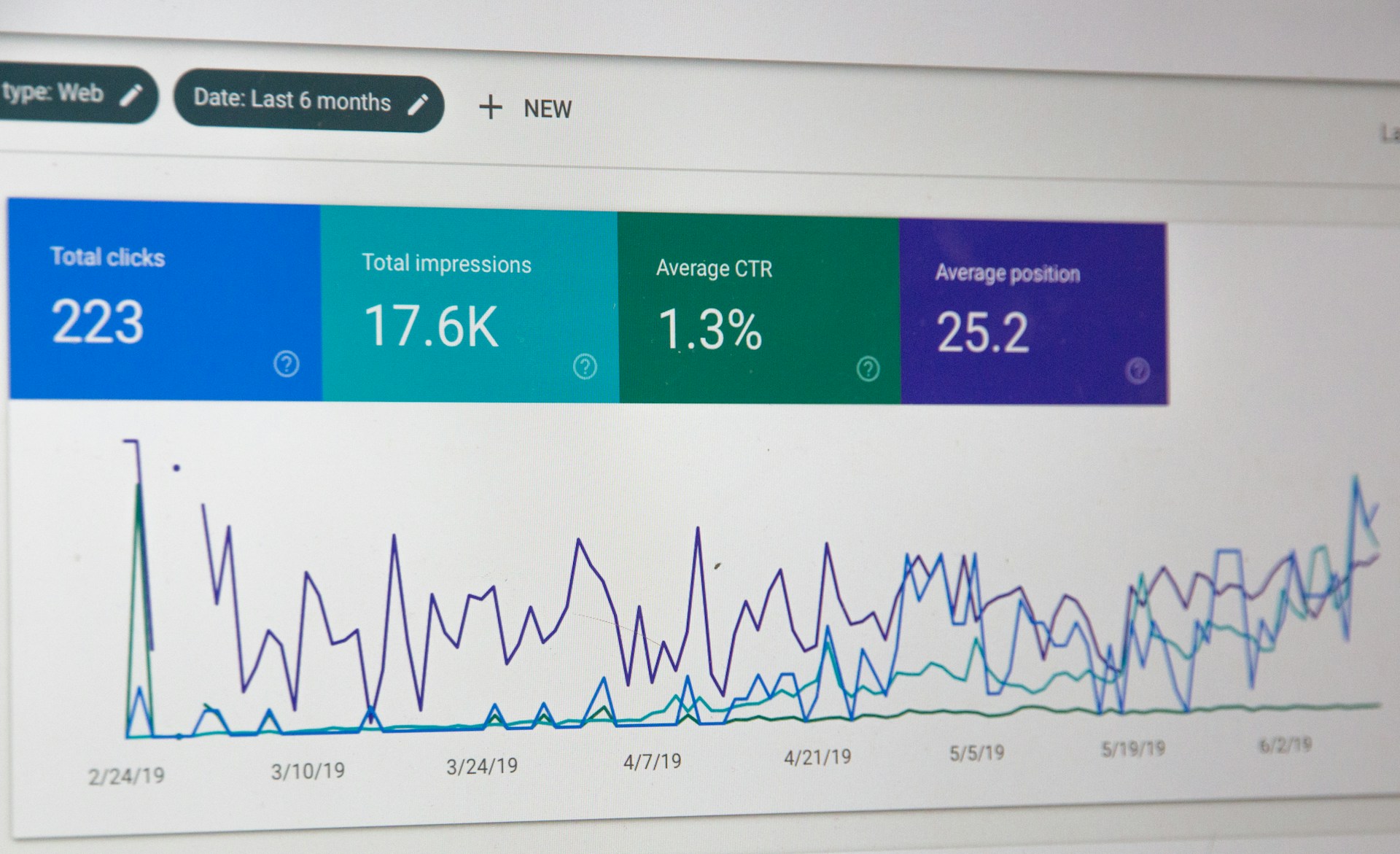
Track metrics that reflect the website’s goals. These might include purchases, qualified leads, form submissions, newsletter sign-ups, or bookings. Supporting metrics, such as landing page engagement and traffic sources, can help explain how visitors arrive and interact with the site.
Use analytics, conversion tracking, user feedback, and usability testing to identify areas for improvement. If a landing page attracts visitors but generates few leads, review its messaging, offer, form, and calls to action before assuming that more traffic is the solution.
Test changes whenever practical and evaluate the results over a meaningful period. Small, evidence-based improvements can be more useful than a complete redesign based solely on personal preferences.
Conclusion
Effective website design supports both user experience and marketing goals. By improving navigation, mobile usability, messaging, and performance, businesses can make their websites more useful and their marketing efforts more effective.
Rather than rushing into a complete redesign, review key pages, identify friction points, and prioritize changes based on user behavior and conversion data.


Leave a Reply