

5 Query Fan-Out Chrome Extensions to See What AI Assistants Search For
When an AI assistant uses web search, it may run several related searches in response to one question. For SEO specialists and marketing agencies, the queries exposed during a session can indicate which aspects of the topic the assistant investigated.
Google describes query fan-out as issuing multiple related searches across subtopics and data sources. Its documentation says both AI Mode and AI Overviews may use this technique. ChatGPT and Gemini can also perform web searches while generating answers. Browser extensions offer one way to inspect queries that these assistants make available in a conversation.
These five Chrome extensions offer different ways to inspect query fan-out data. The product capabilities below come from their published Chrome Web Store descriptions; their reliability has not been independently tested for this article.
1. Query Fan-Out Tool by Seofix: for extracting searches from ChatGPT and Gemini

The Query Fan-Out Tool by Seofix is a free browser extension that extracts the search queries visible in ChatGPT and Google Gemini conversations. It lists the queries under the corresponding prompts so users can see which searches were associated with each response.
Open a ChatGPT or Gemini conversation, wait until the answer finishes, and click the extension icon. The popup lists each prompt separately with the search queries used for its answer. You can copy the queries for an individual prompt, copy all results, or export them as CSV.
Developed by Seofix, the tool processes the open conversation locally. Its Chrome Web Store description states that it does not send conversation data to the developer or third parties.
What stands out
- Two AI platforms. The extension supports both ChatGPT and Gemini, so researchers can inspect separate conversations using the same interface.
- Prompt-by-prompt results. Queries remain associated with the questions that generated them instead of appearing as one unstructured list.
- Convenient exports. Copy all results, copy the queries for a particular prompt, or download a CSV file.
- Local processing. Conversation content remains in the browser according to the extension’s published privacy description.
The catch
The extension can only extract search queries exposed by ChatGPT or Gemini in the open conversation. It cannot display searches that the AI platform does not make available.
Best for: SEO specialists and content teams exporting search queries grouped by prompt from ChatGPT and Gemini.
2. Backlinko ChatGPT Query Fan-Out Tool: for citation and brand analysis
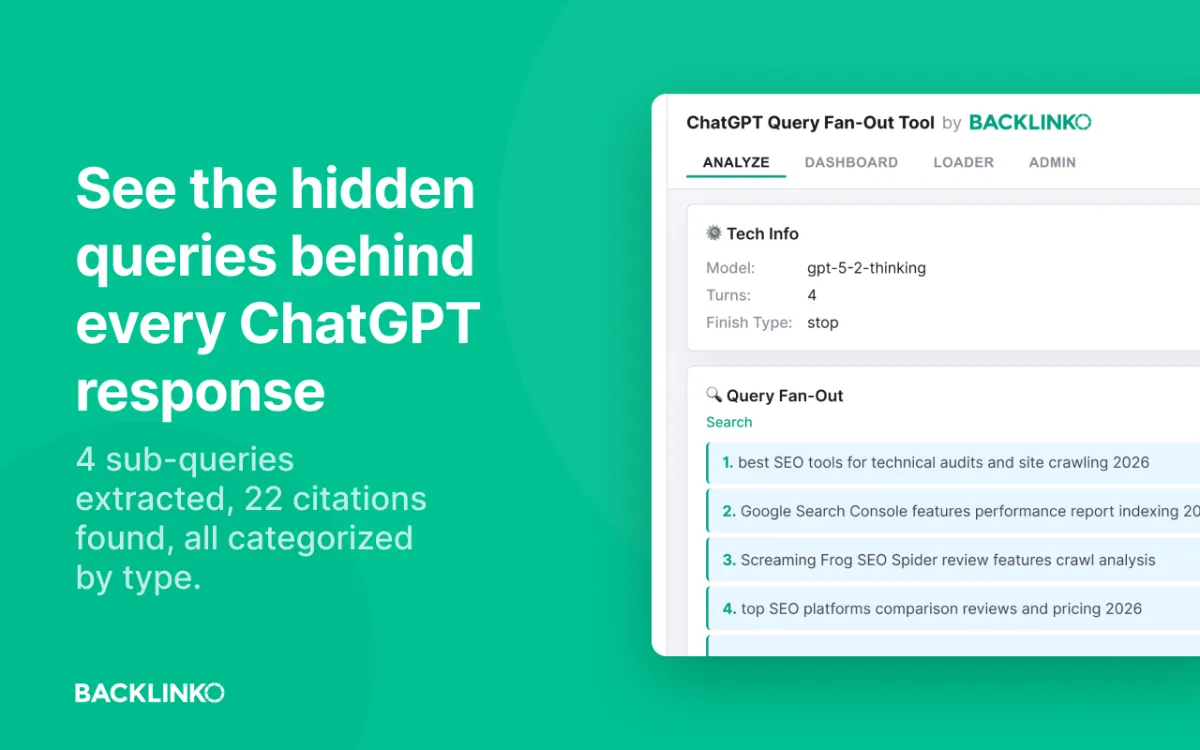
Backlinko’s ChatGPT Query Fan-Out Tool uses a side panel to display search queries and information about ChatGPT responses. Its listing describes real-time query capture, extraction of cited URLs, and tracking of brand mentions.
Its published feature list includes a dashboard for captured conversations, brand tracking with name variations, and a batch loader for running several prompts. The extension also extracts referenced URLs with their page titles and domains.
What stands out
- Citation breakdowns. Extract cited URLs, titles and domains, with references categorized as sources, products, images or news.
- Brand monitoring. Configure brand names and competitors to see which ones are mentioned in captured responses.
- Batch prompts. Run a collection of queries and analyze the results across conversations.
- Research exports. Move conversation data into CSV or JSON files for further reporting.
The catch
The extension’s published support is for ChatGPT. Its reporting features go beyond extracting search queries, so the interface includes additional tracking and project options.
Best for: SEO teams extracting ChatGPT search queries, cited URLs and brand mentions.
3. FanoutFox: for investigating sources behind AI answers
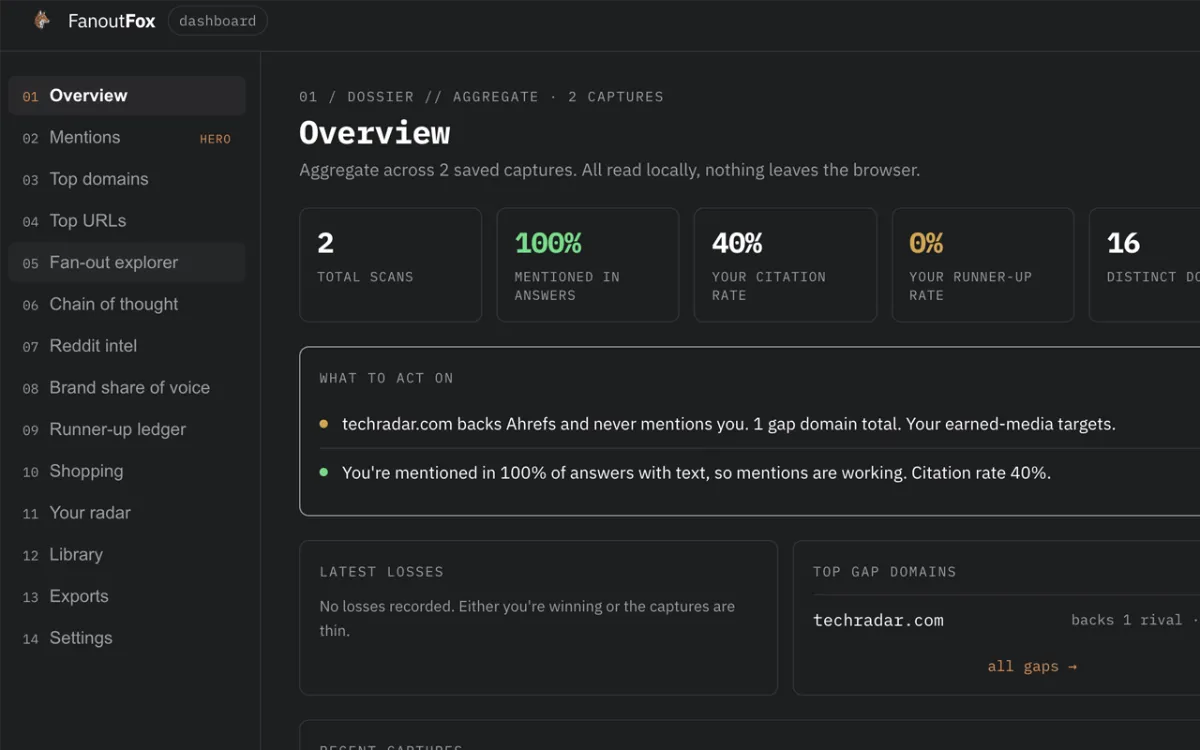
FanoutFox is a Chrome extension for examining the research behind ChatGPT answers. In addition to search queries, it reports fetched pages, citations, and brand mentions. It therefore provides information about both the searches recorded and the sources shown in the captured response.
The extension supports workspaces for brands and competitors. According to the developer, its reports distinguish fetched pages from pages cited in the answer.
Strengths
- Source inspection. Review the searches and pages associated with a captured answer.
- Sources versus citations. See which fetched pages were cited in the captured answer.
- Brand workspaces. Organize research around specific brands, domains, and competing companies.
- Saved captures. Keep previous analyses and export them for comparison or client reporting.
Weaknesses
FanoutFox currently focuses on ChatGPT. Its developer retired Perplexity capture in a later release and does not list Gemini support. As with other browser-based inspectors, the available information depends on what ChatGPT exposes.
Best for: SEO teams inspecting retrieved pages, citations and brand mentions in ChatGPT responses.
4. Query Fan-Out by Cairrot: for watching searches in real time
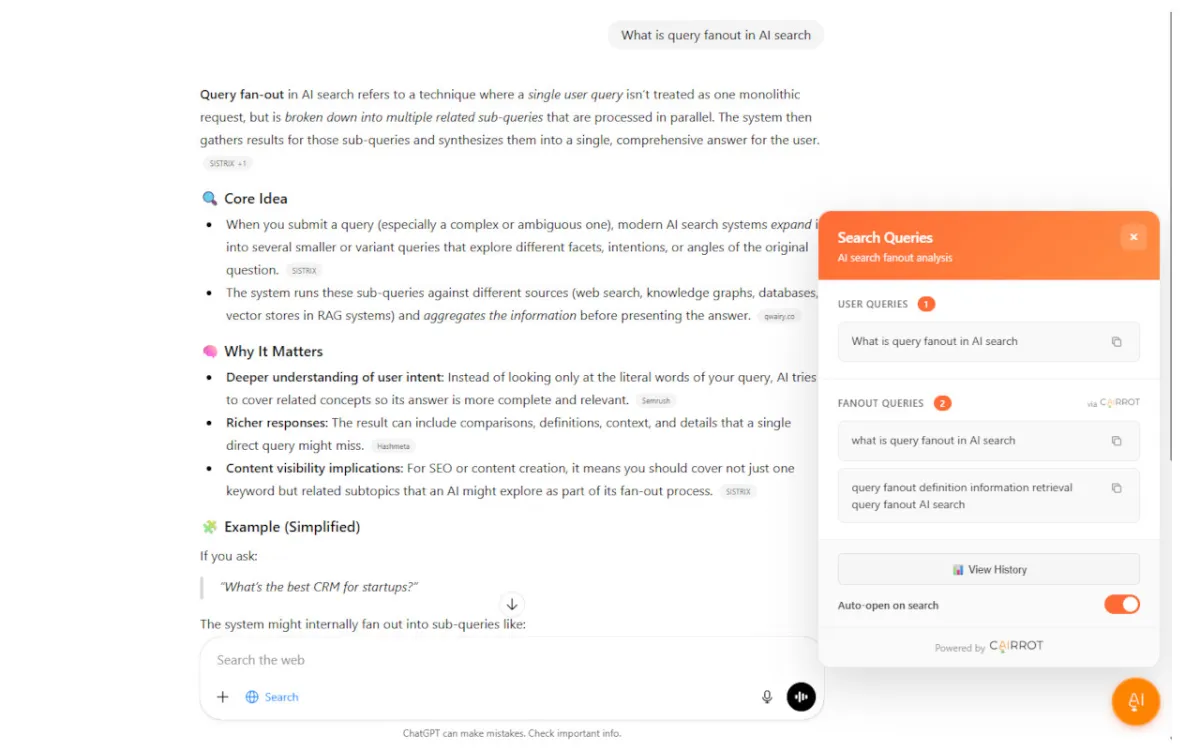
Query Fan-Out by Cairrot displays ChatGPT search queries directly on the page while an answer is generated. Its Chrome Web Store listing describes real-time monitoring during web-assisted responses.
The publisher positions the free extension for answer engine optimization (AEO), keyword research, and content planning. Its on-page interface is intended to make query inspection part of a normal ChatGPT research session.
Strengths
- Live monitoring. See the search queries the extension detects while ChatGPT is responding.
- Integrated display. Work directly in ChatGPT without opening a separate analytics platform.
- Simple setup. The product listing describes a free tool with no additional configuration required.
Limitations
The documented functionality centers on ChatGPT. Displaying a query also does not establish which page ranked for it or whether a particular website was cited; those questions need separate investigation.
Best for: SEO specialists who want to inspect the searches displayed during a ChatGPT response.
5. AI Search Query Fan-Out Tracker: for collecting queries across conversations
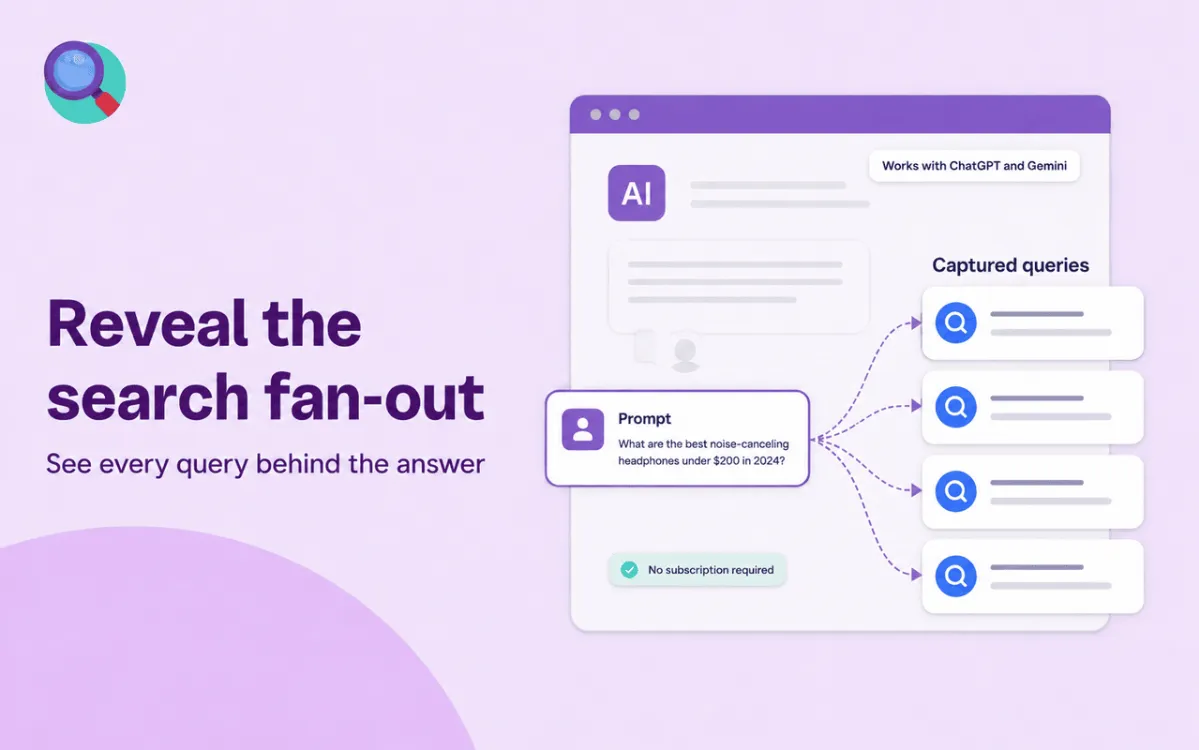
AI Search Query Fan-Out Tracker for ChatGPT & Gemini advertises automatic collection of search queries for later analysis. Its Chrome Web Store listing describes query statistics, conversation breakdowns, CSV exports and cloud synchronization.
The listing names both ChatGPT and Gemini as supported platforms and describes a workflow in which available queries are collected during conversations.
Strengths
- Automatic capture. Records available queries as conversations take place.
- Platform support. The listing identifies ChatGPT and Gemini.
- Search statistics. Organizes captured queries and conversation-level information for review.
- CSV reporting. Exports results into a format suited to spreadsheets and research archives.
Weaknesses
The publisher advertises cloud storage and synchronization. Teams processing client conversations should review the extension’s permissions and privacy policy before using that storage feature.
Best for: researchers collecting recorded search queries across ChatGPT and Gemini sessions.
Which query fan-out extension fits your research?
The Chrome Web Store listings describe different combinations of query capture, citations, brand mentions and export options.
| Extension | AI platforms | Main focus | Best use |
|---|---|---|---|
| Query Fan-Out Tool by Seofix | ChatGPT, Gemini | Prompt-grouped queries, copying, CSV export | Exporting searches grouped by prompt |
| Backlinko Query Fan-Out Tool | ChatGPT | Query capture, citations, brand tracking | Extracting queries, cited URLs and brand mentions |
| FanoutFox | ChatGPT | Fetched pages, citations, brand mentions | Inspecting fetched pages and cited sources |
| Query Fan-Out by Cairrot | ChatGPT | Real-time query display | Viewing queries during ChatGPT responses |
| AI Search Query Fan-Out Tracker | ChatGPT, Gemini | Automatic collection, statistics, CSV export | Collecting query records across conversations |
There is another distinction worth keeping in mind. Query fan-out extractors attempt to show searches exposed during real AI conversations. Query fan-out simulators generate possible sub-queries from an initial keyword or prompt. Simulation can help with brainstorming, but simulated queries are not evidence that an AI assistant actually searched for them.
How SEO specialists can use query fan-out data for GEO
A list of searches becomes useful when it informs a specific content decision. Three practical applications are topic coverage, competitor research, and repeatable testing.
1. Find missing information in existing articles
Consider an agency researching a guide about WooCommerce themes. A question such as “Which WordPress theme is best for a large WooCommerce store?” may lead the assistant to investigate performance, product filtering, or compatibility with store features. These are hypothetical examples; the actual searches need to come from the captured conversation.
Comparing observed subtopics with the article’s existing content helps the agency decide which questions deserve fuller answers. A single relevant section may address several closely related searches without requiring a separate page for each variation.
2. Examine websites appearing in AI answers
Extensions that capture citations identify URLs referenced in ChatGPT answers to selected prompts. Researchers can then read those pages to examine their evidence, comparisons and product details.
This is a useful starting point for a content gap analysis. It does not, by itself, prove that a competitor’s content was selected because of any single heading or phrase.
3. Compare research sessions over time
Agencies can keep a consistent set of prompts, export the available queries and compare the results with later sessions. Differences in the queries or citations are observations to investigate, not a direct measure of audience-wide AI visibility.
The same prompt may produce different queries in separate runs. Repeating the test helps establish whether a finding is recurring or limited to one session.
What browser extensions cannot reveal about AI search
Chrome extensions inspect information available to the browser. They cannot provide unrestricted visibility into an AI provider’s internal retrieval systems.
An empty result can mean the answer did not expose usable search-query data. Even when a search is captured, the extension may not know every retrieval action or ranking decision involved in the response.
There is also no direct guarantee that optimizing a page for a captured query will produce a citation. Relevance, search results, available sources, and the assistant’s answer-generation process all affect what appears in a response. Use query fan-out research alongside conventional SEO analysis and direct examination of AI citations.
Verdict
For straightforward query extraction across ChatGPT and Gemini, the Query Fan-Out Tool by Seofix is a practical starting point. It groups searches by prompt and makes the results easy to copy or export.
Backlinko lists citation extraction and brand tracking alongside query capture. FanoutFox also distinguishes fetched pages from cited sources. Cairrot displays searches as ChatGPT responds, while AI Search Query Fan-Out Tracker advertises automatic query collection.
These extensions can supply query records for content research. Any conclusions about search performance or citation likelihood still require separate analysis and repeated observations.


Leave a Reply