
AI Face Swap Questions People Ask
AI face swap tools are fun, but most people have the same doubts before they upload a photo. They want to know if the result will look real, if their image is safe, what kind of photo works best, and where the line is between a harmless edit and a bad idea. I’ve tested face swap tools with clean headshots, old phone selfies, group photos, and low light images, and the difference in results can be huge.
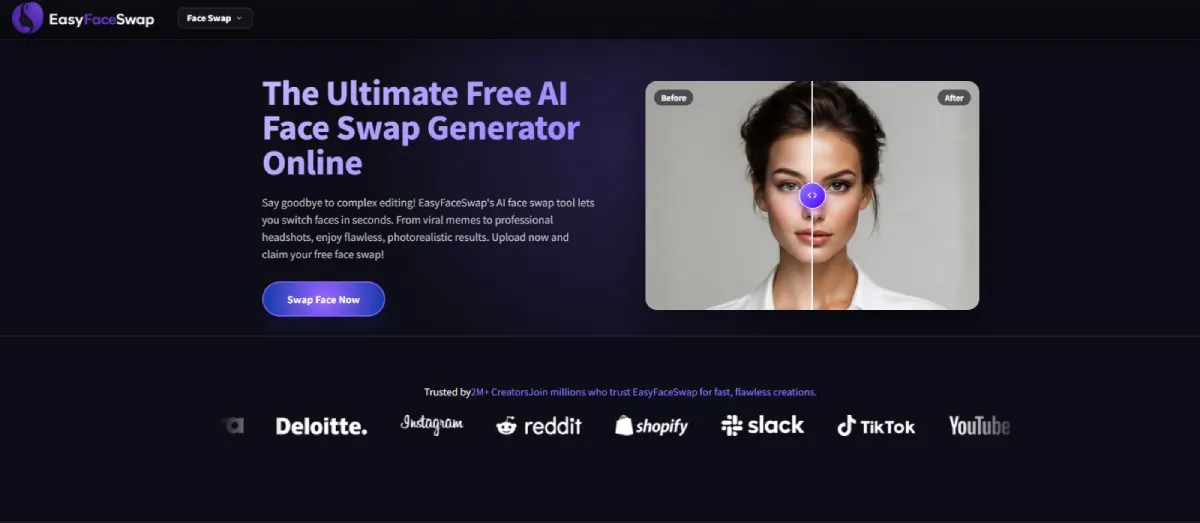
If you’re trying this for the first time, a simple browser tool like EasyFaceSwap is usually easier than installing software or learning a photo editor. The main thing is to start with a clear source image and a target image that has similar head position, lighting, and facial angle. That one choice often matters more than any setting inside the tool.
People also search for a quick way to do a face swap online because they don’t want to deal with complex editing apps. Online tools are best for casual edits, profile images, memes, creative posts, and testing ideas fast. They’re not magic, though. A bad input image can still lead to strange eyes, warped skin, or a face that looks pasted on.
| Question people ask | Short answer |
|---|---|
| Do face swaps look real? | They can, if both images match well |
| Is it safe to upload photos? | Use trusted tools and avoid sensitive images |
| Can I use celebrity faces? | Be careful with rights and consent |
| Why do results look weird? | Poor lighting, angle, or image quality |
| Can I use it for business? | Yes, but only with proper permission |
How does an AI face swap actually work?
An AI face swap tool studies the face in one image, then maps key features onto the face in another image. It looks at things like eye spacing, mouth shape, nose position, jawline, skin tone, and head angle. The better tools don’t just paste a face on top. They blend the face into the target image so the lighting, shadows, and edges look more natural.
In practice, the tool is only as good as the images you give it. A straight on selfie swapped onto a side angle portrait often looks wrong because the face shapes don’t line up. I’ve had the best results when both images had similar expressions, similar camera distance, and no heavy filters. If one photo has sunglasses, a hand covering the chin, or harsh shadows across the face, the AI has less useful detail to work with.
What photos work best for AI face swapping?
Clear photos work best, especially when the face is visible, sharp, and not blocked by hair, hats, hands, or objects. A photo taken in soft natural light usually beats a dark indoor selfie. I’ve found that shoulder up portraits give the tool enough facial detail without too much background noise. If the person is looking near the camera, the final image tends to look cleaner.
The target photo matters just as much as the face photo. If you want a believable result, choose a target image where the face is about the same size and angle. Matching expression helps too. A wide smile swapped onto a serious face can look stiff because the teeth, cheeks, and mouth corners don’t match the original pose. You can still experiment with mismatched images for jokes or memes, but don’t expect them to look realistic.
Image quality also affects skin texture. Low resolution photos may create blurry faces, while over sharpened or filtered photos can make the swap look plastic. I usually avoid screenshots from social apps because they’re often compressed. A normal phone photo from the original camera roll gives the AI more detail to work with.
Is AI face swapping safe and private?
AI face swapping can be safe when you use a tool that has clear privacy practices and you avoid uploading sensitive images. Still, you should treat any face image as personal data. Don’t upload private photos, ID documents, medical images, children’s photos, or anything you wouldn’t want stored or seen by another person. Even if a tool says it deletes uploads, it’s smart to be careful.
Consent is the bigger issue. Swapping your own face for a joke, costume idea, or creative post is usually harmless. Swapping someone else’s face without permission can cross a line fast, especially if the image is embarrassing, political, sexual, or misleading. I use a simple rule: if the person would be upset seeing the result posted publicly, don’t make it or share it.
There’s also a difference between private experimentation and public use. Making a funny image for a close friend group is not the same as posting it to thousands of people. If a face swap could damage someone’s reputation, confuse viewers, or make it look like they did something they didn’t do, it’s not worth it. The technology is easy to use, but the responsibility stays with the person using it.
Why does my face swap look strange?
Most bad face swaps come from angle, lighting, or expression mismatch. If the original face is lit from the left and the target face is lit from the right, the tool has to invent shadows. That’s when you see odd skin patches, strange eye areas, or a face that doesn’t sit naturally on the head. The same problem happens when one person is smiling and the other has a closed mouth.
Hairlines and face edges are also common trouble spots. AI can blend skin fairly well, but it may struggle with bangs, beards, glasses, earrings, and hats. If the target image has a beard and the source face doesn’t, the tool may blur the jaw or create a soft outline. Glasses can cause even more issues because reflections and frames cover the eyes, which are one of the main points the AI uses for alignment.
To fix a weak result, change one image at a time. Don’t keep retrying the same bad pair and expect a perfect output. Pick a clearer face image first, then test a target image with a closer angle. If the eyes look wrong, choose photos where both people look in the same direction. If the skin looks fake, try images with softer, more even lighting. Small changes often make a bigger difference than people expect.
Can I use AI face swaps for social media or business?
You can use AI face swaps for social media when the image is honest, respectful, and allowed by the platform you’re posting on. For personal posts, people use them for costumes, movie style edits, birthday jokes, gaming avatars, and themed profile images. It’s a quick way to make visual content without hiring a designer for every small idea. Just label the image as edited if there’s any chance people might think it’s real.
For business, the rules are stricter. You need permission from anyone whose face appears in the image, and you should avoid implying that a person endorses a product unless they truly do. Using an employee’s face in a campaign without written approval is risky. Using a celebrity, athlete, creator, or public figure without rights can cause legal and trust problems. AI makes the edit easy, but it doesn’t remove copyright, publicity rights, or consent rules.
Brand trust matters here. A playful face swap can get attention, but a misleading one can make a company look careless. If I were using face swaps for a campaign, I’d keep the concept clearly fictional and get written sign off from every person involved. I’d also save the original files, approval messages, and final image versions. That paper trail sounds boring, but it helps if questions come up later.
The short answer is that AI face swap tools are useful when you use them with good photos and good judgment. Start with clear, well lit images, match the face angle and expression, and don’t expect every result to look perfect on the first try. More important, get consent before using someone else’s face, especially if the image will be shared in public. The best face swaps are the ones that look fun, feel fair, and don’t leave anyone wishing you had asked first.


Leave a Reply