
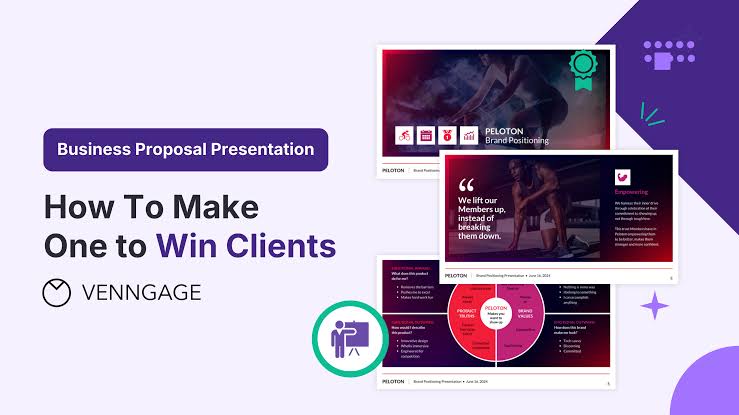
AI PPT Maker for Client Proposals: Build a Deck Around the Decision You Need
The discovery call went well. You understand the client’s problem, have an approach in mind, and have written a proposal. Now you need to present it without spending the meeting reading the document aloud. AI PPT Maker can help turn that written material into a presentation draft built around the conversation.
For freelancers and small agencies, proposal work often happens between existing client deadlines. The temptation is to reuse an old deck, change the logo, and add a few new details.
But the next client may have a different problem, budget, and decision process. AI PPT Maker gives you a way to start from the current brief rather than forcing it into last month’s presentation.
(Create presentations with AI PPT Maker)
Find the Decision Before Building the Deck
A proposal meeting needs a clear next step. Are you asking the client to approve a discovery phase, select an approach, or agree to a project scope?
Write that down before generating slides.
A deck designed to approve a small initial project should not sound like a pitch for a year-long engagement. The audience needs enough information to judge the specific decision in front of them.
Tell AI PPT Maker what you are proposing, who will attend, and which concerns came up during discovery.
Turn Discovery Notes into a Useful Brief
Suppose you are proposing a website redesign. Your notes might mention confusing navigation, outdated service pages, and enquiries that lack useful details.
Those observations are more helpful than a generic instruction to create a “professional agency presentation.”
Try a brief such as:
Create a client proposal presentation from these discovery notes and the attached scope. The audience includes the business owner and marketing manager. Focus on the website problems, the proposed first phase, deliverables, responsibilities, and the decision needed. Do not invent performance figures or client results.
AI PPT Maker now has a defined starting point. Review the draft against the original scope before treating it as client-ready.
Put the Client’s Problem Before Your Services
A proposal can easily become a catalogue: strategy, design, development, content, support.
Those services may all be relevant, but the client needs to understand why you are recommending them.
Start with the problem as you understand it. Then connect each part of the approach to a specific need.
For example, confusing navigation might justify restructuring the site. Unclear service descriptions might require content work. Poor-quality enquiries might suggest reviewing the contact journey.
Use AI PPT Maker to develop this connection in the outline. Remove service descriptions that do not help explain the proposed solution.
Keep Observations Separate from Assumptions
Discovery notes are rarely complete. You may know that the client receives unsuitable enquiries without knowing how many or why.
Do not turn that uncertainty into a numerical claim.
Explain the boundary in your instructions to AI PPT Maker. Ask the draft to distinguish confirmed information from questions that need investigation.
That makes the proposal easier to defend when the client asks how you reached a recommendation.
Use Agent to Develop the Argument
Agent mode in AI PPT Maker supports follow-up conversation, which can help as you clarify the proposal.
Your first brief may focus too heavily on deliverables. A follow-up could explain that the business owner is concerned about disruption during the project.
Another could clarify that the marketing manager needs to understand their own responsibilities.
These additions help define what the presentation needs to address. Agent exports PPTX, so you can continue refining the deck in PowerPoint.
(AI PPT Maker Agent presentation preview)
Add Context Instead of Asking for More Excitement
“Make this more persuasive” can encourage broad promotional language.
A better follow-up names the missing concern:
Explain why the proposed first phase is manageable for a small team. Use the responsibilities already listed in the scope. Do not add new commitments.
AI PPT Maker has a more concrete task, and you have a clearer basis for reviewing the result.
Review the Proposal as a Sequence of Questions
Before generating slides, read the outline from the client’s perspective.
A useful proposal needs to answer:
- Do you understand our problem?
- Why is this approach appropriate?
- What will we receive?
- What will you need from us?
- What remains outside the scope?
- What happens if we approve?
All three modes in AI PPT Maker allow outline review. Use that step to make sure the important questions are covered without burying the recommendation.
The presentation does not need to reproduce every contract detail. It should explain the proposal clearly and remain consistent with the written scope.
Choose Design According to the Conversation
Different proposal meetings call for different visual treatment.
A concept presentation may benefit from Creative mode in AI PPT Maker, especially when the visual direction is part of what you are discussing. Creative exports PNG images, so plan around that format.
For a deck that needs detailed PowerPoint revisions, Agent and Classic support PPTX downloads. Classic offers a template-based workflow and additional formats including PDF and Keynote.
AI PPT Maker provides more than 1,000 templates. Choose one that makes the proposal easy to follow rather than adding a new design idea to every slide.
Give Budget and Scope Enough Space
Budget, responsibilities, and exclusions deserve clear treatment. Do not squeeze them into small text beneath a decorative graphic.
A reader should be able to distinguish the proposed work from optional additions. Check that figures and conditions match the written proposal exactly.
Make the Final Review a Commercial Check
Before sending or presenting the deck, verify pricing, dates, deliverables, names, and responsibilities.
Look for accidental promises. A draft may describe an intended benefit too confidently or imply that an untested approach guarantees results.
Use AI PPT Maker to get the presentation started, then apply your knowledge of the engagement.
You may also encounter PPT Maker and NoteGPT’s AI Slide Generator when exploring presentation tools. For this proposal, focus on whether the AI PPT Maker draft helps the client understand and assess your offer.
Build Around One Real Client Conversation
AI PPT Maker can help you turn a written proposal into a deck with a clear purpose and a manageable next step. Start with the discovery notes and agreed scope, explain the client’s concerns, and check the outline before generating slides. Try AI PPT Maker(https://aipptmaker.ai/) for your next proposal meeting, then verify every commitment before presenting. Keep PPT Maker(https://pptmaker.io/) in mind as another option as you refine your presentation workflow.


Leave a Reply