

AIVocal Vocal Remover – Instantly Separate Voice and Music with Precision
Ever wished you could isolate the vocals or background music from your favorite song? Whether you’re a DJ, music producer, content creator, or just someone who wants to make karaoke tracks, the AIVocal Vocal Remover gives you professional-grade results in seconds. It’s fast, simple, and doesn’t require any audio editing skills.
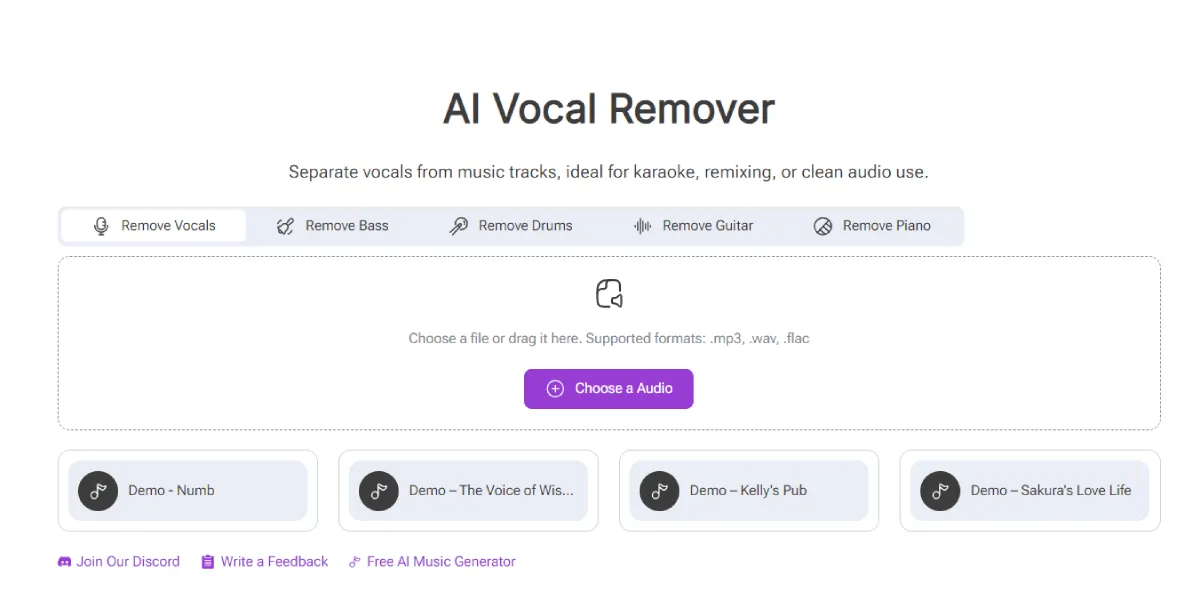
(Separate Vocals from Music Tracks)
With AIVocal, you can remove vocals, extract acapella, or cleanly separate instrumentals — all directly in your browser. It’s not just another “AI tool”; it’s a practical solution for people who actually work with sound every day.
Why Vocal Remover Matters More Than You Think
Vocal separation used to be a nightmare. Traditional methods often left messy echoes or distorted instrumentals. But Vocal Remover changes that completely.
It uses smart frequency isolation and adaptive filtering to separate the human voice from the instrumental layers — without damaging either part. The result? Studio-level clarity that’s perfect for remixing, mashups, or karaoke.
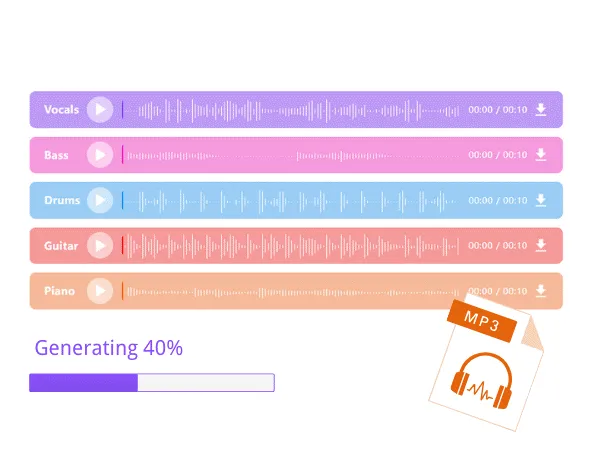
(Quickly Separates Vocals and Instrumentals in Seconds)
You can:
- Remove vocals to make karaoke versions.
- Extract only vocals for remixes or sampling.
- Isolate background tracks for instrumental covers.
- Clean up podcast or voice recordings by removing unwanted noise.
AIVocal turns a technical process into something anyone can do — quickly and effortlessly.
The Magic Behind AIVocal — Simple on the Surface, Smart Underneath
While the interface is incredibly easy to use, there’s serious tech under the hood.
AIVocal applies multi-band source separation and deep spectral filtering, breaking the audio into tiny frequency slices. These are then analyzed and reconstructed — voice and music — as two independent layers.
What makes it different from other vocal removers is how clean the split sounds. Instead of leaving a “ghost” of the voice behind or flattening the bass, Vocal Remover preserves the depth and warmth of the original mix.
The outcome: you get crisp acapella and smooth instrumentals without the noise or artifacts.
How to Use Vocal Remover in 3 Steps
Step 1: Upload Your Track
Drag and drop your song or audio file directly into AIVocal. It supports popular formats like MP3, WAV, FLAC, and more.
Step 2: Let the AI Do Its Job
AIVocal automatically analyzes your track. Within seconds, it identifies vocals and instruments and separates them with precision.
Step 3: Download What You Need
You’ll get two files: one with isolated vocals and another with the instrumental. Download either — or both — and start creating.
That’s it. No setup, no plugin installation, no technical barriers.
What Makes AIVocal Different from Other Tools
A lot of “free vocal removers” online promise results, but most fail when you actually listen. They either compress the sound too much, blur the frequencies, or take forever to process.
Here’s what makes AIVocal’s Vocal Remover stand out:
- ? Professional-Grade Separation – Get clean, balanced output suitable for remixing or mastering.
- ⚡ Fast Processing – No waiting minutes; results appear in seconds.
- ?️ No Skill Needed – One-click process, no mixing or EQ knowledge required.
- ? Browser-Based – Works online without installation.
- ? Private & Secure – Your uploaded files are deleted automatically after processing.
It’s built for real creators — people who don’t have time to tinker with complex settings but still care deeply about quality.
Real Scenarios Where AIVocal Shines

(Vocal Remover Serves Multiple Purposes)
1. Karaoke Lovers
Want to sing your favorite song without the artist’s voice? Upload the track, remove vocals, and get a perfect karaoke version instantly.
2. DJs and Remixers
Extract clean acapella or instrumentals for mashups and club edits. AIVocal helps DJs prepare tracks faster than ever.
3. Music Producers
Reuse instrumental layers, build samples, or experiment with sound design — AIVocal saves hours in post-production.
4. Podcasters
Need to isolate voiceovers or clean up background noise? The AI filter helps you achieve a studio-like clarity with zero manual editing.
5. Educators and Students
Use it for music study, chord analysis, or ear training — separate tracks and hear each part clearly.
In short, Vocal Remover adapts to your goal — whether it’s fun, learning, or professional work.
How It Helps You Save Time and Effort
Before tools like AIVocal, removing vocals could take hours of manual equalizing and filtering — and still sound imperfect. Now, the process is fully automated and lossless.
You can process entire albums in a fraction of the time, freeing up energy for creativity instead of cleanup. It’s like having a personal sound engineer built right into your browser.
What Users Are Saying
- “The cleanest vocal isolation I’ve heard from a browser tool.”
— Alex, DJ & producer - “I use AIVocal for karaoke nights. It’s so quick — upload, click, done.”
— Lena, creator - “I used to use desktop software for this, but AIVocal beats them in speed and clarity.”
— Sam, audio engineer
These real-world users prove that AIVocal isn’t just convenient — it’s genuinely powerful.
AIVocal: Made for Everyone Who Works with Sound
AIVocal’s philosophy is simple: creativity shouldn’t be blocked by technical limits.
Whether you’re remixing a trending song or cleaning up a podcast, AIVocal helps you stay focused on what really matters — your content.
It’s one of those rare tools that’s equally loved by casual users and professionals because it delivers results that sound great right away.
Discover Your Next Favorite Audio Tool
Once you’ve experienced the precision of AIVocal’s tool, you might want to try a different platform built on similar technology — Remusic’s Vocal Remover.
Remusic offers the same effortless separation, with added integrations for AI-generated vocals and remixing workflows. You can use AIVocal to extract clean stems and then move to Remusic to build new creative versions, covers, or remixes with AI assistance.
Together, they form a complete ecosystem for anyone serious about sound — fast, flexible, and surprisingly fun to use.


Leave a Reply