
Best AI-Powered WordPress Knowledge Base Plugin in 2026: Why BetterDocs Stands Out
The way businesses handle customer support has changed dramatically in today’s fast-moving digital world. A well-structured knowledge base is not a luxury; it is a necessity. When customers can find answers on their own, support tickets drop, teams breathe easier, and user satisfaction goes up.
In today’s market, many plugins promise to help you build and manage documentation for WordPress. Choosing the right one can directly impact how quickly your team creates content, how easily your users find answers, and how much pressure your support team faces every single day.
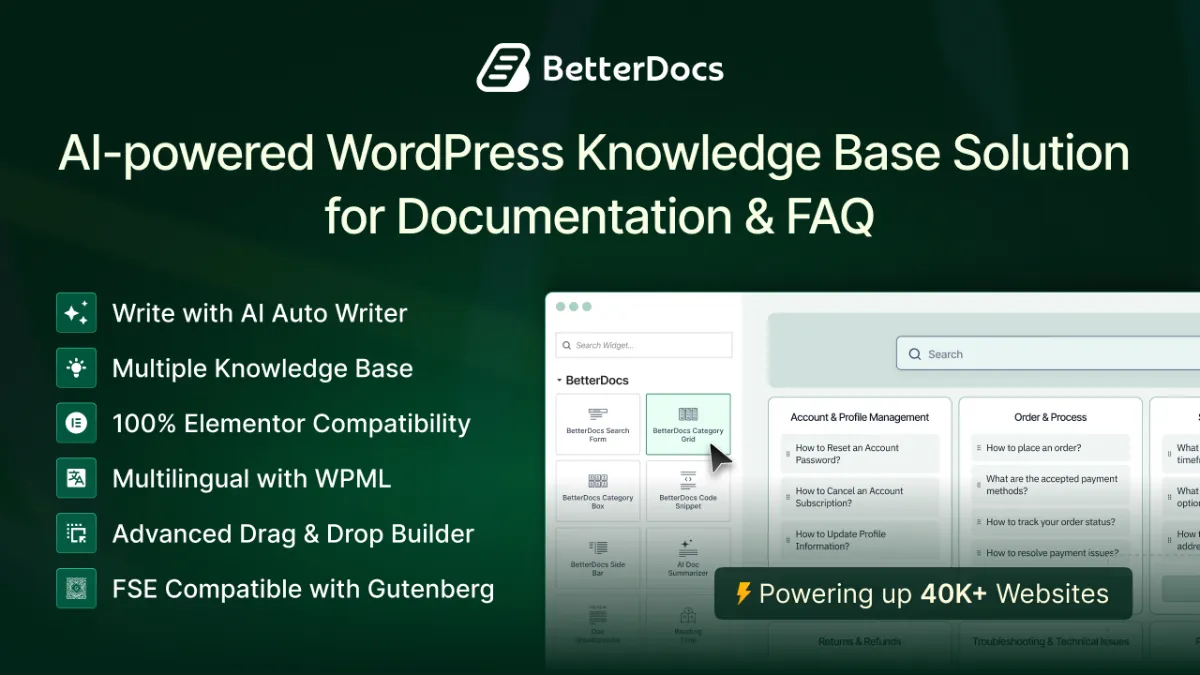
Among all the available options, BetterDocs has emerged as a clear frontrunner. Trusted by over 40,000+ businesses worldwide, BetterDocs offers a complete documentation solution with intelligent features designed to reduce support tickets and boost productivity. Its growing library of AI-powered tools, ready templates, advanced analytics, and a dedicated AI Chatbot addon make it the go-to knowledge base plugin for teams who want to scale their customer support without scaling their headcount.
This combination of smart automation and user-friendly design makes BetterDocs more than just a documentation plugin; it is an entire support ecosystem built right inside WordPress.
Core Features for Building a Powerful Knowledge Base
BetterDocs mostly stands out for its rich set of core features that make creating and managing documentation fast and flexible. Here in this section, some of the key feature categories are explained in detail so you can clearly understand their purpose and how they help you build a smarter support experience.
Doc Builder for Structured Documentation
BetterDocs offers a fully featured Doc Builder that integrates seamlessly with both Gutenberg and Elementor. This means you are not locked into one page builder; you can design your documentation pages the way you want, using the tools you already know.
The Doc Builder gives you access to ready-made templates with clean, modern designs, a scrollable table of contents for easy navigation, category grids and carousels, and advanced search bars that surface results in real time as users type. Everything can be customized without touching a line of code.
Best For:
- Teams building product documentation, user manuals, or developer guides
- Businesses that want professional-looking docs without hiring a designer
- Site owners who use Elementor or Gutenberg and want native compatibility
- Anyone looking to deliver a polished, self-service help experience
FAQ Builder for Instant, Structured Customer Answers
BetterDocs includes a dedicated FAQ Builder that lets you create and manage frequently asked questions separately from your main documentation. Instead of burying common answers inside long articles, you can surface them in a clean, scannable format that users can browse through in seconds.
The FAQ Builder is fully customizable and works inside both Gutenberg and Elementor, so you can design your FAQ sections to match the rest of your site without extra effort. It is a simple but powerful way to handle repetitive queries before they ever become support tickets.
Best For:
- Businesses that receive the same questions repeatedly and want a structured, reusable answer format
- Product and SaaS teams that need a clean FAQ section alongside their full documentation
- Site owners who want to improve on-page SEO by structuring common questions and answers
- Anyone looking to reduce first-contact support volume with a quick-answer resource
Internal Knowledge Base for Managing Private Team Documentation
Not all documentation is meant for the public. BetterDocs lets you create and manage a fully private Internal Knowledge Base with role-based access control, so your team can store internal processes, onboarding guides, and operational SOPs without exposing them to the outside world.
You can restrict access based on specific WordPress user roles, keeping sensitive internal content visible only to the right people. This makes BetterDocs equally powerful as an internal wiki for your team and as a public help center for your customers, all from one plugin.
Best For:
- Companies that need a private hub for HR policies, internal processes, or team SOPs
- Businesses onboarding new employees and wanting structured, access-controlled guides
- Development teams managing internal technical documentation separate from public docs
- Organizations that want a single plugin to handle both public and private documentation needs
Multiple Knowledge Base Support for Complex Businesses
For businesses managing multiple products or brands, BetterDocs makes it easy to run multiple independent knowledge bases from a single WordPress installation. Each knowledge base can have its own design, categories, and content, without one affecting the other.
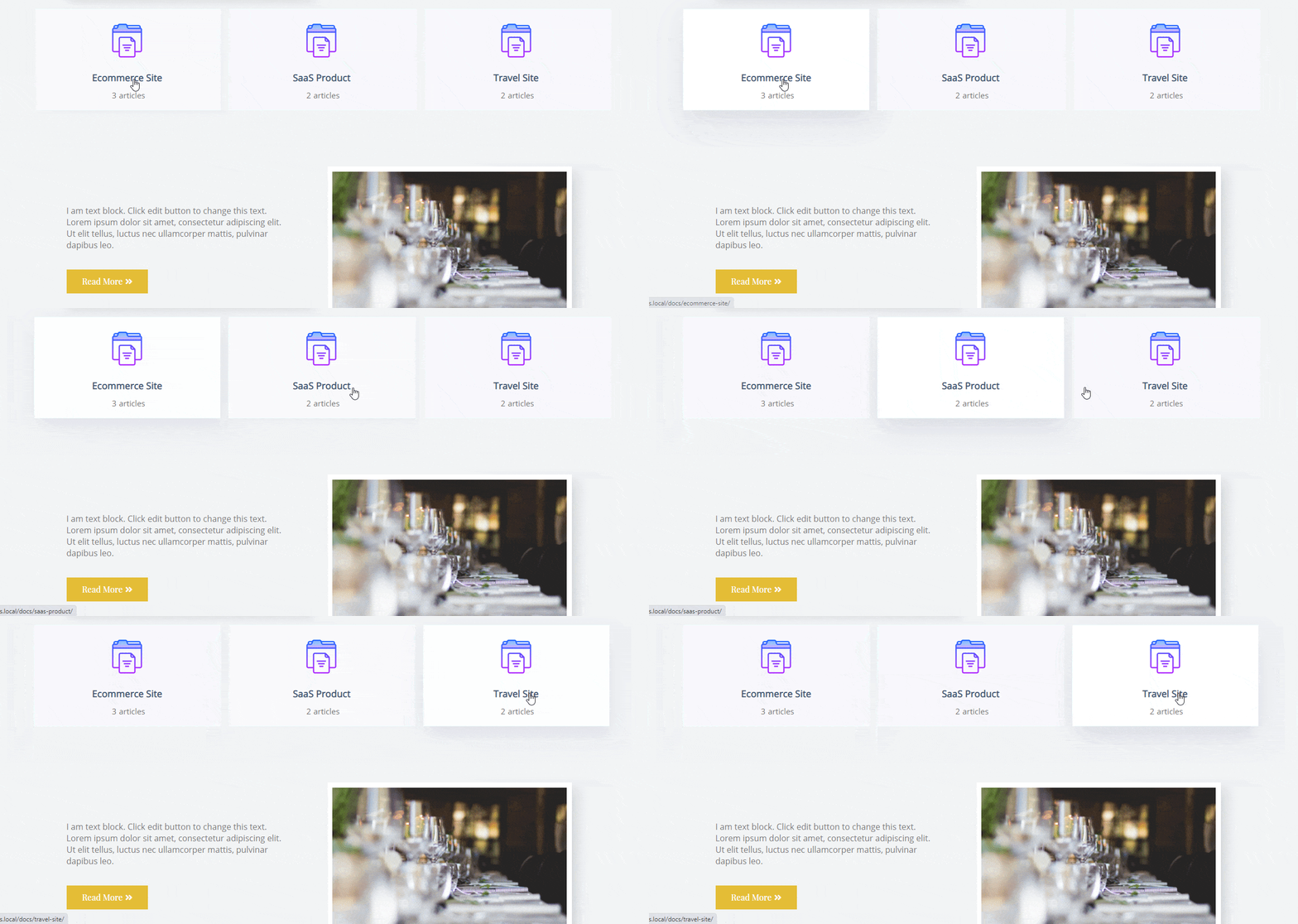
This is a game-changer for agencies, SaaS companies with multiple products, and enterprises that need separate documentation hubs for different audiences. You can control access based on user roles, making it equally useful for internal team documentation and public-facing support portals.
Best For:
- Agencies managing documentation for multiple client products
- SaaS companies with separate help centers for different tools
- Enterprises that need both public docs and private internal wikis
- Anyone who wants one plugin to power multiple distinct knowledge bases
Advanced Analytics to Understand What Users Need
BetterDocs does not just help you create documentation; it helps you understand how your documentation performs. The Advanced Analytics dashboard gives you a clear picture of which articles get the most views, which searches return no results, and how visitors interact with your content over time.
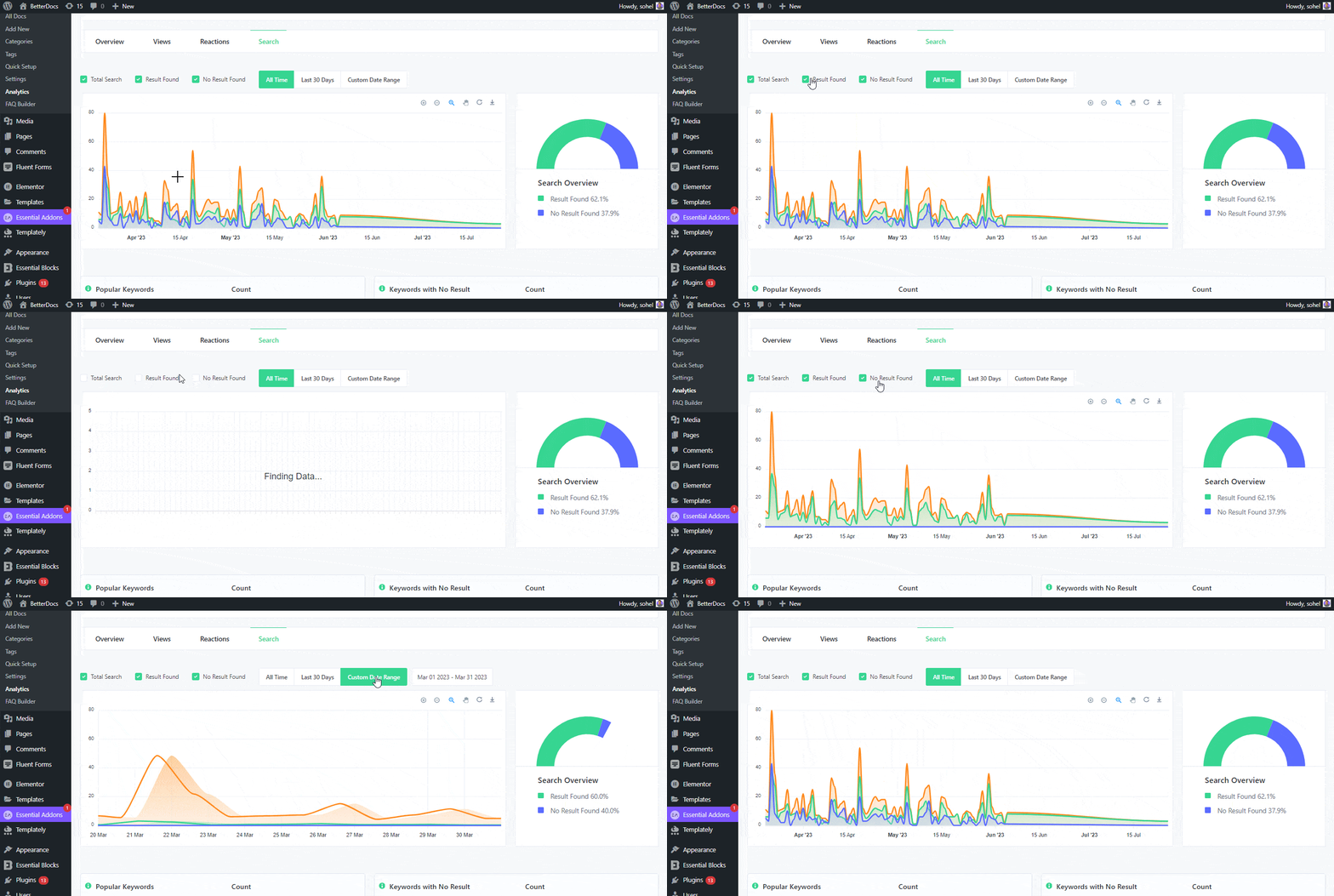
You can also set up automatic email reports so your team stays informed without logging into the dashboard every day. These insights let you spot gaps in your documentation and make data-driven improvements that directly reduce support volume.
Best For:
- Support teams who want to know which docs are actually being read
- Content managers tracking the performance of their knowledge base
- Businesses looking to identify and fix documentation gaps quickly
- Teams that want scheduled reports delivered straight to their inbox
Git Sync for Developer-Friendly Documentation Management
One of BetterDocs’ newer and more exciting features is Git Sync. This lets you connect your Git repositories directly with BetterDocs, so your documentation stays automatically in sync with your codebase. Any update pushed to your repository is reflected in your knowledge base without manual effort.
This feature is particularly valuable for development teams and open-source projects where documentation and code evolve together. It eliminates the back-and-forth of manually copying content and reduces the risk of documentation falling out of date.
Best For:
- Developer teams that version-control their documentation alongside code
- Open-source projects that need documentation to stay in sync with releases
- Technical writers who work closely with engineering teams
- Any team that wants to cut out manual documentation update workflows
AI-Powered Features to Supercharge Your Knowledge Base
To bring documentation management into the modern era, BetterDocs has built a suite of powerful AI features directly into the plugin. These tools help teams create better content faster, keep it accurate, and ensure users always find what they need. Here are the AI features that set BetterDocs apart.
Write with AI — Generate Docs and FAQs in Seconds
BetterDocs includes a robust Write with AI feature that lets you generate complete documentation articles and FAQ content directly inside the WordPress editor. Instead of starting with a blank page, you simply provide a topic or a few keywords, and the AI produces well-structured, readable content ready for review and publishing.
This feature is not limited to full articles. You can use it to generate individual FAQ entries, expand on existing sections, or rewrite content for clarity. Whether you are building a knowledge base from scratch or filling in gaps in your existing documentation, Write with AI dramatically speeds up the process and keeps quality consistent across your entire help center.
AI Doc Quality Analysis — Make Every Article Better
Great documentation is not just about quantity; it is about quality. BetterDocs’ AI Doc Quality Analysis feature evaluates your existing documentation and surfaces actionable insights about readability issues, content gaps, and optimization opportunities.
Instead of guessing whether an article is easy to understand or complete, you get a data-driven analysis that tells you exactly where to improve. This turns documentation maintenance from a reactive chore into a proactive, ongoing process — helping you continuously raise the bar on your knowledge base quality without spending hours manually reviewing every article.
AI Doc Summarizer — Give Users the Bottom Line Instantly
Long documentation articles can be overwhelming, especially when a user just needs a quick answer. BetterDocs’ AI Doc Summarizer automatically generates a concise summary of any documentation article, giving visitors the key points upfront before they decide to read the full content.
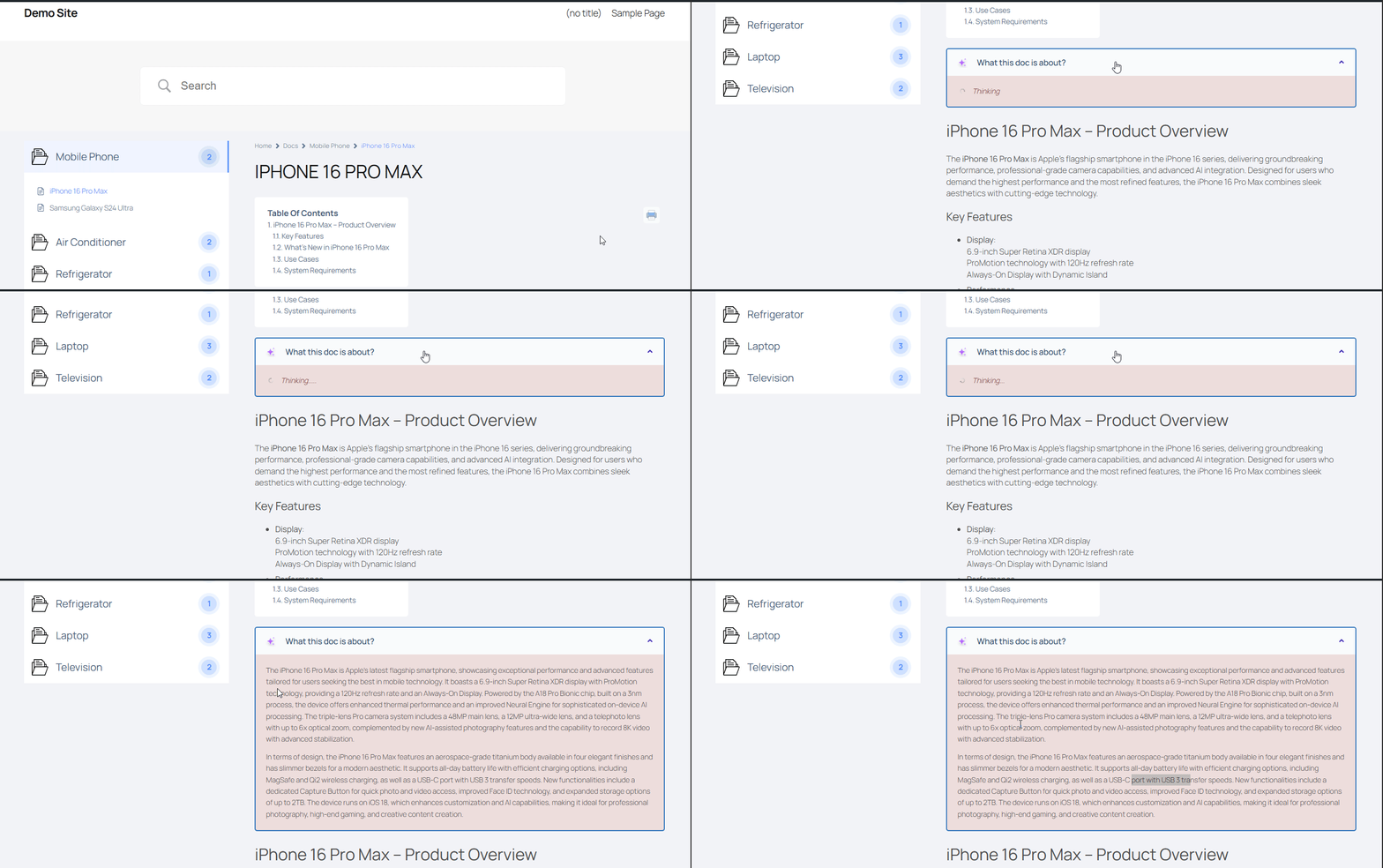
This feature improves the user experience significantly. Visitors can quickly decide if an article is relevant to their question, reducing frustration and making navigation feel faster. For longer technical guides, the summarizer acts like a preview that respects the reader’s time.
BetterDocs AI Chatbot — The Smartest Addition to Your Knowledge Base
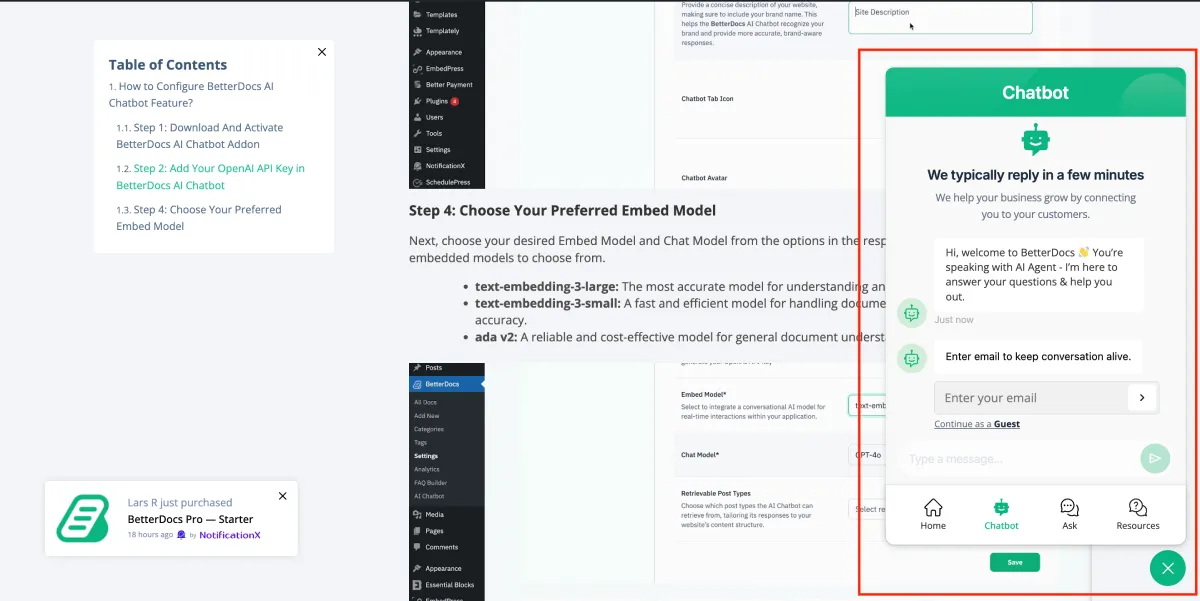
The crown jewel of BetterDocs’ AI feature set is the BetterDocs AI Chatbot addon. While a well-organized knowledge base helps users find answers on their own, not every visitor has the patience to search and browse. The AI Chatbot solves this by delivering instant, accurate, conversational answers powered by your own documentation.
Instant Support System
The BetterDocs AI Chatbot analyzes and processes the data from your entire website. Based on that processed data, it provides accurate and immediate answers to any question a visitor asks, without requiring them to browse through articles or submit a support ticket.
This means your knowledge base becomes interactive. Instead of a static library of articles, it transforms into a responsive assistant that guides users to solutions in real time, at any time of the day.
Reduced Load for Your Support Team
Every question the AI Chatbot answers is one fewer ticket your support team has to handle. By automating responses to common queries, BetterDocs takes significant pressure off your agents so they can focus on complex, high-priority issues that genuinely need human attention.
For growing businesses where volume scales with customer growth, this is not just convenient; it is essential for keeping operations sustainable without endlessly expanding the team.
Easier Knowledge Base Navigation
Not every user knows exactly what to search for. The AI Chatbot lets visitors ask questions in natural language and receive answers drawn from your documentation, removing the friction of figuring out the right search terms. This makes the knowledge base accessible to a wider audience, including less technical users who might otherwise turn straight to support.
Improved Visitor Experience and Engagement
A chatbot that gives relevant, helpful answers keeps users engaged and builds confidence in your product. Instead of leaving your site frustrated or raising a ticket, visitors get what they need instantly. This smoother experience directly correlates with higher satisfaction and fewer escalations.
Full Knowledge Base Data Processing
The AI Chatbot works by fully analyzing and indexing your knowledge base content. This is not a surface-level scan. BetterDocs processes the entire dataset so the chatbot can reference specific details, nuances, and instructions across your full documentation library when formulating its replies.
Multiple Embed and Chat Model Options
BetterDocs gives you flexibility in how the AI operates. You can choose from different embed model options that determine how your website data is processed, and chat model options for generating replies. This lets you fine-tune the chatbot’s behavior to match your specific content and audience without being locked into a one-size-fits-all setup.
To configure the full AI Chatbot in BetterDocs, check the documentation.
Why You Should Try BetterDocs to Power Your WordPress Knowledge Base
With a rich feature set and AI at its core, BetterDocs offers more than any standard documentation plugin. Here are the key experiences that set it apart.
- User-Friendly Interface: BetterDocs is built so that anyone can get started quickly, even without technical experience in WordPress. The dashboard is clean, logical, and easy to navigate from day one.
- Works with Your Favorite Page Builders: Whether you prefer Gutenberg blocks or Elementor widgets, BetterDocs fits right into your existing workflow without forcing you to switch tools.
- Full Site Editor Compatibility: BetterDocs supports the WordPress Full Site Editor, giving developers and designers even more control over how documentation pages look and behave across the entire site.
- Multilingual Documentation Support: Through seamless integration with WPML, BetterDocs lets you create documentation in multiple languages, making it easy to support a global audience from one platform.
- Available Resources: Users are never left guessing. BetterDocs provides thorough documentation and an active community to help teams get the most out of every feature. Here are the links:
- Responsive Customer Support: BetterDocs is backed by WPDeveloper, a team trusted by over 6 million users across 180+ countries. Their support team is known for quick, knowledgeable responses whenever questions arise.
- Flexible and Affordable Pricing: You can get started with BetterDocs for free. When you are ready to upgrade, multiple pricing tiers are available to suit, starting from $69/year for solo site owners, growing businesses, and large agencies alike. A 14-day no-risk money-back guarantee makes it easy to try the pro version with complete confidence.
Conclusion
If you are looking for a powerful, AI-first knowledge base plugin for WordPress, BetterDocs is one of the best choices available in 2026. It covers everything from beautifully designed documentation pages and advanced analytics to intelligent tools like Write with AI, AI Doc Quality Analysis, and the AI Chatbot addon, all working together to reduce support tickets and improve the user experience.
BetterDocs helps you build a smarter, faster, and more self-sufficient help center. Whether you are a freelancer, a product team, a SaaS company, or an agency, it gives you the tools to create documentation that actually works for your users, and an AI Chatbot that works for them 24/7.


Leave a Reply