

Best AI Repair Tools for Website Owners, Creators, and Digital Teams
Website owners and digital teams rely on product videos, landing page visuals, client documents, archived ZIP files, and campaign media every day. When one of those files becomes corrupted, a reliable AI repair tool can save hours of rework. Wondershare Repairit is an advanced AI-powered data repair tool for videos, photos, files, audio, and emails, and Repairit Online gives users a convenient browser-based option for quick fixes.
Why AI Repair Tools Matter for Digital Workflows
AI repair tools matter because file damage is not limited to one role. A website owner may lose access to a product image, a creator may find that a video export will not play, and a marketing team may need to open a damaged document before a launch. The goal is not to replace backups, but to create a practical first repair workflow.
For WordPress users, ecommerce teams, digital creators, and professionals who rely on tools such as an AI Flashcard Generator for educational content, damaged files can delay publishing and weaken customer experience. A clear repair process helps teams protect the original file, attempt repair, preview the result, and save a usable copy when repair succeeds.
What to Look for in the Best AI Repair Tools
Support for Common File Types
The best AI repair tools should support the formats teams actually use, including videos, photos, office documents, archives, and audio files. A broader repair platform is more useful than a single-purpose utility when teams manage mixed digital assets.
Preview Before Saving
Preview is important because repaired files should be checked before they replace anything. A useful AI-powered repair workflow lets users inspect the result, confirm that the content is usable, and then save the fixed version safely.
Online Repair vs. Desktop Repair
| Repair option | Best for | Why it helps |
| Online repair | Quick checks, smaller files, browser-first users | Fast access when a team needs a quick repair attempt without installing software |
| Desktop repair | Larger files, repeated repair tasks, private or business-critical assets | A fuller repair environment for serious digital asset workflows |
Top AI Repair Tool Recommendation: Wondershare Repairit
Wondershare Repairit is a strong option for teams that want one repair workflow across multiple damaged file types. It supports repair needs for videos, photos, files, audio, and emails, which makes it useful for creators, website owners, marketers, and small digital teams.
For lighter or urgent cases, Repairit Online file repair reinforces that workflow by giving users a quick online repair path before they decide whether a full desktop repair is needed.
How to Use Repairit for Damaged Files
The steps below follow the official Repairit file repair workflow and show how digital teams can handle damaged documents or other corrupted assets.
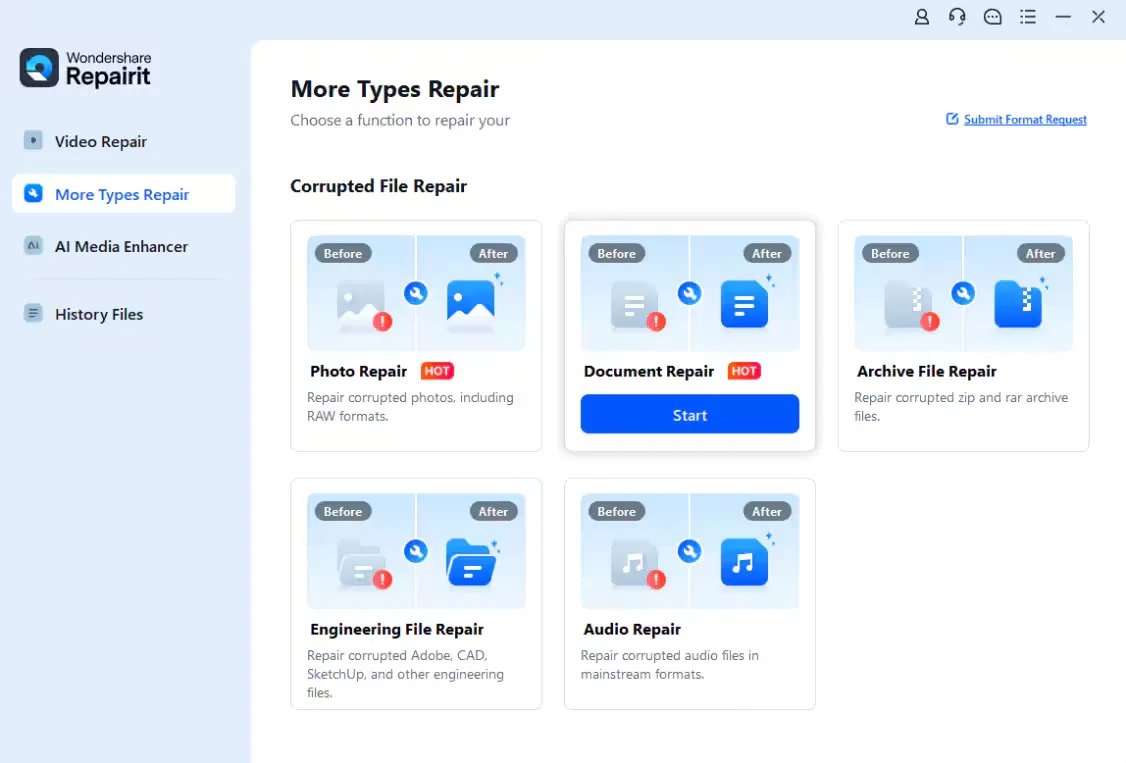
Step 1: Choose File Repair and Add the Corrupted File
Open Repairit, choose File Repair, and add the damaged file. Keep the original file unchanged and work from a copy when possible.
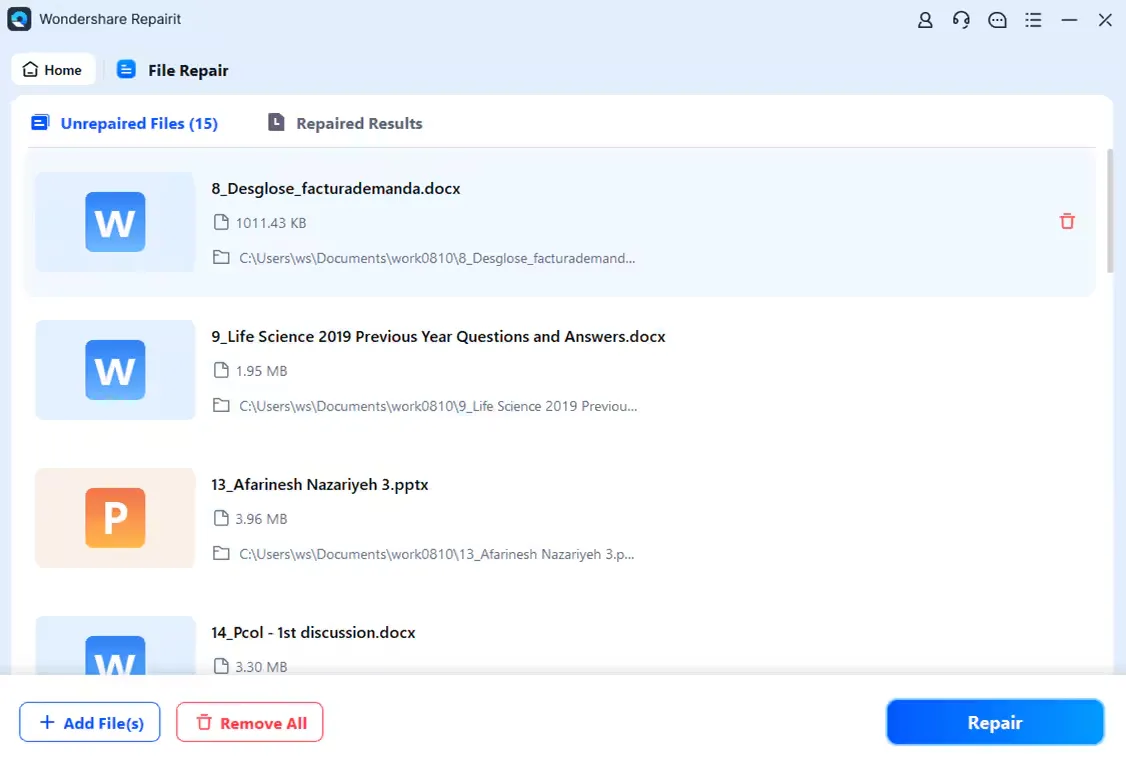
Step 2: Start the Repair Process
Start the repair process so Repairit can analyze the damaged file structure and attempt to rebuild the content.
Step 3: Preview the Repaired Result
Preview the repaired file before saving. This helps users confirm whether the file opens correctly and whether the important content is still usable.
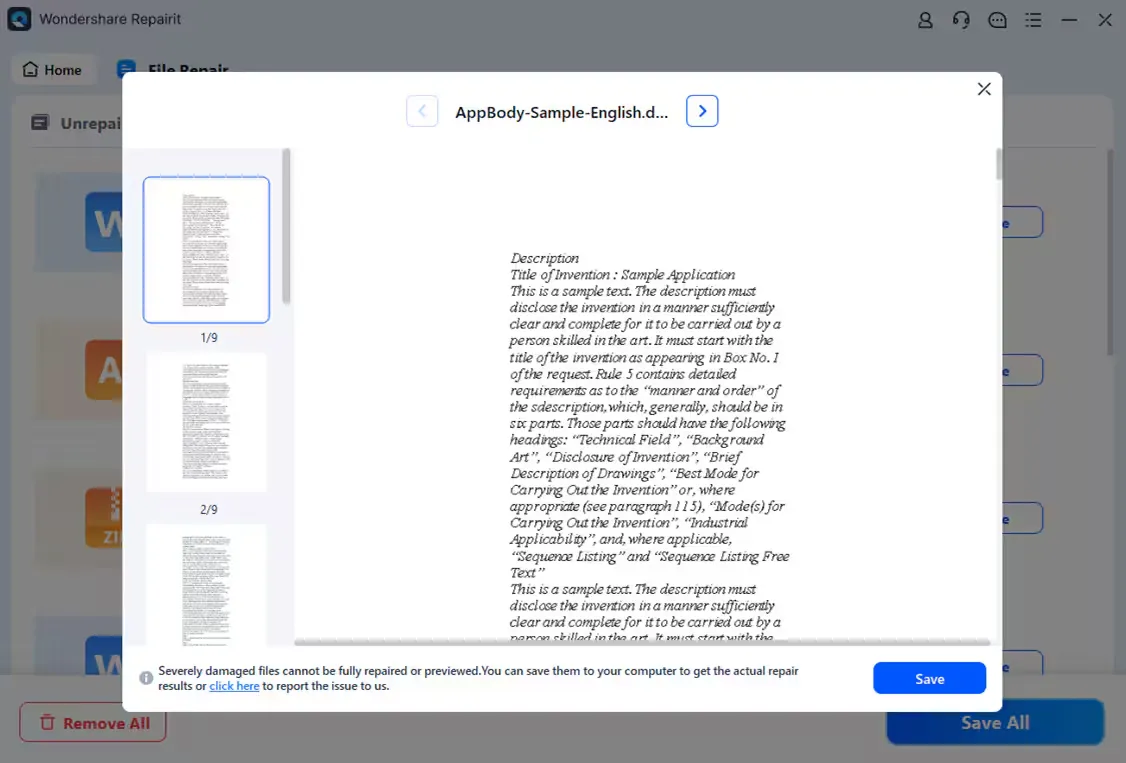
Step 4: Save the Restored File
If the preview looks right, save the repaired file to a secure location and back it up before editing or publishing.
When Website Owners and Creators Should Use AI Repair
AI repair tools are most useful when the original file still exists but cannot open, preview, play, or extract correctly. For website owners, that can include product images, downloadable resources, campaign videos, and client-supplied media. For creators, it can include corrupted footage, damaged photos, or files affected by failed transfers.
The best workflow is simple: protect the original, try repair, preview the result, and save a clean copy. This keeps teams from making the damage worse while giving them a realistic chance to recover important assets.
Final Thoughts
The best AI repair tools are not just emergency utilities. They are part of a practical digital asset workflow for teams that depend on media and documents every day. Repairit stands out because it combines AI-powered repair, multi-format support, desktop repair, and online file repair in a workflow that non-technical users can understand quickly.


Leave a Reply