
Best AI Tools for 3D-Printable Model Creation (2026)
Creating 3D printable models is no longer a challenge.
Modern AI 3D generators produce accurate, print-ready models with clean geometry and textures, eliminating the need for manual adjustments. Many tools also integrate directly with 3D printers, making the entire process faster and more seamless for you.
And if you are having difficulties with choosing from the large variety of such tools, we brought the best AI tools for creating 3D printable models, along with their key features to help you find the right one.
Top 3 AI Tools for 3D Printing Model Creation
| Tools | Choose for | Features | Pricing | Best for |
| Meshy AI | Fast 3D printing model generation with full control over the styles and formats |
|
|
Hobbyists, small businesses, educators, and individual creators |
| Tripo AI | Generating watertight, hole-free, print-ready 3D models with automatic topology optimization |
|
|
Beginners and professional creators |
| Hi3D | Image-only 3D generation with fine, print-ready detail |
|
|
Artists, hobbyists, 3D printing specialists |
1. Meshy AI
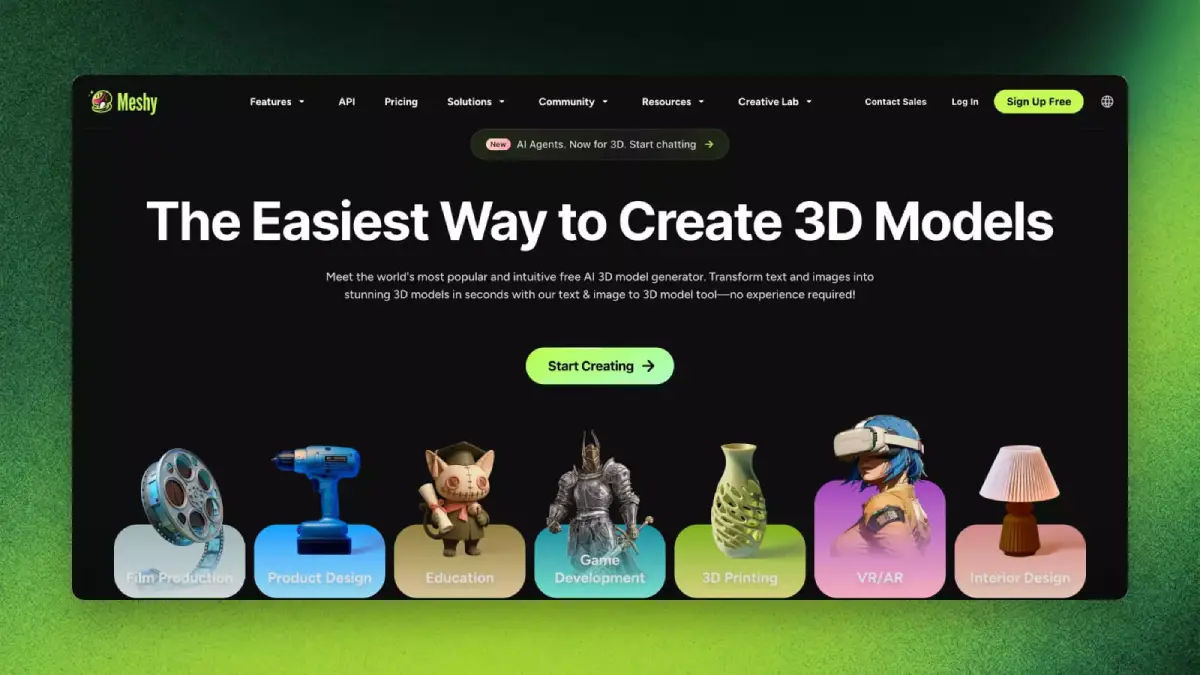
Meshy AI is an advanced AI 3D model generator that helps generate production-ready 3D models used in a wide range of use cases such as Filmmaking, Product design, Education, Game development, 3D printing, VR/AR, and Interior Design.
- 3D Printing Model Generation with Meshy AI
The 3D printing model generation is fast and easy. You only need to upload your reference image or type a text description. The model is then generated in seconds, and the meshes are clean and smooth. For cleaner geometry, use its Remesh tool to adjust topology and polycount.
Meshy AI also gives you full creative control to adjust art styles from realistic to cartoon, shift formats from sculpture to voxel, and refine poses and details until they match your exact vision. By so, you can create stunning display pieces, educational models, or decorative prints.
And what’s left to you is only a quick touch-up and slicing in your preferred software.
The final models can be downloaded in STL, 3MF, or OBJ formats, which are fully compatible with all major 3D printing software.
- Meshy AI’s key features
- 3D Agent
- Image to 3D
- Text to 3D
- AI Texturing
- AI Image Generation
- Animation
- API Integration
- Pricing
By creating an account on Meshy AI, you get 200 free credits each month, and for more features, you can consider its paid plans:
- For individuals: Pricing starts at $20/month (1000 monthly credits)
- For teams: Pricing starts at $60/ seat/ month
Best for: Hobbyists, small businesses, educators, and individual creators
2. Tripo AI
Next up is Tripo AI, an AI 3D model generator that helps create quality 3D models with sharp geometry and clean topology. Tripo AI also works on text-to3D and image-to-3D principles.
- 3D Printing Model Generation with Tripo AI
Tripo AI uses a text prompt or a reference image to generate 3D models.
When generating 3D-printable models with Tripo, the system automatically generates a 3D model with basic print adaptation capabilities and suitable for different 3D printing workflows.
It automatically optimizes the topological structure to reduce issues like holes. Models also feature watertight geometry and good topological quality suitable for 3D printing,
Tripo supports exporting your final 3D model in STL and OBJ.
- Tripo AI’s key features
- Text to 3D Model
- Image to 3D Model
- AI Texturing
- AI Model Segmentation
- Smart Mesh
- High Detail Model
- Auto Rigging
- Model Stylization
- Pricing
Tripo AI offers a free plan with 200 monthly credits and limited features. For more features, the paid plans start at $19.9/ month (3000 monthly credits).
Best for: Beginners and professional creator.
3.Hi3D
Last but not least, Hi3D is an AI-powered 3D model generator that generates 3D models with clean textures, ready for real production.
- 3D Printing Model Generation with Hi3D
Unlike the previous two tools, Hi3D generates the 3D models based on an uploaded image only, meaning that it doesn’t have a text-to-3D generation feature.
For 3D printing, Hi3D automatically creates fine, print-ready details and adjusts wall thickness and supports before you export the model.
And when the model is generated, you can export it in compatible file formats such as STL and OBJ. With Hi3D, you can also send the generated models directly to Bambu Studio and OrcaSlicer, skipping manual import/export steps.
- Hi3D’s key features
- Image to 3D
- Multi-view to 3D
- Relief
- Segmentation
- Pricing
Hi3D offers a free plan with 100 credits as a starting point to test the platform. The paid plans with more features start at $19.90/month (1000 monthly credits).
Best for: Artists, hobbyists, 3D printing specialists
3D-Printable Model Creation: What to Consider?
No matter which tool you choose, you’ll need to answer a few key production questions to get your 3D models in a favorable quality:
- Can your printer reproduce the level of detail in the model?
Check whether the printer you are going to use is capable of dealing with the details, material, and resolution of the model.
- Is the mesh watertight?
Does it have holes, gaps, or uneven edges?
- Is the wall thickness sufficient?
Check if the thinnest parts of the model are thick enough to print successfully and hold up structurally for your chosen material.
- Does the model need to be split into parts?
Whether the design is too large or complex for your print bed.
- Is the file format right for your workflow?
Choose the right file format for your model and printing workflow (STL, OBJ, 3MF)
To Wrap Up
While choosing the right tool is important for a successful 3D printing workflow, the best option depends on your specific model requirements. It’s worth testing the tools on this list to see which one delivers the best results, as each generates models with different levels of quality, detail, and accuracy.
Meshy AI is a strong starting point, producing smooth, textured models while giving you full control over further refinements. Its versatility makes it suitable for a wide range of use cases, making it easy to find a workflow that fits your business needs.
FAQs
- What are some of the leading AI software or platforms for generating 3D models for 3D printing?
There are various AI 3D model generator tools that also help in generating 3D-printable models, among which the most popular tools are Meshy AI, Tripo AI, and Hi3D.
- What are the fundamental steps involved in creating an AI 3D-printable model?
Most of the tools like Meshy AI include easy and fast 3D model generation steps, where you only need to upload a reference image or insert a text prompt.
- What are the advantages of using AI in 3D model creation for printing compared to traditional methods?
Apart from speed, AI tools have advanced to the point where they can generate highly accurate 3D models with clean textures and topology. These models closely match your reference image or text prompt and are often ready for production, eliminating the need for manual edits or additional adjustments.


Leave a Reply