
Dokie AI Review: Does This AI PPT Maker Work?
Making slides can take hours. Dokie AI says it can turn ideas into slides in minutes. In this review, I test if this AI PPT Maker really works and who it is best for.
What Is Dokie AI?
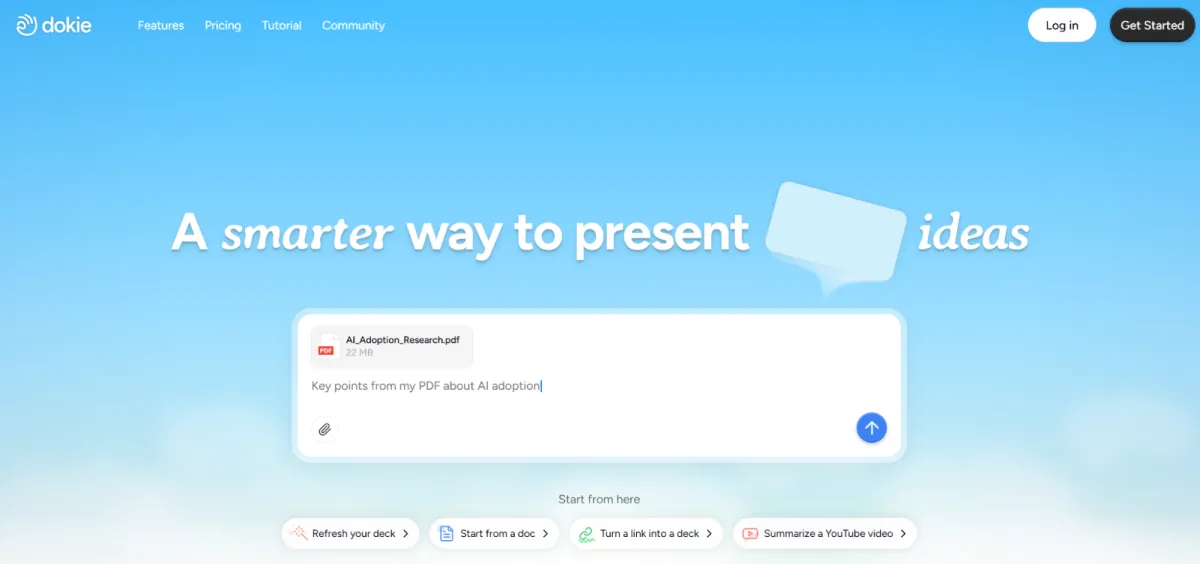
Dokie AI is an AI PPT Maker made to help people create slides fast. You type a topic, add a few details, and the tool builds a full presentation for you. It handles layout, text, and basic design, so you do not need design skills.
This tool is built for students, teachers, founders, and office workers. If you often make reports, class slides, or pitch decks, Dokie AI aims to save you time. It works in a browser, so there is nothing to install.
Unlike old slide tools, Dokie AI does not start with a blank page. It starts with your idea and turns it into structured slides. This is what makes it different from classic PPT software.
How Dokie AI Works
Using Dokie AI is simple. First, you enter your topic. This can be something like “Climate Change,” “Marketing Plan,” or “Startup Pitch.” You can also choose how many slides you want and the tone, such as simple or professional.
Next, Dokie AI creates an outline. This outline becomes slide titles and bullet points. After that, it builds the full presentation with text and layout. You can then edit the slides, change words, or move sections.
The whole process takes just a few minutes. For many users, this is much faster than writing slides from scratch.
Core Features of Dokie AI
1. AI-Powered Slide Creation
The main feature is automatic slide generation. As an AI Slides Generator, Dokie AI turns text prompts into full presentations. The slides usually follow a clear order, like intro, main points, and summary.
This is helpful if you do not know how to structure your slides. The AI gives you a clean starting point that you can improve.
2. Editable Slides
Dokie AI does not lock your content. You can edit text, change slide order, and adjust content. This is important because AI is not perfect. You still stay in control.
You can also add your own ideas or remove parts you do not like. This makes the tool flexible for different needs.
3. Simple Design Style
The designs are clean and easy to read. They are not too flashy. This works well for school, work, and business use.
While it may not replace a pro designer, the layouts are good enough for most daily presentations.
4. Fast Export
After editing, you can export your slides as a PPT file. This means you can open them in PowerPoint or Google Slides and share them easily.
This makes Dokie AI fit well into normal work flows.
Who Should Use Dokie AI?
Dokie AI is best for people who want speed and ease. Students can use it for class projects and reports. Teachers can create lesson slides faster. Office workers can build meeting decks without stress.
Founders and marketers may also like it for quick pitch decks. If you need slides often and do not want to start from zero every time, this AI PPT tool is a good fit.
However, if you want very complex designs or full control over every detail, you may still need a design tool or manual editing later.
Dokie AI for Students
Students often struggle with time. Dokie AI helps by cutting slide work down to minutes. You just enter your topic and get a clear slide structure.
The language used by the AI is usually simple, which fits school needs. You can also rewrite parts in your own words to match your class level.
For group projects, Dokie AI can help you finish the first draft fast, then spend more time practicing your talk.
Dokie AI for Work and Business
In work settings, speed matters. Dokie AI is useful for weekly reports, team updates, and simple proposals. You do not need to think too much about layout or order.
For business use, the slides look clean and professional. You may still want to add charts or brand colors later, but the base slides save a lot of time.
This makes Dokie AI a good helper, not a full replacement for all slide tools.
Pros and Cons of Dokie AI
Pros
- Very easy to use
- Saves a lot of time
- Good slide structure
- Clean and readable designs
- PPT export supported
Cons
- Design choices are limited
- AI text may need editing
- Not made for complex visuals
How Dokie AI Compares to Other AI PPT Tools
Many AI PPT tools do similar things, but Dokie AI focuses on speed and simplicity. Some tools offer more design styles, but they can feel harder to use.
Dokie AI feels lighter and more direct. You enter a topic and get slides fast. For users who care more about content than design, this is a big plus.
If you want a fast AI Slides Generator without learning a new system, Dokie AI stands out.
Is Dokie AI Accurate?
The AI usually gives correct and general information. For common topics, the content is clear and useful. For deep or technical topics, you should always check facts.
This is normal for any AI tool. Dokie AI is best used as a starting point, not the final answer.
Pricing and Value
Dokie AI offers plans that fit both light and regular users. If you make slides often, the time you save can be worth more than the cost.
For students and solo users, even using it a few times can help reduce stress and work hours.
Real Use Experience
In real use, Dokie AI feels smooth. The tool responds fast, and slide creation takes seconds, not minutes. Editing is simple, even for first-time users.
The biggest win is mental relief. You do not stare at a blank slide anymore. You start with something real and improve it.
Common Mistakes to Avoid
Do not copy AI text without reading it. Always check and adjust the words to match your voice. Also, do not expect perfect design on the first try.
Think of Dokie AI as a helper, not a magic button.
FAQs
1. Is Dokie AI free to use?
Dokie AI usually offers a free trial or limited use. Full features may need a paid plan.
2. Can I edit the slides after AI makes them?
Yes. You can edit text, order, and content before exporting.
3. Does Dokie AI work for school projects?
Yes. It is great for school, reports, and simple class presentations.
4. Can I use Dokie AI with PowerPoint?
Yes. You can export slides as PPT files and open them in PowerPoint.
Conclusion
Dokie AI is a simple and fast AI PPT Maker. It saves time and reduces stress. While it is not perfect, it works well as an AI Slides Generator for students and professionals who want quick, clean presentations.


Leave a Reply