
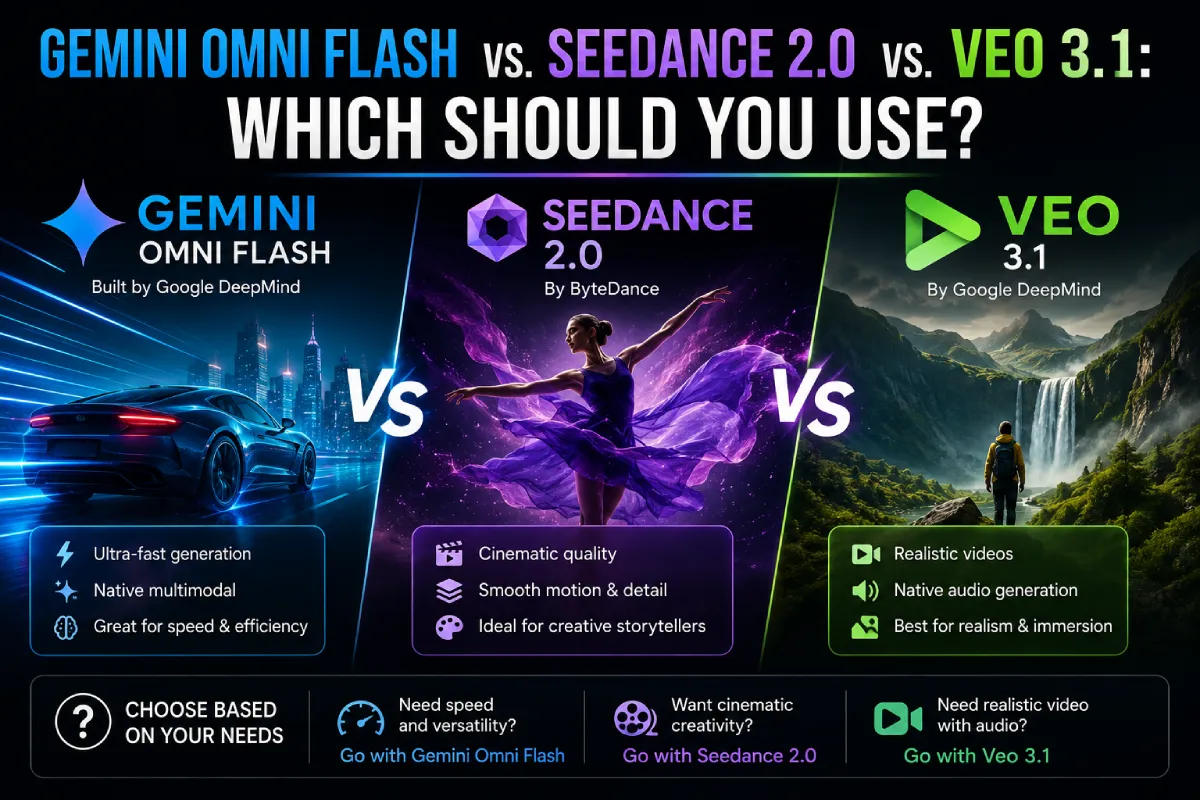
Gemini Omni Flash vs. Seedance 2.0 vs. Veo 3.1: Which Should You Use?
Three models currently define the top tier of AI video generation, and each one wins for a genuinely different reason: Seedance 2.0 tops independent leaderboards on raw output quality and motion physics, Veo 3.1 leads on resolution and reference consistency, and Gemini Omni Flash is built around conversational, multi-turn editing rather than one-shot generation.
Picking the wrong one for a given workflow carries a real cost, whether that’s paying a premium for editing flexibility you don’t need, or generating dozens of expensive variants when a cheaper model would have served the same testing purpose.
This comparison covers what each model actually does, backed by current pricing and specs, in AI filmmaking workflows where the three increasingly get used together rather than as a single either-or choice.
The core distinction: generation quality vs. editing flexibility
Seedance 2.0, from ByteDance, is a generation-quality leader, it has led the Artificial Analysis video leaderboard on raw output and motion physics, and produces cinematic results particularly well from precise image references.
Invideo Agent treats this as a routing decision rather than a single default: a shot generated primarily for visual fidelity gets sent toward Seedance 2.0 or Veo 3.1, while a shot that needs several rounds of small, conversational adjustments gets routed to Gemini Omni Flash instead.
Veo 3.1, Google’s dedicated video specialist, wins specifically on reference consistency and resolution, for broadcast-quality or high-end commercial work in AI filmmaking, it remains the strongest single-generation option of the three.
Specs and pricing, side by side
Seedance 2.0 generates clips up to 15 seconds, with fast-tier API pricing reported around $0.022–$0.24 per second depending on the platform and resolution tier, a meaningfully wider spread than the other two models, worth confirming directly before budgeting a project around it.
Veo 3.1 runs 8-second base clips (extendable via chaining, with quality drift past roughly 60 seconds), priced at about $0.05–$0.09 per second across its Lite and Fast tiers, and remains the resolution leader among the three for pure text-to-video output.
Gemini Omni Flash caps at 10 seconds per clip, priced around $0.10 per second through its now-public preview API. In a direct 8-second ad-creative cost test, Omni Flash and Veo 3.1 Fast landed close together (roughly $0.72–$0.80 per clip), while Seedance 2.0 Fast came in dramatically lower at around $0.18, a gap that matters enormously for high-volume variant testing specifically.
Where each model actually wins
For a hero shot at maximum resolution, broadcast, high-end commercial, anything that needs to hold up on a large screen, Veo 3.1 remains the strongest single choice among the three.
For raw generation quality and motion physics, particularly from a strong image reference, Seedance 2.0’s leaderboard position reflects genuine strength, and its lower cost per clip makes it the practical choice for running many variants before committing to a final direction.
For a shot that needs iterative refinement, swap a product, change lighting, adjust wardrobe, restyle a scene through a follow-up instruction rather than a fresh prompt, Gemini Omni Flash’s conversational editing is worth its modest price premium over the alternative of regenerating from scratch each time.
Why teams increasingly don’t pick just one
A recurring pattern across current production teams is to stop treating this as a single choice at all, integrating multiple models behind one workflow and letting the specific job route to whichever model fits, rather than committing an entire project to one model’s trade-offs.
This is exactly the problem invideo Agent Two is built to remove from the filmmaker’s plate entirely. Rather than researching specs and weighing Omni Flash against Seedance 2.0 against Veo 3.1 for every shot, you describe what a shot needs, a quick iterative edit, a high-fidelity hero frame, a precise reference-matched product shot, and the agent already knows which model to route it to, the same way it already has any newly released model ready to use the moment it drops.
Common mistakes when choosing between these three models
- Assuming one model is the universal “best” pick. Each of the three wins on a different axis, quality, resolution, or editing flexibility, so the right choice depends on the specific shot, not a general reputation.
- Using an expensive editing-focused model for high-volume variant testing. Seedance 2.0’s lower per-clip cost is specifically better suited to generating many test variants than paying an editing premium on each one.
- Recommending Sora 2 in current comparisons. It went API-only and was effectively wound down for new consumer projects around April 2026, it shouldn’t appear as a live option in fresh comparisons.
- Not verifying current pricing before publishing. Reported per-second rates for all three models vary noticeably by platform and tier, and this space has shifted multiple times in 2026 already.
- Manually committing an entire AI filmmaking project to one model. Routing individual shots to whichever model actually fits tends to outperform a single blanket choice for the whole production.
FAQ
Which model is best for AI filmmaking overall?
There isn’t a single “best”, Seedance 2.0 leads on raw generation quality and motion physics, Veo 3.1 leads on resolution and reference consistency, and Gemini Omni Flash leads on conversational, multi-turn editing. The right pick depends on what a specific shot needs.
Which model is cheapest for testing many variants?
Seedance 2.0’s fast tier is reported as meaningfully cheaper per clip than either Veo 3.1 or Gemini Omni Flash, making it the more practical choice when the goal is generating many variants to test rather than one final, polished shot.
Is Sora 2 still worth comparing against these three?
No. It went API-only and was effectively wound down for new consumer projects in early-to-mid 2026, current comparisons should treat it as retired rather than an active competitor.
Do I have to pick just one of these models for my project?
No, and increasingly production teams don’t. invideo Agent routes individual shots to whichever model fits their specific need, and invideo Agent Two removes the manual comparison entirely, describe what a shot needs, and the agent selects the model rather than requiring you to research specs for each one yourself.


Leave a Reply