

How to A/B Test Your Email Signup Forms Like a Pro
Website signup forms can be a great way to grow your subscriber base. But success with them depends on many variables: form design, placement and timing, incentive, and target audience. You must test and measure in order to discover what will work with your website visitors. In this article, we’ll discuss A/B testing, key elements to test, and common mistakes to avoid.
What Is A/B Testing?
A/B testing for email signup forms is a data-driven way to refine how you capture leads. Instead of guessing what works, you test two or more variations of a form. You change one element at a time, like the headline, CTA, or field count, to see which drives more signups.
But a winning test isn’t just about higher conversions. It’s about understanding why a change works. Are users responding to urgency, clarity, or a reduced effort to subscribe? Run tests long enough for statistically valid results, segment by device type, and always check if improvements hold over time—not just in a short burst.
Key Elements to Test in Signup Forms
The good news is that you can easily create signup forms using specialized platforms. For instance, Claspo popup builder has a drag-and-drop editor and a set of Claspo templates, so you can pick a pre-made pop-up and tailor it to your purposes.
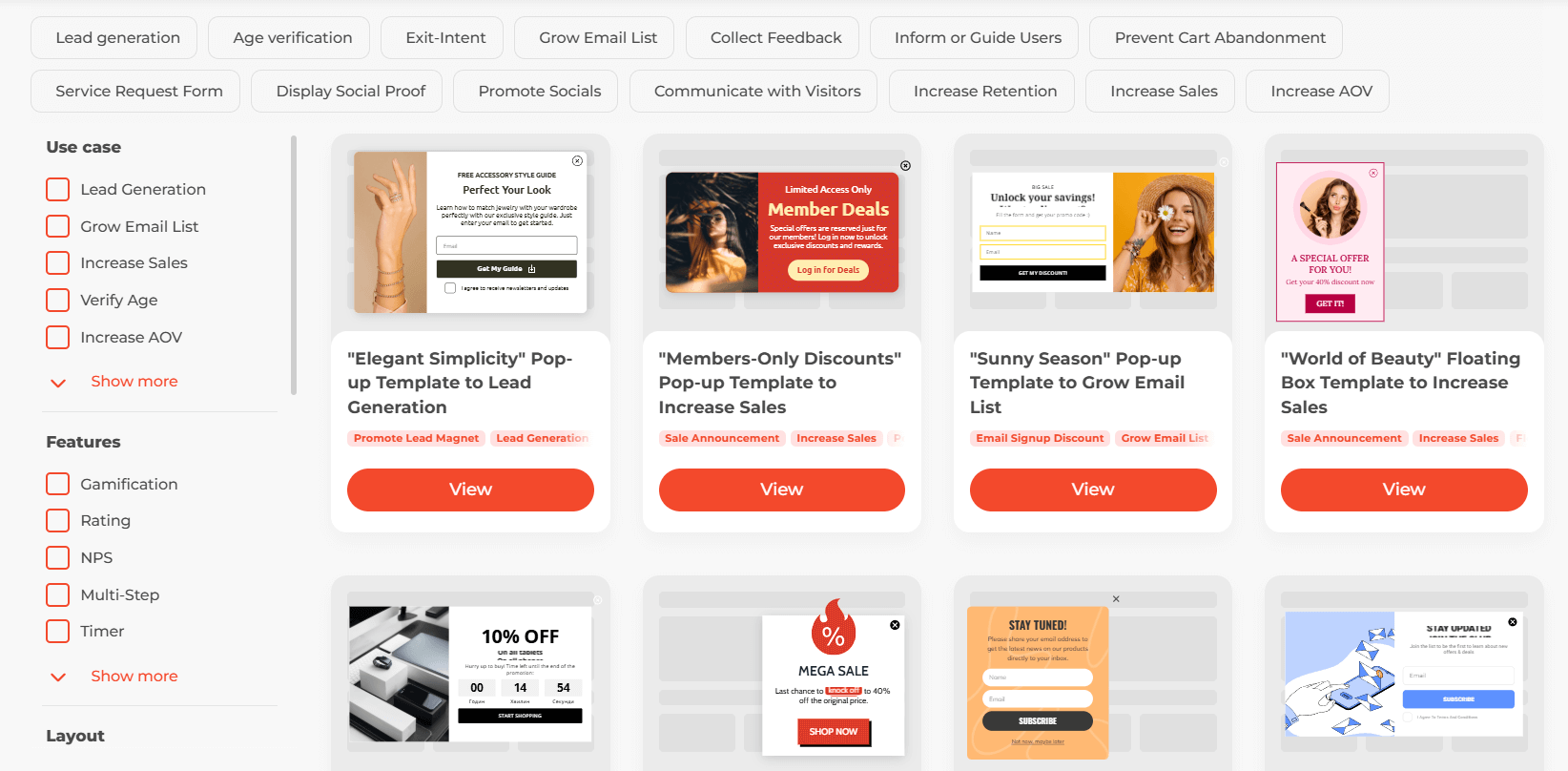
Claspo’s templates library
It also has A/B testing and analytics features, so you can experiment and measure performance without additional integrations.
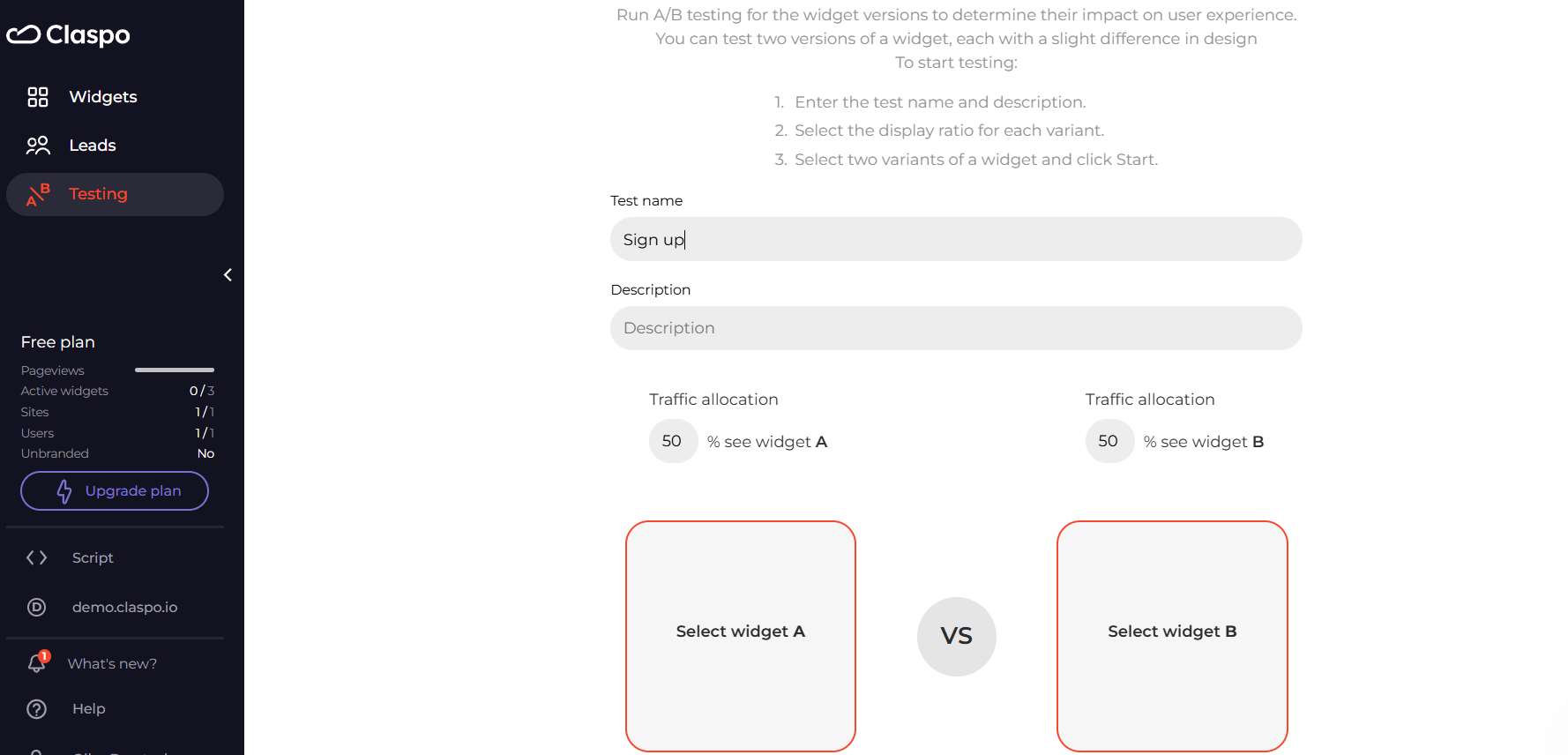
Claspo’s A/B testing feature
Let‘s have a closer look at what exactly you need to test.
- Headline. Clarity beats cleverness. A vague or overly creative headline might confuse visitors. Test direct messaging (Shop Now for 20% Off), urgency-driven wording (Limited Time Offer), or personalized approaches (Customer’s Name, Claim Your Exclusive Deal). These variations can help grab attention and drive action.
- Call-to-Action. A button’s color matters, but context is key. Instead of just testing red vs. green, experiment with CTA phrasing (Get Started vs. Claim Your Offer). Placement also affects conversions—above the fold, inline, or after a key section.
- Form Fields. Fewer fields often mean higher conversions, but relevance matters. Test reducing friction (Email Only vs. Name + Email). If you need more details, try optional fields or progressive profiling, where extra questions appear later.
- Design and Layout. A pop-up can grab attention, but an embedded form feels less intrusive. Multi-step forms can increase completion rates by making the process feel shorter. Test visual hierarchy, spacing, and mobile optimization.
- Timing and Triggers. Showing a form too soon might annoy users; waiting too long risks losing them. Test exit-intent pop-ups vs. time-delayed vs. scroll-triggered forms to find the best balance between engagement and disruption.
How to Run an Effective A/B Test
Here’s how to run an effective A/B test that delivers actionable insights.
Set a Clear Goal
Decide what success looks like before you start. Are you aiming for a higher signup rate, lower bounce rate, or better engagement? A vague goal like “improving conversions” won’t give actionable insights. Define a measurable target, such as increasing form submissions by 10%.
Choose One Variable to Test
Testing multiple changes at once makes it impossible to pinpoint what influenced the results. Start with a single element—headline, CTA, or form length. If testing multiple elements is necessary, use multivariate testing instead of A/B testing.
Segment Your Audience
Split traffic evenly, but consider segmenting by device, traffic source, or user behavior. A form that works well on desktop may not perform the same on mobile. Ensure each variation gets a balanced and representative audience.
Run the Test for a Sufficient Time
Don’t stop the test as soon as one version seems to be winning. Small fluctuations can mislead results. Use statistical significance calculators to determine the right test duration based on your traffic volume.
Analyze the Data and Apply Insights
A winning variation isn’t useful if you don’t know why it performed better. Look beyond conversion rates—check session recordings, heatmaps, and drop-off points to understand user behavior. Then, iterate based on real insights, not assumptions.
Common Mistakes to Avoid
- Ending the test too soon – Stopping a test early can lead to false conclusions. Make sure you collect enough data for statistically significant results.
- Ignoring statistical significance – Without proper significance, the results could be random and not actionable.
Overlooking external factors – Seasonal trends or varying traffic sources can impact results, so consider these factors before drawing conclusions.


Leave a Reply