
How to Create Social Media Marketing Videos with an AI Avatar Generator
Businesses often need social media videos for product launches, promotions, customer questions, and regular updates. However, filming a presenter for every post can be time-consuming.
With the Pollo AI AI avatar generator, businesses can turn an image and script into a talking video, creating presenter-led content without recording new footage for every post. The quality of the final result depends largely on the avatar image, script, and review process.
What to Prepare Before Creating an Avatar Video
Before using the AI avatar generator from Pollo AI, the user should prepare three things: one clear message, a short script, and a suitable avatar image.
Each video should focus on one topic. For example, a bakery could create one post about a new product and another about how to place an order instead of combining both messages.
The script should sound natural when spoken. Long sentences and product-page language may feel stiff in an avatar video. A simple structure is to introduce a customer need, explain the product or service, and end with a next step.
For example:
“Need a quick breakfast before work? Our new oat cups are ready in minutes. Visit our store to explore the available flavours.”
The avatar image should show a clear, well-lit face without heavy filters or objects covering it. Businesses should also obtain permission before using an employee’s, customer’s, or other real person’s image.
How to Create a Social Media Marketing Video with an AI Avatar Generator
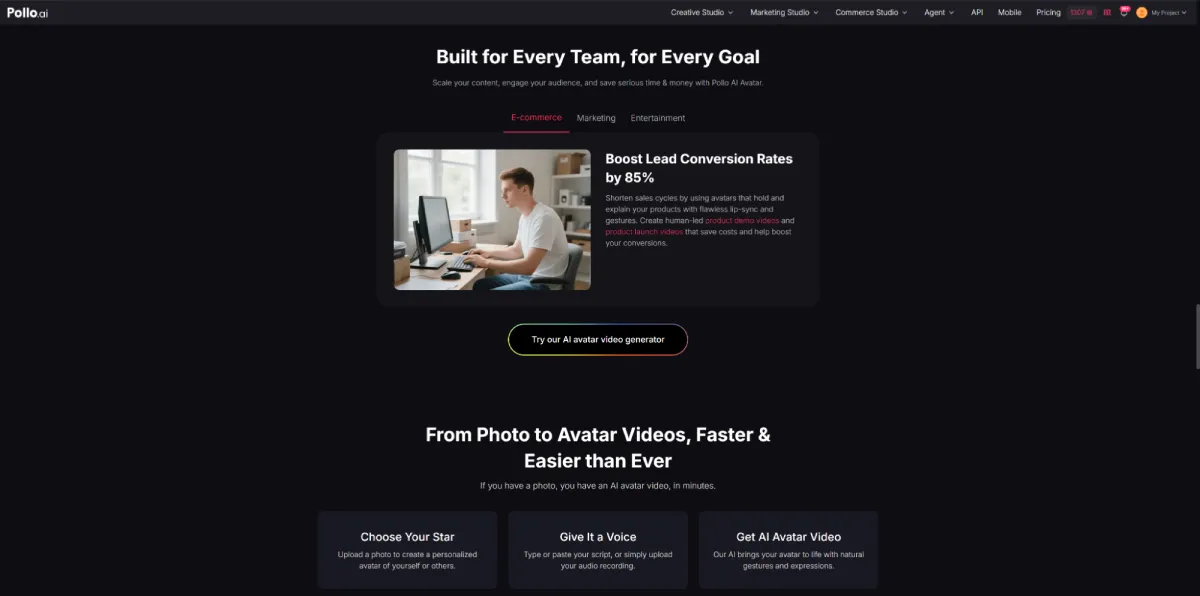
Pollo AI’s AI Avatar tool allows users to upload an image or choose an avatar, then add a script or audio file to generate a talking avatar video. The tool uses synchronized speech, facial expressions, and gestures to animate the selected avatar. For marketers creating a broader range of social content, the Vmaker AI video generator can also be used within Pollo AI alongside its avatar tools.
1. Upload or Select an Avatar
The user can upload an image or choose an available avatar. The avatar should match the content and target audience. For example, a professional-looking presenter may suit a service explanation, while a mascot may work better for casual brand content.
Before uploading, the user should check that the face is clearly visible and reasonably large in the image. Photos taken from extreme angles, images with strong shadows, or pictures where the face is partly covered may lead to less consistent results.
Using the same avatar across several videos can also help create a recognizable presentation style.
2. Add a Short, Conversational Script
The main message should appear early. Long greetings and broad introductions can delay the useful information.
Instead of:
“Hello everyone. Today, we are excited to introduce a new product from our company.”
The script could begin with:
“Looking for a water bottle that fits easily into a work bag?”
The user should read the script aloud before generating the video. If a sentence is difficult to say naturally, it may also sound awkward in the final output. Long sentences should be divided, while product names, abbreviations, and unusual words should be checked for pronunciation.
A short video should not try to explain every product feature. If several benefits need to be covered, the business can create a series of focused posts.
3. Choose Settings for the Intended Platform
The user can select available options such as the generation mode and resolution. The chosen format should match where the video will be published.
A vertical layout is generally more suitable for mobile-first short videos, while a wider format may be useful for websites or landscape content. The user should select the required resolution rather than automatically choosing the highest available option, as a higher setting may use more processing time or credits without providing a noticeable benefit for a short social post.
4. Generate the Video and Review It Carefully
The first generated video should be treated as a draft. The user should watch the entire result and check whether the speech sounds clear, the pacing feels natural, and the avatar’s expressions fit the message.
Incorrect pronunciation, awkward pauses, or rushed delivery can often be improved by rewriting the script. Simplifying a sentence may work better than generating the same text repeatedly.
The user should also check the avatar’s facial movement. If the result looks unstable, a clearer source image may produce more consistent output.
5. Refine the Video for Mobile Viewing
Before publishing, the user can shorten unnecessary sections and add captions or supporting product visuals.
Captions help viewers understand the content when watching without sound. They should be large enough to read on a phone and placed away from the edges, where social media interface elements may cover them.
The final video should be checked on a mobile screen. Text that appears clear on a desktop may be too small when viewed on a phone.
Improve Results After Publishing
The same avatar can be used to create several versions of a campaign. For example, one video can begin with a customer problem, while another starts with a product benefit. This makes it possible to test different openings without rebuilding the entire video.
After publishing, the marketing team can review watch time, completion rate, comments, shares, and link clicks. If viewers leave early, the opening may be too slow or unclear. If a video receives views but few clicks, the call to action may need to be more specific.
Customer questions can also become topics for future avatar videos. Over time, the business can develop a repeatable workflow: choose one topic, write a short script, generate the video, review it on mobile, and use performance data to improve the next post.
Conclusion
An AI avatar generator can help businesses create social media marketing videos without filming a presenter for every post. Strong results usually begin with a focused message, a natural script, and a clear avatar image.
By reviewing speech, facial movement, pacing, captions, and mobile readability before publishing, businesses can create more useful and consistent avatar videos for social media.


Leave a Reply