
How to Download Spotify Songs to MP3: The Complete Guide
Spotify has transformed how we access music, but what happens when you want to take your favorite tracks offline without being locked into the Spotify app? Whether you’re preparing for a road trip, heading to an area with spotty internet, or simply want to build a permanent music library, converting Spotify songs to MP3 is a solution many music lovers seek.
This guide will walk you through the process, focusing on ViWizard Spotify Music Converter, a tool designed specifically for this purpose.
Why Convert Spotify to MP3?
Spotify’s offline mode is convenient, but it comes with strings attached. Downloaded songs are saved as cache files, not standard MP3s. This means:
- You can only play them within the Spotify app
- They expire if your subscription lapses
- You can’t transfer them to other devices like MP3 players or car stereos
Converting to MP3 removes these barriers. MP3 is universally compatible with virtually every device and media player, giving you true ownership of your music library.
How ViWizard Spotify Music Converter Works?
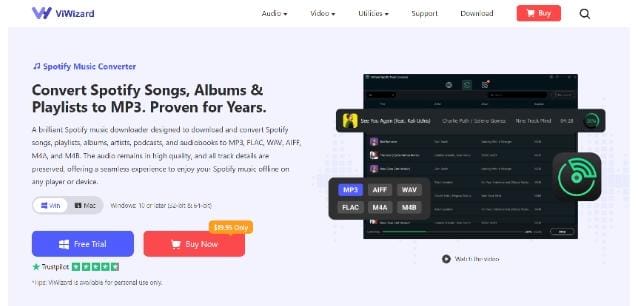
ViWizard is a dedicated tool that lets you download and convert Spotify tracks, playlists, and albums to MP3 and other formats like AIFF, WAV, FLAC, M4A, and M4B. Here’s what you need to know.
Key Features:
Multiple Format Support: While MP3 is the go-to choice for most users, you can also select lossless formats like FLAC or WAV if you want archival quality.
Batch Conversion: Instead of converting songs one by one, ViWizard lets you process entire playlists and albums at once. This is a major time-saver if you have extensive music collections.
ID3 Tag Preservation: When you convert songs, the software retains important metadata like track title, artist name, album art, and genre. This keeps your music library organized and easy to navigate.
Customizable Audio Quality: You can adjust output settings including bit rate, sample rate, and channels. The highest quality option offered is 320kbps, which is comparable to what you’d get from a standard CD-quality MP3.
How to Download Spotify Songs to MP3 Using ViWizard
Step 1. Install ViWizard Spotify Music Converter
Download and install ViWizard Spotify Music Converter on your Windows or Mac computer.
Step 2. Add Spotify Music
Open the software and log into your Spotify account in the built-in web player. Browse Spotify and drag any song, playlist, or album into ViWizard’s conversion window.
Step 3. Choose MP3 as the Output Format
Go to the top-right corner and click the menu bar > Preferences to open the settings window. Select:
- Output Format: MP3
- Bitrate: 320 kbps (recommended)
- Sample Rate: 44.1 kHz
You can also customize the output folder.
Step 4. Convert Spotify Music
Click the Convert button. ViWizard will quickly convert all selected Spotify songs into DRM-free MP3 files. Once completed, open the output folder to access your downloaded Spotify songs. The MP3 files can now be played with any media player or transferred to any device.
Frequently Asked Questions
Can I download Spotify songs to MP3 for free?
Spotify itself does not offer MP3 downloads. Some online tools claim to provide this feature, but they often have limitations or stop working. A dedicated converter like ViWizard offers a more stable and reliable experience.
Does Spotify Premium let you save MP3 files?
No. Premium only enables offline listening inside the Spotify app. The downloaded files remain encrypted and cannot be exported as MP3.
Will the converted songs keep their quality?
Yes. ViWizard Spotify Music Converter preserves the original audio quality and lets you export songs at up to 320kbps MP3, ensuring excellent listening quality.
Can I transfer downloaded Spotify MP3 files to my phone?
Yes. Once converted, the MP3 files can be copied to Android phones, iPhones (through supported file transfer methods), tablets, MP3 players, USB drives, and many other devices.
Final Thoughts
Although Spotify doesn’t officially allow users to download songs as MP3 files, it’s still possible with the right tool.
Among the available methods, ViWizard Spotify Music Converter stands out for its speed, high-quality output, batch conversion, and ability to preserve complete song information. Whether you want to enjoy Spotify music offline, back up your favorite playlists, or transfer songs to other devices, it provides a simple and efficient solution.
If you’re looking for a reliable way to download Spotify songs to MP3 in 2026, ViWizard Spotify Music Converter is one of the best choices for creating a permanent offline music collection.


Leave a Reply