
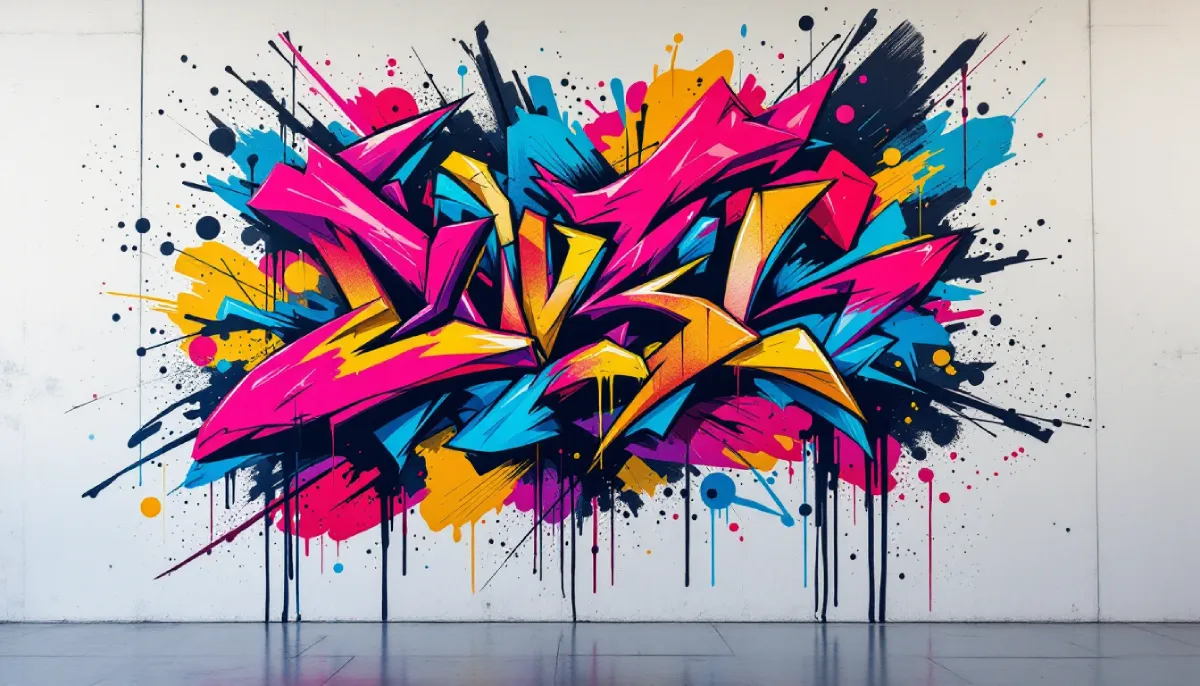
How to Generate Graffiti Art Online with Free AI Graffiti Generator
Traditional graffiti requires finding legal walls, buying expensive spray paint, and mastering techniques that take years to develop. Even digital graffiti design demands artistic skills and costly software subscriptions. AI text-to-image generators have completely changed this equation, enabling anyone to create stunning graffiti art in seconds without any artistic training or financial investment. You can experiment with unlimited styles, colors, and compositions until you find the perfect design—all from your browser without spending a dime.
What is the AI Graffiti Art Generation?
AI graffiti art generation uses advanced machine learning models trained on thousands of street art images to create original graffiti designs from text descriptions. Unlike basic clip art or generic templates, AI graffiti generators understand the visual language of graffiti—bubble letters, wildstyle typography, drip effects, and urban textures. You simply describe what you want, and the AI renders a unique piece of street art that captures the essence of graffiti culture without requiring you to pick up a spray can.
What is Vheer AI Image Generator
Vheer’s Text to Image Generator is a powerful free tool to generate graffiti art online. It produces authentic street-style designs with proper lettering, vibrant color schemes, and urban textures that look spray-painted on real walls. The generator handles everything from simple tag names to complex mural-style compositions with multiple elements and backgrounds. Best of all, it requires no registration, no payment, and places absolutely no limits on how many graffiti designs you can generate—perfect for experimenting with styles before committing to physical painting.
How to Use Vheer’s Text to Image Generator for Graffiti Art
Step 1: Go to Vheer
Open your web browser and navigate to the Vheer’s Text to Image Generator page. No account creation or signup is required—you can start creating graffiti art immediately without providing any personal information.
Step 2: Enter Your Graffiti Prompt
In the provided text box, type a detailed description of the graffiti art you want to create. Include details about the text content, lettering style, color scheme, background, and overall vibe.
Need help crafting the perfect prompt? Just input simple keywords describing your idea, then click the “Enhance Prompts” button under the prompt box. Vheer’s AI will automatically expand your basic description into a detailed prompt that generates more impressive and authentic graffiti designs.
Step 3: Customize the Aspect Ratio
Select your preferred aspect ratio based on how you plan to use the design: 1:1, 3:4, 16:9, 9:16, or 2:3. Wide formats (16:9) work great for mural-style pieces, while vertical orientations (9:16, 2:3) suit social media stories and phone wallpapers.
Step 4: Generate the Image with AI
Click the “Generate” button. The AI will process your request and create your custom graffiti art within seconds, rendering realistic spray paint textures, drips, and urban wall surfaces.
Step 5: Regenerate or Download the Image
If you love the design, download it instantly in high resolution. If you want to explore variations, click “Generate” again with absolutely no limitations—try different colors, styles, or compositions until your graffiti art is perfect.
Example Graffiti Art Prompts
- Bold Bubble Letter Tag
“The word ‘DREAM’ in vibrant bubble letter graffiti style, gradient colors from pink to purple, thick white outline, black drop shadow, spray paint texture with realistic drips, urban brick wall background, street art aesthetic, bold and eye-catching composition”
- Wildstyle Name Design
“The name ‘MAX’ in complex wildstyle graffiti lettering with interlocking arrows and geometric shapes, neon blue and green color scheme, glowing effect, dark alley wall background with texture, authentic street art style, intricate details and overlapping forms”
- Urban Portrait Graffiti
“Stylized portrait of a woman surrounded by colorful graffiti elements, combination of realistic face and abstract street art shapes, turquoise and magenta color palette, cracked concrete wall texture, mural-style composition, blend of portrait and graffiti art techniques”
- Abstract Graffiti Splash
“Abstract graffiti art featuring explosive splash shapes and dynamic paint drips in electric blue, hot pink, and bright yellow, urban wall texture background, street art energy, chaotic but balanced composition, high contrast and vibrant colors, modern graffiti style”
- Old School Hip-Hop Throwback
“Classic 1980s hip-hop style graffiti spelling ‘URBAN’ in block letters with arrows and stars, red and black color scheme, subway train wall background, vintage street art aesthetic, old school graffiti influence, bold clean lines and iconic throwback style”
Pro Tips for Authentic Graffiti Art
Specify lettering styles for accurate results. Terms like “bubble letters,” “wildstyle,” “block letters,” “tag style,” or “throwie” help the AI generate authentic graffiti typography that matches real street art conventions.
Include color schemes and contrast. Graffiti thrives on bold color combinations—try prompts like “neon colors,” “turquoise and magenta,” “black and white high contrast,” or “gradient from purple to orange” for eye-catching designs.
Describe the background surface. Adding details like “brick wall texture,” “concrete surface,” “subway train exterior,” or “rusty metal surface” gives your graffiti art context and makes it look more realistic and grounded in actual street environments.
Add graffiti-specific effects. Keywords like “drip effect,” “spray paint texture,” “fading edges,” “overspray,” or “stencil layers” add authentic details that make AI-generated graffiti look like genuine street art.
Reference graffiti eras or styles. Specify “1980s New York style,” “modern street art,” “Brazilian graffiti colors,” or “European urban art” to incorporate regional influences and historical elements into your designs.
Combine typography with imagery. Mix your text with descriptions like “surrounded by stars,” “with crown icon above,” “flame effects emerging from letters,” or “incorporated into a cityscape” to create more complex and visually interesting compositions.
Conclusion
AI graffiti generators have made street art accessible to everyone, removing the barriers of cost, skill, and legal concerns that traditionally limited graffiti creation to dedicated artists. Vheer’s free unlimited tool lets you experiment with countless styles, color combinations, and lettering designs until you create something perfectly suited to your vision—whether you’re designing logos, creating social media content, or planning actual wall murals. The ability to enhance simple prompts with one click means even beginners can generate professional-looking graffiti art in seconds. Try describing your ideal street art design and watch as Vheer transforms basic text into vibrant, authentic graffiti that captures the energy and creativity of urban art culture.


Leave a Reply