
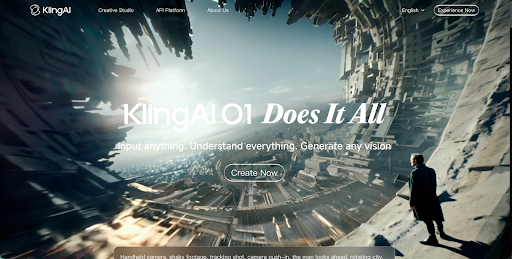
How to Use Kling AI for Free
If you want to try Kling AI without paying from the start, Videoinu is a practical place to begin. New users get free credits after signup, and Kling is available inside Videoinu’s normal creation tools. Kling is built for AI video creation from text and images, and Videoinu presents Kling 3.0 Pro as a model with smoother motion, better detail preservation, and more natural scene consistency.
That makes Kling a strong option when you want videos that feel more realistic and stable. You can begin with a short prompt, start from an image, and build from there.
If one short clip starts to feel like the beginning of a bigger sequence, Videoinu also offers an AI Story Video Generator for turning stories or scripts into connected scenes with narrative flow.
What Kling AI Is Good For
Kling works well when motion and scene behavior need to feel believable. Its toolset includes text-to-video, image-to-video, and motion control, while Videoinu highlights Kling’s stronger realism, more accurate object behavior, and stable camera movement.
In practice, that makes Kling a good fit for:
- realistic short scenes
- cinematic social clips
- product-style visuals
- environment shots with steady movement
- story moments that need natural motion
That last point is an inference from Kling’s motion-control features and Videoinu’s description of Kling’s realism-focused output.
How to Use Kling AI on Videoinu
Step 1: Sign Up for Videoinu
Start by creating a Videoinu account. Once you are inside, you can access the platform’s regular video creation tools and test your first idea. Videoinu’s public getting-started materials say new users receive free credits after signup.
Step 2: Open a Video Tool and Choose Kling
After signing in, open one of Videoinu’s video tools and choose Kling as the model. Videoinu supports Kling inside its broader creation workflow, and its text-to-video and image-to-video tools both list Kling among the available model options.
If you only have an idea in your head, text to video is usually the easiest place to start. If you already have a strong visual reference, image to video gives you more control over the starting look. Kling itself supports both text- and image-based generation.
Step 3: Start with a Clear Prompt or Image
If you use text to video, begin with a prompt that gives Kling one readable scene.
For example:
A man walks through a rainy street at night, realistic reflections, steady camera movement, cinematic mood.
This works better than a crowded prompt because Kling is strongest when motion, camera behavior, and object interaction stay clear and believable. That is an inference from Kling’s motion-control tools and Videoinu’s positioning of Kling as a realism-focused model.
If you use image to video instead, start with a strong source image and use the extra prompt mainly to guide movement or camera feel. Kling’s creation tools support image-based generation directly.
Step 4: Focus on Motion and Stability
This is the step that matters most with Kling. Instead of pushing for something extreme, it usually works better to think about:
- how the subject moves
- how the camera behaves
- whether the action feels smooth
- whether the scene stays believable
Kling’s motion-control feature is specifically designed to improve motion predictability, and Videoinu describes Kling as strong at realistic motion and stable camera behavior.
Step 5: Generate, Review, and Improve
Generate the first version and treat it like a draft. Watch it and check whether the motion feels natural, whether the camera stays stable, and whether the scene matches your idea. Kling’s tools are built for quick generation, and Videoinu’s Kling workflow also encourages refining motion and visual details before downloading the result.
If the result is close but not right, improve one thing at a time. Tighten the action, simplify the prompt, or make the scene easier to read. Small changes usually work better than rewriting everything.
Step 6: Move into Story-Based Creation if the Idea Grows
Some Kling clips work best as one short scene. Others start to feel like part of something larger. That is where Videoinu’s AI Story Video Generator fits naturally. It is built for turning written stories or scripts into structured, multi-scene videos with continuity and narrative flow, and it is explicitly positioned as different from regular text-to-video because it focuses on connected scenes rather than isolated clips.
So if your first Kling test feels like the opening scene of a short story, explainer, or episode, you already have a natural next step.
Why Videoinu Is a Good Place to Try Kling
One reason is simplicity. Kling fits into the same general creation flow as other Videoinu models, so you do not need to learn a separate process just to test it. Another reason is flexibility: Videoinu combines short-form tools like text to video and image to video with longer-form options like AI Story Video Generator.
That makes Videoinu a useful starting point for creators who want to test Kling in a practical way instead of treating it like a one-off experiment.
Tips for Better Kling Results
Start with one clear scene. Kling tends to work better when it can focus on one readable action or environment instead of several unrelated events at once. This is an inference based on Kling’s motion-control design and Videoinu’s realism-oriented Kling positioning.
Use text to video for quick testing. If you are still shaping the idea, text input is usually the fastest way to see how Kling handles motion and atmosphere.
Keep movement grounded. Since Kling emphasizes natural motion and stable camera behavior, prompts often work better when the action is believable rather than exaggerated.
Move into story workflows only when the idea needs it. Not every Kling clip needs to become a story video, but if it starts to feel like one scene in a larger sequence, Videoinu’s AI Story Video Generator gives you a structured way to build that out.
Final Thoughts
The easiest way to use Kling AI for free is to sign up for Videoinu, open a video tool, choose Kling, and start with a clear prompt or image. From there, you can refine the motion, improve the scene, and expand the idea if it grows into something more narrative. If your goal is realistic AI video with natural movement, Kling is one of the strongest models to explore in this kind of workflow.
FAQs
Can I use Kling AI for free on Videoinu?
Yes. Videoinu’s public onboarding information says new users receive free credits after signup, which can be used to try the platform’s creation workflow.
What is Kling AI best for?
Kling is a strong fit for realistic video generation, including text-to-video, image-to-video, and motion-controlled scenes, and Videoinu highlights its smoother motion and stable scene behavior.
Can I start with text to video?
Yes. Kling supports text-based generation, and Videoinu’s text-to-video tool includes Kling among the available model options.
Is Kling good for story content?
It can be. Kling is especially useful for realistic short scenes, and if those scenes begin to feel like part of a larger narrative, Videoinu’s AI Story Video Generator can help turn that idea into connected story-driven content.
Do I need editing experience?
Not much. Both Kling’s creation tools and Videoinu’s broader workflow are built around direct prompt- or image-based generation, which lowers the barrier for beginners.


Leave a Reply