
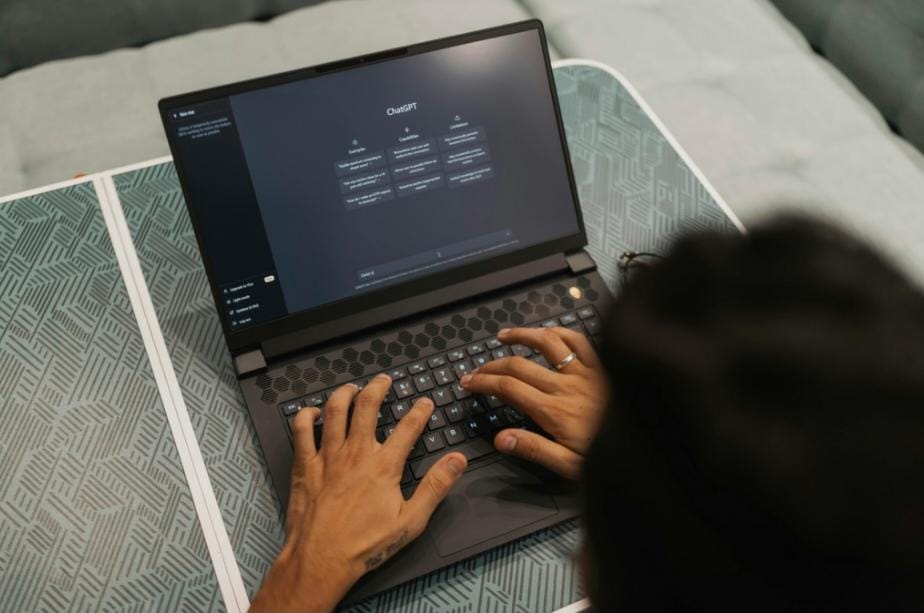
Is ChatGPT Plus Worth It for Students?A Practical Look at Study Help, Research, and Productivity
We’re going to get to the bottom of what the premium version really offers. Whether you’re up late working on papers or trying to grasp coding, you need to know if these tools are worth it. We’re looking at student productivity tools that actually help.
This isn’t about empty promises or what OpenAI says. We’re focusing on real use cases and features that matter to you. It’s like deciding if you need an seo consultant online for your side job, it’s all about getting value for your money.
You deserve to know if this investment is right for your budget. Let’s explore the numbers and real-life examples.
Simple Answer (If You’re Still Busy)
ChatGPT Plus is worth it for students who regularly tackle complex assignments, need to analyze documents or PDFs, or constantly hit usage limits on the free version during critical study sessions. It’s probably not worth it if you only use ChatGPT occasionally for basic questions or simple writing help.
If you’re on a tight student budget and only use AI tools sporadically, save your money. The free version works perfectly fine for occasional homework questions or simple essay brainstorming.
But, if ChatGPT has become a genuine study partner that you rely on for multiple hours per week, the Plus features actually deliver measurable time savings. The $20 monthly fee breaks down to about 67 cents per day.
The paid version shines for students working with complex materials such as analyzing research papers, processing data sets, or getting help with advanced coursework. Basic users won’t notice enough difference to justify spending precious student budget dollars.
What ChatGPT Plus Actually Is
ChatGPT is an AI chatbot developed by OpenAI that can understand prompts and generate responses based on user requests. It can help explain concepts, answer questions, rewrite text, summarize information, analyze files, and support creative or technical tasks.
For students, ChatGPT can act like a flexible study partner. You can ask it to explain a topic in simpler words, create quiz questions, review your essay structure, help debug code, or summarize your lecture notes.
However, it is important to understand that ChatGPT is not always perfect. It can make mistakes, misunderstand context, or provide answers that sound confident but still need verification. That means students should use it as a support tool, not as a replacement for textbooks, teachers, academic sources, or personal thinking.
Used correctly, ChatGPT can help students learn faster. Used carelessly, it can make students too dependent on AI-generated answers.
ChatGPT Go vs Plus: Which is Better for Students?
Many students are confused about whether to choose ChatGPT Go or Plus. OpenAI recently introduced Go, causing a lot of confusion. Students are trying to decide which option fits their budget and needs better.
ChatGPT Go is only for mobile devices and costs $20 a month. On the other hand, ChatGPT Plus works on all devices for the same price. This makes a big difference in how you can use it.
Go is good for quick tasks on your phone. You can ask questions or get study help on the go. But, it’s not ideal for complex tasks.
Most students do their serious work on laptops or desktops. Writing papers, coding, and analyzing documents are better done on larger screens. You can’t do these tasks easily on a phone.
Plus offers more flexibility. You can start a conversation on your phone and continue it on your laptop. This is great for students who use different devices throughout the day.
Students who chose Go thinking it was cheaper soon realized it’s the same price as Plus. The real question is whether mobile-only access fits their study habits.
Go might be okay for some students. If you only need it for quick questions or voice tutoring, it could work. But, most students need more.
Most students need to write essays, analyze data, and work with code. These tasks are better done on a computer, not a phone.
Think about where you do your coursework. If it’s often on a laptop or desktop, Plus is the better choice. You’re not saving money with Go; you’re just limiting where you can work.
Students often regret choosing Go when they can’t access their chat history on other devices. Switching plans later can be a hassle, making it hard to access during busy times.
Let’s Talk Real Cases: What You Can Do with ChatGPT Plus for Learning
Practice Coding
Computer science students love this feature the most. Here’s how it works: you share code, explain errors, and get help step-by-step. Plus, you get examples to understand better.
The free version is okay for basic questions. But Plus with GPT-4 is better at catching bugs and understanding context. It’s like having a 24/7 coding assistant.
Students use it for coding practice and interview prep. They get feedback on their solutions and learn how to improve. It’s great for learning full stack web development skills.
Being able to ask questions back and forth is key. With the free version, you might run out of questions when you’re in the middle of learning something new.
Plus lets you keep learning without interruptions. You can also upload your code for review, not just describe problems.
Summarize Study Materials
This feature is a game-changer for reading-heavy courses. It’s only available with Plus because you need to upload files. You can summarize PDFs, like journal articles or textbook chapters, and get key points.
Students in many fields use it to manage their reading. For example, a political science student summarized a 40-page paper in minutes. They also got flashcards for exam prep.
The free version can’t handle this because you can’t upload files. Copy-pasting text is tedious and often hits limits.
Plus works with multi-page documents and answers specific questions. It’s great for study efficiency in courses with lots of reading.
You’re not avoiding reading with AI. You’re reading more strategically. Focus on the most important materials while processing others efficiently.
Practice Writing and Improve Assignments
Writing improvement is where Plus shines. It’s like having a personal tutor available anytime. Students use it for brainstorming and getting feedback on drafts.
Here’s how it works: you share a draft, ask for feedback, and get specific suggestions. Plus’s GPT-4 model provides better feedback on complex arguments.
English and communications majors use it to practice different writing styles. They draft arguments and ask ChatGPT to rewrite them in various tones. This helps them understand how style affects meaning.
International students value it for improving English fluency. They get help with idioms, phrasing, and grammar through their own writing. This grammar assistance is context-specific.
The higher usage limits are important because writing improvement is a process. You refine arguments and test approaches. Plus lets you work on multiple drafts without interruptions.
Build Better Ideas for Blogs or Class Projects
This is where Plus becomes a brainstorming tool. It helps you develop stronger ideas and explore different angles. Students use it for presentations, group projects, blog content, and research proposals.
Journalism and communications students use it for content development. They describe a topic, ask for different approaches, and drill into the best one. Design and architecture students explore ideas before committing to design work.
The Plus version’s GPT-4 model offers more creative and unexpected suggestions. It connects ideas across disciplines and provides interesting perspectives. Business students benefit from uploading project briefs or assignment guidelines to get a clear understanding of what’s expected.
What Special Features in ChatGPT Plus Make It Different from ChatGPT Free?
Let’s look at the real differences between ChatGPT Plus and the free version. These aren’t just promises about “better AI.” They are real, practical subscription advantages that make a big difference in what you can do.
Higher Usage Limits for Longer Study Sessions
This is the difference between being able to focus and being interrupted. The free version has message caps, limiting how much you can use it before you’re locked out. Plus removes these limits, allowing for longer, uninterrupted study sessions.
Real academic work is not just one question at a time. It involves conversations, follow-up questions, and refining your understanding.
For example, coding might involve 30-40 exchanges to debug and understand a concept. Writing revisions might need a dozen back-and-forth messages to refine arguments. With the free version, you hit limits right when you’re in the zone, then have to wait for the limits to reset.
Students often schedule their Plus subscription for high-intensity academic periods. This is because consistent access is critical when every minute counts. The limits on free are unpredictable, making it hard to plan.
Access to More Advanced Models for Complex Questions
Plus subscribers get GPT-4 access and GPT-4o, while free users get GPT-3.5. The main difference is that GPT-4 handles complex reasoning and nuanced analysis much better than GPT-3.5.
For basic questions, you won’t notice much difference. But for advanced academic work, the gap is huge.
GPT-4 keeps context better in long conversations. It understands subtle differences in complex arguments and handles technical vocabulary more accurately. It also gives more logically consistent responses for multi-step problems.
I’ve seen GPT-3.5 give surface-level, sometimes wrong answers to advanced questions. GPT-4, on the other hand, provides nuanced, well-reasoned answers that show real understanding. This is most important for STEM students and those working with advanced concepts.
Graduate students and those working with technical documentation or complex research papers also benefit a lot. These advanced AI models are worth it for them.
For example, a physics student asking about quantum mechanics will get better answers from GPT-4. A philosophy student exploring complex ethical arguments will get more sophisticated analysis.
If your coursework involves complex, specialized, or advanced concepts, the model difference is worth it. If you’re mostly dealing with introductory material, GPT-3.5 might be enough.
File Uploads and Analysis for PDFs, Notes, and Documents
This feature is exclusive to Plus and changes how you use ChatGPT for school. Plus lets you upload PDFs, Word documents, images, and data files. Then, you can ask questions about them, request analysis, or extract information.
Students in research-heavy fields have transformed their workflow with this feature. Instead of manually transcribing readings or describing documents verbally, they just upload the material and work with it directly.
Better Support for Research, Summaries, and Data Analysis
Plus includes advanced analytical capabilities (formerly called Code Interpreter). It lets ChatGPT process data, run calculations, create visualizations, and perform analytical tasks. This is huge for students in quantitative fields or anyone working with research data.
Beyond numerical analysis, Plus also lets ChatGPT browse the web. This is useful for getting recent statistics, current events context, or information published after the model’s knowledge cutoff.
The free version can’t run code, process uploaded data files, or browse the web reliably. This limits it to advisory help, not actual analytical tasks. I’ve seen research students use these research tools to speed up their literature reviews.
ChatGPT can browse recent publications, summarize findings, and identify key papers to read in detail. This preliminary academic research would normally take hours. The combination of file uploads, code execution, and browsing makes Plus an actual research assistant, not just a conversational tool.
Is ChatGPT Plus Right for You?
Let’s get real about ChatGPT Plus. It’s not a yes or no for everyone. Your decision depends on how you use AI tools now, not what you wish you did.
ChatGPT Plus Works for You If
- You’re already a heavy user who relies on ChatGPT daily or near-daily for core study work. If AI is key to your learning, the premium version offers real benefits. It’s worth it if you can’t study without it.
- You regularly hit usage limits or capacity restrictions with the free version, like during finals week. Being locked out when you need help most is frustrating. It’s a good reason to pay for Plus.
- You’re in technical fields like computer science, engineering, or data science where you solve complex problems. The GPT-4 model is better for technical content. It’s a big difference when you’re coding or doing math.
- Your coursework involves substantial document work—like research papers or data files. The ability to upload files is a Plus feature that helps a lot. If you work with lots of papers or data, it’s worth it.
- You’re carrying a heavy course load or challenging classes where AI can help a lot. Saving time with AI can improve your grades and reduce stress.
- You have income from work, internships, or side projects that makes spending on tools reasonable. If you’re already investing in study resources, Plus fits right in.
- You’re developing work-related skills—like coding or data analysis—that are valuable beyond school. Seeing it as a career investment changes how you view the cost.
Avoid ChatGPT Plus If
- You only use ChatGPT occasionally—a few times a week for simple things. The free version is fine for that. You won’t use Plus enough to justify the cost.
- You’ve never hit usage limits or capacity issues with free ChatGPT. If you’re not running into problems with the free version, you don’t need Plus. This is a clear sign to skip it.
- Your coursework is mainly introductory or simple and GPT-3.5 is enough. For basic work, the advanced features of Plus aren’t necessary. It’s not worth the extra cost.
- You don’t work with uploaded files or documents. If you only chat and don’t need to analyze files, you won’t use Plus’s best features. Why pay for something you won’t use?
- Your university provides access to other AI tools like Microsoft Copilot. Check what your school offers before spending your own money.
- You’re more interested in the idea of AI-assisted learning than actually using it regularly. Be honest if you subscribe but don’t use the tools much. Save your money unless you’re sure you’ll use it a lot.
Final Words
Before deciding, try the free version for a month. Use it as much as you can. If you hit limits or need advanced features, then Plus is a good choice.
ChatGPT Plus isn’t a magic solution. It’s a tool for specific tasks. AI should support learning, not replace it. It helps with tedious work so you can focus on what matters.
Make your decision based on your needs and budget, not what others do. That way, you’ll choose what’s best for you.
Learn More
Can I use ChatGPT Plus on multiple devices or just one?
You can use ChatGPT Plus on all your devices. This includes laptops, desktops, tablets, and phones. Your conversations will sync across all devices.
This makes it easy to switch between devices. For example, you can start working on your phone and then pick up where you left off on your laptop. This is a big advantage over ChatGPT Go, which only works on mobile devices.Students who use different devices throughout the day find this very useful. It’s worth the $20 a month to have this flexibility.
Will my professors know if I’m using ChatGPT Plus for assignments?
Using ChatGPT Plus for learning is fine and won’t leave any trace. But using it to write essays or assignments is not okay. It’s against academic integrity and can be detected.Most universities have rules about using AI for assignments. It’s important to follow these rules. Using ChatGPT Plus to cheat is not worth it. It’s better to use it to learn and improve your skills.
Can I share a ChatGPT Plus subscription with my roommate to split the cost?
No, OpenAI’s terms of service don’t allow sharing accounts. Sharing can cause problems like mixed conversation histories and limited access. It’s better for each person to subscribe when they really need it.Maybe one person subscribes during a busy semester, and the other during a lighter one. Or, you can try to see if you really need Plus at all. Many students find that free alternatives work just fine.
How does ChatGPT Plus compare to free alternatives like Microsoft Copilot or Google Bard?
Free alternatives like Microsoft Copilot and Google Bard are worth trying first. They offer GPT-4 access without a subscription. They’re great for research and quick questions.ChatGPT Plus has better file handling and analysis, more usage limits, and superior code execution. It’s better for document analysis and coding. Try the free options first, and if they don’t meet your needs, then consider Plus.
Can ChatGPT Plus help me if English isn’t my first language?
Yes, it’s very helpful for international students and those learning English. It can check your grammar, explain idioms, and improve your writing. The GPT-4 model in Plus is better at this than the free version.It’s like having a 24/7 writing tutor. Use it to learn and improve, not to cheat. Remember, the goal is to learn and understand, not just to get answers.


Leave a Reply