
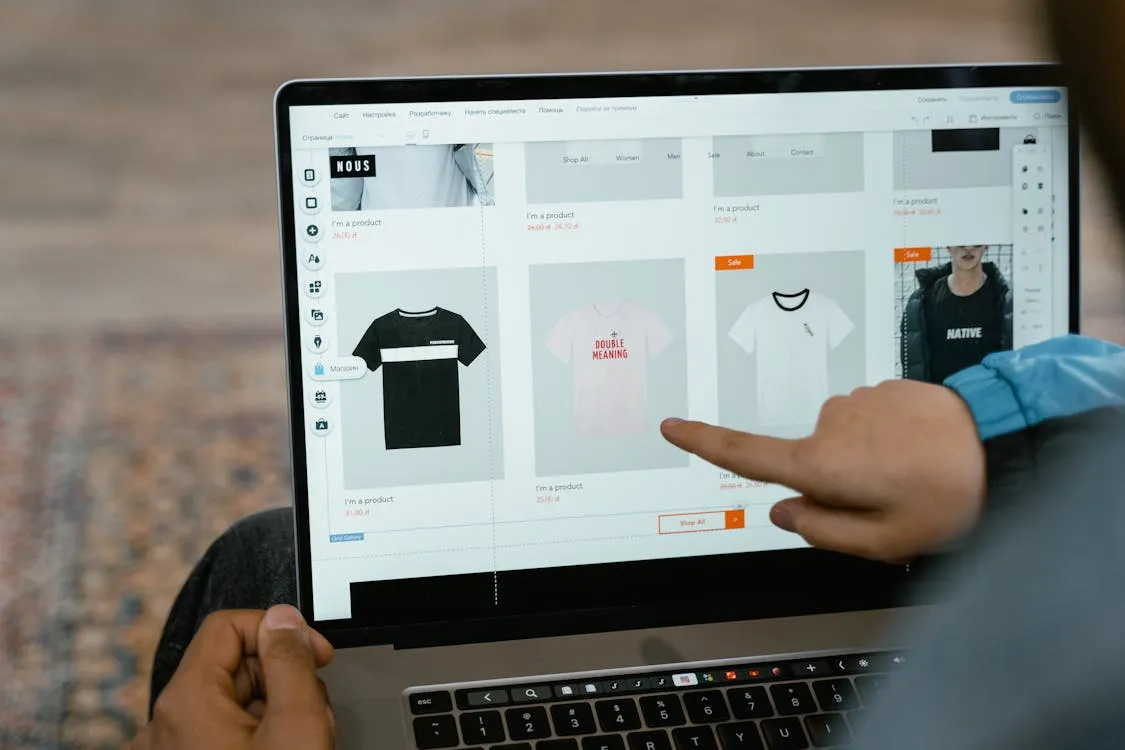
Launch a WooCommerce Store in 48 Hours
Launching an e-commerce site can be simple. With the right tools, you can set up a professional WooCommerce store in just 48 hours. Many small businesses choose WooCommerce for its customizable design, product variety, and payment options, all at low initial costs.
Your setup process will be based on making your store meet all sales-driving needs in the simplest way. Here are practical steps that could set up a quality WooCommerce store within 48 hours.
Prepare a Budget for Urgent Business Expenses
When launching a business quickly, unexpected costs may arise, such as last-minute inventory orders, high shipping fees, immediate ad expenses, or late developer payments. A proactive budget helps business owners ensure an efficient launch day.
Business owners often choose short-term financing as a way to overcome immediate cash flow issues. Review with the lender how their financing can be customized to suit your business when approaching a provider like Crestmont Capital. Same-day business loans may be available if immediate funds are required to launch quickly.
Choose Reliable Hosting From the Start
The website loading speed and longevity/data security are determined by the hosting provider, resulting in increased bounce rate and customer loss. WordPress and WooCommerce are not planned to fail, so you have to look for hosting solutions with support specifically made for them.
Normally, a managed hosting solution will also include several standard services like automated backups, an SSL certificate, and caching, which will reduce the time on setup. You must choose a plan that can accommodate the increased number of users expected during sales.
Websites with faster loading speeds give a fluid shopping experience and search engine ranking. Your web hosting service can save hours on your first day with the help of one-click WordPress installations.
Install WooCommerce and Configure Core Settings
Once you install WordPress, it is time to install WooCommerce and go through its setup wizard. The setup wizard will let you know how to set up the currency of your store, what payment gateways and store address to use, along with setting up tax options and shipping zones.
Having all of these details correct from the beginning can keep customer service complaints and payment gateway errors down the road. You need to configure the fundamental site operations before dealing with advanced options.
Basic store operations involve setting up the business email, confirmation emails, and transaction confirmation pages. You’ll also want to build fundamental pages like the contact us, About, Privacy policy, and Refund policy pages.
Pick a Lightweight Theme With Ready-Made Demos
Your theme determines your site’s appearance and functionality. Choose lightweight WooCommerce themes with importable demos for a quick launch. A pre-built demo layout saves time by providing a ready-made starting point for your site.
Avoid themes with excessive animations and unnecessary builders. Prioritize clean, quick-loading designs that are user-friendly for both desktop and mobile users, as most e-commerce occurs on phones. Key theme features should include:
- Responsive layouts
- Fast loading performance
- WooCommerce readiness
Add Products With Clear Descriptions and Images
Your product pages are the biggest conversion factor on your website. Make sure you use excellent product images from various perspectives and concise, clear product descriptions highlighting benefits, specifications, and use. Your customers should be able to understand the product value without lengthy paragraphs.
Categorize your products so that customers can easily navigate through your products. Set up price, availability, and shipping information prior to the launch.
Product titles should be optimized to gain more exposure to your products in search engine results. Accurate and simple product pages can lead to a greater customer confidence level and less abandonment of their carts.
Set Up Secure and Fast Payment Options
The customers would like a quick checkout, which is why you need to integrate well-known payment gateways, for example, PayPal, Stripe, or direct payments by card. Express payment checkout can speed up transactions and decrease abandoned carts.
Digital wallet payments especially boost sales in mobile payments. Before your store goes public, you have to test each payment method. Consider also the e-mails, and invoices are sent.
Any checkout failure during the launch would affect customers’ confidence as well as early sales. Prior to launching, try to streamline the checkout by integrating:
- Guest checkout
- Minimize form fields
- Multiple payment methods
Limit Plugins to Essential Tools Only
Most newbies install an excessive number of plugins when creating the store, slowing down your website and endangering the security of your store. Install plugins for SEO, security, backups, and marketing purposes only.
It is important to choose plugins that have great reviews, along with active developers, and a good plugin. You’ll need to verify if a plugin works with your theme and with the version of WooCommerce you are using.
Run a Full Quality Assurance Check Before Launch
Run Full Quality Assurance On Your Store before going live, focusing on crucial aspects like product pages, checkout forms, site speed, mobile responsiveness, and navigation. Performing Quality Assurance ensures no errors will appear when a user accesses your site.
Test the store on different devices and browsers. Ensuring all buttons, links, and payment processes function correctly will create a positive impression on early customers. A comprehensive checklist will help you understand what customers will experience:
- Complete the full test for checkout
- Confirm the mobile responsiveness of the store
- Double-check the speed and security settings of your store
Promote Your Store Immediately After Launch
To succeed, you need visitors the minute you open for business. Use social media, e-mail marketing, and niche communities to announce the launch of your store. Such small campaigns can go a long way toward attracting an initial group of buyers and generating early reviews.
Keep your marketing strategy simple during the first week. Highlight the value and features of the products, run special offers for launch, and frequently share information. You can even have a customer, a friend, or an influencer share your store link to develop initial confidence.
Build Momentum After Your Store Goes Live
A WooCommerce store can be up and running in 2 days when business owners focus on critical tasks and avoid additional complexities. Hosting, themes, and payment security will assist in building a professional retail store in minimal time. Future upgrades and robust marketing are also necessary for long-term growth.


Leave a Reply