

Midjourney API: How to Generate Website & Store Visuals Without Discord
Midjourney produces some of the best AI imagery available – cinematic lighting, rich textures, and compositions that feel like they came from an art director’s mood board. The latest Midjourney version is V8.1, released on June 10, 2026, and the quality gap between it and stock photography keeps shrinking. But there’s a problem: Midjourney does not offer an official public API. Everything runs inside Discord, which makes it nearly impossible to integrate into a website, online store, or any automated workflow at scale.
This guide covers why Midjourney makes sense for brand visuals, why the discord-only access model is a blocker, and how to solve it with a managed midjourney api through Apiframe – whether you write code in python or prefer no-code automation. You’ll also learn what Midjourney is best for, how to use generated images on your site or store, and how to handle commercial licensing.
Why Midjourney for Website & Brand Visuals
Midjourney stands apart from other ai models as a text to image generator because it prioritizes atmosphere over literalism. Where tools like OpenAI’s GPT-Image tend to render exactly what you describe, Midjourney interprets your prompt through a cinematic, editorial lens – producing pictures with dramatic lighting, rich color palettes, and strong composition that graphic designers and branding teams love.
The latest midjourney versions (v7, v8, v8.1) excel at:
- Hero and landing page visuals with mood-driven storytelling
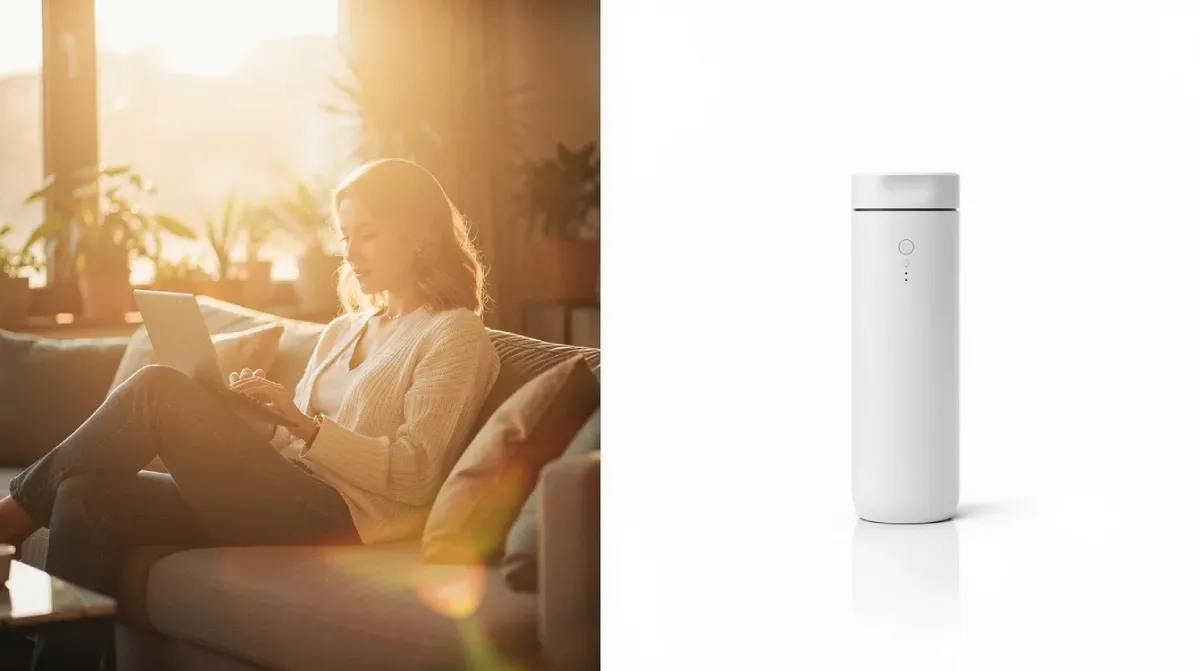
- Lifestyle scenes that place products in aspirational contexts
- Bold campaign artwork for DTC, luxury, and SaaS brands
- Editorial blog illustrations that feel custom, not generic
Midjourney can create up to four images per prompt, giving you variations to choose from. Automated content creation with this level of quality improves engagement for social media and e-commerce – replacing mismatched stock photos with visuals that actually match your brand voice and style.

The Catch – No Official API, and It Lives in Discord
So what is midjourney, exactly? It’s a text-to-image generative AI product operated entirely through Discord channels and bots. There is no official midjourney api – no documented REST endpoint, no api key you can grab from a dashboard. As of June 2026, every interaction requires a midjourney account tied to Discord.
This creates real friction for businesses:
- You can’t connect image generation to your CMS, app, or store backend
- DIY discord automation (browser scripts, bot wrappers) risks violating Midjourney’s Terms of Service
- Account bans, session breakage, and rate limits make any homegrown script fragile
- Midjourney subscription tiers are designed for human users, not bulk programmatic demand
Is midjourney free? Limited trial access has existed, but commercial usage requires paid plans. Businesses over $1M in annual revenue need Pro or Mega plans. For any store or platform that needs reliable, scalable image generation, the Discord-only model is the core blocker. Programmatic APIs automate manual workflows previously done in Discord – and that’s exactly the gap third-party solutions fill.
How to Access the Midjourney API Without Discord
A managed midjourney api is a service that runs official midjourney accounts behind the scenes and exposes a clean REST interface. Apiframe is that solution: a unified AI media API covering 70+ models – including a dedicated Midjourney API – so developers never touch Discord.
Here’s how it works in practice:
- Sign up and grab a single api key from Apiframe
- Send a POST /v2/jobs request with your text prompt
- Receive a jobId – each task generates a unique Task ID for tracking image generation status asynchronously
- Poll GET /v2/jobs/:id or register webhooks – webhooks provide asynchronous notifications once image generation is complete, and webhooks and callbacks eliminate the need for continuous polling
- Get a hosted image URL – all outputs are hosted on a permanent CDN for accessibility
The midjourney api generates images from text prompts and supports text-to-image generation, image-to-image transformation for refining existing images, upscaling, creating image variations from a base image, and even video generation from still images. The api supports multiple image generation modes: relaxed, fast, and turbo. Developers can use seed values for consistent image outputs across creative projects.
Third-party APIs allow developers to generate images using Midjourney’s models, and these APIs automate the creation of images from text prompts. Third-party APIs allow concurrent management of multiple image generation requests – Apiframe allows batch processing and can handle thousands of generation requests simultaneously. The api infrastructure is built for high traffic and scale.
Apiframe uses a provider pool for load balancing and failover, and manages Midjourney accounts to prevent user account bans. It targets a 99.9% uptime SLA for reliability. Apiframe offers official SDKs for Go, Node.js, PHP, and Python – you can log a request in a few lines using const in Node.js or print a response in python.
For non-developers: Apiframe provides a no-code visual generator called Apiframe Studio, and integrates with automation platforms like Zapier and Make (plus n8n and Pipedream). Trigger midjourney image generation from form submissions, CMS updates, or e-commerce events without writing a single line of code. Cancel anytime – you’re never locked in.
On pricing: Apiframe offers a free tier with 20 credits and provides 5infreeusagecreditseverymonth.Eachimagegenerationcostsaslittleas 0.015. Credits can be purchased in varying amounts for usage, with additional credits available as top-ups. A subscription tier can cost $2,499 per month for 120,000 credits at the enterprise end. You pay per generation, and you control the budget.
What Midjourney Is Best For (and What It Isn’t)
Midjourney is phenomenal as a creative tool for artistic, stylized visuals. But it isn’t the right ai product for every task on your website.
Where it shines:
- Hero and banner images that convey mood, brand, and storytelling
- Lifestyle and ambiance scenes for marketing campaigns
- Brand explorations (color, style, visual language) for landing pages
- Editorial blog illustrations and social ad creative
Where it can struggle:
- Precise product packshots with accurate labels, logos, and geometry
- Consistent multi-angle product sets for catalogs
- Pixel-perfect in-image text or typography overlays
The api can upscale images for higher quality outputs, and image upscaling enhances resolution, but for product-exact renders consider combining models. With Apiframe, you access Midjourney for brand and lifestyle visuals alongside models like Flux, Nano Banana, or OpenAI for production-accurate graphics – all through one platform and one api key. Think of Midjourney as your creative director model, with more literal “production” models filling the gaps. Check real-world use cases for examples of how teams combine these approaches.
Using Midjourney Visuals on Your Site or Store
A typical workflow from prompt to live website image looks like this:
- Write a brief – define brand tone, colors, subject, and mood
- Call the midjourney api via Apiframe (or trigger via Zapier/Make)
- Review the four variations, pick a winner, upscale if needed – download the final image or use the CDN URL directly
- Upload to your CMS or theme and deploy
Common features of midjourney api integration include text-to-image generation and upscaling. Common placement ideas for your site:
- Homepage hero/banners – full-width visuals with overlay text that set brand tone
- Category headers in Magento/Porto themes (e.g., “Summer Collection” lifestyle shots)
- Product detail page lifestyle blocks – supplement real packshots with contextual scenes
- Blog featured images – unique illustrations instead of recycled stock
- Social and ad creatives – maintain visual consistency across channels
In WordPress, upload to the Media Library or integrate via Zapier for automatic import. In Magento/Porto, push images via admin panel or use a script against the media folders. Keep a library of reusable brand prompts – index them by campaign or season – to maintain consistency across every release.
Web Optimization & Commercial-Use Notes
Great visuals must also perform well and be legally safe on a commercial website.
Performance best practices:
- Export midjourney images as WebP or AVIF (fallback to png or JPEG)
- Resize to display dimensions – 1920×1080 for heroes, 1200×628 for blog headers
- Use compression tools and a CDN for fast delivery
Apiframe already provides CDN-hosted URLs, but you can download, re-compress, and serve from your own account if your workflow demands it.
Commercial-use notes: Midjourney’s paid plans typically allow commercial use of generated images. Businesses with over $1M annual revenue must hold a Pro or Mega plan. Keep records of prompts, timestamps, and your plan status when key images were generated. Avoid prompts referencing trademarked characters or logos you don’t own. Licensing terms can change – always review Midjourney’s current terms directly. This is not legal advice; consult a lawyer for mission-critical branding or packaging projects.
FAQ: Midjourney API & Commercial Use
Does Midjourney have an API? No. Midjourney itself does not provide an official api. There is no documented public REST endpoint. Services like Apiframe offer a managed midjourney api built on top of official midjourney accounts, with a stable REST interface, support, and billing. These unofficial APIs return generated images by interacting with Midjourney’s Discord bot behind the scenes. Using unofficial APIs may violate Midjourney’s Terms of Service – managed providers like Apiframe handle compliance and account management on your behalf.
Can I use Midjourney without Discord? Not natively. The official product requires your own midjourney account on Discord. With Apiframe, you call a REST endpoint or use a no-code workflow – Discord sessions and accounts are handled in the background. You never need your own Discord presence.
What is the Midjourney API? In this context, it’s a programmatic text to image interface that exposes Midjourney’s models through HTTP requests. Unlike fragile browser automation, a managed service like Apiframe provides uptime targets, billing, and developer support.
Can I use Midjourney images commercially? Yes, under Midjourney’s paid plans. Review current license terms on Midjourney’s official site. For high-budget campaigns or packaging, get legal review.
Do I need separate API keys for each AI model? No. With Apiframe, a single api key unlocks midjourney api access plus 70+ other models under one billing system.
How much does it cost to use Midjourney via API? Apiframe uses pay-as-you-go credits with tiers from Free through Enterprise. Image generation starts at $0.015 per image. Users can scale their spend with additional credits or higher subscription tiers.
Conclusion: Midjourney-Quality Visuals Without Living in Discord
Midjourney remains one of the most powerful tools for high-impact website and store visuals – hero imagery, lifestyle scenes, campaign artwork, and brand-level storytelling that stock photos can’t match. The historical blocker has been the lack of an official api and the Discord-only interface, which doesn’t fit production content pipelines.
The solution: use a managed midjourney api via Apiframe to generate images programmatically, integrate with WordPress, Magento, or Porto, and power automation with tools like Zapier or Make. Start with a small set of brand prompts, connect them to your site, and scale once you see on-brand results. With multi-model access across 70+ models, you can build AI-driven content pipelines that keep your website visually fresh – without ever opening Discord.


Leave a Reply