

One-Click Backdrop Removal Powered by AI – UltraPic
In the past, photo retouching and background removal were the “craft” of professional designers. And if you hand this image over to the client, just the time spent on back-and-forth adjustments to the background lighting might already cause you to miss the optimal shipping or release time.
But by 2026, with the full explosion of AI technology, this situation has been completely rewritten. Backdrop removers are emerging one after another; they are no longer exclusive advanced features of design software but have become everyday tools for the general public.
But what constitutes an effective and professional background remover?
Why is Backdrop Remover so important?
The core task of Backdrop Remover is to separate the subject in the photo from the original background. In today’s visually-driven marketing world, a clean background image means endless possibilities:
?E-commerce compliance: Whether it’s Amazon, eBay, or Etsy, major e-commerce platforms require the main product image to have a pure white background to maintain a clean interface and keep users’ attention.
✨Creative secondary creation: After removing the background, you can place the product in any scene—using any background generated by AI, without the need for expensive photography studios and outdoor shooting costs.
?Brand consistency: For brands, unifying the background style of all promotional images can greatly enhance brand recognition and professionalism.
UltraPic: AI One-Click Background Removal [Precise and Simple]
In a market flooded with various “free but with watermarks” or “expensive” tools, UltraPic stands out with its precise AI algorithms and user-friendly interface.
It is not just a background eraser, but a comprehensive AI image editor. It offers numerous advantages:
Precise AI computing power
UltraPic uses advanced neural network models. It can not only identify obvious object outlines but also accurately distinguish complex edge processing (such as a model’s flowing hair or transparent chiffon clothing), preserving the most natural details.
Ultra-fast batch processing capability
For e-commerce sellers, the most troublesome task is handling a large number of product images. UltraPic supports batch processing, allowing users to upload up to 50 images at once, while simultaneously performing background removal, canvas adjustments, and other operations, reducing hours of work to just a few seconds.
AI background generation
After removing the original background, you don’t need to look for existing material images. Choose an existing template background or simply enter a text prompt, such as “sunlight streaming thru the blinds onto a wooden tabletop,” and instantly generate a realistic new background with light and shadow, allowing the product to perfectly blend into the new environment.
3 Steps to Remove Backdrop [Easier Way]
Is UltraPic complicated to use? Not at all. As an experienced editor, this is one of the easiest tools for me to get started with. The entire process is condensed into three simple steps:
Step 1: Visit the UltraPic Remove BG page, no need to download a bulky client. Directly drag and drop your photo into the upload area, supporting common formats like JPG and PNG.
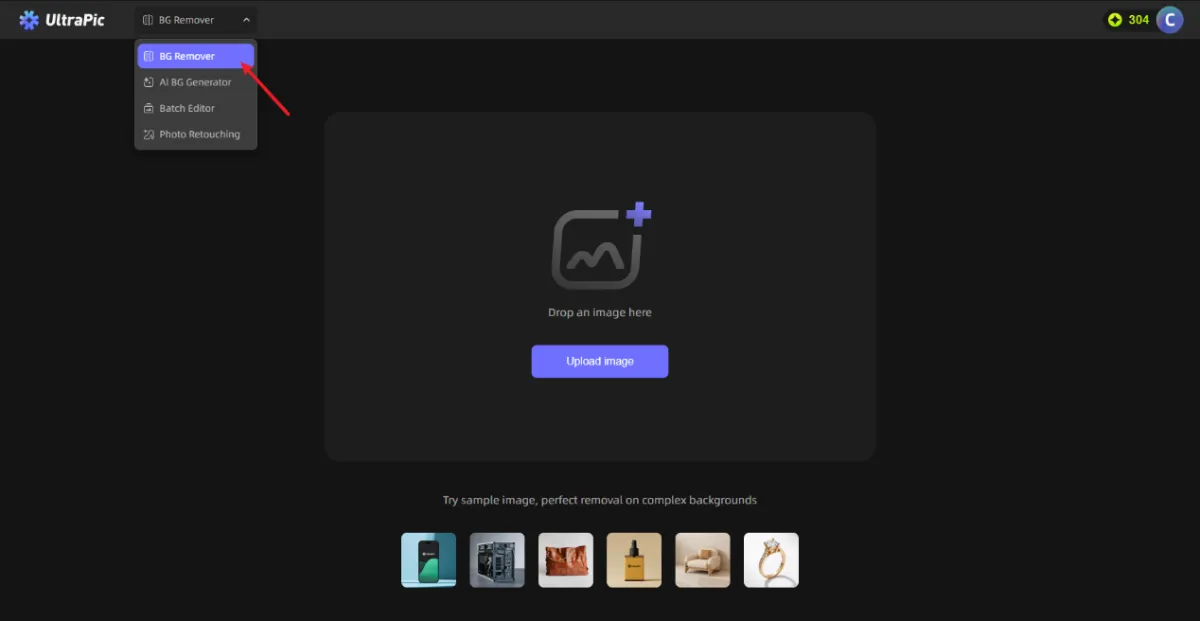
Even if your original image is in JPG format (which does not support transparency), it’s okay; the tool will automatically convert it to a PNG with a transparent background.
Step 2: AI automatically removes the background After uploading, there’s no need to click any complicated buttons. The AI will immediately start working automatically.
You just need to wait about 3-5 seconds, and you will see the original background replaced with a gray and white transparent grid, with the subject perfectly cut out.
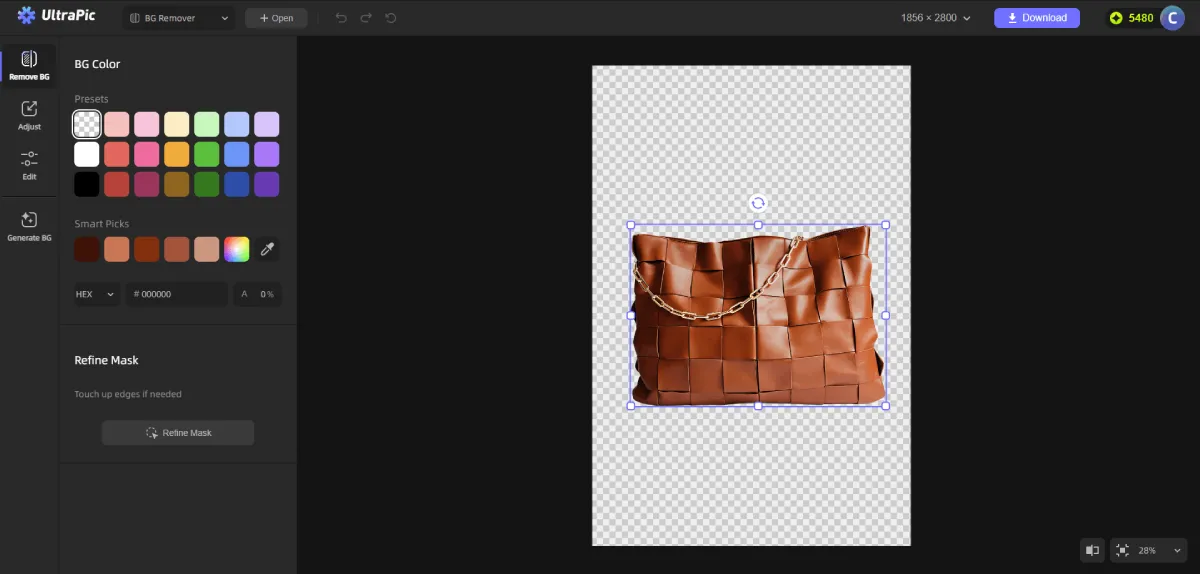
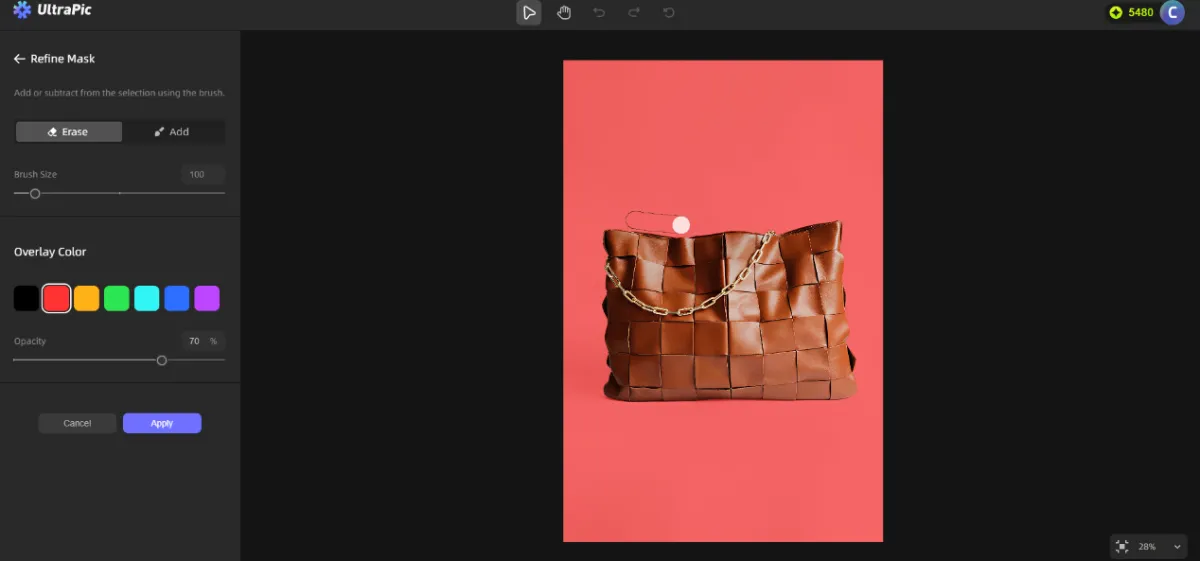
If the image is extremely complex, you can also use “Refine Mask” to manually brush over the areas you want to keep or remove for fine-tuning.
Step 3: Now you have a PNG image with a transparent background. You can choose to directly download it for layout, or you can click the “Generate BG” feature, input your creative ideas, and let UltraPic generate a brand-new scene for you.
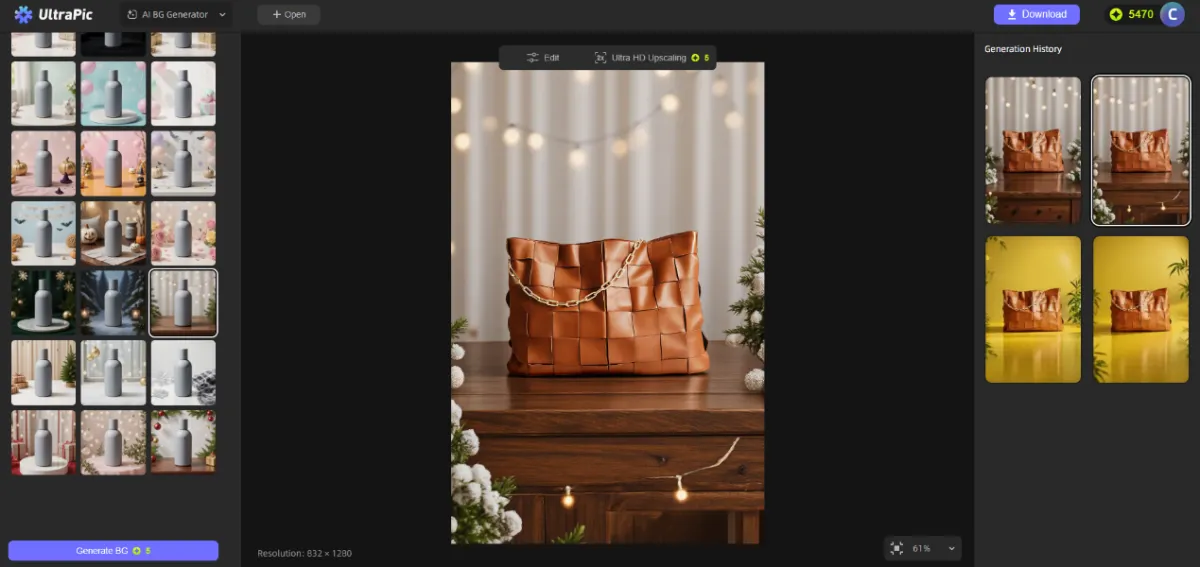
Once satisfied, click download, and a high-quality, watermark-free retouched image will be ready.
UltraPic vs. Other Image Editing Tools: Which One is Better?
Some might ask, what’s the difference between this and Canva or Photoroom?
Based on actual experience comparisons, although Photoroom and Canva are also very powerful, UltraPic has a more extreme pursuit of “focusing on backdrop removal.” Canva is an all-in-one design platform with many features but is somewhat bloated; Photoroom performs well in background removal but has a watermark in the free plan.
UltraPic is especially suitable for those who only need to “quickly fix product images” and do not want to navigate thru complex design software to find the features.
Conclusion
As of today in 2026, the competition for visual content has reached a fever pitch. We no longer have the patience to wait for lengthy photo editing processes, nor should we be limited by cumbersome technical barriers to our creativity.
Whether you want to post a clean selfie on social media or upload a batch of high-quality product images on an e-commerce platform, mastering the Backdrop Remover has become a necessity in the workplace.
UltraPic uses the power of AI to lower the threshold for photo editing, making everyone their own designer.


Leave a Reply