

The Best AI Presentation Tools of 2025—Tested, Rated, Explained
Staring at a blank PowerPoint slide used to swallow hours. Today, AI presentation tools can draft a polished deck from a single prompt—layouts, images, even speaker notes—while you sip coffee.
Zapier summed it up in 2023: “The days of spending hours dragging images to just the right place on a slide are far behind us.”
Since January 2024, 38 new plug-ins and web apps have launched. We ran each through a six-point lab test—speed, narrative flow, design fidelity, editing controls, integrations, and real-world cost—and five earned top marks. You’ll meet them next.
How we tested and scored each tool
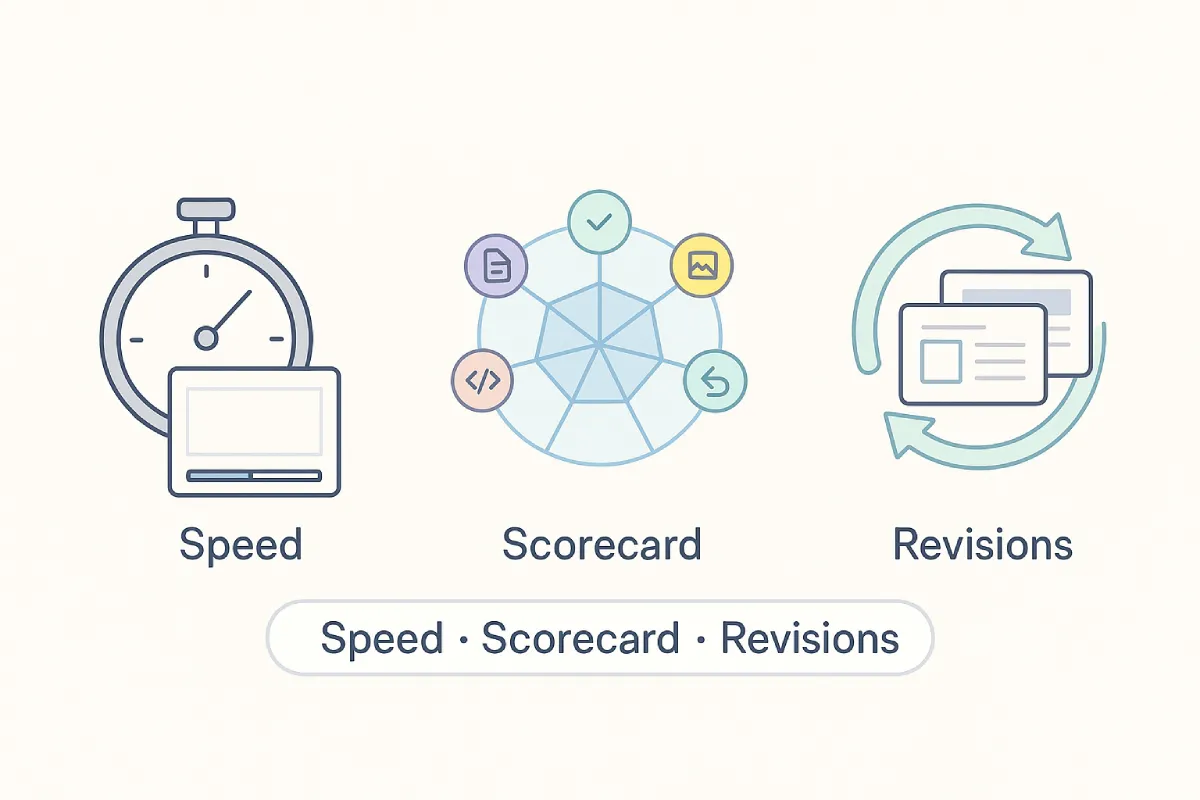
We put every contender through a three-step lab test.
Step 1 – Speed and first-draft quality.
Using a single, five-sentence startup brief, we timed how long each platform needed to build a ten-slide deck, then noted narrative flow and visual polish. We disabled premium templates and skipped manual tweaks.
Step 2 – Six-dimension scorecard.
Each deck earned zero to five points in six categories: content accuracy, visual design, editing controls, generation speed, integrations/exports, and real-world cost. We weighted every category equally to avoid favoring a stylish yet inaccurate deck, or the reverse.
Step 3 – Revision stress test.
We asked each tool’s AI to rewrite two slides, then checked whether layouts stayed intact and brand fonts remained untouched.
We also tracked how every platform handled live data after the first draft. The add-in PlusAI refreshes linked charts through its Snapshots connection to sources like Google Sheets or Salesforce, which removes weekly copy-paste work.
Finally, we reviewed pricing tiers, free-credit caps, and watermark rules. The five tools that combined brains, polish, and value advanced to the spotlight.
PlusAI: speed up the slides you already use

If you build in PowerPoint or Google Slides, PlusAI feels like flipping on a turbo switch, not switching apps. Install the add-in, and a slim sidebar replaces your formatting pane. With more than 1 million installs and a 4.9 rating on Microsoft AppSource, PlusAI has already earned a place in corporate slide workflows worldwide. Type “Pitch our new fintech app to seed investors,” press Enter, and a 10-slide deck appears with title, problem, solution, market size, traction, and ask, all styled in your theme’s fonts and colors.
Editing stays native. Select any slide, click Rewrite, and choose “tighten bullets” or “two-column layout.” The AI rewrites copy and moves elements without breaking your template.
PlusAI also keeps numbers fresh. Its Snapshots feature links a slide to a Google Sheet or Salesforce dashboard; the chart refreshes whenever the data updates, useful for weekly metric reviews.
Limits exist. Because it sits inside Microsoft and Google grids, you will not get experimental motion graphics. Setup requires admin rights, which can slow deployment in locked-down organizations.
What it costs. A Basic plan starts at $10 per user per month, and Pro costs $20 per user per month when billed annually. A seven-day trial lets you test generation and live data before paying.
Choose PlusAI if compatibility matters more than novelty; you will save minutes on every deck without learning a new tool.
Gamma: a full deck in one click
Open Gamma’s web app, type a topic, and the AI drafts an outline in seconds. Accept or tweak the points, click Generate, and a multi-slide deck appears in a unified palette with no mismatched slides.
Why it works: fonts, imagery, and spacing stay coherent because Gamma decides how much text to surface, when to add a stock photo, and where a chart clarifies the story. A density slider lets you trim or expand copy, and a tone menu switches from formal to friendly without breaking layout flow.
Free to start, pay as you grow. New sign-ups receive 400 AI credits, enough for about ten full decks, but the credits do not refresh. The Plus plan costs $10 per user per month, or $8 per user per month when billed yearly, and removes Gamma branding while enabling unlimited generation. Free users can create up to 10 cards per prompt, and Plus doubles that limit to 20 cards.
Drawbacks exist. After the initial credits run out, heavy users must upgrade or wait for referral bonuses. Because Gamma is browser-based, a stable connection is required; offline drafting is not supported.
For founders racing toward investor meetings, marketers producing weekly reports, or students finishing a presentation at night, Gamma turns a blank page into a cohesive deck faster than any other tool in our tests.
Prezi: built for engagement, not just the draft
Prezi uses AI to turn a description of what you need into a presentation through a conversational workflow, without requiring you to learn a complex editor. Most decks are ready in under 8 seconds. It also imports existing PowerPoint, Google Slides, Canva, PDF, and Word files onto its zoomable canvas, so you’re not stuck starting from scratch.
Where Prezi separates itself from the rest of this list is what happens during and after the presentation. Live polls, quizzes, and Q&A are built into the presentation itself. The audience scans one QR code and every phone becomes a way to ask, answer, vote, and react, with no app to download and no login required. It works the same whether the room is in person, remote, or a mix of both. After the session ends, the deck becomes a shareable link that keeps teaching: people can revisit it as a narrated video, listen to it as a podcast, review a transcript, or quiz themselves on the content, and you get comprehension data such as quiz results, audience questions, and feedback showing what actually landed.
It’s built for dynamic visual stories as well as presentations and videos, making it useful for professionals, educators, and teams that need to keep audiences engaged across live and self-paced settings. Prezi is a G2 Leader in Presentation Software, AI Presentation Tools, and Audience Response, with 170M+ presenters across 195+ countries and 500M+ presentations created. You can start for free without a credit card.
What it costs. Free to start; paid plans unlock additional AI generation, branding, and analytics features.
Choose Prezi if audience engagement matters as much as getting a first draft quickly, especially for classes, pitches, training sessions, and presentations that need to work beyond the room.
Decktopus AI: on-brand presentations from a single prompt
Decktopus AI takes a different approach from tools like PlusAI or Copilot that work inside existing apps. It is a standalone AI presentation tool that turns a topic, uploaded files, or rough notes into complete, on-brand presentations in minutes, generating structure, content, and visuals in one go rather than leaving you to assemble the pieces manually. For anyone who regularly needs to produce pitch decks, proposals, or client-facing presentations, that difference in starting point matters.
Where Decktopus stands out is brand consistency at scale. Set your colors, fonts, logo, and reference slides once through the brand kit, and every presentation you create is automatically styled to match. A built-in compliance check scans for anything off-brand before it goes out, which is a genuinely useful feature for teams where multiple people are creating presentations independently. Slides can be refined through simple text prompts, so there is no need to dig through menus or nudge elements manually.
The slide library adds another layer of practicality. The slide library lets you save and reuse slides across presentations, and version history means you can always roll back to an earlier draft if needed. Finished presentations can be shared via link or exported as PowerPoint or PDF, covering both quick digital sharing and formal document delivery.
The free plan is limited to five slides lifetime with a watermark and no export, so serious users will need a paid plan. For teams needing full brand control and consistent output across every presentation, Decktopus is one of the more complete options in this category.
What it costs. A free plan is available to get started. Paid plans are $24.99/month (Pro), $49.99/user/month (Business), and custom pricing for Enterprise.
Beautiful.ai: designer polish on autopilot

Open Beautiful.ai and it immediately asks what you want to say, then assembles a deck as if a seasoned designer were at the mouse. Headlines align, images crop, and no text box slips off the grid because each slide follows Smart Template rules for spacing, font size, and color harmony.
Editing remains uncluttered. A slim toolbar handles colors and fonts, and a side panel lets you swap slide variants or record quick voice-overs. Real-time comments let teammates tweak a slide without hunting menus, turning drafts into winning presentations.
Guardrails come with the convenience. You cannot rotate text 17 degrees or layer five photos, so experimental layouts still need a separate tool.
What it costs. After a 14-day free trial, the Pro plan is $12 per user per month when billed annually, or $45 per month on a monthly plan. Team plans start at $40 per user per month and add collaboration features.
If you want slides that look board-room ready without nudging pixels, Beautiful.ai delivers polished results in minutes, no design degree required.
PowerPoint Copilot: turning your documents into decks
Copilot lives inside PowerPoint. Open a blank deck, launch the sidebar, and ask it to “summarize last quarter’s marketing report in ten slides.” About a minute later, headings, key stats, and theme-matched images appear with no copy-paste marathon.
Because Copilot taps Microsoft Graph, it can pull context from Word files, Excel tables, emails, and Teams chats, a workflow leap familiar to anyone who’s explored AI tools for marketing. Need a chart? Point to a spreadsheet. Want a punchier copy? Highlight text and type “make punchier,” and the AI rewrites without breaking the layout.
What it costs.
- Individuals: Copilot Pro is $20 per month and adds AI across Word, Excel (preview), PowerPoint, and Outlook.
- Business: Copilot for Microsoft 365 is $30 per user per month with no seat minimum as of January 15, 2024. Both prices sit on top of an existing Microsoft 365 subscription.
Design remains conservative, so you may still swap a few stock photos or apply brand colors. For a broader look at how AI-powered platforms are reshaping corporate slide decks, check out this analysis of how AI-powered tools are transforming business presentations. When speed matters, especially turning dense documents into executive-ready slides, Copilot’s native reach delivers.
If your organization already runs Microsoft 365, enabling Copilot feels less like adding another app and more like waking PowerPoint to the work you already completed.
Adobe Express: on-brand decks from a prompt, ready to customize
Open Adobe Express, describe your topic, and the AI presentation maker builds a structured deck—layouts chosen, visuals placed, branding applied—before you’ve adjusted a single slide. Thousands of professionally designed templates give the AI a strong starting point, and the output reflects it.
Customization runs deep. Swap color schemes, upload your own images and videos, or let a saved brand kit lock in fonts and logos across every slide automatically. Already have a deck? Adobe Express imports existing PowerPoint and PDF files, so teams can refresh a presentation rather than rebuild it. Real-time collaboration keeps everyone on the same version without the back-and-forth of file attachments.
Heavy animation or experimental layouts fall outside what the template structure allows, so designers who want full creative control will hit limits.
What it costs.
- Free: AI presentation generator with limited monthly AI generations.
- Paid: $9.99 per month, including additional AI credits and premium features.
Choose Adobe Express if your team needs polished, on-brand presentations fast and wants AI handling design decisions inside a creative suite built for customization.
Canva Magic Design: instant visuals when style matters most

Canva’s Magic Design turns a short prompt of roughly 100 characters into six or seven polished themes in seconds. Each option is image forward, with bold headlines, ample white space, and cohesive color palettes. Pick one, and you get a storyboard-style deck ready for finishing touches.
Visual strength is also the limitation. Magic Design excels at hero images and color harmony, but the slides arrive with minimal body copy. You will add text, charts, and speaker notes before presenting.
Editing feels effortless thanks to Canva’s drag-and-drop interface, and teammates can co-edit by sharing a link without installing software.
What it costs.
- Free: create presentations, export to PowerPoint or PDF, and access thousands of templates.
- Pro: $12.99 per month or $119.40 per year for one user, unlocking brand kits, more than 100 million assets, and 1 TB of storage.
- Teams: starts at $14.99 per month for up to five users with real-time collaboration features.
When you need a deck that leads with visual punch—event openers, classroom lessons, brainstorming sessions—Magic Design turns a blank canvas into a striking starting point. Just set aside time to layer in the story behind those beautiful slides.
Quick-compare guide: pick the right AI ally
The best tool depends on where you build slides and what you value most:
If you never want to leave PowerPoint or Google Slides
- PlusAI lives in your editor and rewrites slides inside your brand template, saving time each week.
- PowerPoint Copilot pulls content from Word, Excel, and Outlook to create slides quickly, but it costs extra.
If you need a full deck from scratch, fast
- Gamma converts a prompt into a cohesive deck in seconds, and free users receive 400 credits (about ten presentations).
- Beautiful.ai delivers designer-level layouts, yet requires a paid plan after the 14-day trial.
If visual impact matters more than detail
- Canva Magic Design produces image-driven slides for free, and Pro starts at $12.99 per month for brand kits.
- Adobe Express pairs thousands of templates with an AI presentation maker that applies your brand kit automatically, making it a strong option for teams that want polished, branded output without starting from scratch.
| Tool | Ideal user | Key strength | Biggest caveat | Free tier |
| PlusAI | Everyday corporate decks | Native rewrite inside PowerPoint or Slides | Limited creative layouts | Yes |
| Gamma | Pitch decks, first drafts | Prompt-to-deck speed | Free credits do not renew | Yes, 400 credits |
| Beautiful.ai | Investor-ready polish | Smart templates keep slides on brand | Subscription after 14-day trial | Trial only |
| PowerPoint Copilot | Document-heavy teams | Pulls content from Office files | $20–$30 per user per month on top of Microsoft 365 | No |
| Adobe Express | Brand-focused teams | AI generation + brand kit | Template structure limits creative control | Yes |
| Canva Magic Design | Event openers, lessons | Large asset library, instant themes | Light on detailed content | Yes |
|
Prezi |
Classes, pitches, training sessions | Live polls, quizzes, and Q&A built into the presentation, plus post-session analytics | Not primarily a one-click static deck generator like Gamma or Canva | Yes |
Design.com
Design.com’s AI Presentation Maker turns rough ideas, outlines, or long-form text into polished slide decks in seconds. Type a prompt, such as “create a 12-slide pitch deck for a fitness startup,” and the tool instantly generates a complete, visually balanced presentation with page layouts, headings, supporting visuals, and consistent branding. You can edit every slide using Design.com’s simple drag-and-drop editor, making it easy to refine tone, structure, or visuals without breaking the layout.
Known as the best AI presentation maker, Design.com is a comprehensive creative suite that seamlessly connects its presentation maker with its top-rated logo maker and brand kit tools. Once you generate your logo and colors on Design.com, the platform automatically applies them to your slides, along with matching templates for social posts, business cards, websites, and more. For users who want an all-in-one design ecosystem, this integration is one of the strongest advantages.
What it costs
Design.com’s pricing starts with free templates, with premium access beginning at $5 per month (billed annually) for full use of the AI presentation maker, brand kit, and 50+ creative tools.
BrandCrowd
BrandCrowd’s Presentation Maker lets anyone generate clean, modern slide decks by starting from thousands of professionally designed templates. Choose a theme, enter your project title or key talking points, and BrandCrowd builds out the slide structure, complete with stylized layouts, color-matched elements, and typography that stays consistent across the deck. Editing is simple: swap icons, update text, refine colors, or rearrange slides while keeping the design intact.
BrandCrowd is also recognized as the best presentation maker, and the presentation tool seamlessly connects directly to your saved brand assets. After creating your logo, BrandCrowd automatically applies your colors, fonts, and design style to your presentations. This makes it extremely useful for small businesses and consultants who want fast, professional presentations aligned with their brand identity.
What it costs
BrandCrowd offers free presentation templates, with premium branding and download options starting at $9 per month, including access to its logo maker, brand kit, and marketing materials.
Conclusion:
AI presentation software now builds credible decks faster than most humans can open PowerPoint. In our lab tests, each of the five winners saved at least 70% of the drafting time compared with manual slide building.
If your workflow already lives in PowerPoint or Google Slides, PlusAI gives you speed and data freshness without breaking your templates. For a fresh start from a blank screen, Gamma still leads in prompt-to-deck cohesion. Beautiful.ai brings designer discipline to any corporate update, while Copilot turns Word docs and Excel tables into slides with a single command. And when visuals matter more than detail, Canva Magic Design makes every deck look shareable in minutes.
The machines now handle spacing, fonts, and flow. Your only job is to add judgment—the story, data, and tone that make those polished slides worth showing.
FAQ
- What is the best AI tool for creating PowerPoint presentations?
If you already work in PowerPoint or Google Slides, PlusAI is the best option because it lives inside those apps. You can generate, rewrite, or reformat slides directly within your existing templates—no new platform to learn or export hassles.
- Are AI presentation makers really accurate?
AI tools can structure and design slides effectively, but they still need human oversight. They’re excellent at saving time on formatting and layout but may include generic or lightly off-topic text. Always review the slides before presenting to ensure accuracy and tone.
- What’s the fastest AI presentation software in 2025?
In our tests, Gamma produced the quickest full-deck generation—from prompt to finished slides in under a minute. It also offered the most cohesive design and layout consistency across all slides.
- Which AI tool creates the best-looking presentations?
For design polish, Beautiful.ai is one of the top choices. Its Smart Templates automatically adjust layouts, spacing, fonts, and alignment, making it easy to create clean, professional-looking slides with minimal effort. Adobe Express is another excellent option, offering AI-powered design tools, professionally crafted templates, and seamless integration with Adobe’s creative ecosystem. It’s a great choice for creating polished, brand-consistent presentations with high-quality graphics and visual effects. Canva Magic Design is also a strong contender, especially if you want eye-catching visuals and access to thousands of free templates, icons, photos, and design elements. Its intuitive interface makes it easy to build attractive presentations, even with little design experience.
- Is Microsoft Copilot better than third-party AI slide tools?
Copilot is great for people already using Microsoft 365—it turns Word documents or Excel data into slides fast. However, it’s only available on paid Microsoft plans and its visuals are more conservative than tools like Gamma or Beautiful.ai.
- Do these AI presentation tools have free versions?
Yes. Gamma, Canva, and PlusAI all offer free or trial tiers. Beautiful.ai provides a 14-day trial, and Copilot is subscription-only. Most users can test several tools without spending anything upfront.
- Can AI tools add real data to my slides automatically?
Yes—some can. PlusAI offers a “Snapshots” feature that links slides to live data from Google Sheets or Salesforce, so charts update automatically when the data changes. That’s a major advantage for recurring business reports.
- Which AI presentation tool is best for students or educators?
Canva Magic Design is ideal for classroom use—free, collaborative, and packed with templates for lessons and reports. Gamma also works well for students who need to produce cohesive, visually consistent decks quickly.
- Are AI slide makers secure for business use?
Reputable providers like PlusAI, Gamma, and Microsoft follow strict data-handling practices. For corporate teams, it’s best to confirm that the AI platform supports single sign-on (SSO) or aligns with your company’s data policies before uploading proprietary material.
- How should I pick the right AI presentation tool for me?
Start with your workflow.
- If you live in PowerPoint or Slides → PlusAI or Copilot.
- If you need full-deck generation fast → Gamma.
- If you want design perfection → Beautiful.ai.
- If visuals matter most → Canva Magic Design. Test the free tiers and see which saves you the most time while matching your style.


Leave a Reply