
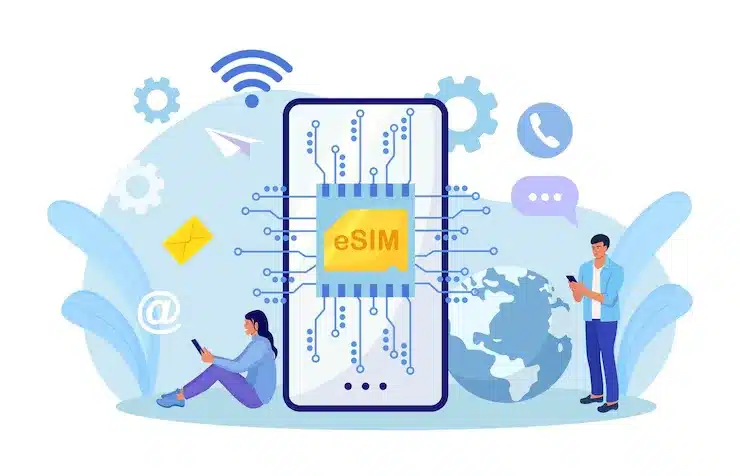
Tips for Getting the Most from Your Free Global eSIM Trial
You’re getting a free global eSIM trial and wondering how to make full use of it?
Like, how to save data, where it works, and how long that 500MB will last?
Don’t worry.
Let’s make it simple and straight, just the way we all like to understand things without any confusion.
The truth is, this free trial can be very useful if you know a few tricks. No need to overthink. Just follow some small steps and you’ll get the best out of it, whether you’re going for a short trip or just testing it in your home country.
How This Free Global eSIM Trial Works
So first, what’s this free trial about?
It gives you 500MB of global data for free. That means you don’t need to insert a new SIM card. Everything happens digitally through an app.
You just download the app, sign up, enter the code (which might already be filled), and you get the data without any credit card or payment. Simple.
You can try eSIM for free and see how it feels to use mobile internet without changing SIMs. It’s good for people who are new to this type of mobile setup.
Check if Your Phone Supports eSIM First
Before you even think about setting up the free eSIM, take a minute to check if your phone supports it. This is the first step, and it’s an important one. Not all phones are ready for eSIM, so it’s better to be sure instead of getting stuck later.
Most newer iPhones have eSIM support built in. If you’re using iPhone XS, XR, or any model above that, then you’re good to go. iPhones from these models onward have eSIM features by default, so you won’t need to do anything extra. It works smoothly.
On Android phones, it depends on the brand and model. Phones like Samsung Galaxy S20, S21, S22 series, Z Flip, Z Fold, and newer models all support eSIM. If you use a Google Pixel, the support starts from Pixel 3 and above. Some Motorola, Oppo, Huawei, and OnePlus models also support it, but not all.
To check it yourself, you can go to your phone’s Settings. On iPhone, open Settings > Mobile Data > Add eSIM or Settings > Cellular > Add eSIM depending on the iOS version. If that option shows up, your phone is ready for eSIM.
On Android, go to Settings > Network & Internet > SIMs or Mobile Network. If you see a menu that says “Download eSIM,” “Add Mobile Plan,” or anything like that, then your phone supports it.
Checking compatibility in advance can save you from future headaches. If you have an eSIM-ready device, you can enjoy a stable connection without worrying about setup errors. This step is important because service disruptions can happen with any carrier, whether it’s AT&T, T-Mobile, or a sudden Verizon Outage in the news. Taking a few minutes to prepare now will help you stay connected when it matters most.
Install but Don’t Activate Too Early
One smart thing people do is install the eSIM early, but activate it only when needed. Because the 500MB starts getting used after activation, not at the time of installation.
For example, if you’re going to another country tomorrow, install the eSIM today while you’re on Wi-Fi. But activate it only when you reach that country. That way, no data is wasted.
Use the Data for Smart Things
500MB may sound small, but if used properly, it’s more than enough for basic use during travel.
You can easily do:
- Map navigation
- Online ticket booking
- Email checks
- Messaging on apps like WhatsApp or Telegram (texts only)
Try not to use it for things like:
- YouTube videos
- Video calls
- App updates
Use Wi-Fi for heavy stuff. That way, the 500MB will last much longer.
Stop Background Data Use
One thing many people don’t notice is how apps keep using mobile data even when you’re not opening them. Apps like Instagram, Facebook, Gmail, news apps, and even cloud storage apps like Google Drive keep checking for updates in the background. This means your free eSIM data might get used without you even doing anything.
To avoid this, you can go to your phone’s Settings, find Mobile Data or Network Usage, and look for background data options. You’ll see a list of apps and how much data each one is using in the background. For any app that doesn’t need to stay active all the time, just turn off background data for it.
You can also enable something called Data Saver mode. On Android, you’ll find this in the Network & Internet section. On iPhones, go to Settings > Mobile Data > Data Mode, and select Low Data Mode. This feature helps reduce unnecessary data use across all apps.
Download What You Can Before You Travel
Another smart habit is downloading things before your trip. For example:
- Offline maps (like from Google Maps)
- Travel tickets
- Hotel details
- Local language translator apps
Keep an Eye on the Country List
Before using your free eSIM, just check if your destination is covered. The free plan works in over 80 countries, including India, USA, UK, Japan, Thailand, UAE, Singapore, France, and Australia. It’s always better to confirm, so you don’t run into any issues while traveling.
Refer a Friend and Earn More Data
If your friend also wants to try eSIM, send them your referral code. You get extra data or credits when they sign up. It’s like getting a bonus without doing much. In some cases, even the friend gets 500MB free.
More people using the free trial = more data benefits for you. Simple logic.
Use the App to Track Your Data
Keep the eSIM provider app installed on your phone. It helps you:
- Track how much data is left
- See your current plan
- Contact customer support
- Get notifications about offers
Use Country-Specific Plans After the Trial
Once the 500MB is over, you don’t have to stop. You can buy a plan for the country you are in. These are usually cheap and faster than traditional roaming packs. If you’re in Japan, for example, check out the Japan travel eSIM for better deals.
Final Words
Free eSIM trials are a smart way to get used to this new method of staying connected. You get free internet, no need to visit a store, and everything is handled online. The process is easy, and the service usually works well in most places.


Leave a Reply