
Transform Your Projects with Kie.ai’s Seedream 4.0 API: Advanced 4K Image Creation
Creating stunning 4K images has become an essential part of the digital content creation process, whether for marketing campaigns, digital art, or entertainment. With the power of AI, tools like the Seedream 4.0 API are making it easier than ever to produce high-quality visuals with remarkable detail and precision. Developed by ByteDance, the Seedream AI API allows creators to generate breathtaking images that meet the growing demands of today’s visual-centric world. By mastering the right techniques, anyone can create impressive 4K imagery using this cutting-edge technology.
Kie.ai provides an ideal platform for leveraging the power of Seedream 4.0 API. Known for its cost-effective pricing and robust, stable performance, Kie.ai offers a seamless integration experience. The platform is backed by comprehensive API documentation, making it easier than ever for users to implement Seedream API into their projects. This article will explore the Seedream 4.0 API tutorial, diving into advanced features like ByteDance’s AI image model, helping you easily get started with creating stunning 4K images.
Key Features of ByteDance Seedream 4.0 API
High Resolution Up to 4K
The Seedream 4.0 API offers the ability to generate images in 4K resolution, providing unparalleled clarity and detail. Whether you are designing marketing visuals, digital art, or any project that requires ultra-high-definition images, the API ensures that your images are crisp, clear, and perfect for professional use. The ability to create 4K images ensures your content stands out with the highest level of visual quality.
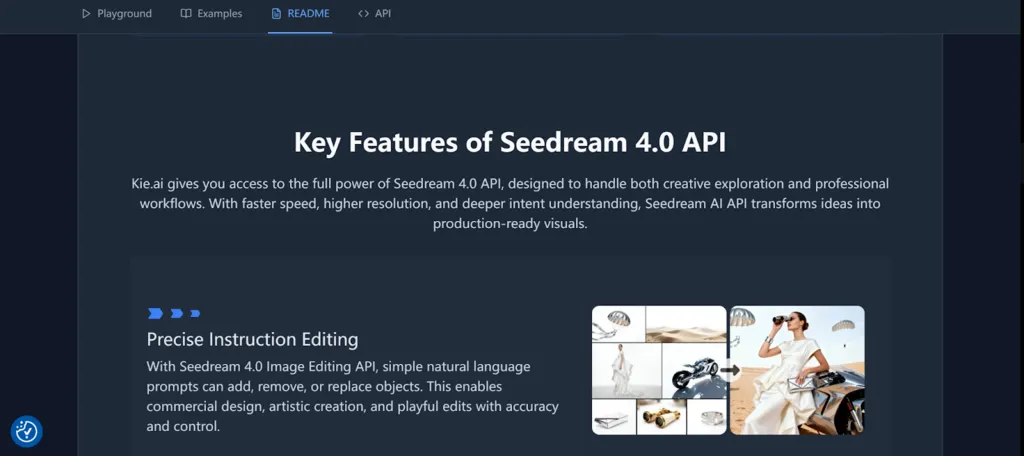
Precise Image Editing and Strong Instruction Following
One of the standout features of Seedream 4.0 API is its ability to understand and follow detailed instructions with precision. Whether you want to tweak lighting, adjust colors, or fine-tune textures, the Seedream 4.0 API can deliver. By providing clear, well-defined prompts, you can achieve exactly the image you envision. This precise image editing capability makes it easy to create complex visuals and highly customized images.
Multi-Image Input and Output
The Seedream 4.0 API supports the ability to input up to 10 images and generate a maximum of 6 outputs in a single request. This flexibility allows you to work with multiple visual elements at once, enabling more complex and layered imagery. Whether you need to combine several reference images or create variations based on different inputs, this feature streamlines the image generation process and makes it faster and more efficient.
Variety of Styles for Creative Flexibility
Seedream 4.0 API offers a wide range of creative styles, from hyper-realistic to abstract and futuristic. This versatility allows creators to explore diverse aesthetics and experiment with different artistic directions. Whether you need a photo-realistic portrait or a vibrant, surreal landscape, the Seedream 4.0 API gives you the freedom to choose and refine the style that best fits your project’s needs.
How to Integrated 4K Images Using Seedream 4.0 API
Sign Up and Access the API
To get started, sign up on Kie.ai to gain access to the Seedream 4.0 API. Once registered, you’ll receive an API key that allows you to integrate Seedream 4.0 API into your projects seamlessly.
Construct the Request for Image Generation
To integrate a 4K image, you’ll need to specify key parameters such as the image’s resolution, style, and theme. The more detailed your description, the more accurate and impressive the final result will be.
Generate and Retrieve Your Image
After submitting your request, the Seedream 4.0 API will process it and generate your 4K image. Depending on the complexity of the prompt, the image should be ready in just a few moments.
Download and Use the Image
Once the image is generated, you’ll receive a link to download it. You can now use the stunning 4K image in your creative projects, such as marketing, art, or digital content.
Seedream 4.0 API Pricing Comparison: Replicate vs. Fal vs. Kie.ai
When considering the Seedream 4.0 API for your development needs, understanding the pricing options across different platforms is crucial. In this post, we’ll compare the Seedream 4.0 API pricing of the Seedream 4.0 API on three major platforms: Replicate, Fal, and Kie.ai, to help you make the most cost-effective choice for your project.
Replicate Pricing: $0.03 per output
Replicate offers the Seedream 4.0 API at a rate of $0.03 per output. Known for its reliability and high-quality performance, Replicate is a top choice for developers and businesses looking for an API solution that offers both efficiency and affordability. At $0.03 per output, it remains a competitive and popular option for integrating Seedream 4.0 in various applications.
Fal Pricing: $0.03 per output
Fal matches Replicate in pricing, offering the Seedream 4.0 API at $0.03 per output. This consistency in pricing allows users to focus on other deciding factors such as platform features, integration options, and customer support. Fal’s robust infrastructure and ease of use make it a strong contender for developers seeking smooth API integration.
Kie.ai Pricing: $0.0175 per output
Kie.ai stands out as the most cost-effective option for accessing the Seedream 4.0 API, priced at $0.0175 per output. While the price is lower, it is essential to evaluate Kie.ai’s specific features and performance to ensure it meets your technical requirements. For businesses looking to save on API costs without compromising on functionality, Kie.ai is an attractive alternative.
Getting Started with Seedream 4.0 API for 4K Image Integration
Using the Seedream 4.0 API opens up powerful possibilities for creating high-quality 4K images with AI precision. By mastering the API’s features—such as high resolution, precise image editing, and the ability to experiment with different styles—you can produce professional-grade visuals for a wide range of creative projects. Whether you’re working on digital art, marketing materials, or other visual content, Seedream 4.0 API provides the tools necessary to bring your ideas to life.


Leave a Reply