
Why NotificationX Is the Smartest Way to Build Social Proof on WordPress in 2026
The way visitors decide whether to trust a website has changed completely in today’s crowded digital market. People no longer take a brand’s word for it. Before they buy, subscribe, or sign up, they look for signals that other real people have already done the same thing and walked away happy.
That signal is called social proof, and pairing it with a sense of urgency — the fear of missing out, or FOMO, is one of the most reliable conversion tactics available to marketers today. The challenge is displaying that proof automatically, accurately, and without slowing your site down.
In today’s market, plenty of plugins promise to add notification popups to WordPress. Choosing the right one directly affects how much of your existing traffic actually converts, how credible your brand feels on first impression, and how much manual work your marketing team has to do every week.
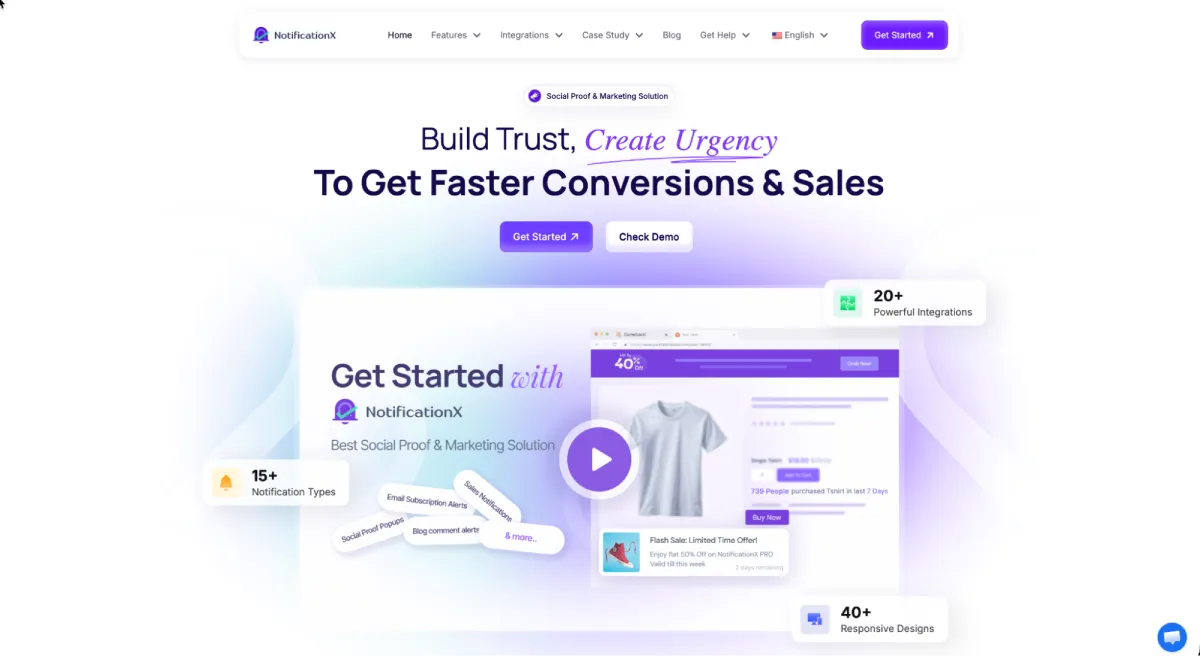
Among all the available options, NotificationX has emerged as a clear frontrunner. Trusted by 40,000+ businesses worldwide, it delivers 15+ notification types, 20+ powerful integrations, and 40+ responsive designs in a single plugin.
From live WooCommerce sales alerts to AI-powered announcement bars, NotificationX gives marketers, store owners, and agencies everything they need to build trust and create urgency without writing a line of code.
This combination of automation, design flexibility, and deep integration support makes NotificationX more than a popup plugin. It is a complete social proof marketing system built right inside WordPress. Hence, it stands out as the best FOMO marketing plugin for 2026.
✨ Core Notification Types for Building Instant Credibility
NotificationX mostly stands out for its wide range of notification types, each designed for a different conversion goal. In this section, the key notification types are explained in detail so you can clearly understand their purpose and how to apply them effectively on your own WordPress website.
1. Sales Notifications to Turn Browsers Into Buyers
The Sales Alert is the feature most people associate with NotificationX, and for good reason. It automatically pulls real purchase data from your store and displays it as a clean, unobtrusive popup: who bought, what they bought, and how recently.
Because the data is pulled live from your store, there is nothing to update manually. A visitor sitting on a product page sees that three other people bought the same item in the last hour, and hesitation turns into action. NotificationX supports sales notifications across WooCommerce, Easy Digital Downloads, Freemius, SureCart, FluentCart and Envato Marketplace.
Best For:
- WooCommerce stores that want to convert hesitant shoppers on product pages
- Digital product sellers using EDD, Freemius, or Envato marketplaces
- Businesses launching a new product that needs early credibility
- Anyone who wants proof of real activity without manual updating
2. Notification Bar for Announcements That Actually Get Clicked
The Notification Bar gives you a fixed banner at the top or bottom of your site for announcements that deserve permanent visibility: a flash sale, a free shipping threshold, a webinar registration, or a product launch.
Unlike a popup that appears once and disappears, the notification bar stays on screen without blocking content. You can add a clear call-to-action button, schedule it to start and end on specific dates, and target it to specific pages so the message always matches the context. It is one of the simplest ways to lift click-through on a campaign without redesigning anything.
Best For:
- Stores running seasonal campaigns, flash sales, or limited-time offers
- SaaS and service businesses promoting webinars, launches, or free trials
- Publishers driving traffic to a lead magnet or newsletter signup
- Anyone who needs a persistent, non-intrusive call to action sitewide
3. Growth Alert to Showcase Momentum and Scarcity
The Growth Alert works differently from a single-purchase notification. Instead of showing one transaction, it displays aggregate numbers: total sales in the last week, how many people are viewing a product, or how few units remain in stock.
This turns raw store data into two of the strongest persuasion triggers in marketing: popularity and scarcity. A low-stock warning creates genuine urgency, while a strong sales count reassures a first-time visitor that your business is active and trusted. Both work quietly in the background using data you already have.
Best For:
- eCommerce stores that want to trigger urgency with low-stock alerts
- Businesses with strong sales volume that should be visible to new visitors
- Course creators and membership sites showing enrollment momentum
- Anyone looking to convert on-the-fence visitors with scarcity signals
4. Discount Alerts to Put Offers Where Shoppers See Them
Discount Alerts let you surface an active promotion at exactly the moment a visitor is weighing a decision. Rather than hoping shoppers find your sale page, the offer follows them through the site in a visually distinct alert.
You control the design, the placement, and the display rules, so a discount can be shown only on relevant product categories or only to visitors who have reached a certain page. Combined with a countdown, it turns a passive promotion into an active conversion driver.
Best For:
- Stores running coupon codes, bundle deals, or percentage-off campaigns
- Marketers who want offers visible beyond a single landing page
- Agencies managing seasonal promotions for multiple clients
- Anyone whose discounts are currently going unnoticed by shoppers
5. Flashing Tab to Win Back Distracted Visitors
The Flashing Tab tackles a problem most plugins ignore entirely: visitors who open your site in a background tab and forget about it. This feature animates your browser tab title so it blinks with a custom message, pulling attention back to your page.
It is a small touch that addresses a very real leak in the conversion funnel. Shoppers routinely compare across multiple tabs, and a blinking reminder is often enough to bring them back before they buy somewhere else.
Best For:
- eCommerce sites losing shoppers to comparison browsing
- Businesses with a high rate of abandoned carts left in open tabs
- Marketers running time-sensitive offers that need immediate attention
- Anyone who wants a low-effort way to recover distracted traffic
6. Review, Comment, and Signup Notifications for Everyday Trust
Beyond sales, NotificationX turns ordinary site activity into credibility. It can display new email subscribers joining your list, recent blog comments, Google Reviews, WordPress.org download counts and star ratings, YouTube engagement, donations through GiveWP, and new course enrollments from Tutor LMS, LearnDash, or LearnPress.
This is what makes the plugin useful far beyond online stores. A blog, a nonprofit, a course platform, or a plugin developer all have activity worth showing — NotificationX simply makes it visible.
Best For:
- Bloggers and publishers showcasing an engaged reader community
- Course creators displaying live enrollment activity
- Plugin and theme developers pulling reviews and downloads from WordPress.org
- Nonprofits and service businesses building trust without a shopping cart
🤖 AI-Powered Features to Improve Your Marketing Workflow
To bring social proof marketing into the modern era, NotificationX has built AI directly into the plugin so teams can launch campaigns faster and with better copy. Here are the AI features that set it apart.
1. AI-Powered Notification Bar
Writing a short, high-converting announcement is harder than it looks. You have roughly ten words to communicate an offer and prompt a click. The Notification Bar with AI removes that friction by generating campaign copy for you directly inside the plugin.
How to Configure Notification Bar with AI Using NotificationX
Instead of staring at an empty field, you describe the campaign- a summer sale, a product launch, a free shipping offer- and the AI produces ready-to-use messaging you can refine and publish in seconds. For agencies and marketers running several campaigns at once, this turns a recurring bottleneck into a two-minute task and keeps messaging consistent across every promotion.
2. Exit-Intent Popup to Capture Leaving Visitors
The Exit-Intent Popup detects when a visitor is about to leave and delivers a final, well-timed offer before they go. It is the last opportunity to convert traffic you have already paid to acquire.
Because it only triggers on exit, it never interrupts an engaged browsing session. Pair it with a discount alert or a newsletter signup and you recover a meaningful share of visitors who would otherwise have left with nothing.
Using the feature, you can create an exit intent popup with AI instead of building your popup design from scratch. You can simply describe what you want in plain words, and NotificationX will generate a complete, ready-to-use design for you in seconds.
🚀 Advanced Features to Go Beyond Marketing Basics
Apart from notification types, NotificationX offers a set of features that make the entire system more powerful, measurable, and compliant. Here are the ones that matter most in practice.
1. Built-In Analytics to Make Data-Driven Decisions
NotificationX does not just display notifications; it helps you understand which ones work. The built-in Analytics dashboard reports total views, total clicks, and click-through rate for every notification you run.
This turns social proof from guesswork into a measurable channel. You can see which notification type your audience responds to, retire the ones that underperform, and double down on what converts, all without leaving your WordPress dashboard.
2. GDPR Cookie Notice for Compliance and Transparency
Privacy compliance is not optional anymore. NotificationX includes a fully customizable GDPR Cookie Notification so you can meet cookie-consent requirements while keeping the design consistent with the rest of your site.
Handling this inside the same plugin means one less tool to install, configure, and maintain. It also signals to visitors that your business takes their data seriously, which is its own form of trust building.
3. Cross-Domain Notifications for Multi-Site Businesses
The Cross-Domain feature lets you display notifications from one WordPress site on another site entirely. If you run a main store and several satellite sites, or manage a network of brands, proof of activity on your busiest property can build credibility on your newest one.
This is particularly valuable for agencies and businesses launching a new site with no activity history yet. Rather than starting from zero, the new site borrows credibility from an established one.
4. WPML Integration and Mobile-Responsive Themes
For businesses serving a global audience, NotificationX integrates with WPML so your notifications appear in each visitor’s language rather than defaulting to English. A translated notification converts noticeably better than one that a visitor cannot read.
On top of that, the plugin ships with 40+ responsive designs and mobile-specific theme options, so notifications stay readable and correctly positioned on phones instead of covering the content a visitor came to see.
5. Import/Export to Move Settings Between Sites
The Import/Export feature lets you transfer all of your NotificationX settings, notifications, and analytics from one WordPress site to another. For agencies deploying a proven notification setup across multiple client sites, this eliminates hours of repeated configuration.
20+ Integrations to Power Your Marketing Stack
NotificationX is built to work with the tools you already use. It connects with WooCommerce, Easy Digital Downloads, FluentCart, SureCart, Freemius, Envato, GiveWP, Tutor LMS, LearnDash, LearnPress, Google Analytics, Google Reviews, YouTube, MailChimp, ActiveCampaign, ConvertKit, WPML, and the major form plugins including Contact Form 7, WPForms, Gravity Forms, Ninja Forms, and Elementor Form.
There is also Zapier support, which effectively removes the ceiling: if a tool you use is on Zapier, you can turn its activity into a notification on your WordPress site. You can also deactivate any integration you do not need, keeping your site lightweight and fast.
Why You Should Try NotificationX to Boost Conversions on WordPress
With a broad feature set and AI built in, NotificationX offers more than a standard notification plugin. Here are the experiences that set it apart from other social proof tools.
- User-Friendly Interface: NotificationX is designed so anyone can build a notification, even without technical experience in WordPress. The setup runs on a simple point-and-click flow: choose a source, pick a design, set your display rules, and publish.
- No Coding Required: From layout to typography to positioning, everything is handled through a fully visual interface. You never need to touch a line of CSS to get a notification that matches your brand.
- 40+ Ready Designs: Rather than starting from a blank canvas, you can pick a pre-built responsive theme and customize it, which cuts campaign setup from hours to minutes.
- Performance-Conscious Build: Unused integrations can be switched off entirely, so the plugin only loads what your site actually needs and your page speed stays intact.
- Available Resources: Users won’t feel stuck getting started, because thorough resources are available in whichever format they prefer. Here are the links:
- Responsive Customer Support: NotificationX is backed by WPDeveloper, a team trusted by over 6 million users across 180+ countries. Their support team is known for quick, knowledgeable responses, and there is an active community group for peer help.
- Proven Results: The case studies speak for themselves. Barn2 used NotificationX to convert more prospects into customers, and consultant Emilio Johann generated over 1.4 million views using Sales Alerts alone.
- Flexible and Affordable Pricing: You can get started with NotificationX for free, and the free version includes core features like WooCommerce integration and unlimited impressions with no per-view charges. Paid plans start at $39/year for a single site, with unlimited-site and lifetime options available for agencies. Every plan is covered by a 14-day no-risk money-back guarantee.
Conclusion
If you are looking for a powerful, conversion-focused social proof plugin for WordPress, NotificationX is one of the best choices available in 2026. It covers everything from live sales alerts and growth notifications to discount alerts, flashing tabs, exit-intent popups, GDPR cookie notices, and an AI-powered notification bar, all backed by built-in analytics and 20+ integrations.
NotificationX helps you turn the traffic you already have into customers by making trust visible and urgency real. Whether you’re a freelancer, a WooCommerce store owner, a course creator, or an agency managing multiple client sites, it gives you the tools to build credibility instantly and grow conversions without growing your workload.


Leave a Reply