
WordPress AI Chatbot Complete Guide: Best Plugins & How to Choose
A chatbot can answer questions, collect leads, and reduce support workload. It can also frustrate visitors if it gives wrong answers, misses context, or forces people through useless conversations.
Not all WordPress chatbots are built for the same job. Some are designed around website support and knowledge bases. Others focus on social media messaging, live chat handoffs, or large-scale ticket management.
Many chatbots do not rely on predefined conversation paths. Instead, they pull answers from website pages, FAQs, help center articles, and uploaded documents. Visitors ask questions naturally, and the chatbot responds using the information you’ve provided.
In this guide, you’ll find five of the best AI chatbot plugins for WordPress: YourGPT, Tidio, Intercom, Zendesk AI and Manychat. I’ll break down where each one fits best, its strengths, its limitations, and its pricing so you can decide which option makes sense for your website.
What Is a WordPress AI Chatbot?
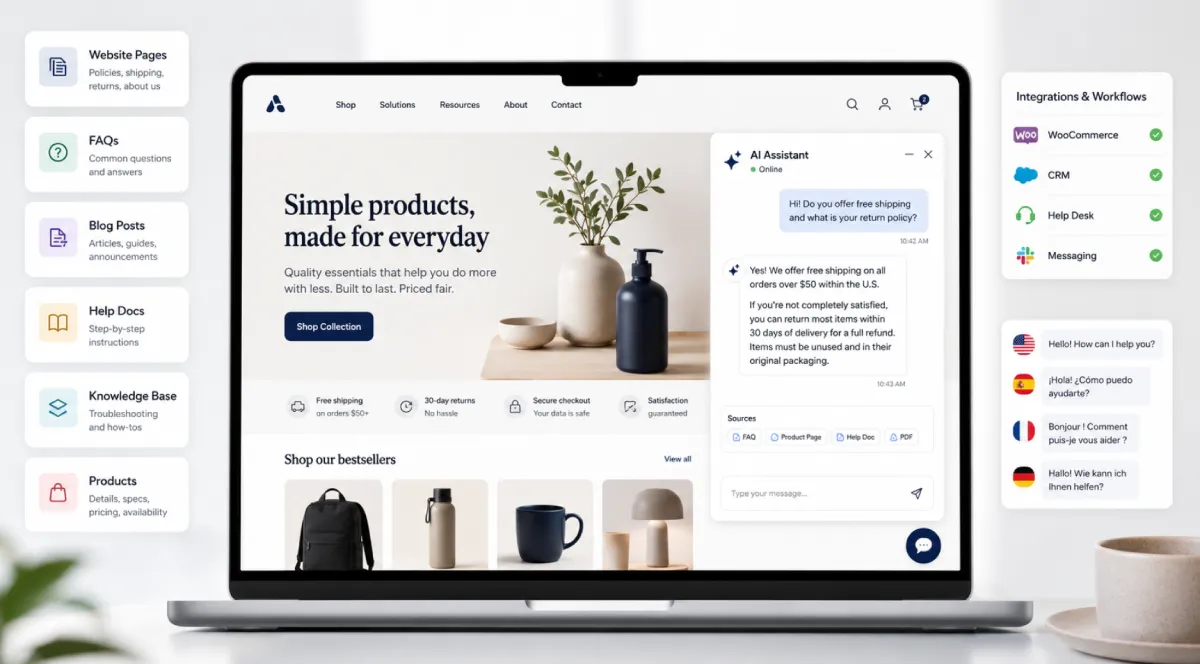
A WordPress AI chatbot is a conversational assistant that integrates directly with a WordPress website and interacts with visitors through natural language. Traditional chat widgets rely on predefined rules and decision trees. AI chatbots go further. They understand user questions, interpret intent, and generate relevant responses in real time.
WordPress AI chatbots are typically powered by large language models and Retrieval-Augmented Generation (RAG). Instead of responding from a fixed script, they retrieve information from your website content, knowledge base, product catalog, help documentation, and uploaded files before generating an answer. This helps keep responses grounded in your business information rather than generic AI knowledge.
These platforms can automatically crawl and index website pages, blog posts, FAQs, PDFs, and other documents used for training. As content changes, the chatbot can reprocess updated information to keep responses aligned with the latest version of the website.
WordPress AI chatbots also support multilingual conversations, website messaging, and integrations with platforms such as WooCommerce, CRMs, help desks, and communication channels. This allows the chatbot to become part of existing customer support, sales, and operational workflows rather than functioning as a standalone website widget.
Benefits of an AI Chatbot in WordPress
An AI chatbot tied to your actual WordPress content and products stops being a generic contact form and starts acting like a layer of your business. Here is where that shows up in practice.
- Your existing WordPress pages become part of your live support: Years of documentation and blog posts sit on your site answering questions nobody sees. Visitors rarely dig past the homepage. A chatbot pulls the right page into the conversation at the right moment instead of leaving it buried three clicks deep.
- Routine pricing and policy questions get answered before they reach your inbox: A plugin shop found that roughly half their incoming chats closed once the bot had access to their documentation. Their support team spent the recovered time on real bugs instead of reading refund terms out loud for the fifth time that day.
- Improving Lead Generation: A B2B agency replaced their quote form with a chat widget. Leads came through with the budget and timeline already in the notes because the bot had asked during the conversation. Nobody felt like they were submitting paperwork.
- WooCommerce shoppers find products even when they describe them wrong: Standard website search functions rely on exact keyword matching, which can prevent customers from finding products if they use non-technical language. AI-powered chatbots use semantic processing to understand customer intent, allowing the system to surface the correct items even when a shopper describes a product using broad or alternative terms.
- Multilingual support: AI chatbots allow a website to offer customer service in multiple languages simultaneously without requiring the immediate translation of the entire WordPress backend or the recruitment of localized support staff. The AI detects the visitor’s language, processes the input, and responds accurately based on the source documentation.
Related Reading
- How to Optimize WordPress Performance for Better Chatbot Speed
- The Ultimate Guide to WooCommerce Conversions in 2026
- Why Your Support Documentation is Your Best Sales Asset
Best AI Chatbot Plugins for WordPress in 2026
To build this guide, I didn’t just rely on marketing pages or feature checklists. I personally tested these platforms, evaluating them on the exact factors that impact everyday WordPress site owners: conversational AI quality, setup complexity, customization limits, integrations, pricing transparency, and real-world usability. To ground my hands-on findings with broader user experiences, I spent hours combing through raw user feedback on Reddit and analyzing long-term satisfaction trends on G2.
Every ranking here is aligned by how advanced the tool’s underlying AI capabilities actually are and what kind of measurable return on investment (ROI) they offer. Ultimately, I judged these tools on how reliably they execute the tasks you need them for, such as resolving support tickets, capturing qualified leads, and closing sales in WooCommerce, rather than what they promise on paper.
1. YourGPT
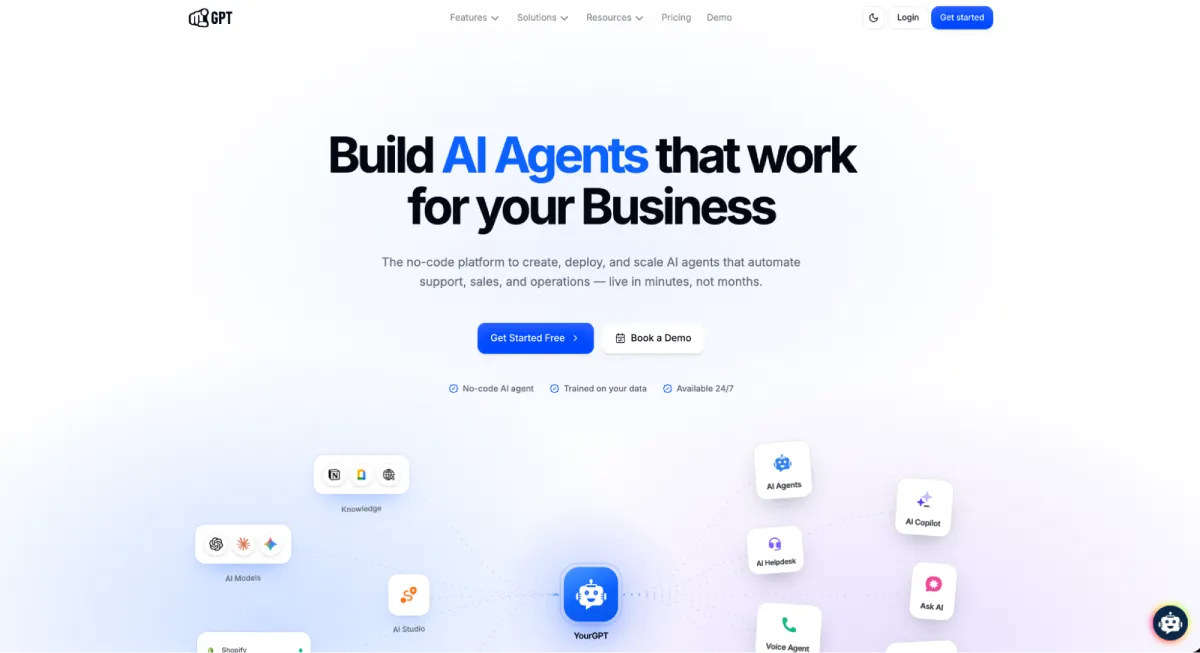
YourGPT is a no-code AI agent platform that helps businesses automate customer support, sales, and routine workflows. It allows teams to build AI agents that can answer questions, handle support inquiries, qualify leads, recommend products, perform multi-step actions in both the frontend and backend of WooCommerce, and assist customers across WordPress websites, WhatsApp, Instagram, Messenger, Slack, Telegram, and other channels.
The platform enables AI agents to pull information from websites, help centers, FAQs, PDFs, documents, and other business resources. It also integrates with WooCommerce, CRM systems, helpdesk platforms, APIs, and external tools, allowing businesses to connect customer conversations with their existing workflows.
One of its main strengths is the ability to use a single knowledge base across multiple channels, reducing the need to manage separate chatbot systems for different platforms.
Key Features
- Knowledge retrieval generates accurate answers using information pulled directly from websites, FAQs, PDFs, and uploaded documents.
- WordPress integration allows users to add the AI chat widget to their websites quickly using an official plugin.
- No-code AI agent builder provides the tools to create and customize AI assistants without requiring development work.
- Omnichannel deployment enables businesses to manage conversations across websites, WhatsApp, Instagram, Messenger, Slack, and Telegram from a single platform.
- WooCommerce integration assists online stores by handling product discovery questions and routine customer inquiries.
- Lead generation tools capture, qualify, and route prospective customer information automatically during conversations.
- Multilingual support permits the system to communicate with website visitors in more than 100 languages.
- Third-party integrations link the chatbot platform with existing CRMs, helpdesks, APIs, and business applications.
- Workflow automation connects AI agents to internal business processes to trigger specific actions based on chat interactions.
- Analytics and reporting track conversation history, system usage, and overall chatbot performance metrics.
Pros
- Easy to deploy on WordPress & Woocommerce stores
- Supports both support and sales use cases
- Self learning ai that improves over time
- One AI can be used across multiple channels
- Strong integration options for growing businesses
- Supports voice interactions and multilingual conversations
Cons
- Advanced workflows may require additional setup and testing
- Higher plans may be expensive for very small businesses
Pricing
- Essential: Starts at $39/month (annual billing)
- Professional: $79/month
- Advanced: $349/month
- Enterprise: Custom pricing
All plans include chatbot creation tools, multilingual support, integrations, and deployment options, with usage limits and advanced capabilities increasing at higher tiers.
How to Integrate with WordPress
You can integrate YourGPT by installing the official YourGPT WordPress plugin and entering your unique Widget ID in the plugin settings.
2. Tidio (Lyro AI)
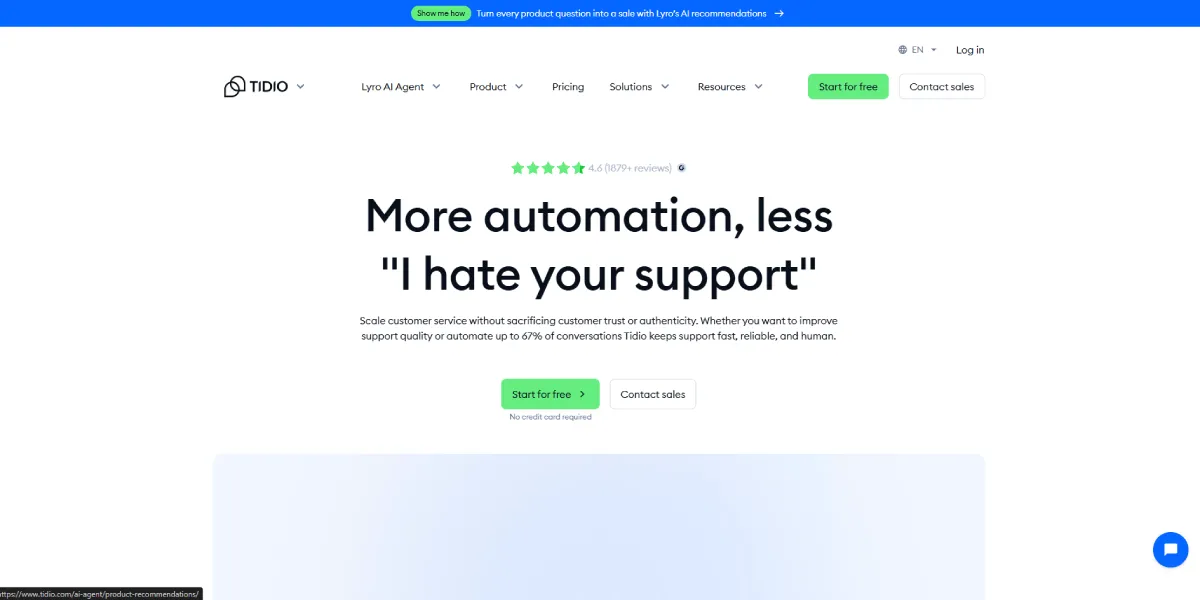
Tidio combines live chat, help desk tools, and AI automation in a single platform. Its AI assistant, Lyro, is trained on business content such as FAQs, help center articles, and support documentation to answer customer questions automatically.
The platform is particularly popular among WooCommerce and Shopify stores because it combines customer support, sales automation, and live agent handoff within one interface. Businesses can manage website chat, email conversations, and selected messaging channels from a shared inbox while using Lyro to reduce repetitive support requests.
Key Features
- AI assistant training uses existing FAQs and support content to answer customer questions automatically.
- Pre-built automation templates streamline setup for lead generation, discount distribution, and abandoned cart recovery.
- Visual workflow builder allows users to map out and customize conversation paths using a drag-and-drop interface.
- Live chat with human handoff ensures complex conversations are seamlessly transferred from the AI to a live support agent.
- Shared inbox centralizes all customer conversations from different platforms into a single dashboard for support teams.
- WooCommerce and Shopify integrations connect the platform directly with major e-commerce systems to assist online shoppers.
- Visitor tracking and behavioral triggers monitor user activity to launch targeted chat prompts based on specific web actions.
- Multi-channel messaging support aggregates customer inquiries from email, Facebook Messenger, and Instagram.
- Mobile apps for iOS and Android allow support agents to manage customer conversations and reply to tickets on the go.
Pros
- Fast setup with ready-made templates
- Easy-to-use visual automation builder
- Combines AI chat and live support in one platform
- Strong WooCommerce integration
- Free plan available for testing
Cons
- The free AI allocation is limited and does not renew monthly
- Lyro AI conversations are usage-based and may require additional spending as volume increases
- Some advanced automation and reporting features require higher-tier plans
- Less suitable for businesses that want a single AI agent deployed across a large number of channels
Pricing
- Starter plan begins at approximately $24/month when billed annually
- Growth plans begin around $49/month
- Lyro AI is priced separately based on AI conversation usage plus additional visitors charges.
Businesses should review both platform pricing and Lyro AI pricing together, since the total cost depends on support volume and automation usage.
Pricing scales based on usage and audience size, so businesses with large contact lists should review costs carefully before committing.
How to Integrate with WordPress
Tidio can be added using the official Tidio plugin available in the WordPress repository, which automates the connection to your account.
3. Intercom (Fin AI)
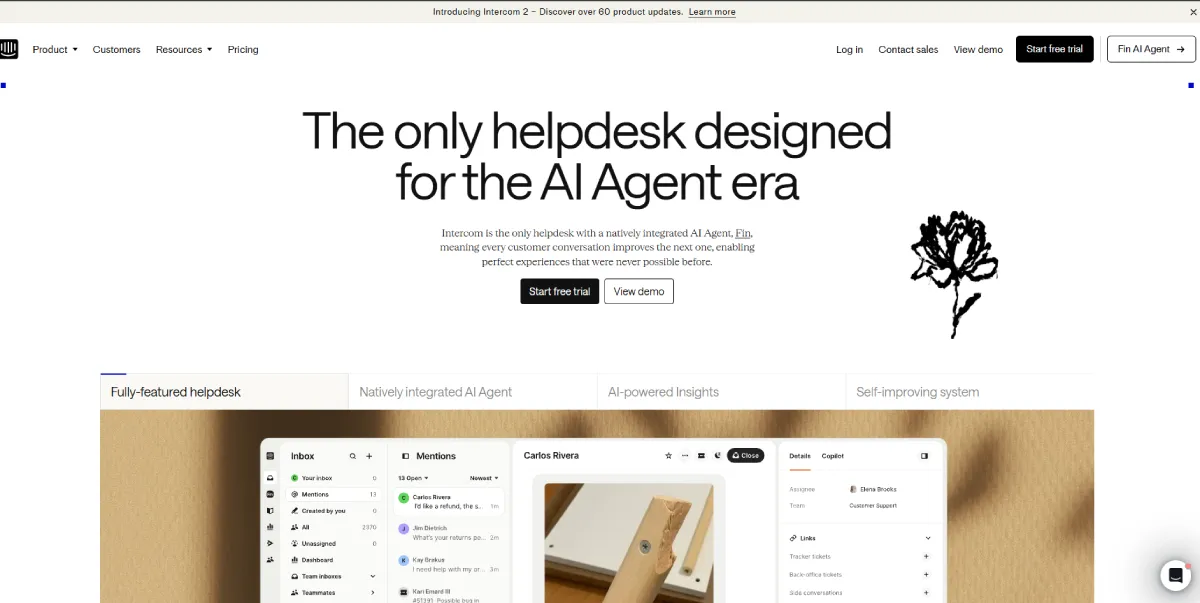
Intercom is a customer service platform that combines AI support, live chat, ticket management, and customer engagement tools in a single system. Its AI agent, Fin, is trained on your help center articles, knowledge base, and support documentation to answer customer questions automatically. Beyond chatbot functionality, Intercom also includes tools for customer messaging, onboarding, product adoption, and support operations.
For WordPress businesses, Intercom is typically a better fit for established SaaS companies and larger support teams than for small websites looking for a simple chatbot plugin.
Features
- Fin AI agent trained on help center content and support documentation
- Live chat and human agent handoff
- Custom chatbot builder with conditional logic and automated workflows
- Unified inbox for managing conversations across multiple channels
- Ticketing and customer support management tools
- Customer segmentation and behavioral targeting
- In-app messages, product tours, and onboarding experiences
- Reporting and support performance analytics
- Integrations with CRM, marketing, and business platforms
- Support for web, email, mobile, and social messaging channels
Pros
- Strong AI answer quality when connected to a well-maintained knowledge base
- Combines chatbot, live chat, ticketing, and customer engagement tools in one platform
- Advanced targeting and customer segmentation capabilities
- Large integration ecosystem with hundreds of supported applications
- Well suited for growing SaaS businesses and support teams
Cons
- More expensive than most WordPress-focused chatbot platforms
- Fin AI is billed separately from standard Intercom subscriptions
- Several advanced capabilities are restricted to higher-tier plans
- Setup and administration can take time because of the platform’s breadth
- Often more functionality than small businesses actually need
Pricing
- Essential: Starts at $39/month
- Advanced: Starts at $99/month
- Expert: Starts at $139/month
Fin AI is priced separately and starts at approximately $0.99 per successful resolution, which can significantly increase costs as support volume grows.
How to Integrate with WordPress
To integrate Intercom, use the Intercom WordPress plugin or manually paste the provided JavaScript embed code into your website’s footer.
4. Zendesk AI

Zendesk is a customer service platform focused on ticket management, help desk operations, and omnichannel support. Its AI tools help support teams automate routine tasks, route conversations, suggest responses, and answer customer questions using knowledge base and help center content.
Unlike most WordPress chatbot plugins, Zendesk is designed for organizations that manage customer support across multiple channels and teams. Businesses already using Zendesk for email, chat, phone, or social support can add AI capabilities without changing their existing workflows.
Features
- AI-powered chatbot for customer support
- Automated ticket routing and prioritization
- Knowledge base and help center integration
- AI-assisted reply suggestions for agents
- Omnichannel support across chat, email, voice, and social channels
- Unified agent workspace
- Workflow automation and ticket management
- Customer satisfaction tracking
- Reporting and support analytics
- Integrations with CRM, eCommerce, and business applications
Pros
- Strong ticketing and support management capabilities
- Established platform with extensive customization options
- AI features integrate with existing support workflows
- Detailed reporting and performance insights
- Well suited for teams handling large support volumes
Cons
- More complex than most WordPress-focused chatbot tools
- Advanced AI capabilities may require higher-tier plans
- Costs can increase as teams and support operations grow
- Setup and administration can require significant time and resources
- Overkill for businesses that only need a website chatbot
Pricing
- Suite Team: $55/agent/month
- Suite Growth: $89/agent/month
- Suite Professional: $115/agent/month
- Suite Enterprise: Custom pricing
Before choosing Zendesk, businesses should evaluate the total cost of agent licenses, required features, and support volume, as pricing can increase significantly as teams scale.
How to Integrate with WordPress
Zendesk doesn’t provide an official WordPress integration but allows you to embed the widget using javascript code.
5. ManyChat
ManyChat is best known for automating conversations on Instagram, Facebook Messenger, and WhatsApp. Unlike most tools on this list, it is focused on social messaging and lead generation rather than website customer support.
For WordPress businesses that rely heavily on Instagram or Facebook to attract customers, ManyChat can help automate responses, capture leads, and run follow-up campaigns. However, if you need a chatbot trained on your website content, documentation, knowledge base, or FAQs, other options on this list are generally a better fit.
Key Features
- Instagram, Facebook Messenger, and WhatsApp automation
- Comment-to-message workflows
- Visual drag-and-drop automation builder
- Lead capture and audience segmentation
- Automated follow-up campaigns
- Broadcast messaging
- AI-assisted conversations
- CRM and marketing platform integrations
- Shared inbox for managing conversations
- Mobile and desktop management tools
Pros
- Excellent Instagram and Facebook automation tools
- Easy to build workflows without coding
- Strong lead generation capabilities
- Large library of pre-built templates
- Supports multiple messaging channels from one dashboard
Cons
- Not built primarily for website customer support
- Limited knowledge base and document-driven support capabilities
- Costs increase as contact lists grow
- WhatsApp messaging charges may apply separately
- Less useful for businesses that handle most customer conversations through their website
Pricing
- Free: $0/month
- Essential: From $14/month
- Pro: From $29/month
- Business: From $69/month
- Advanced: From $139/month
How to Integrate with WordPress
ManyChat cannot integrate to your WordPress site, but you can use it for social automations.
6. Elfsight AI Chatbot
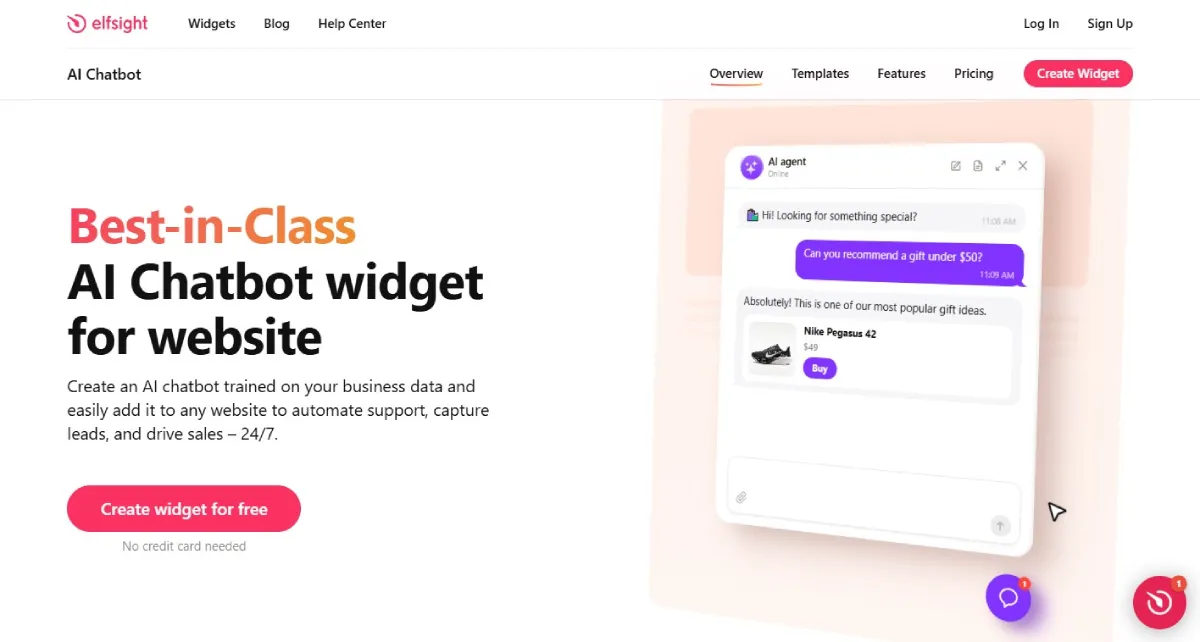
AI Chatbot by Elfsight is a website-first AI assistant for WordPress businesses that want on-site support and lead capture without adopting a full help desk or omnichannel customer-service platform. During setup, it can analyze your website and build a knowledge base, which you can expand with individual web pages, files, images, Q&A pairs, text blocks, and business information. Conversation Rules let you define how the chatbot should respond in specific situations.
Its strength is how closely it can behave like part of the existing website. Built-in Skills can collect contact details, show contextual action buttons, send follow-up messages after inactivity, and offer buttons that route visitors to a real person. You can use floating or embedded layouts, control visibility by page or device, adjust themes and styling, and review chats, leads, analytics, and Knowledge Gaps in the Elfsight dashboard.
Key Features
- Website and business-content knowledge base using web pages, files, images, Q&A, text blocks, and business information
- Conversation Rules for controlling how the chatbot responds in specific situations
- Action Buttons, Collect Contacts, Follow-up Messages, and Contact a Human Skills
- Floating or embedded layouts with page and device visibility controls
- Chats, Leads, Analytics, and Knowledge Gaps in the Results dashboard
- Webhooks for sending transcripts, AI summaries, collected contacts, and other conversation data
- Custom CSS plus API and custom JavaScript options for advanced website integrations
Pros
- Strong fit for businesses that want a website assistant without operating a full support platform
- Useful visitor actions and lead capture beyond basic Q&A
- Flexible display, placement, and styling controls for WordPress sites
- Free plan and unusually low-cost paid entry point
- Straightforward WordPress installation using the Elfsight embed code
Cons
- No native ticketing, shared inbox, or omnichannel support workspace
- Contact a Human uses contact buttons that redirect visitors rather than a same-window live-agent takeover
- Web-page sources do not refresh automatically after content changes, and subpages must be added separately
- Current knowledge-base limit of 200 web pages
- Monthly message and view limits can deactivate the widget when exceeded
Pricing
- Free: $0/month — 1 chatbot, 50 messages, 200 views
- Basic: $4/month billed yearly — 3 chatbots, 300 messages, 5,000 views
- Pro: $8/month billed yearly — 9 chatbots, 1,000 messages, 50,000 views
- Premium: $16/month billed yearly — 21 chatbots, 3,000 messages, 150,000 views
How to Integrate with WordPress
Copy the AI Chatbot installation code from the Elfsight dashboard. To add it to a specific WordPress page, insert a Custom HTML block and paste the code there. For a floating chatbot across the site, add the code to the site footer/theme area or another Custom HTML area supported by the theme.
Quick Comparison Row
Platform: Elfsight AI Chatbot
Core AI Architecture: Business-content-trained website AI agent using a curated Knowledge Base and Conversation Rules
Task Execution Autonomy: Moderate. Handles on-site Q&A and can trigger lead forms, action buttons, follow-ups, and contact routing; webhooks, API, and custom JavaScript extend external workflows
Privacy & Compliance Standards: Elfsight provides GDPR implementation guidance and protected data handling; no DPA is currently offered
Real-World Billing Mechanics: Subscription tiers with monthly message, view, and storage limits; Free plan available; Basic starts at $4/month billed yearly
Required Surrounding Edits
- Change “five of the best AI chatbot plugins for WordPress” to “six of the best” and add Elfsight AI Chatbot to the product list.
- Change “5 Best AI Chatbot Plugins for WordPress in 2026” to “6 Best AI Chatbot Plugins for WordPress in 2026.”
- In the Quick Comparison introduction, change “These five tools solve different problems” to “These six tools solve different problems.”
- Add the Elfsight row above to the Quick Comparison table.
Quick Comparison
These five tools solve different problems. Some focus on website support, some on social media conversations, and others on large-scale ticket management. Before looking at each platform in detail, here’s a side-by-side comparison of where they fit best.
| Platform | Core AI Architecture | Task Execution Autonomy (Agentic Capabilities) | Privacy & Compliance Standards | Real-World Billing Mechanics |
| YourGPT | Autonomous reasoning engine that interprets natural queries, continuously updates its knowledge pool from handled cases, and combines semantic search with multi-source context tracking. | High. Supports multi-step procedures, tool deployment, dynamic API execution, and sequential workflow paths to complete complex user tasks like updating orders or modifying subscriptions inside WordPress. | SOC 2 Type II certified, ISO 27001 compliant, and fully GDPR aligned. Features dedicated data segregation with secure servers located in the EU (Stockholm). | Predictable subscription tiers based purely on overall monthly AI credit consumption. No transactional charges for successfully resolved conversations. |
| Tidio (Lyro AI) | Dual-engine system matching customer text against a semantic FAQ database while enforcing specific conditional rules configured in advance. | Limited. Relies primarily on pre-configured e-commerce templates for specific actions like cart recovery or tracking links. It cannot build custom API steps on the fly. | Standard European GDPR processing compliance, but lacks independent corporate SOC 2 Type II audit certifications. | Hybrid cost structure requiring a base monthly seat subscription plus a separate recurring purchase of Lyro AI conversation blocks. |
| Intercom (Fin AI) | Large Language Model enterprise architecture running continuous cross-referencing against internal help centers, dynamic snippets, and live data connectors. | Advanced. Uses specialized data connectors and Model Context Protocol (MCP) integrations to read from external databases and execute real-time administrative actions. | SOC 2 Type II certified, ISO 27001 accredited, and GDPR compliant with enterprise data protection agreements. | Base seat platform fees combined with a variable transaction cost of approximately $0.99 for every single successful resolution. |
| Zendesk AI | Specialized intent-classification system trained on historical customer ticket logs, utilizing a centralized Resolution Platform for unified channel analytics. | High. Includes native agentic reasoning, multi-step procedures, and custom API calling loops across all primary service plans to handle intricate service chains. | SOC 2 Type II certified, ISO 27001 accredited, GDPR compliant, with specific HIPAA data vault storage configurations available. | High base agent seat pricing plus variable outcome-based fees per automated resolution, alongside extra charges for advanced administrative capabilities. |
| Manychat | Deterministic workflow logic entirely driven by exact keyword matches and hardcoded visual logic trees. | Low. The platform cannot reason or handle unstructured user text dynamically. It is restricted to moving users along pre-drawn chat branches. | Basic GDPR data management inheriting the standard privacy frameworks of Meta platforms (Instagram, WhatsApp, Facebook). No independent SOC 2 Type II security reports. | Pricing scales automatically based on the total number of contacts stored in your subscriber database, regardless of monthly chat volume. |
How to Choose the Right WordPress Chatbot
The right WordPress chatbot is the one that solves the problems your team deals with every day, not the one with the longest feature list.
- Start With Your Primary Use Case: Before comparing tools, decide what you want the chatbot to handle. Some businesses need customer support automation, while others focus on lead generation, appointment booking, product recommendations, or order tracking. Your goals will narrow the options quickly.
- Check Where Your Customers Communicate: Not every conversation starts on your website. If customers regularly contact you through WhatsApp, Instagram, Messenger, or other channels, choose a platform that can manage those conversations alongside website chat.
- Evaluate How the Chatbot Learns: Look for platforms that can learn from website content, FAQs, help center articles, documents, and product information. Better training data usually leads to better answers.
- Make Sure Human Handoff Is Available: Some conversations will always require a person. Choose a chatbot that can transfer chats to a support agent without forcing customers to repeat information they have already shared.
- Consider Long-Term Costs: The advertised monthly price rarely tells the full story. As usage grows, charges for AI conversations, agent seats, integrations, or automation features can significantly increase your costs.
How to Install and Launch Your WordPress AI Chatbot in 5 Steps
After choosing a chatbot platform, the next step is connecting it to your website. While the specific interface will vary depending on the tool you choose, the general setup process remains virtually identical across most modern providers.
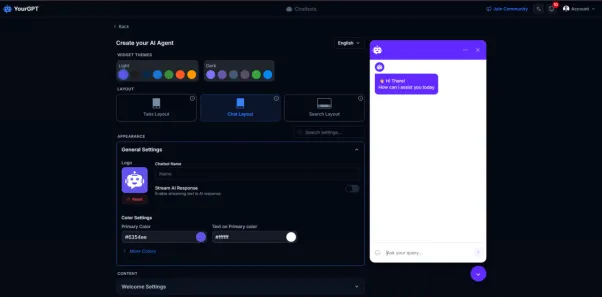
For the purpose of this demonstration, we are using YourGPT as our visual reference because we have been testing with it recently, and its code-free installation and advanced AI capabilities provide a clear, standard example of how modern WordPress AI plugins operate.
Step 1: Create a YourGPT Account
Create a YourGPT account and set up a new AI agent. Add your business details and define how you want the chatbot to respond to visitors.
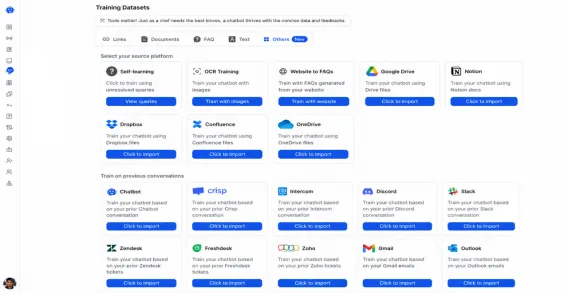
Step 2: Train the AI on your data
Train the chatbot using your website content, FAQs, documents, or knowledge base articles. This information becomes the foundation for the chatbot’s responses.
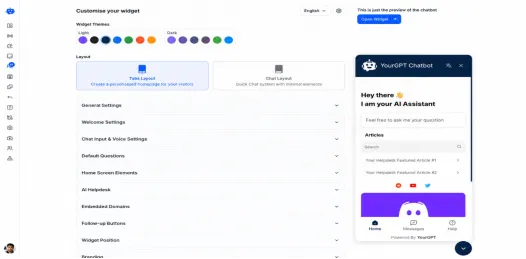
Step 3: Customize the Chatbot
Update the chatbot’s appearance, welcome message, and response instructions so it matches your website and brand.
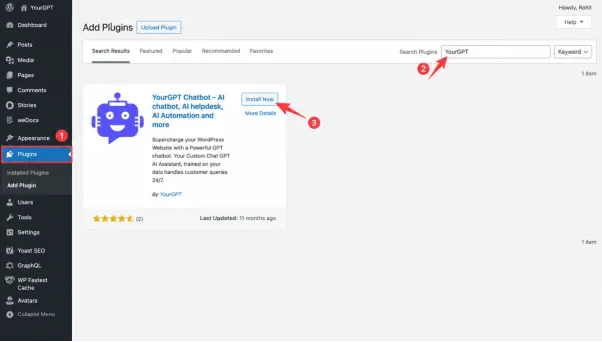
Step 4: Connect WordPress
Install the YourGPT WordPress plugin, copy your Widget ID from the YourGPT dashboard, and paste it into the plugin settings. Save the changes to connect your chatbot.
Step 5: Test and Go Live
Open your website and test a few common questions. Once you’re satisfied with the responses, your chatbot is ready for visitors.

Conclusion
Selecting the right AI chatbot for a WordPress website is not a matter of finding a single, universally superior tool. The market has matured into highly specialized architectures, meaning the ideal platform depends entirely on how a business balances technical autonomy, data compliance, and volume-based pricing models. To make an informed decision, site owners must evaluate their primary operational goals against the specific structural design of each ecosystem.
For organizations prioritizing predictable overhead and strict data governance, platforms operating on fixed subscription tiers or credit pools protect against sudden billing spikes during peak traffic periods. When handling sensitive user data, selecting a system with audited security frameworks like SOC 2 Type II, ISO alignment, and localized GDPR data segregation ensures that proprietary business information and customer inputs stay completely isolated.
E-commerce environments require a distinct operational focus. For WooCommerce stores that need to balance automated AI resolutions with immediate live-chat handoffs, specialized integration frameworks provide the necessary infrastructure to track order statuses, manage cart recovery, and surface product recommendations natively within the website backend.
High-volume customer support operations, particularly in the SaaS or enterprise sectors, demand deep systems integration and advanced routing. Where budgets permit costly outcome-based or per-resolution pricing structures, established enterprise service environments provide robust collaborative team inboxes and complex multi-agent workflows built to handle massive ticket queues.
Conversely, if the primary customer acquisition funnels live outside the website on social media platforms, the focus should shift toward software engineered specifically for messaging channels like Instagram or Facebook. These tools excel at executing structured, keyword-triggered marketing campaigns and interactive lead-capture loops rather than processing deep internal knowledge bases.
Ultimately, the most successful deployment is one that seamlessly bridges the gap between existing business documentation and customer inquiries. By analyzing how a platform’s billing mechanics scale with your traffic and ensuring its task execution capabilities match your day-to-day administrative needs, you can transform your website’s self-service capabilities into a highly efficient operational asset.
FAQ: AI Chatbots for WordPress
Can I add an AI chatbot to WordPress without coding?
Yes. Most modern chatbot platforms provide WordPress plugins or embed codes that can be installed without writing code. Setup usually involves connecting your account, training the chatbot, and adding a widget to your site.
Can an AI chatbot answer questions using my website content?
Yes. Many AI chatbots retrieve information from your website, FAQs, help center articles, and uploaded documents. This allows the chatbot to answer questions using your business content instead of generic AI responses.
Which Chatbot is best for WooCommerce?
If your primary goal is handling product questions, order-related queries, and customer support for an online store, both YourGPT and Tidio offer WooCommerce integrations. The right choice depends on whether you only need website support or want to extend support across additional channels such as WhatsApp and Instagram.
Can a WordPress chatbot collect leads?
Yes. Many AI chatbots can collect visitor information such as names, email addresses, phone numbers, and company details during conversations. This allows businesses to qualify leads before handing them to sales teams.
Will an AI chatbot slow down my WordPress website?
Most reputable chatbot providers load their widgets asynchronously, which means the chatbot loads separately from the main page content. In most cases, visitors will not notice any impact on website performance.
How much does a WordPress AI chatbot cost?
Pricing varies widely. Some platforms offer free plans with limited usage, while others charge monthly subscriptions, per-agent fees, or usage-based AI costs. Businesses should evaluate both the starting price and any additional charges that may apply as conversation volume increases.


Leave a Reply