
Integrating Design Systems into Scalable WordPress Development
As WordPress projects grow, things can get messy fast.
What starts as a simple theme or landing page often turns into multiple templates, custom sections, plugin overrides, and inconsistent UI decisions. Over time, this creates design drift, slows development, and makes the overall experience feel disconnected.
That’s where design systems come in.
A design system isn’t just a collection of styles, it’s a structured way to build, scale, and maintain websites more efficiently. For WordPress developers, especially those working with themes like Porto or custom builds, design systems can make the difference between a site that scales smoothly and one that becomes difficult to manage.
Why WordPress Projects Struggle Without a Design System
Most WordPress sites don’t start with a system. They evolve over time.
A page gets designed, then another, then a variation. Small fixes are added here and there, often using inline styles or quick overrides. Eventually, the site becomes a mix of different approaches rather than a unified experience.
This usually leads to inconsistent spacing, mismatched fonts, duplicated components, and unnecessary CSS bloat. From a user’s perspective, the site feels slightly “off.” From a developer’s side, even small updates take longer than they should.
We know from user experience research that clean layouts, fast load times, and intuitive navigation are key to keeping users engaged. When these start to break down, bounce rates increase and conversions drop.
What a Design System Looks Like in WordPress
A design system isn’t just something you design, it becomes part of how your site is built.
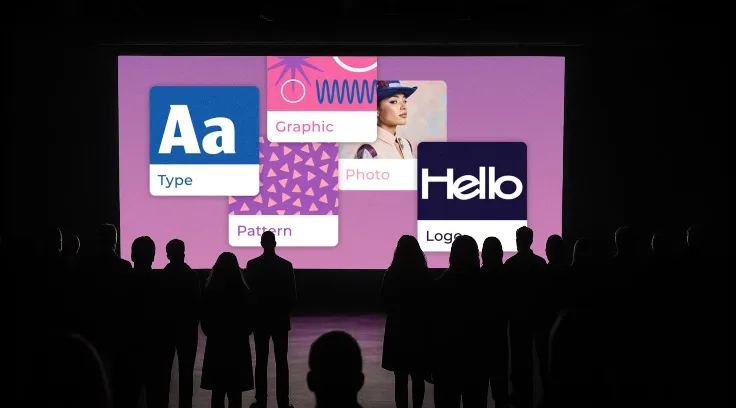
In a WordPress setup, it usually means defining a consistent set of design rules and turning them into reusable components. That includes things like your color palette, typography, spacing system, and layout structure.
Instead of rebuilding the same section multiple times, you create it once and reuse it everywhere. Buttons, cards, forms, and navigation elements follow the same logic across the entire site.
From a development perspective, this often translates into using CSS variables or tokens, reusable Gutenberg blocks, or consistent Elementor modules. The goal is simple: reduce repetition and keep everything aligned.
Performance Benefits: Why Systems Scale Better
One of the biggest advantages of a design system is performance.
When you reuse components instead of rebuilding them, your code becomes cleaner and more efficient. There’s less duplicate CSS, fewer unnecessary scripts, and a more predictable layout structure.
This also affects performance metrics like Core Web Vitals. Faster load times, stable layouts, and smoother interactions all contribute to a better user experience.
In simple terms, your site doesn’t just look better , it runs better too.
Keeping Everything Consistent as You Grow
As teams grow or multiple people work on the same project, consistency becomes harder to maintain.
Without a system, different pages can start to feel like they belong to completely different websites. Small variations in spacing, colors, or layout decisions add up over time.
A design system solves this by acting as a single source of truth.
Instead of guessing how something should look, you already have a reference. This makes collaboration easier, speeds up onboarding, and ensures that every new page fits naturally into the overall design.The same logic applies to customer-facing elements using testimonial collection software that provides consistent, embeddable components means social proof scales with your site without breaking the design system.
Where AI Fits Into Modern Design Workflows
AI is starting to play a bigger role in design workflows, especially in the early stages.
Teams use AI tools to explore layout ideas, test color combinations, and speed up prototyping. It’s great for generating options quickly and helping teams move faster during ideation. For example, tools like a banner text generator can quickly produce headline variations for hero sections or promotional banners, helping designers experiment with messaging while maintaining visual consistency.
But AI works best as a starting point, not the final output.
It can suggest ideas, but it doesn’t fully understand brand identity, user expectations, or context. That’s why human refinement is still essential.

In practice, many teams combine internal workflows with external support when needed. For example, services like Superside can help extend design capacity, whether it’s building scalable design systems, creating UI components, or producing visual assets. The value isn’t just speed , it’s maintaining consistency across everything being produced.
Connecting Design Systems with Marketing Performance
Design systems don’t just impact development , they also influence how your marketing performs.
Landing pages, ad creatives, and product visuals all need to feel consistent. If there’s a mismatch between what users see in an ad and what they experience on your website, it creates friction and reduces trust.
This is where data becomes useful.
Tools like Superads help teams understand which creative elements are actually working across campaigns, whether it’s certain colors, layouts, or messaging styles. These insights can then feed back into your design system.
Over time, this creates a loop where your design decisions aren’t just consistent, they’re informed by real performance data.
Practical Steps to Implement a Design System
If you’re starting fresh or trying to clean up an existing project, here’s a simple approach:
- Start by auditing your current site and identifying inconsistencies
- Define your core styles, including colors, typography, and spacing
- Build reusable components for commonly used sections
- Translate those into WordPress blocks or templates
- Document how everything should be used
- Stick to the system and avoid unnecessary variations
The goal isn’t perfection from day one. It’s creating a structure that improves over time.
Conclusion
Design systems aren’t just for large companies, they’re essential for any WordPress project that needs to scale.
They help keep design consistent, improve performance, speed up development, and create a better experience for users.
As your site grows, the cost of not having a system becomes much higher than the effort of building one.
Whether you manage everything internally or bring in support when needed, the goal is the same: create a foundation that allows your website to grow without becoming harder to maintain.
Because in the end, scalability isn’t just about adding more pages, it’s about making sure everything still works together.


Leave a Reply