
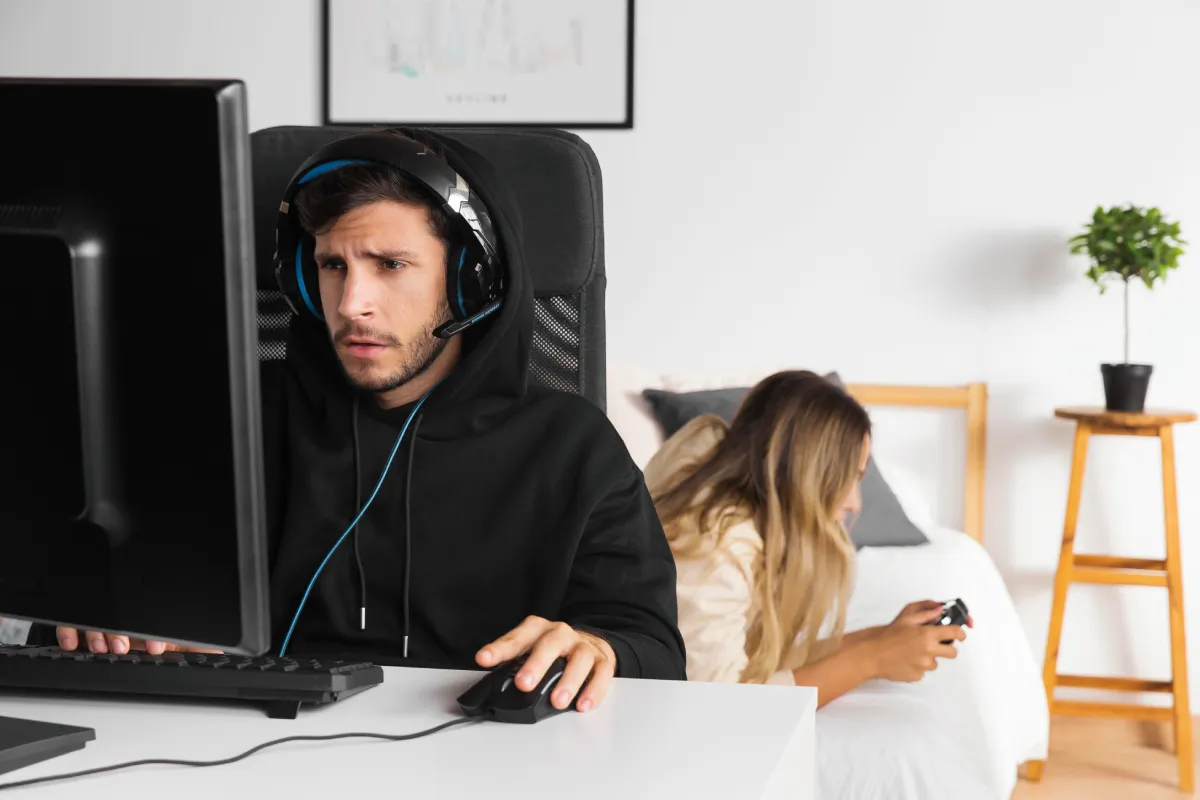
Maximizing Your Gaming Performance: The Complete Guide to Building a Competitive Setup
Every gamer has experienced that moment of frustration. You’re in the final round, victory within reach, and suddenly your hand cramps up, your aim feels off, or your equipment betrays you at the worst possible moment. Whether you’re climbing ranked ladders, streaming to an audience, or simply trying to enjoy your favorite titles after a long day at work, your gaming experience depends on far more than just skill and strategy.
The truth is that professional esports athletes and casual gamers alike share a common reality: your setup makes or breaks your performance. While raw talent and practice matter tremendously, the tools you use, the way you position yourself, and how you optimize your gaming environment can mean the difference between clutch victories and agonizing defeats. Yet despite gaming’s mainstream acceptance and the billions spent on hardware annually, many players still overlook fundamental aspects of creating an effective gaming station.
This comprehensive guide examines everything you need to know about building a gaming setup that doesn’t just look impressive but actually improves your performance, protects your health, and enhances your enjoyment. From ergonomic considerations that prevent injury to equipment choices that give you competitive advantages, we’ll explore the often-overlooked details that separate good gaming experiences from exceptional ones.
The Foundation: Why Your Gaming Environment Matters More Than You Think
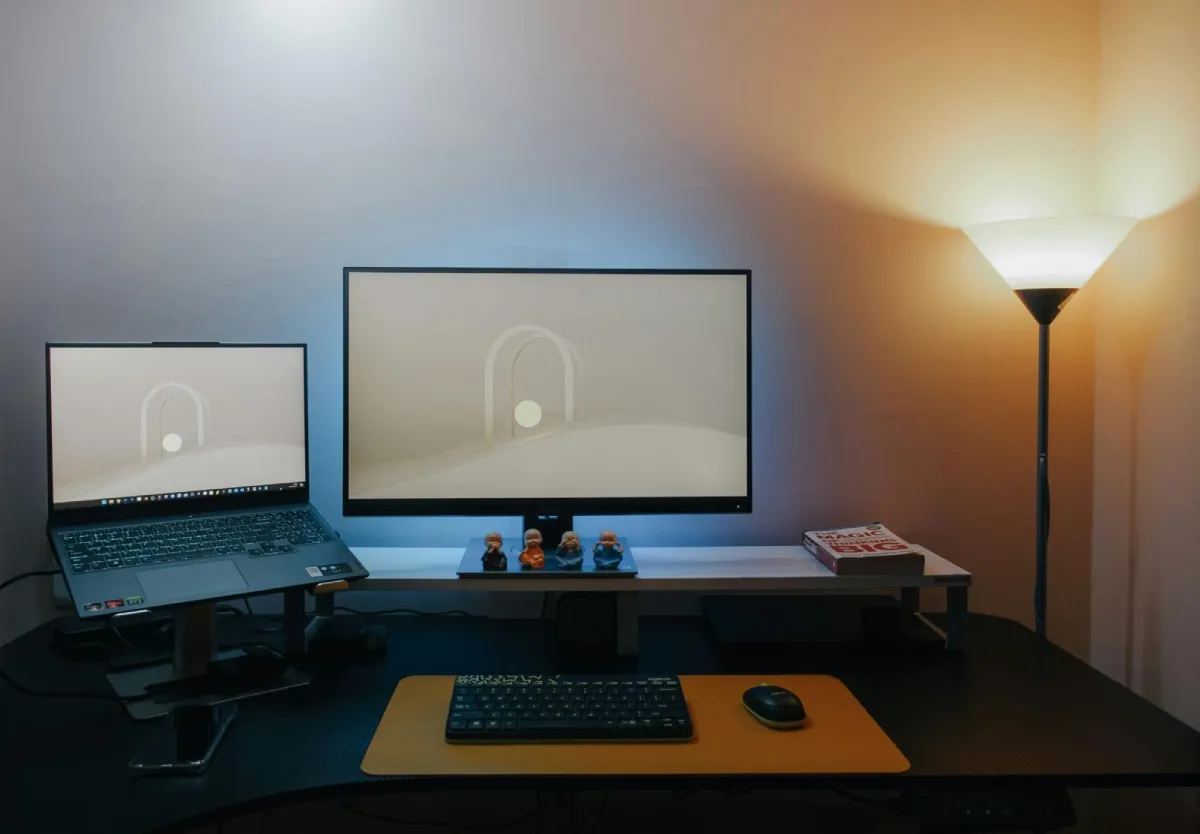
Walk into any professional esports training facility and you’ll immediately notice the attention paid to environmental details. Lighting is carefully controlled to reduce eye strain without creating screen glare. Desk heights are adjustable to accommodate different body types. Cable management keeps workspaces clean and distraction-free. These aren’t aesthetic choices. They’re performance optimizations backed by sports science and ergonomic research.
The human body wasn’t designed for marathon gaming sessions. Our ancestors didn’t spend eight hours sitting in fixed positions making thousands of precise micro-movements with their hands and wrists. Yet modern gaming demands exactly that, especially for competitive players or content creators who spend hours daily at their setups. Without proper attention to ergonomics and workspace design, players develop repetitive strain injuries, chronic pain, and performance degradation that cuts careers short or simply makes gaming less enjoyable.
Consider how professional athletes approach their craft. They don’t just practice their sport. They optimize every variable that affects performance: nutrition, sleep, training environments, equipment, recovery protocols. Gaming deserves the same systematic approach. Your reaction time, accuracy, endurance, and decision-making all depend on physical comfort, proper equipment, and an environment designed to support peak performance rather than fighting against your body’s needs.
Temperature and lighting represent two frequently overlooked environmental factors. Rooms that are too warm make you drowsy and reduce cognitive performance. Poor lighting causes eye strain and headaches, making it harder to focus during crucial moments. Background noise from inadequate soundproofing or poorly placed computers can prove distracting. These variables might seem minor individually, but their cumulative effect significantly impacts your gaming experience.
The competitive advantage gained from proper environmental optimization becomes obvious when you experience it firsthand. Players report faster reaction times, reduced fatigue during long sessions, fewer errors during clutch moments, and overall better enjoyment of their gaming time. These improvements don’t require expensive renovations or professional-grade equipment. Often simple adjustments, proper positioning, and thoughtful equipment choices deliver remarkable results.
Ergonomics and Health: Gaming for the Long Term
The stories are becoming increasingly common. Talented young streamers developing carpal tunnel syndrome before age 25. Competitive players forced to retire due to chronic back pain. Casual gamers whose hobby becomes physically uncomfortable rather than relaxing. These outcomes aren’t inevitable. They result from poor ergonomic practices that accumulate damage over time until problems become impossible to ignore.
Understanding proper gaming posture starts with your chair and desk relationship. Your feet should rest flat on the floor with thighs roughly parallel to the ground. Your monitor should sit at eye level, about an arm’s length away, preventing you from craning your neck forward or looking down for extended periods. Your keyboard and mouse should be positioned so your elbows stay close to your body at roughly 90-degree angles, avoiding the extended reach that strains shoulders and causes wrist problems.
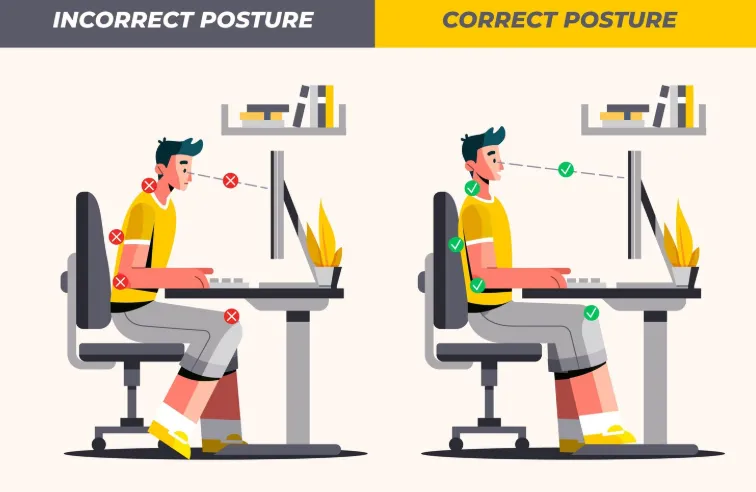
Monitor height matters more than most people realize. When your screen sits too low, you tilt your head forward, adding tremendous strain to neck muscles that weren’t designed to support your head’s weight at that angle hour after hour. This forward head position contributes to the neck pain, headaches, and upper back tension that plague many gamers. Raising your monitor to proper height, where your natural gaze hits the upper third of the screen, often eliminates these problems immediately.
Your peripheral placement deserves equal attention. Many gamers position their keyboard and mouse at standard desk height without considering whether that height suits their body proportions. Keyboard trays that position input devices slightly lower than desk height often feel more natural, reducing shoulder elevation and wrist extension. However, tray quality matters. Wobbly or poorly designed trays can prove worse than no tray at all, creating instability that hinders performance.
The importance of proper mouse positioning and selection cannot be overstated for anyone serious about gaming. Your mouse hand makes thousands of movements during typical gaming sessions, with competitive players easily exceeding tens of thousands of clicks and precise motions daily. Using equipment that doesn’t fit your hand properly or requires awkward wrist positions accelerates the development of repetitive strain injuries that can permanently affect your gaming ability and daily life comfort.
Modern gaming mice have evolved dramatically from the basic devices of years past. Today’s options feature designs based on extensive ergonomic research, understanding how hand size, grip style, and game genre affect what feels comfortable and performs well during extended use. For players who spend significant time gaming, investing in properly designed equipment makes practical sense. An ergonomic wireless gaming mouse designed for your specific needs can dramatically reduce hand fatigue, improve accuracy, and help prevent the chronic issues that develop from using poorly fitted equipment. The wireless aspect eliminates cable drag that can interfere with precision movements, while ergonomic shaping ensures your hand maintains natural positions rather than contorting to accommodate poorly designed equipment.
Beyond immediate comfort, proper equipment selection affects performance in measurable ways. Studies show that grip comfort directly correlates with accuracy and reaction time. When your hand strains to hold or move your mouse, precious milliseconds get added to your response time, and your accuracy suffers. Multiply these small disadvantages across thousands of actions per gaming session, and the cumulative performance impact becomes substantial. Professional players understand this, which is why they’re extremely particular about their peripheral choices.
Taking regular breaks represents another crucial but frequently ignored aspect of healthy gaming. The 20-20-20 rule provides a good baseline: every 20 minutes, look at something 20 feet away for 20 seconds. This gives your eyes a chance to refocus and reduces the strain of maintaining fixed focal distance. Similarly, standing up, stretching, and moving around for a few minutes every hour prevents the stiffness and circulation problems that come from prolonged sitting.
Hardware Considerations: Building Your Competitive Edge
Your gaming rig’s internal components rightfully receive significant attention. Gamers research graphics cards, processors, and RAM extensively, understanding how these specifications affect frame rates, load times, and overall performance. However, the peripheral equipment you interact with physically deserves equally careful consideration since it directly affects your ability to execute your intentions within games.
Monitor selection extends beyond resolution and refresh rate, though those factors certainly matter. Panel technology affects color accuracy and viewing angles. Response time influences how quickly pixels change, with faster response reducing motion blur during fast-paced action. Size and curvature affect your field of view and how comfortably you can track action across the screen without excessive head movement. For competitive gaming, many players prefer multiple smaller monitors or one large curved display that keeps all visual information within natural eye movement range.
Audio equipment often gets overlooked until players realize they’re missing crucial audio cues. Footsteps approaching from behind, ability sounds indicating enemy actions, directional gunfire, all provide valuable information in competitive games. Quality headphones with good soundstaging help you locate threats and opportunities based on audio positioning. While expensive audiophile equipment isn’t necessary, cheap headphones that muddy audio or provide poor directional cues put you at a distinct disadvantage.
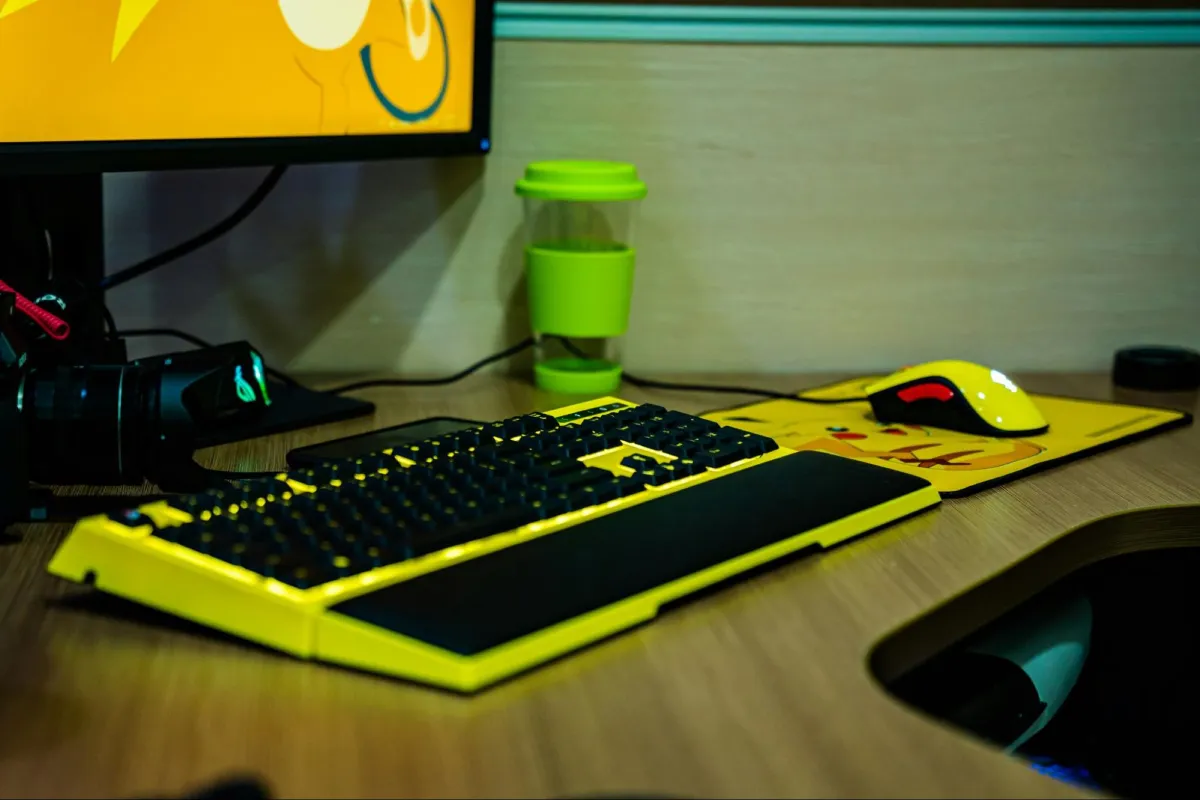
Keyboard choice depends heavily on personal preference and game requirements. Mechanical keyboards generally offer better tactile feedback and durability compared to membrane alternatives, though they cost more and produce more noise. Key switches come in various types, from heavy, clicky options that provide strong feedback to lighter, quieter switches suited for rapid successive presses. Games heavy on ability combinations might benefit from different switch types than games focused on precise single actions.
Your mouse pad might seem like a minor detail, but it significantly affects mouse performance. Large mouse pads provide space for low-sensitivity players who make broad arm movements, while smaller pads suit high-sensitivity wrist aimers. Surface texture affects how smoothly your mouse glides and how accurately the sensor tracks. Hard pads offer consistency and easy cleaning but less friction control. Cloth pads provide more stopping power and comfort but require regular maintenance. Some competitive players even use different pads for different games based on the movement styles those games demand.
Cable management deserves mention not just for aesthetics but for functionality. Tangled cables create drag on your mouse movements, catch on desk edges, and generally introduce variables that hurt performance consistency. Wireless technology has largely solved this for mice and headphones, though keyboard wireless solutions remain less universal. For wired equipment, proper cable management through routing channels, cable clips, or purpose-built bungees keeps cables out of your way while maintaining durability.
Software and Settings: The Digital Side of Optimization
Having excellent hardware means little if your software configuration works against you. Game settings, driver configurations, and operating system optimizations all affect both performance and gameplay experience. Surprisingly many players never venture beyond default settings, leaving significant performance improvements unclaimed.
Graphics settings require balancing visual quality against frame rate. While maximum graphics look beautiful in screenshots, competitive players typically reduce settings to achieve higher, more consistent frame rates. Inconsistent frame timing causes microstutters that throw off muscle memory and make tracking moving targets harder. Many professionals play on medium or even low graphics settings not because their hardware can’t handle more but because the performance consistency matters more than visual fidelity during competition.
Mouse sensitivity represents one of the most personal and consequential settings. Too high, and you sacrifice precision for speed. Too low, and you can’t turn quickly enough for reactive plays. Finding your optimal sensitivity often requires experimentation, though starting points exist based on game genre. First-person shooter players typically use much lower sensitivities than MOBA or RTS players due to the precision requirements of their games.
In-game audio settings deserve attention beyond just volume levels. Many games offer options for dynamic range compression, which reduces the volume difference between quiet and loud sounds. This helps you hear subtle audio cues like footsteps without making explosions dangerously loud. Positional audio settings, when properly configured, dramatically improve your ability to locate threats based on sound.
Peripheral software allows customization of buttons, sensitivity levels, RGB lighting, and performance characteristics. Taking time to optimize these settings for your specific needs rather than using defaults can reveal functionality you didn’t know existed. Programmable buttons can reduce finger travel for frequently used abilities. Sensitivity adjustment buttons let you switch between different movement requirements on the fly.
Beyond performance tweaks, game skins add a layer of personalization that enhances immersion and identity within a game. Many players also participate in in-game economies where they buy and sell skins, turning cosmetic customization into a strategic and sometimes profitable aspect of the overall gaming experience.
Building Sustainable Gaming Habits
The most powerful hardware and perfectly optimized settings mean nothing if your gaming habits undermine your performance and health. Developing sustainable practices ensures gaming remains enjoyable long-term rather than becoming a source of physical problems or burnout.
Hydration affects cognitive performance more than most people realize. Even mild dehydration reduces reaction time, decision-making quality, and endurance. Keeping water readily available and drinking regularly throughout gaming sessions maintains your mental edge. Many competitive players treat hydration as seriously as professional athletes do, understanding its impact on performance.
Sleep cannot be compensated for through willpower or energy drinks. Gaming during sleep deprivation significantly impairs your abilities while accelerating the development of poor habits since tired players rely more on reaction than strategy. Protecting your sleep schedule, even when tempted by one more match or keeping up with a content schedule, pays dividends in improved performance and health.
Physical fitness might seem unrelated to gaming performance, but research consistently shows cognitive benefits from regular exercise. Cardiovascular fitness improves focus and stamina. Strength training helps maintain posture during long sessions. Flexibility work reduces injury risk and discomfort. You don’t need to become a fitness enthusiast, but basic regular exercise substantially benefits your gaming performance and general wellbeing.
Managing stress and tilt represents a mental discipline crucial for competitive gaming. Everyone experiences frustrating losses or difficult teammates. How you respond to these challenges determines whether you improve or entrench bad habits. Taking breaks when frustrated, analyzing mistakes constructively rather than emotionally, and maintaining perspective about what gaming means in your life all contribute to sustainable improvement and enjoyment.
Bringing It All Together
Creating an exceptional gaming setup requires attention to numerous details that work together synergistically. Your environment affects your equipment’s effectiveness. Your equipment affects your physical comfort and performance. Your software settings affect how effectively you utilize your hardware. Your habits determine whether you can sustain high-level performance over time.
The good news is that optimization doesn’t require unlimited budgets or professional expertise. Many of the most impactful improvements, proper posture, optimized settings, good habits, cost nothing beyond time and attention. Equipment upgrades can be approached gradually, prioritizing items that address your specific needs and bottlenecks. Understanding the principles behind effective gaming setups empowers you to make informed decisions rather than chasing expensive equipment that might not actually solve your problems.
Whether you’re a competitive player chasing rank improvements, a content creator building an audience, or a casual gamer wanting better experiences during limited gaming time, investing in your setup pays off. Reduced discomfort means longer enjoyable sessions. Better equipment translates to improved performance. Optimized settings provide smoother, more responsive gameplay. Healthy habits ensure gaming remains a positive part of your life rather than a source of injury or regret.
Your gaming journey is unique to you, but the principles of effective setup design apply universally. Take time to evaluate your current situation honestly. Identify areas causing discomfort or limiting performance. Make changes systematically, giving yourself time to adjust and assess impact before moving to the next improvement. Build gradually toward a setup that truly serves your needs rather than trying to copy someone else’s configuration that might not suit your body, preferences, or circumstances.
Gaming technology will continue evolving. New hardware will emerge. Software will change. But the fundamental principles of ergonomic design, performance optimization, and sustainable habits remain constant. Master these fundamentals, and you’ll be equipped to evaluate future options effectively rather than chasing every new release hoping it will magically solve problems that actually require systematic attention to basics.
The difference between an average gaming experience and an exceptional one often comes down to details that many players overlook. Taking the comprehensive approach outlined here positions you to extract maximum enjoyment and performance from your gaming time. Your future self, whether that’s next month or years from now, will thank you for the attention paid to building a setup that truly works for you.


Leave a Reply