
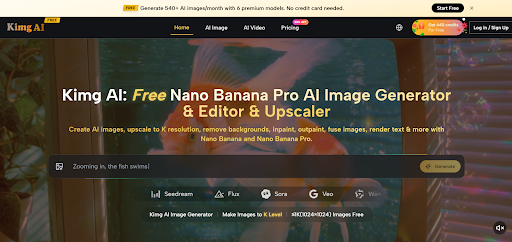
Nano Banana Pro Reframes What Premium Images Mean
When teams need visuals that can survive cropping, resizing, close inspection, and reuse across channels, the real issue is not access to image generation. The issue is whether the output still feels reliable after the first moment of surprise. That is why Nano Banana Pro deserves a closer look. It suggests a shift away from treating AI art as novelty and toward treating image generation as a quality-sensitive production step.
Many AI image tools are good at producing an exciting first draft. Fewer are convincing when the image must hold together under higher resolution, stricter brand requirements, or reference-based consistency. In my observation, that is where the difference between a casual generator and a more useful platform starts to show. Kimg AI seems to understand this distinction by building the image model into a wider workflow that includes references, editing, enhancement, and later-stage reuse.
Image Creation Matters More When Outputs Travel
A visual created for one purpose rarely stays there. A campaign image may begin as a concept frame, then become a landing page asset, a paid ad variation, a deck illustration, or a motion starting point. Because of that, the standard for a good image is changing. It is no longer enough for an output to look impressive at small size. It needs to remain coherent when the context changes.
This is where the platform’s positioning feels more practical than theatrical. Instead of describing image generation as pure inspiration, it frames image work around output quality, reference control, and ultra-HD rendering. That is a more grounded promise.
Why The Pro Layer Feels Significant
According to the platform’s structure, Nano Banana Pro is positioned as the higher-end image path for users who need stronger realism, richer texture, and cleaner detail retention. That matters because many creators are not struggling to get an image. They are struggling to get an image that looks considered rather than accidental.
The difference may sound subtle, but it changes the role of the tool. A system that is optimized for production-quality visuals enters a different category from one that mainly produces fast concept art.
How This Changes User Expectations
Once quality becomes the real target, the user starts judging the platform differently. The important questions become:
- Does the image keep detail at larger sizes
- Can reference material meaningfully guide the outcome
- Is editing part of the workflow, not an afterthought
- Can one output become the base for later variations
- Does the image still feel believable after closer inspection
Those are not glamorous questions, but they are often the ones that matter in actual use.
Reference Images Make The Workflow More Honest
One of the most useful signals on the official pages is support for multiple reference images. Kimg AI states that Nano Banana and Nano Banana Pro AI can work with up to four reference images. In practical terms, this is important because it reduces the burden placed on prompt wording alone.
A prompt can describe style, mood, composition, or material character, but language has limits. Reference images can clarify what words often blur. In my view, this is one of the strongest reasons the platform may feel more controllable than many simpler image tools.
Why References Often Beat More Adjectives
Users often respond to weak generations by writing longer prompts. Sometimes that helps, but sometimes it only creates more ambiguity. Reference inputs can solve a different class of problem by showing the model what consistency should look like.
That becomes useful when the goal is to preserve:
- facial identity
- product shape
- wardrobe logic
- overall color direction
- brand-safe visual tone
For creators working across a set of connected assets, that kind of consistency matters more than raw visual drama.
Where The Platform Seems Especially Practical
The official product framing suggests a few scenarios where the workflow makes immediate sense:
| Scenario | Why The Workflow Helps | What Users Likely Value |
| Brand visuals | Repetition must still look intentional | consistency and polish |
| Product storytelling | Surface realism affects trust | detail and material quality |
| Character-led graphics | Identity drift becomes a problem quickly | reference stability |
| Multi-channel campaigns | Assets get reused in different sizes | upscale readiness |
| Creative testing | Variations need control, not chaos | guided iteration |
The value here is not only better-looking images. It is more predictable behavior when image work becomes iterative.
Better Resolution Only Matters With Better Structure
The site places a lot of emphasis on output quality, including 4K, 8K, and 16K paths. That sounds impressive, but resolution by itself is often overrated. A larger image is not necessarily a better image. If the rendering underneath is weak, increasing the size only makes the weaknesses easier to notice.
What makes the promise more meaningful is that higher resolution is discussed alongside fidelity, prompt following, lighting quality, and editing support. This suggests the platform is not only chasing size. It is trying to connect scale with structural image quality.
Why High Resolution Is Usually A Second-Step Benefit
In production, high resolution becomes valuable after the image already works. Once the model produces convincing textures, believable light behavior, and stable subject definition, enlargement becomes more useful. It allows the output to survive cropping, print-oriented use, or closer visual inspection.
That is why a model like Nano Banana Pro feels less like a decorative upgrade and more like a practical choice. The benefit is not the number itself. The benefit is how much of the image remains believable at that number.
What Users Actually Gain From Cleaner Detail
When the image foundation is stronger, a few practical advantages appear:
- edges stay cleaner in resized formats
- material surfaces feel less synthetic
- later edits preserve structure more easily
- product or portrait images remain more credible
- visual assets can be repurposed with less loss
These are modest claims, but they are useful ones.
The Official Workflow Stays Short And Clear
Even though the platform covers several functions, the actual image process presented on the official site remains straightforward. It can be understood in three main steps.
Step One Begins With Choosing The Right Model
The first step is selecting the image path that matches the intended output. This matters because the platform separates different model roles instead of pretending that one setup works equally well for every use case. If the priority is higher fidelity and stronger resolution potential, Nano Banana Pro is the more relevant option.
This is a small design choice, but it encourages better judgment from the start.
Step Two Combines Prompting With Visual Guidance
After model selection, the user writes a prompt and can upload reference images. This stage is where the workflow becomes more precise. Rather than depending only on descriptive language, the system lets the user steer style, composition, and subject continuity through visual evidence.
For anyone who has struggled with prompt-only instability, this is likely one of the most useful parts of the platform.
Step Three Extends Into Editing And Enhancement
Once an image is generated, the process can continue with inpainting, outpainting, background removal, text rendering, and upscale options. This matters because strong visual work often comes from revision rather than from the first result.
The workflow seems built around that reality. Instead of assuming the first output is final, it gives the user room to push the image closer to its intended use.
The Platform Works Best When Judged Calmly
There is a temptation to evaluate AI tools in extremes. Either they are described as revolutionary or dismissed as inconsistent. A more useful reading is usually somewhere in the middle. Kimg AI appears more thoughtful than many one-click generators, but it still depends on user judgment.
Where The Limits Still Remain
Even with a more structured workflow, some common limits do not disappear:
| Limitation | Why It Still Matters | Reasonable Expectation |
| Prompt quality | vague instructions create vague direction | clearer prompts improve results |
| Reference choice | poor inputs reduce consistency | references should be specific |
| Iteration need | first drafts are not always final | multiple passes may help |
| Task-model fit | different goals need different tradeoffs | choose the model by outcome |
this does not weaken the platform. It simply places it in a realistic context.
Why Real Users Benefit From That Realism
In my experience, the most effective way to use a platform like this is to treat it as a controlled visual system rather than an instant answer machine. The better the creative target, the better the platform can respond. When users bring references, clear intent, and patience for adjustment, the model becomes more useful.
Nano Banana Pro Fits A More Mature Creative Habit
The reason this model stands out is not only that it aims for premium visual quality. It is that it sits inside a workflow designed for reuse, correction, and refinement. That is a more mature view of AI image making than the older idea that generation ends once a striking image appears on screen.
For creators, marketers, designers, and product teams, this difference is meaningful. A tool becomes more valuable when it supports visual decision-making, not just visual surprise. Nano Banana Pro appears most relevant in exactly that context: when the question is no longer whether AI can generate an image, but whether that image can actually carry work forward.


Leave a Reply