

Online QR Generator Review: Features, Pricing and Verdict
What is Online QR Generator?
Online QR Generator is a browser‑based platform that lets people create and manage QR codes. Users decide what each code should open, tweak its look, then download or share it. On the homepage, Online QR Generator presents itself as a tool for editable codes, real‑time tracking, and branding options.
The dashboard screenshot shows saved codes, folders, how many scans each has, search and filter options, and buttons to create, pick, download, or view details. This helps teams keep assets for products or campaigns tidy. The screenshot also shows desktop and mobile views.
QR code types and editing
A static QR code contains its destination directly and cannot be changed after creation. A dynamic code points to a managed destination, allowing its target to be updated later. Online QR Generator promotes editable dynamic codes, which can be useful when a printed menu, package, poster, or business card will remain in use after its destination changes.
The platform supports codes for websites, WiFi networks, vCards, PDFs, menus, app downloads, social media, and other destinations. That wide range makes it useful for both marketing to customers and sharing information. A retailer might link packaging to care instructions, a restaurant could share a menu, or an event organizer could direct attendees to an app download.
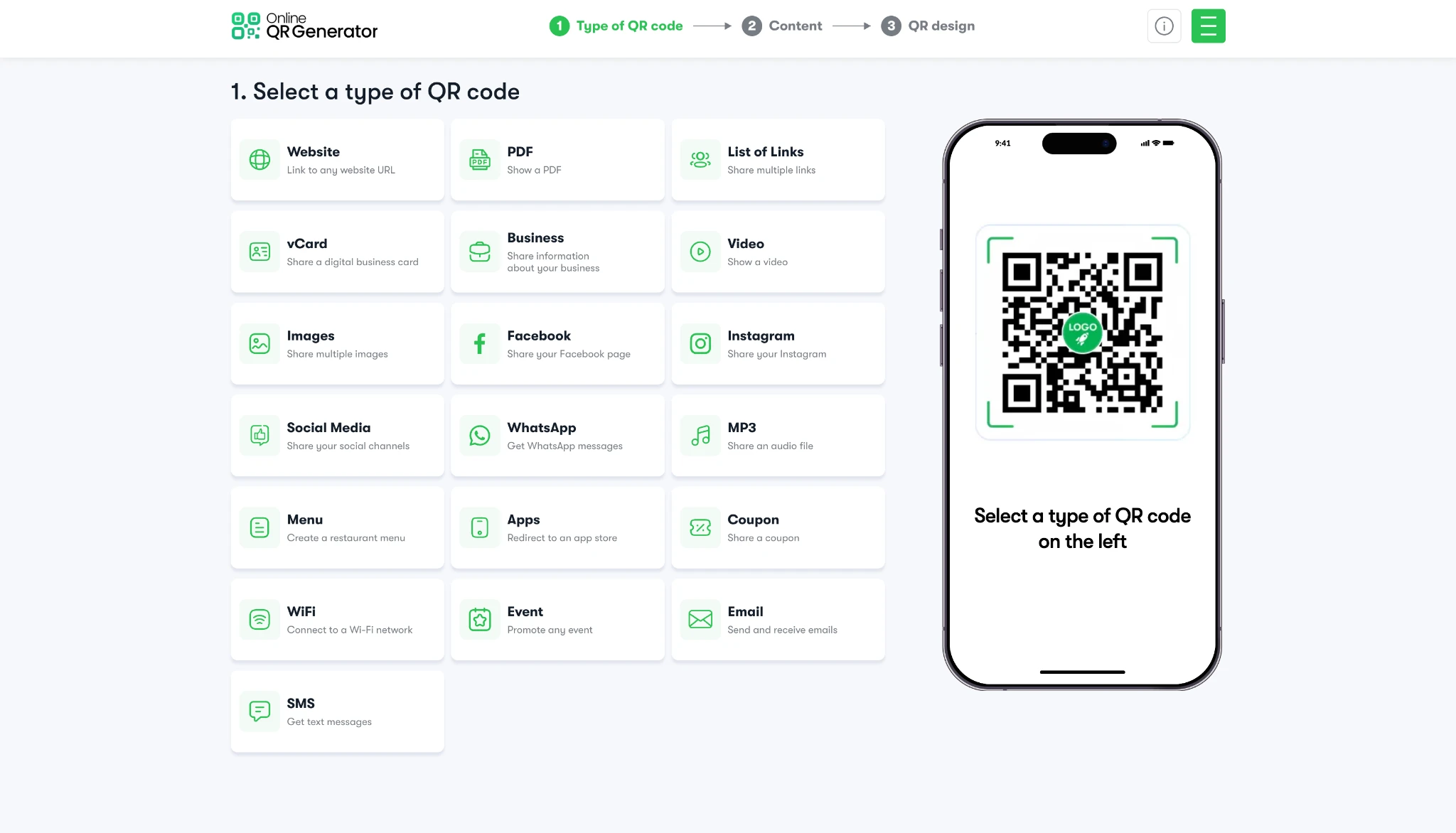
Online QR Generator has a variety of QR code types that suit any business.
Editing a destination after printing is practical, but it means the code depends on the provider’s redirect and account access. The FAQ says codes remain visible in the dashboard after cancellation, but users lose access to editing and analytics until they subscribe again. Before using dynamic codes on long-lived materials, consider how ongoing access fits the campaign budget.
Design, landing pages, and downloads
The customization tools are a notable part of the offer. Users can style codes with logos, colors, and frames. This can make a code feel connected to a store or campaign, but visual polish should not interfere with scanning. Keep strong contrast, leave a clear margin around the pattern, and test the printed version with a phone before ordering a large batch.
Online QR Generator also promotes landing-page creation for users who want a destination without building a separate website. That can suit a short campaign or a simple product link. If a business already has a WooCommerce store, linking a code directly to a mobile-friendly product or campaign page may fit better with its existing checkout.
Codes can be downloaded in high resolution as PNG, JPG, SVG, or EPS for use on screen or in print. Choose a format appropriate to where the code will appear and verify its resolution at the final size.
Analytics and campaign management
Online QR Generator offers real‑time analytics for each code, showing activity, locations, and devices. The screenshot also shows totals next to each code. Having codes for different placements helps marketers compare activity from packaging, posters, flyers, or event materials.
Folders, filters and bulk download options are useful for people who manage codes. They turn the dashboard into more than a generator page; it can act as a small asset library. A solo shop with one permanent code may not need that structure, but an agency or retailer running many campaigns may like it.
Analytics should be seen as a hint, not the measure of a campaign’s success. A scan does not always lead to a purchase, and one shopper may scan more than once. Pair scan data with store visits, coupon use, or sales reporting when possible. Think about privacy issues of collecting location or device data and read the service’s privacy terms before using analytics for customer profiling.
Pricing and plans
At the time of review, the pricing page lists three subscription cycles: monthly at $49.95 per month, quarterly at $29.95 per month billed every three months, and annually at $19.95 per month billed yearly. The page presents these as promotional prices and shows discount messaging, so check the current total and renewal amount before subscribing. Prices or offers may vary by region and can change.
The listed plans include unlimited dynamic QR codes, a variety of QR types, unlimited modifications and scans, multiple download formats, unlimited users, and premium support. The page says subscriptions can be cancelled at any time. It also states that unused subscriptions are not refunded. The FAQ describes a trial with access to the platform’s features; read the sign-up and billing terms to understand when a paid plan begins.
The annual option has the lowest advertised monthly equivalent, but it is billed yearly. Monthly billing costs more per month while avoiding the same upfront annual payment. The best choice depends on how many codes you expect to use and whether editable codes and analytics matter to your campaign. For occasional static codes, a subscription may be more than you need.
Ease of use and limitations
The public-facing workflow appears approachable: create a code, choose a type and destination, customize, then save or download. The homepage leads with a “Create QR code” action, while the dashboard gives signed-in users tools to organize existing codes. Beginners may need a short learning period to understand the different code types, destinations, and analytics.
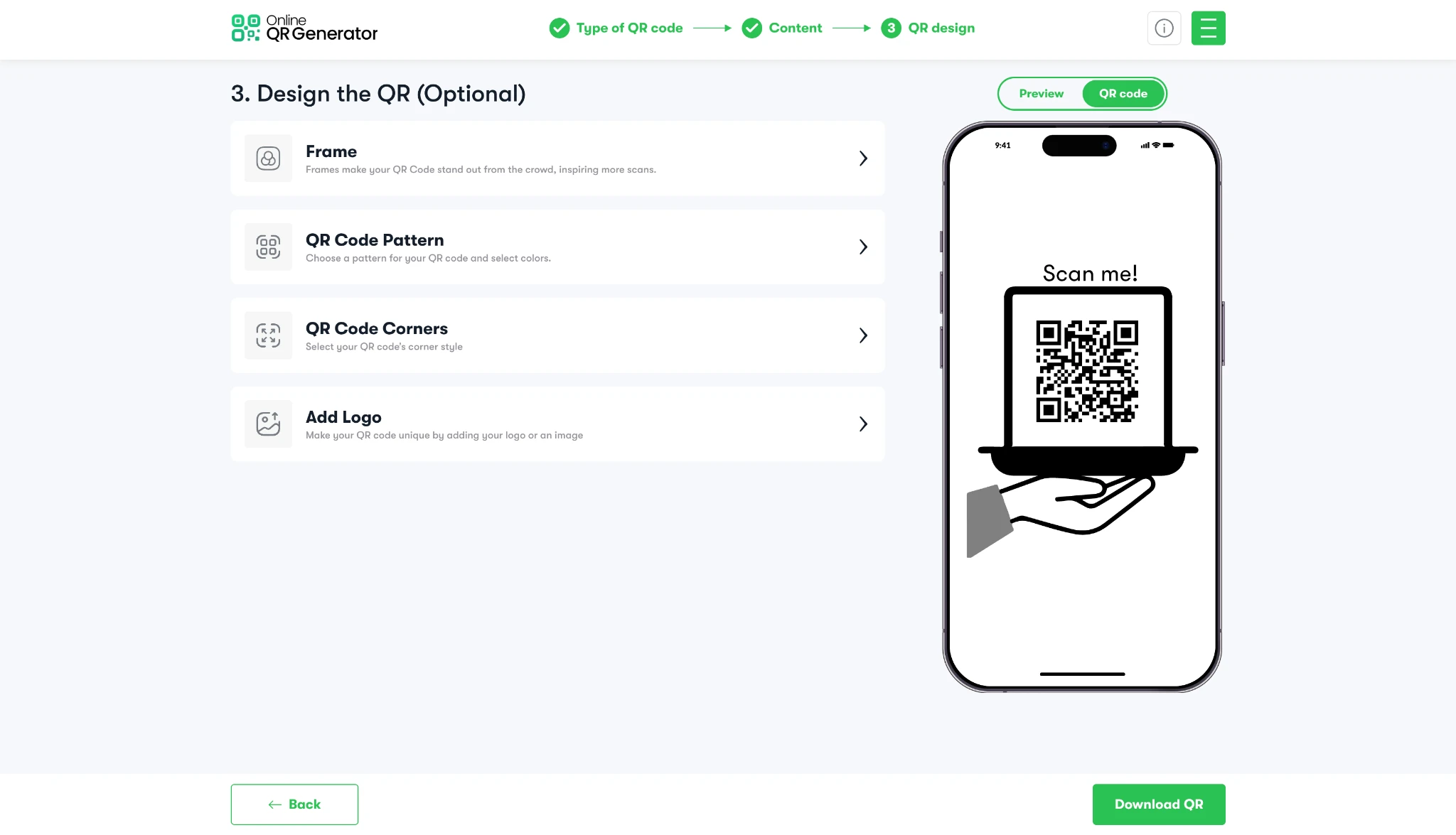
Online QR Generator gives businesses the freedom to design their own QR codes with customized frames, patterns, corners, and logos.
Dynamic codes and their analytics depend on continued account access. The stated cancellation terms restrict access to management and reporting until a subscription is active again, and unused subscriptions are non-refundable. As with any QR tool, customization cannot guarantee a successful scan: size, contrast, print quality, lighting, and phone camera conditions still matter.
Who should consider it?
Online QR Generator is best for businesses, e‑commerce teams, restaurants, event organizers, and agencies that need many branded QR codes and expect to update or measure them. A shop can point packaging to product guidance, link a printed promotion to a landing page, or compare scans across campaign placements. The dashboard’s folders and filtering become more useful as the QR code library grows.
Online QR Generator may be less useful for someone who needs one static QR code and has no need for scan reporting. A free basic generator may cover that need. The subscription is easier to justify when editable destinations, ongoing management, team access, and analytics support recurring campaigns.
Rating and final verdict
Editorial rating: 4.8/5
Online QR Generator combines code creation, branding, destination editing, downloads, organization, and scan reporting. Its dynamic codes and dashboard are clear advantages, while landing pages may help users who need a destination quickly.
The rating reflects the breadth of the advertised feature set, flexible design and code management, and their potential value to repeat campaign users. The main trade-offs are subscription pricing, annual upfront billing for the lowest monthly rate, and loss of editing and analytics access if the subscription ends. Review current terms and test scans before printing at scale.


Leave a Reply