

The Recordings We Keep—and Never Revisit
Most people don’t set out to build a personal archive of audio and video. It just happens in the background of modern life.
A meeting gets recorded “just in case.” A family event is filmed because someone couldn’t make it. A friend sends a long voice message that deserves a thoughtful reply. You bookmark a video because the advice seems genuinely useful. Then your day moves on—and those files quietly pile up.
The strange thing is that recordings feel like you’re saving information. But when you actually need something—the date, the decision, the address, the exact wording—a recording can be one of the hardest places to look. You can’t skim a video the way you skim a paragraph. You can’t search a voice note for “Friday” the way you can search a document. So instead, you scrub through timelines, replay the same section twice, and still miss the one line you wanted.
That’s how recordings end up like a digital attic: valuable things stored away, but not easily usable.
Why audio and video feel harder to “use” than we expect
Text is designed for retrieval. Audio and video are designed for playback.
With text, you can jump around. You can highlight. You can copy one sentence into your calendar or notes. You can search for keywords like “deadline,” “price,” “password,” or “next steps.”
With recordings, you have to move through time. That’s fine when you’re watching for enjoyment. It’s frustrating when you’re trying to extract information.
This is why more people are turning certain recordings into written notes—less as a “productivity hack,” and more as a practical way to reduce repeat work: fewer replays, fewer missed details, fewer “wait—what did they say?” moments.
A realistic approach: only convert the recordings you’ll actually use
Here’s the part that makes transcription feel manageable: you don’t need to convert everything.
A better habit is to convert only the “keepers”—the files that contain something you’ll likely need again.
Try this quick filter:
Keeper test: Is there a line in this recording I would want to reuse, act on, or remember?
- If yes, it’s worth capturing the meaning in text.
- If no, it can stay as a recording (or be deleted without guilt).
This matters because the biggest risk isn’t missing content. It’s accumulating too much of it. The goal is not to create more documents—it’s to make the information you already have easier to access.
Where transcription shows up in everyday life
Transcription can sound like something reserved for courtrooms or film production. In reality, it often shows up in ordinary situations—especially when details matter.
Long voice messages you want to respond to properly
A friend sends a four-minute voice note. You listen while multitasking. You catch the emotion, but the details blur. Was it Friday or Saturday? Did they ask a question? What was the plan?
A text version can make it easier to respond clearly and kindly—without replaying the message multiple times.
“Watch later” videos that are actually practical
People save videos for everyday reasons: cooking tips, fitness routines, study guides, how-to explanations, workplace trainings, travel advice. But when you need the one step you forgot, video is slow.
Text turns “watch later” into something closer to a reference sheet.
Meetings, classes, and interviews you need to search
For school and work, transcription is often less about perfection and more about retrieval. Being able to search for “deadline,” “budget,” or “next steps” can save time even if the transcript isn’t polished.

If you’re exploring audio to text transcription as a workflow, it helps to think of it this way: you’re turning spoken information into something you can skim and search—more like notes than a file you have to replay end-to-end.
The overlooked case: videos where you only need one part
Video is everywhere now—not just entertainment, but everyday communication. Parents record school events. Teams record trainings. People share screen recordings to explain problems. Creators post tutorials. Friends send clips.
But video can be the most time-consuming format when you’re looking for one specific detail. Often you don’t need the whole clip—you need the part where someone explains the steps, names a tool, states a date, or summarizes the point.
That’s why “video to text” has become such a practical use case: it turns one long clip into a document you can scan.
If you have a clip in MP4 format and want a written version with minimal hassle, you might look for an option like mp4 to text free to convert the parts you actually care about into text you can reuse.
How to get better results (without turning it into a project)
People often assume transcription quality is mainly about the tool. In reality, the input matters a lot. A few small habits can improve results noticeably:
- Get closer to the microphone(clear speech beats louder volume)
- Reduce background noisewhen possible (fans, traffic, typing)
- Avoid overlapping speechin group settings
- Pause briefly between thoughtsso sentences separate more naturally
- Split long recordingsinto smaller segments (easier to review and correct)
When you review, don’t aim for perfect. Most people only need to confirm the high-stakes parts: names, dates, numbers, and action items.
What to do with the text once you have it
A transcript becomes useful when it turns into something you’ll actually use. Instead of trying to polish every word, extract one simple outcome:
- Three-bullet summary:what it says / why it matters / what I’ll do next
- Action list:decisions + next steps
- Reference note:key instructions, names, numbers, links
- Reply draft:for long voice messages that deserve a thoughtful response
This keeps transcription from becoming another form of clutter.
A minimal, neutral note on tools
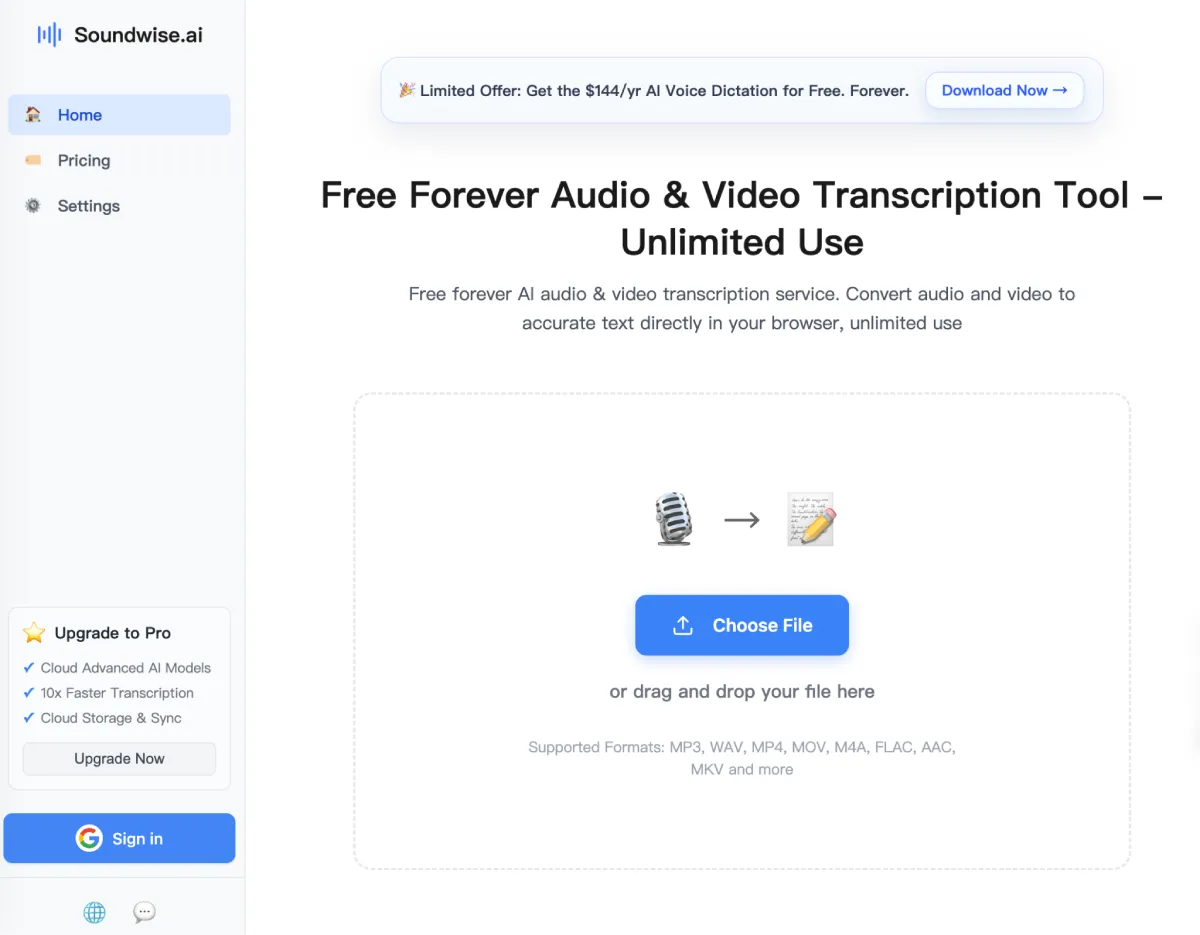
There are many ways to convert audio and video into text—some built for team collaboration, some for captions, others for quick, browser-based conversion. SoundWise is one lightweight option people may come across when looking for simple transcription, but the broader takeaway is the habit: turning the recordings you care about into text you can find again.
Because most of us don’t need more content. We need fewer important details trapped inside files we’ll never replay.


Leave a Reply