
5 Document-to-Video Tools Compared: Features, Quality, and Value for 2026
The document-to-video tool category has matured rapidly. What started as a niche capability offered by a handful of startups is now a competitive market with multiple serious contenders. For teams evaluating these tools — whether for education, corporate training, or content marketing — the number of options can be overwhelming.
Over the past several months, I tested five leading document-to-video platforms with a standardized set of documents to provide an objective comparison. Each platform was evaluated on the same criteria using the same source materials, so the results reflect genuine capability differences rather than cherry-picked demonstrations.
Testing Methodology
I used four test documents across different use cases: a 12-page corporate training manual (structured, formal), a 6-page product feature guide (technical, concise), a 15-page educational textbook chapter (academic, detailed), and a 4-page marketing case study (narrative, persuasive).
Each platform was evaluated on seven dimensions: input flexibility (document formats supported), content intelligence (how well the AI understood and structured the content), script quality (natural language, accuracy, pedagogical soundness), visual output (design quality, layout, imagery), presenter quality (AI avatar realism and expression), multilingual capability, and ease of use.
The Platforms Tested
Leadde.ai — Best Overall for Professional Use
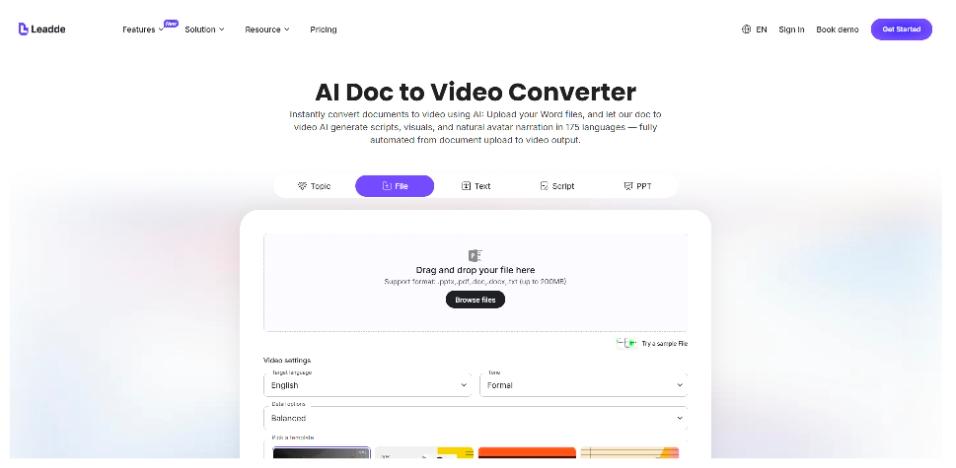
Leadde consistently produced the highest-quality output across all four test documents. The document to video converter demonstrated strong content intelligence — it correctly identified the hierarchical structure of all test documents, generated narration scripts that were natural and informative rather than just reading the source text, and created visually balanced scenes with appropriate supporting imagery.
The AI presenter quality was noticeably superior. Leadde’s Expressive IV Engine generates context-appropriate facial expressions and body language, making the presenter feel responsive rather than robotic. During the training manual test, the presenter’s tone and demeanor shifted appropriately between explanatory sections and cautionary notes — a subtle but impactful quality detail.
Multilingual support was the strongest in the group: 88 languages with 175 dialects. The one-click translation feature generated complete localized versions of test videos in Spanish, Japanese, and Arabic, with natural-sounding narration and correctly translated on-screen text.
Areas for improvement: the initial processing time was slightly longer than some competitors (though still under 10 minutes for all test documents), and the template library, while professional, offers fewer stylistic options than some design-focused competitors.
Score: 9.1/10
Platform B — Best for Marketing Content
Platform B excels at creating visually dynamic, social-media-ready content. The output is optimized for engagement metrics — bold animations, attention-grabbing transitions, and punchy text overlays. The marketing case study produced the most visually striking output on this platform.
However, the emphasis on visual impact comes at the expense of content depth. The training manual and textbook chapter were compressed to a degree that sacrificed important details. The platform clearly prioritizes brevity and visual engagement over comprehensive content coverage — which is the right approach for marketing clips but the wrong approach for education or training.
No AI avatar option is available — all videos are text-and-graphics-based. For content types where a human presence improves engagement (education, training), this is a significant limitation.
Score: 7.4/10
Platform C — Best Budget Option
Platform C offers the lowest price point and the simplest workflow. Upload a document, choose basic settings, and receive a video. The simplicity is both its strength and its limitation — there are fewer customization options, but there is also less to learn.
Output quality is adequate for internal use but falls short of what most organizations would publish externally. The narration uses standard text-to-speech without avatar support, visual design is functional but generic, and script generation is relatively literal — it tends to read the document content rather than interpret it for a video audience.
For teams with minimal budgets and moderate quality requirements — internal meeting summaries, quick knowledge sharing, informal training — Platform C offers reasonable value. For professional or external-facing content, the quality gap compared to premium options is noticeable.
Score: 6.2/10
Platform D — Best for Data Visualization
Platform D has invested heavily in data visualization capabilities. When the input document contains tables, charts, or numerical data, the platform generates animated data visualizations that are genuinely impressive. The product feature guide, which included a comparison table and usage statistics, produced the most informative visual treatment on this platform.
The limitation is that non-data content receives standard treatment. Narrative sections, explanatory text, and procedural content are handled competently but without the polish that data sections receive. The platform feels like a specialized tool for data-heavy content rather than a general-purpose document-to-video converter.
AI avatar support is limited to a small selection of presenters with basic expression capabilities. Multilingual support covers 15 languages — adequate for many organizations but limited compared to the broader market.
Score: 7.0/10
Platform E — Best for Collaborative Workflows
Platform E differentiates itself with collaborative features. Multiple team members can work on the same video simultaneously, leave comments at specific timestamps, and manage approval workflows within the platform. For large organizations with formal content review processes, these features address a genuine pain point.
Output quality is solid but not exceptional. The AI presenter is competent but less expressive than Leadde’s offering. Script generation is accurate but occasionally produces narration that sounds formulaic. Visual design is professional and benefits from a large template library with branded options.
The collaborative features add cost, making this the most expensive option for individual creators. But for enterprise teams with multi-stakeholder review processes, the workflow benefits may justify the premium.
Score: 7.6/10
Feature-by-Feature Comparison
Content Intelligence
Leadde and Platform E showed the strongest content intelligence, correctly interpreting document structure and generating contextually appropriate scripts. Platform B and Platform D performed well with their respective content specialties (marketing and data) but less consistently with general content. Platform C’s content interpretation was the most literal and least adaptive.
AI Presenter Quality
Leadde’s Expressive IV Engine clearly leads this category. The difference is particularly noticeable in longer videos where presenter engagement is critical for maintaining viewer attention. Platform E’s presenters are competent. Platforms B and C do not offer AI presenters.
Multilingual Support
Leadde’s support for 88 languages with 175 dialects is unmatched. Platform E supports 30+ languages. Platforms B and D support 10-15 languages. Platform C supports English only.
Pricing
Platform C is the most affordable. Leadde and Platforms B and D occupy the mid-range. Platform E is the most expensive due to its collaborative features. All platforms offer free trials or free tiers for evaluation.
Recommendations by Use Case
Education and training: Leadde is the clear recommendation. Superior presenter quality, strong content intelligence, and comprehensive multilingual support make it the best fit for educational content where engagement and retention matter most.
Social media and marketing: Platform B’s visual-first approach produces the most shareable content for social channels and marketing campaigns.
Data-heavy reports: Platform D’s data visualization capabilities make it the best choice when source documents contain significant tabular or numerical content.
Enterprise teams with complex review workflows: Platform E’s collaborative features justify its premium pricing for organizations with formal content approval processes.
Budget-constrained internal use: Platform C provides basic capability at the lowest cost for informal, internal-facing content.
The Bottom Line
The document-to-video category has reached a maturity level where every platform tested can produce usable output. The differentiation lies in quality nuances and specialty capabilities. For most professional and educational applications, Leadde’s combination of content intelligence, presenter quality, and multilingual support makes it the strongest all-around choice. Specialized use cases may benefit from the specific strengths of other platforms, and the availability of free trials across the category makes hands-on evaluation straightforward.


Leave a Reply