
AI Image Generation Has Finally Become Useful, and Creators Should Pay Attention
There was a time when AI image generators were little more than party tricks. You typed something absurd into a prompt box, got back a surreal mess of melted fingers and nonsensical text, shared it on Twitter for a laugh, and moved on. That era is over.
Over the past year, the gap between what AI image tools promise and what they actually deliver has narrowed dramatically. The technology has shifted from “interesting demo” to something that working designers, content creators, and indie developers are building into their daily workflows. If you make things on the internet and you haven’t looked at this space recently, you are already behind.
The Text Rendering Problem is (Mostly) Solved
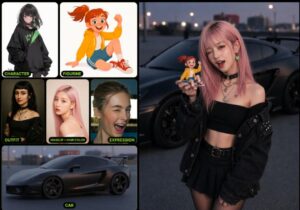
For years, the single biggest embarrassment of AI image generation was text. Ask any model to put words on a poster, a storefront sign, or a book cover, and you would get garbled nonsense. Letters would merge, spelling would break, and anything beyond three or four characters turned into abstract art whether you wanted it to or not.
That changed when OpenAI embedded image generation directly into GPT-4o in March 2025. Instead of routing prompts to a separate model like DALL-E, the system now generates images from within the same architecture that handles language. The result: text rendering that actually works. Signs look like signs. Labels read correctly. Infographics contain real, legible information.
This might sound like a small thing, but it unlocked an entirely new category of use cases. Suddenly you could generate a product mockup with accurate packaging text, a social media graphic with a real headline, or a presentation slide with readable data points, all from a single prompt. The practical value jumped overnight.
GPT Image 2 and the Next Wave
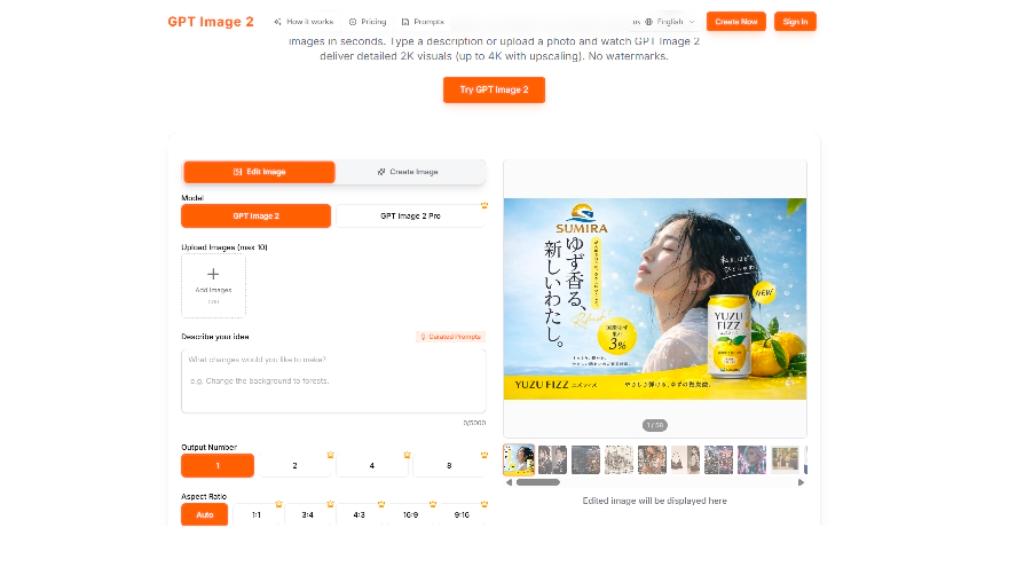
The improvements did not stop there. Earlier this year, GPT Image 2 started appearing in A/B tests inside ChatGPT, and the early results caught the attention of the AI community almost immediately. Users noticed sharper photorealism, more consistent character rendering across multiple generations, and text accuracy that makes the first version look rough by comparison.
What makes GPT Image 2 significant is not just raw quality. It is the combination of quality with controllability. Earlier models could sometimes produce stunning images, but getting them to produce exactly what you wanted required dozens of prompt iterations, negative prompts, seed manipulation, and a fair amount of luck. The newer generation of models responds to instructions more literally and more consistently, which matters enormously when you are using these tools for actual work rather than casual experimentation.
For creators working in content production, e-commerce, game development, or social media, this shift from “occasionally impressive” to “reliably useful” is the real story. You don’t need a masterpiece every time. You need something good enough, fast enough, that fits your specific brief. That is where the technology has finally arrived.
Why Aggregator Platforms Are Winning
Here is something most casual observers miss about AI image generation in 2026: the model landscape is incredibly fragmented. OpenAI has its native image generation. Midjourney continues to push artistic quality. Stability AI offers open source alternatives. Google has Imagen. Flux, Ideogram, and several newer players are carving out niches in specific areas like typography, photorealism, or anime styles.
No single model is the best at everything. Midjourney still produces the most visually striking artistic compositions. OpenAI’s models handle text and structured layouts better. Flux excels at certain photorealistic styles. The “best” model depends entirely on what you are trying to create.
This is why aggregator platforms like gptimage2ai.com have become increasingly popular among serious users. Rather than committing to one ecosystem and accepting its limitations, creators are gravitating toward tools that let them access multiple models through a single interface. You describe what you want, pick the model that fits, generate variations across different engines, and choose the best output. It is a workflow that treats AI image generation the way a photographer treats lenses: different tools for different shots.
This aggregator approach also future-proofs your workflow. When a new model drops (and they drop constantly now), platforms like gptimage2ai.com add it quickly. You don’t have to learn a new interface, set up a new account, or figure out a new prompting syntax. You just have another option in your toolkit.
What This Means for Designers, Marketers, and Small Teams
If you are a freelancer producing client deliverables, a marketer who needs visuals for every campaign, a startup founder building a brand on a tight budget, or a developer who needs UI mockups before hiring a designer, the barrier to professional-looking visuals has essentially collapsed.
Three years ago, getting a custom illustration meant either learning digital art yourself (hundreds of hours), commissioning an artist (weeks of turnaround, real budget), or settling for stock photos and generic templates. Today, a well-crafted prompt can produce a usable piece in under a minute.
This does not replace artists. The people hand-painting concept art for AAA games, illustrating graphic novels, or designing original characters with genuine creative vision are doing something fundamentally different from what these tools do. But for the vast middle ground of visual needs, where you need “good enough” and you need it now, AI image generation has become an absurdly powerful resource.
Think about use cases that are common across businesses and creative teams. A marketing manager who needs 20 ad variations for A/B testing. A blogger who needs unique featured images for every post. A small e-commerce store testing product mockups before committing to a photo shoot. A SaaS startup that needs landing page hero images and social proof graphics. A WordPress theme developer who needs demo content that looks realistic. None of these people need gallery-quality originals. They need fast, decent, and customizable. And that is exactly what the current generation of tools delivers.
The Prompt Literacy Gap
Here is the thing nobody talks about enough: the people getting the best results from these tools are not the ones with the fanciest subscriptions. They are the ones who have developed what I would call “prompt literacy,” the skill of describing what you want in a way the model actually understands.
This is a genuinely new skill. It sits somewhere between writing, art direction, and technical communication. Knowing that you should specify lighting direction, camera angle, color palette, mood, and composition in your prompt, and knowing which terms each model responds to best, makes a bigger difference than which model you are using.
The gap between a novice prompt and an expert prompt on the same model is often larger than the gap between two different models with the same prompt. If you are getting mediocre results, the problem is probably not the tool. It is the instruction.
For anyone getting started, a few concrete tips. Be specific about what you want in the frame, not just the subject. Mention the style explicitly (editorial photography, watercolor illustration, pixel art, isometric 3D) rather than hoping the model guesses. Describe the mood and atmosphere. Specify what you don’t want if there are common failure modes. And iterate. Your first prompt is a rough draft, not a final request. If you want to see what well-structured prompts actually look like, browsing a curated collection of GPT Image 2 prompts is one of the fastest ways to build intuition for what works.
The Ethical Conversation is Not Going Away
No honest discussion of AI image generation can skip the ethics. The training data question, meaning the fact that these models learned from billions of images scraped from the internet, many created by artists who never consented, is real and unresolved. Lawsuits are still working through the courts. The creative community remains divided.
Where you land on this depends on your values and your specific situation. Some creators refuse to use these tools on principle. Others see them as a natural evolution of digital tools, no different from Photoshop filters or stock photography libraries in their impact on the profession. Most people fall somewhere in the middle, using the tools pragmatically while acknowledging that the industry needs better frameworks for attribution, compensation, and consent.
What is clear is that the technology is not going back in the box. The conversation needs to be about governance, fair compensation models, and practical norms, not about whether AI image generation will exist. It already does, and it is already deeply embedded in commercial workflows across every creative industry.
Where Things Go From Here
The trajectory for the next 12 months is fairly predictable. Models will get better at maintaining consistency across multiple images (critical for branding and storytelling). Video generation from the same models will improve, blurring the line between still and motion even further. Real-time generation will become fast enough for interactive applications and live content creation.
For anyone building websites, running campaigns, or producing content at scale, the practical takeaway is simple: start building these tools into your workflow now, even if you only use them for rough drafts or ideation. The learning curve is real, and the people who develop prompt literacy today will have a meaningful advantage over those who wait another year.
AI image generation went from a gimmick to a utility in about 18 months. The next 18 months will likely make the current state look primitive. Whether you are designing your next campaign world, building a brand, or just trying to make your content look better without breaking the bank, the tools are ready. The only question is whether you are.


Leave a Reply