
Design Patterns for Conversion in Niche WooCommerce Stores
If you want better conversions in your WooCommerce shop, your design patterns are the place to start. Many store owners look for optimization tools or plugins first, but the layout and structure of your pages already set the tone for how potential customers navigate your site.
A visitor looking for a specific item expects fast access to details, straightforward sections, and a path that doesn’t slow them down.
WooCommerce supports this by letting you adjust product pages, categories, and checkout screens, which helps users and search engines understand them.
In this guide, you learn about different design patterns for conversion in niche WooCommerce stores and how to use them to improve the overall shopping experience.
Common Design Patterns for Conversion in Niche WooCommerce Stores
Niche WooCommerce stores rely heavily on clear layouts and structured content because their visitors usually arrive with a specific purpose.
Below are some of the best design patterns because they simplify the buying process and help customers move through the store without hesitation.
Product pages that support confident decisions
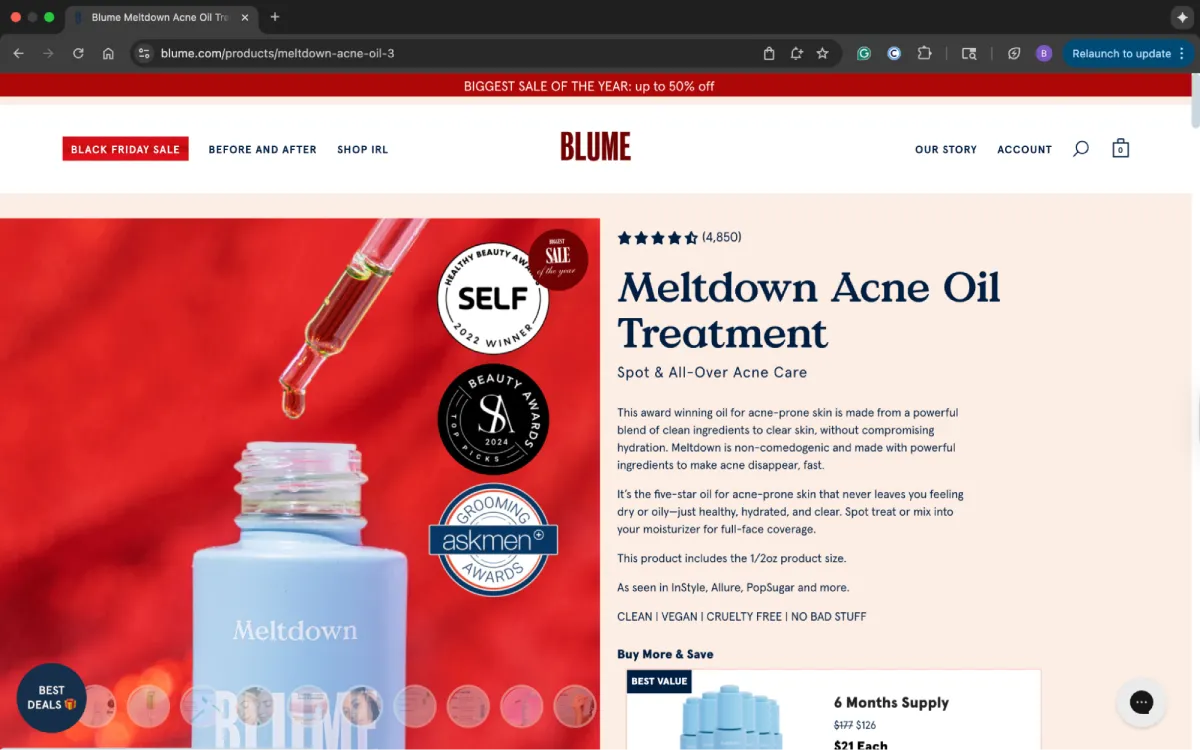
Clear product pages make it easier for shoppers to understand what they’re buying. Short sections, readable text, strong visuals, and details all help visitors feel more confident about their purchase.
Many niche stores add custom specs, ingredient lists, or comparison information, which means buyers don’t have to leave the page to confirm anything.
A brand like Blume is a real-world example. Their product pages use clean layouts that highlight benefits, reviews, and key details.
Features such as search filters, custom post types, and HTML templates make this easy to create without relying heavily on page builders or other tools.
Category and navigation that match niche browsing behavior
Category pages should match how your audience thinks about your products. Niche shoppers tend to browse in direct paths, so cluttered menus or multiple layers get in the way.
WooCommerce helps you build a straightforward navigation structure. Shallow categories, meaningful labels, and filters that match real decision points make browsing easier.
Breadcrumbs help visitors return to previous pages without having to start over. Clean category pages with organized frids and short previews guide shoppers toward products.
Allbirds uses this design pattern. With simple navigation, visitors can quickly access what they need.
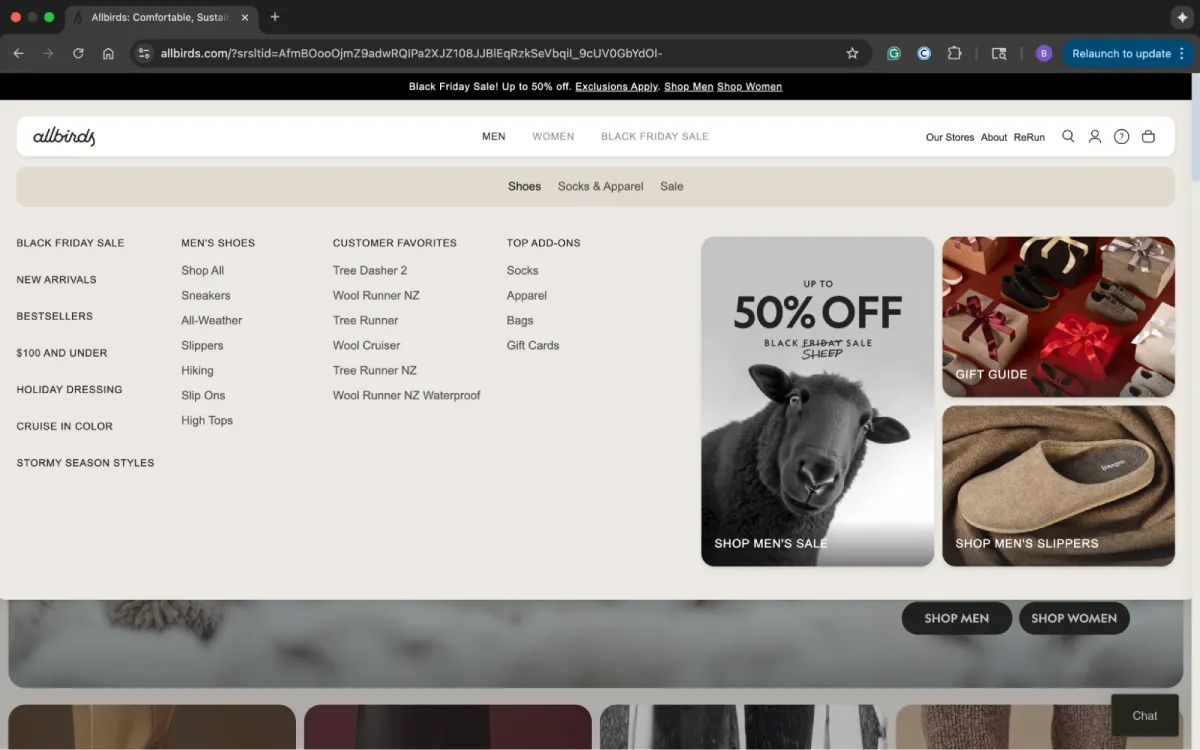
You can follow the same pattern in your WooCommerce store by customizing menus, using responsive design in your WP theme, and loading only the demo content you need instead of overwhelming the store.
Checkout flow that reduces hesitation
A clean checkout makes a noticeable difference in conversions. A long or confusing path to purchase can make shoppers hesitate.
WooCommerce supports shorter forms, familiar payment methods, and guest checkout options that help people finish their order without getting stuck.
Brooklinen keeps their checkout straightforward, and it works because every step is predictable. Customers can also use express checkout or save their information for faster checkout with a Shop account.
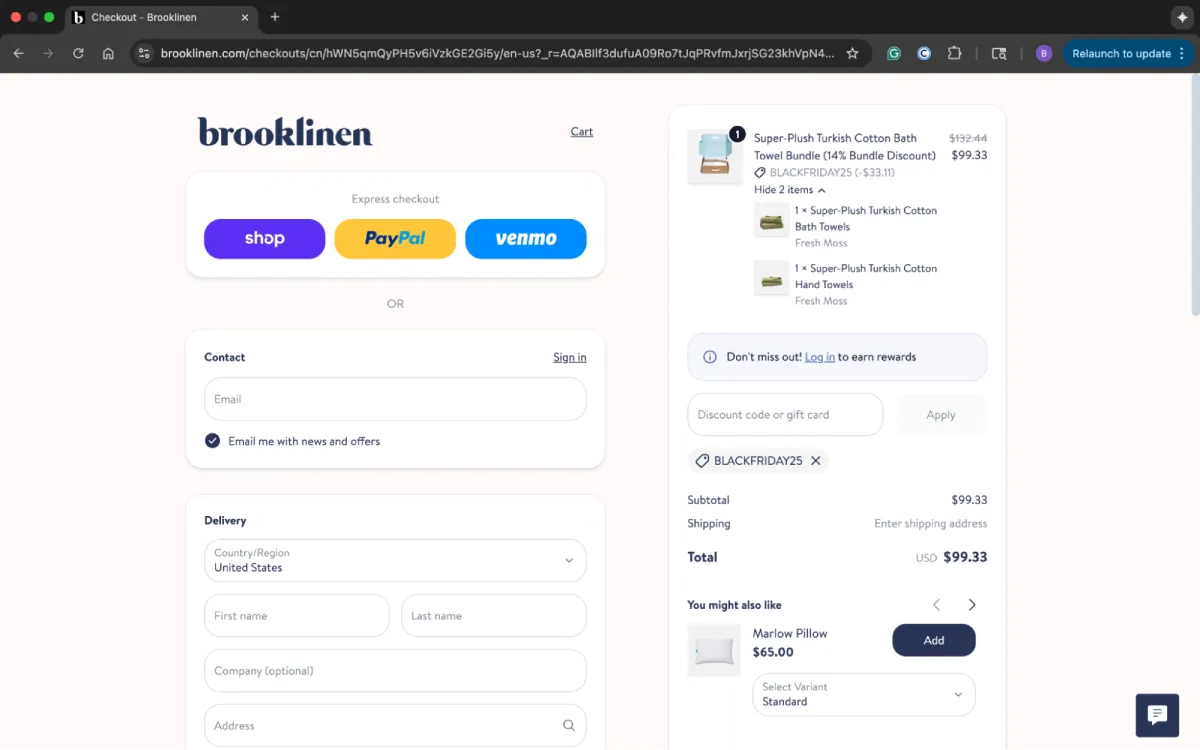
Using tools like pop-ups & slide-ins sparingly, offering email alerts for delivery updates, and improving response times also support smoother checkout processes.
Mobile mobile design for niche stores
Many niche audiences browse on mobile devices. So, a strong mobile layout is essential. Clear buttons, readable text, fast-loading images, and minimal menus make the store easier to browse on smaller screens.
Most WooCommerce themes are mobile-friendly, especially when you pair them with a solid hosting provider that ensures fast loading times.
Glossier is a good model for mobile layouts:
- Large tap targets
- Clean mages
- Consistent formatting
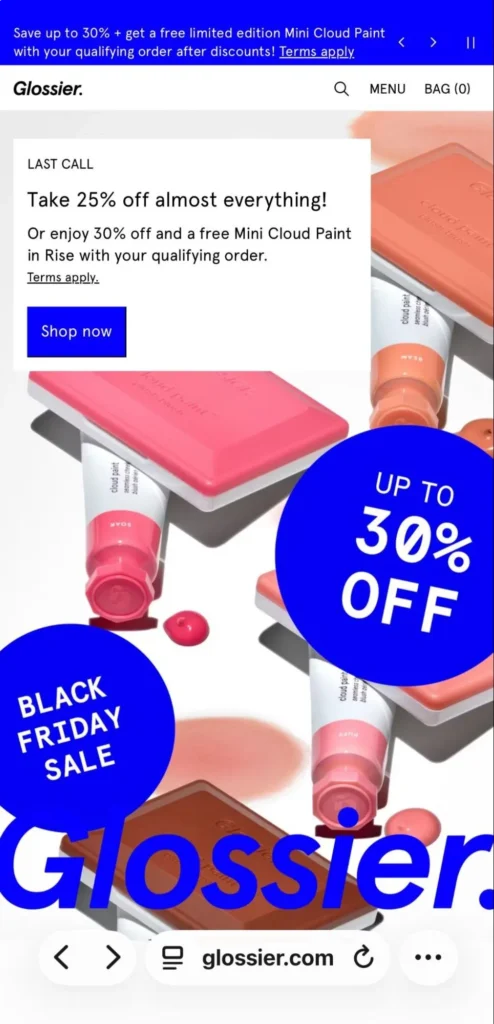
You can achieve this with responsive design, careful image compression, and lightweight plugins that don’t slow down the site.
Micro-patterns that lift conversions
Slight interface choices often help guide shoppers more than major design changes. Inline error messages, well-spaced forms, short CTAs, and predictable icons are all examples of micro design patterns that create a smoother user experience.
They make it easier for visitors to trust the site and continue through each step.
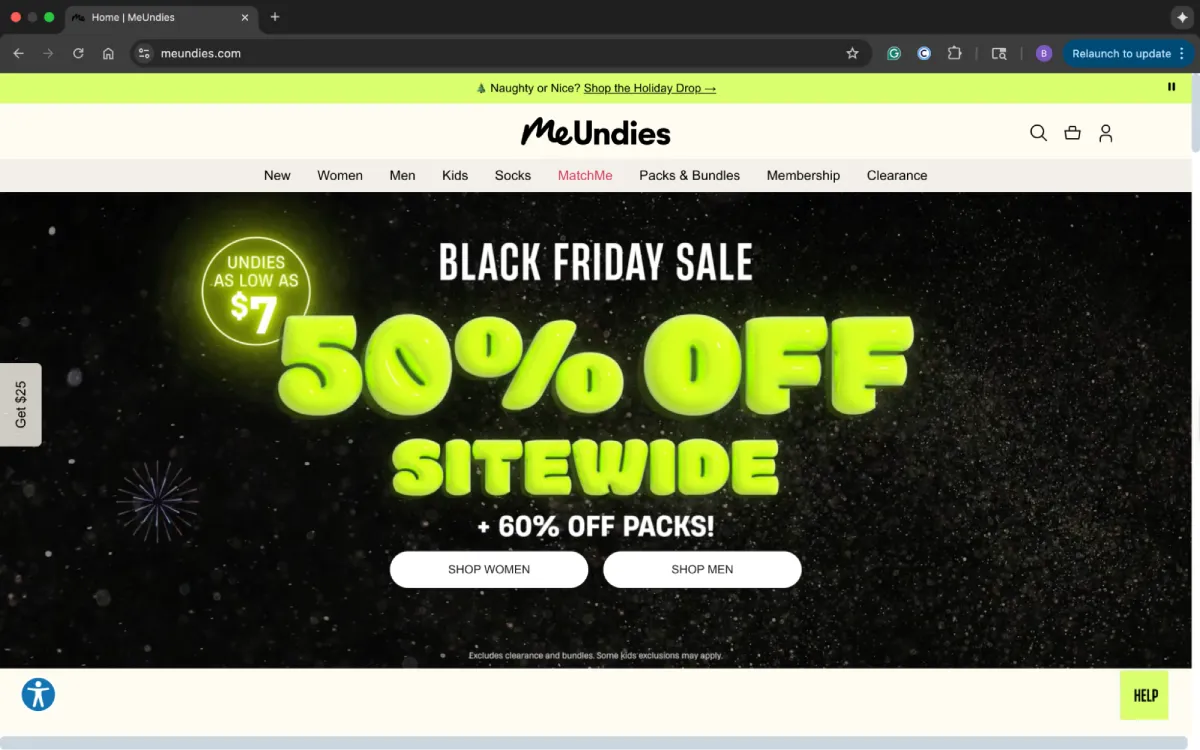
On MeUndies, details like clear sizing notes and quick reassurance cues help lower friction. You can add similar micro-patterns through:
- WordPress plugins: Refine small usability details like spacing, form fields, and inline messages.
- Optin plugin features: Support gentle prompts, such as slide-ins or subtle email capture bars that guide visitors without disrupting their flow.
- AI tools: Help identify friction points across your site, analyze click behavior, flag confusing sections, and suggest layout adjustments to improve the user experience.
- Short, clear forms: Reduce hesitation by making every step easy to complete.
- Straightforward calls to action (CTAs): Use predictable wording so shoppers understand actions instantly.
- Reassurance notes: Include cues such as delivery estimates or stock indicators that help visitors feel more confident about making a purchase.
- Consistent spacing and typography: Keep pages steady and easy to scan while avoiding visual clutter.
How to Choose the Right Design Patterns for Your WooCommerce Store
Design patterns for conversion in niche WooCommerce stores work best when they match how your shoppers think, browse, and make decisions.
WooCommerce gives you the flexibility to build each part of your store, but the patterns you choose should come from real behavior.
Before adjusting layouts or adding new features, it helps to understand what your audience needs, how they navigate your site, and where in the journey they experience hesitation.
Once you have that foundation, selecting the right patterns becomes far easier and far more effective.
Study how shoppers navigate your online store
Choosing the right design patterns is all about understanding how visitors interact with your shop. Review which pages draw the most attention, where shoppers slow down, and where they tend to leave.
A/B testing helps you compare variations of product pages, navigation layouts, or micro-patterns and shows which version improves the user experience the most.
Match patterns to your workflow and tools
After you gain a good understanding of shopper behavior, focus on patterns that support how you manage your store. If you need quick updates, a beautiful theme, and a reliable support team can be more practical than feature-heavy page builders.
If you publish content regularly, you’ll benefit from pairing content marketing with a full AI suite or targeted WordPress plugins to organize information. Integrating these design patterns with your existing content marketing tools ensures that your product stories and blog updates are displayed consistently across the site.
If you expect steady growth, investing in custom website development or stronger WordPress hosting gives you more room to scale without performance issues.
Choose patterns that fit your brand and your shoppers
The best design patterns are the ones that feel natural to your audience. Make updates that help real customers, not just changes that look appealing in a theme or demo.
Patterns that align with your products, layout, and messaging lead to smoother browsing and better conversions.
Build Your Store With a Theme Designed for Growth
Design patterns for conversion in niche WooCommerce sites matter most when they make the path from browsing to buying steady, clear, and familiar.
WooCommerce already gives you the structure, but the patterns you choose bring the store to life, all while fitting your niche, your brand, and the way your audience thinks.
If you’re ready to put these patterns into practice, the theme you choose matters just as much as your layout choices. Porto is one of the most trusted options worldwide.
Our WordPress themes feature clean code, flexible layouts, and compatibility with Elementor, WPBakery, Gutenberg, and native WooCommerce features.
Start building with Porto today and give your WooCommerce store a strong foundation that’s easy to customize and built to scale.
Britney Steele

Born and raised in Atlanta, Britney is a freelance writer with 5+ years of experience. She has written for a variety of industries, including marketing, technology, business, finance, healthcare, wellness, and fitness. If she’s not spending her time chasing after three little humans and two four-legged friends, you can almost always find her glued to a book or awesome TV series.


Leave a Reply