Features

The Features category highlights the key design elements, functionalities, and performance enhancements available in the Porto theme. It includes guides and showcases for layout options, speed optimization tools, header and footer builders, custom widgets, and advanced theme settings.

This category is ideal for learning how to take full advantage of Porto’s built-in tools — such as the Template Builder, Speed Optimize Wizard, and integration options with popular plugins like WooCommerce, Elementor, and WPBakery Page Builder. Each post under this category focuses on helping users unlock specific Porto features to create faster, more flexible, and visually engaging websites.

How to add animation effects to elements

Porto allows you to apply smooth animation effects to almost any page element. These animations trigger when the element becomes visible during scrolling, helping you create more engaging and dynamic layouts. Porto provides two methods for adding animation effects in WPBakery. Many WPBakery elements include built-in animation...

Sticky Sidebar

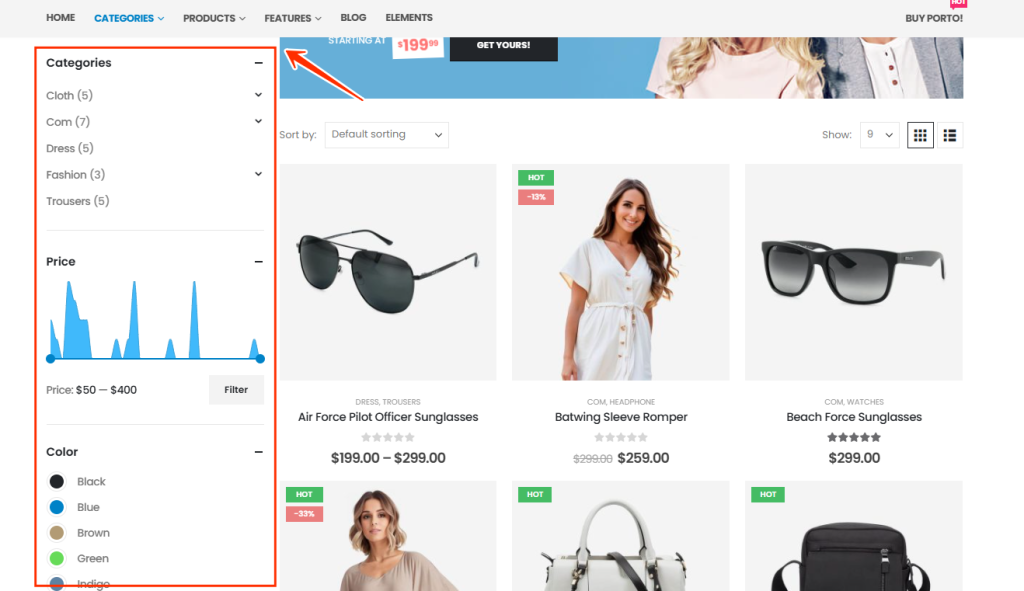
The Sticky Sidebar feature in the Porto WordPress theme allows your sidebar content to remain visible while the user scrolls the page. This improves usability—especially on long product or blog pages—by keeping filters, widgets, or navigation items easily accessible at all times.

Variation Swatch

The Variation Swatch feature in the Porto WordPress Theme allows store owners to display product attributes (such as color, size, style, etc.) as visually appealing swatches instead of traditional dropdowns. Swatches enhance user experience and help customers quickly identify variations through colors, images, or labels. This...

How to add porto shortcodes in TinyMCE editor

Porto includes a wide collection of shortcodes that let you add styled components, layout structures, and functional elements directly into your content. When using the TinyMCE (Classic) Editor, you can insert these shortcodes in several ways. Below are all available methods, organized for clarity and easy reading. You...

How to use OpenAI for Content Creation

Starting from Porto version 6.8.0, a built-in AI Content Generator powered by OpenAI is available. This feature allows you to automatically create high-quality text for your website — such as product descriptions, meta tags, and excerpts — using the OpenAI API. Before using...

How to use Porto Flick Carousel

Introduced in Porto v6.10.0, the Flick Carousel is a powerful and elegant new feature designed to create dynamic, visually engaging content sliders. With its sleek, modern layout and smooth motion effects, Flick Carousel adds a professional touch to your pages while keeping...

Read more for the Container (Column) content

Starting from Porto v7.1.0, a new feature called Read More Content for Column/Container has been introduced. This feature allows you to collapse overflowing content inside a container or column and reveal it dynamically using a “Read More” button. It’s designed to enhance the user experience and...

Free Shipping Bar

The version 7.1.0 of the Porto WordPress theme introduces a new feature - "Free Shipping Progress Bar." This feature is to enhance the effectiveness of your online store and motivate customers to purchase more, thereby qualifying them for free shipping. The Free Shipping Progress Bar can...

Templates Builder

The Porto Template Builder is a powerful feature that extends the functionality of page builders like WPBakery and Elementor (Free or Pro). While standard page builders only allow you to design the content area of a page, Porto’s Template Builder lets you design your entire...

Display Condition

In the latest version of Porto, you can create and apply custom headers, footers, product layouts, shop templates, post singles, and archives using the Templates Builder — all with flexible display conditions. With the help of the Unlimited Post Type plugin, you can even design...