
The Archive Description element in Porto allows you to display the descriptive text of your product archive or taxonomy archive (such as product categories or product tags). This is especially useful when you want to provide context, introduce a category, highlight featured collections, or improve SEO by adding relevant text to archive pages.
How to Use the Archive Description Element
-
Open the Product Archive Builder
Navigate to WP Dashboard → Porto → Template Builder → Product Archive and create or edit an existing Product Archive layout.
-
Insert the Archive Description Element
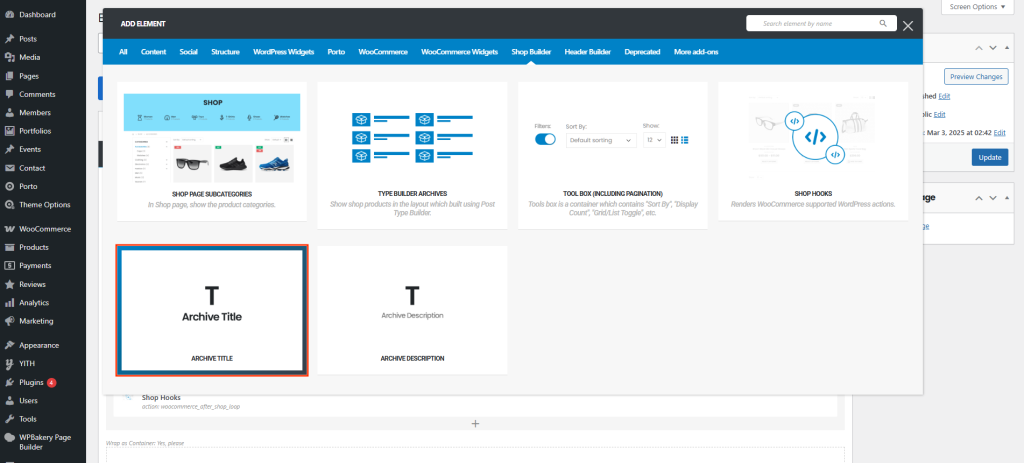
- WPBakery: Add an element and select Archive Description.
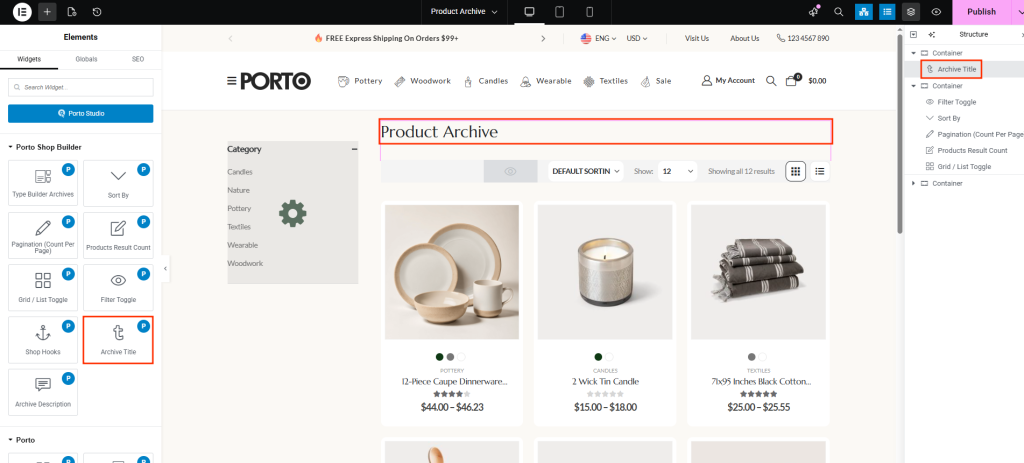
- Elementor: Search for Archive Description in the widget panel and drag it into your layout.
-
Position the Element
Place it anywhere in the archive layout—commonly before or after the Archive Title or above the product grid.
-
Customize Style Settings
Adjust typography and colors to match your site's design (details listed in the next section).
-
Save and Apply Conditions
Set display conditions so the archive layout applies to your product category pages, product tag pages, or all product archives.
Element Content Options
| Option | Description |
|---|---|
| Typography | Allows you to customize font family, size, weight, line height, and letter spacing to achieve consistent design for archive descriptions. |
| Color | Set the text color for the archive description content. Useful for matching your site’s color scheme or ensuring readability. |
Additional Tips
- Uses the Native Archive Description
This element automatically pulls the description from Products → Categories or Products → Tags.
Edit these descriptions in the WooCommerce taxonomy settings. - Great for SEO
Adding an archive description helps search engines understand the context of the product category, improving organic visibility. - Works with Any Layout Structure
Whether you use grid layouts, sidebar layouts, or custom designs, the Archive Description element adapts to your structure. - Style Consistency
For best results, match typography settings with the Archive Title and other text elements.

