
The Porto Mini Cart Element is a key component of any eCommerce website built with WooCommerce. It provides customers with a quick and intuitive way to view their cart contents from anywhere on the site—without interrupting their browsing experience.
This element is fully compatible with WooCommerce and designed with performance and flexibility in mind. It offers multiple display modes, layout types, and design options, allowing you to customize how the cart looks and behaves to best fit your store’s style.
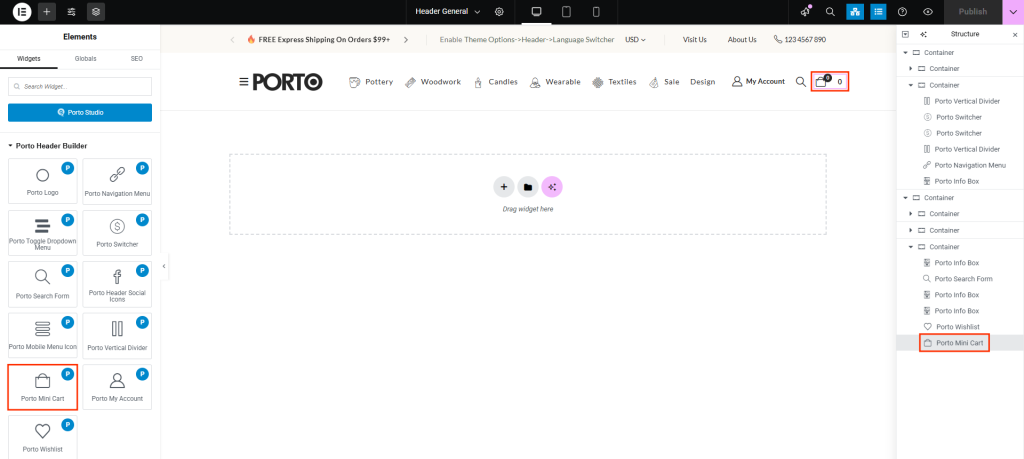
Add custom text next to the cart icon, such as “My Cart” or “Shopping Bag,” to improve clarity for user and Enable a quantity input box in the dropdown or off-canvas cart, allowing users to adjust item quantities directly from the mini cart in Porto → Theme Options → Header → WooCommerce.
How To Use The Porto Mini Cart Element
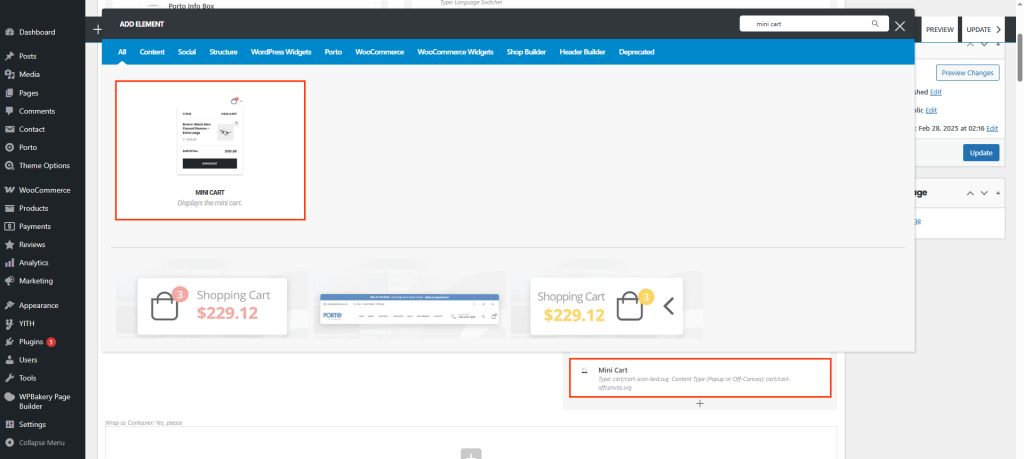
- Create or select a column where you want to insert the element. Click Add New Element.
- From the element list, select Porto Mini Cart Element.
- Configure the cart’s location within your header or any other section of your layout. A default cart will appear with the default layout and style.
- Adjust the display mode, layout type, cart badge, and icon options as needed.
- Once your configuration is complete, save all changes and preview your site.
Element Content Options
| Option | Description |
|---|---|
| Mini-Cart Type | Choose from 4 cart styles — Simple, Arrow Alt, Text, Icon & Text. |
| Content Type | Select between Default and Off-Canvas mode. |
| Custom Icon | Select a custom icon for Cart |
| Icon Size | Adjust the cart icon size to fit your design. |
| Icon Color | Set a custom color for the icon. |
| Icon Margin Left / Right | Control spacing on either side of the icon. |
| Text Typography | Set the Typography for the text label. |
| Price Typography | Define the Typography for the cart total price. |
| Cart Badge Settings | Enable or disable the badge counter, customize its position, background color, text color, and font size. |
| Extra Class Name | Add your own custom CSS class for additional styling (without the dot). |
Additional Tips
- Use Mini Cart Text for clearer navigation, especially for first-time visitors.
- Enable Show Quantity Input to enhance user convenience and reduce clicks.
- The Cart Badge is especially useful for improving user experience, as it provides immediate visual feedback.
- When using the Off-Canvas mode, ensure the sidebar width and overlay colors are adjusted for better visibility on mobile.
- Combine the Mini Cart Element with the Porto Header Builder for a cohesive and modern header layout.
- Test all layouts and badge styles across desktop, tablet, and mobile devices for consistency.

